

ODOO'S FUNCTION
Odoo has a powerful messaging system that can send emails automatically or manually, which is a great feature. However, it doesn’t offer much control over the settings, so users often don’t know exactly which emails or information the system will send to customers or suppliers. This lack of clarity can make users feel uneasy about using Odoo’s messaging feature.
CLUEDOO'S FUNCTION
Cluedoo enhances Odoo's sending email template engine by introducing:
1️⃣ Detailed configuration options for all email templates.
2️⃣ Granular controls for automatic emails sent by the system.
This empowers users to choose exactly how and when they communicate with third parties, such as customers and suppliers, rather than leaving it to the system to decide. This controlled workflow puts you back in charge, eliminating uncertainty and ensuring your communication is always exactly as you intend.
1. Debug > Go to Email template > Settings | 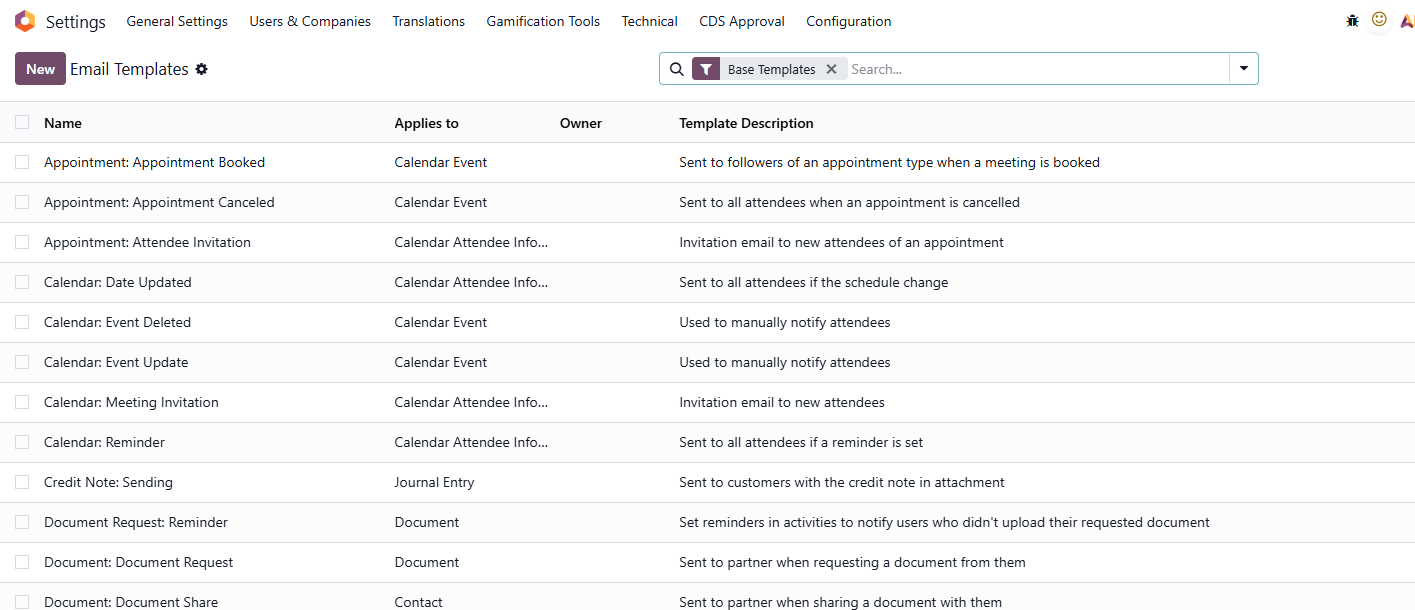 |
2. Open an email template, go to the Settings tab
Note:
| 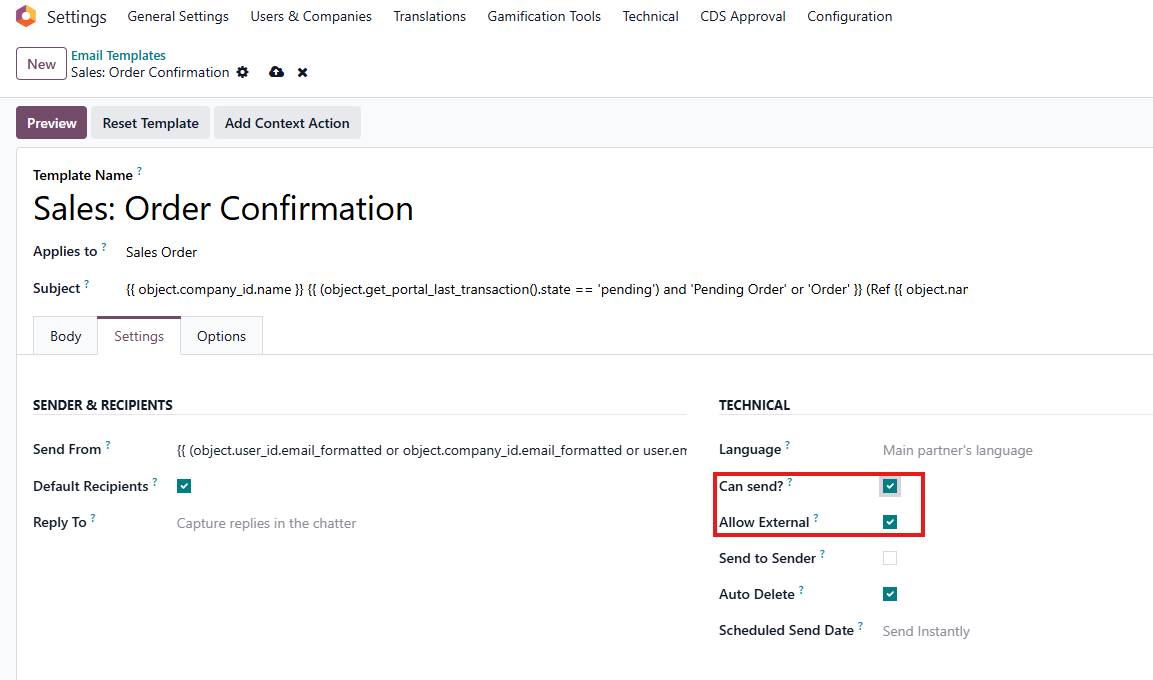 |
3. Example: Go to Sales > Quotations. Create a new Quotation and click Send By Email. If the email template is preconfigured with Can Send? set to True, the email will be displayed in the messaging. If Can Send? is unchecked, automatic emails will be blocked to the default recipients in the loop, and these emails will not be displayed in the messaging. | 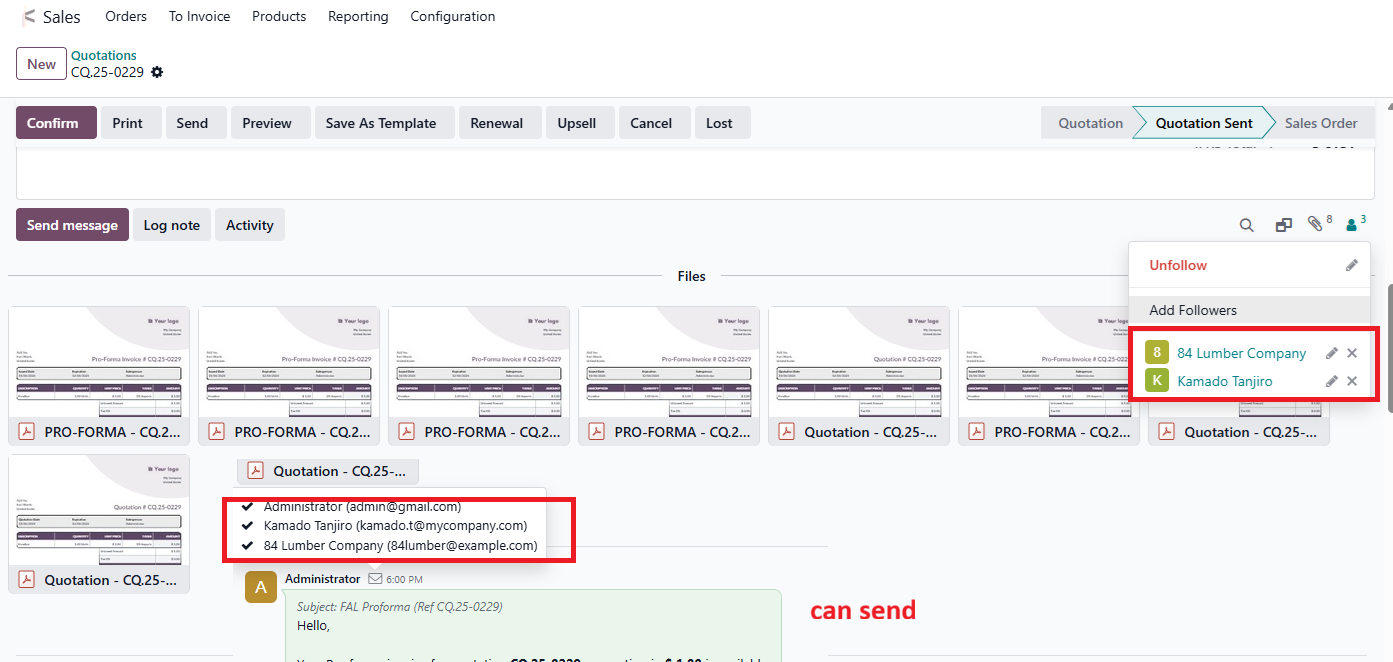 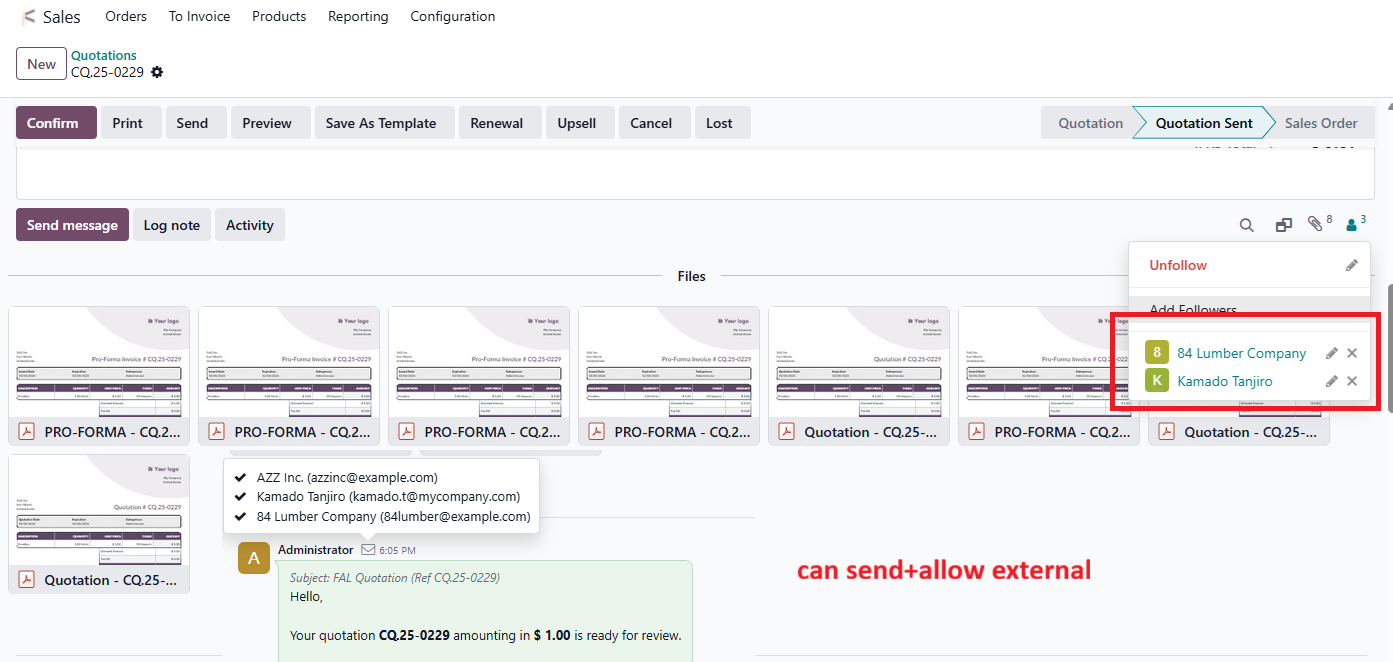 |