

ODOO'S FUNCTION
Odoo provides Aged balance, but without the possibility to get all the related documents to this aged balance.
CLUEDOO'S FUNCTION
Cluedoo enhances the Aged Balance reporting by introducing a detailed list of invoices related to any aged balance.
1. Go to Accounting > Reporting > Aged Receivable. Click 'View Invoices' to see the invoices list (invoices menu). Note: - Paid invoices are only shown in View Invoices - Other Journal Entries (such as Provi, PBNK, BNK, MISC, RINV...) that are relative to Invoices are also shown here. | 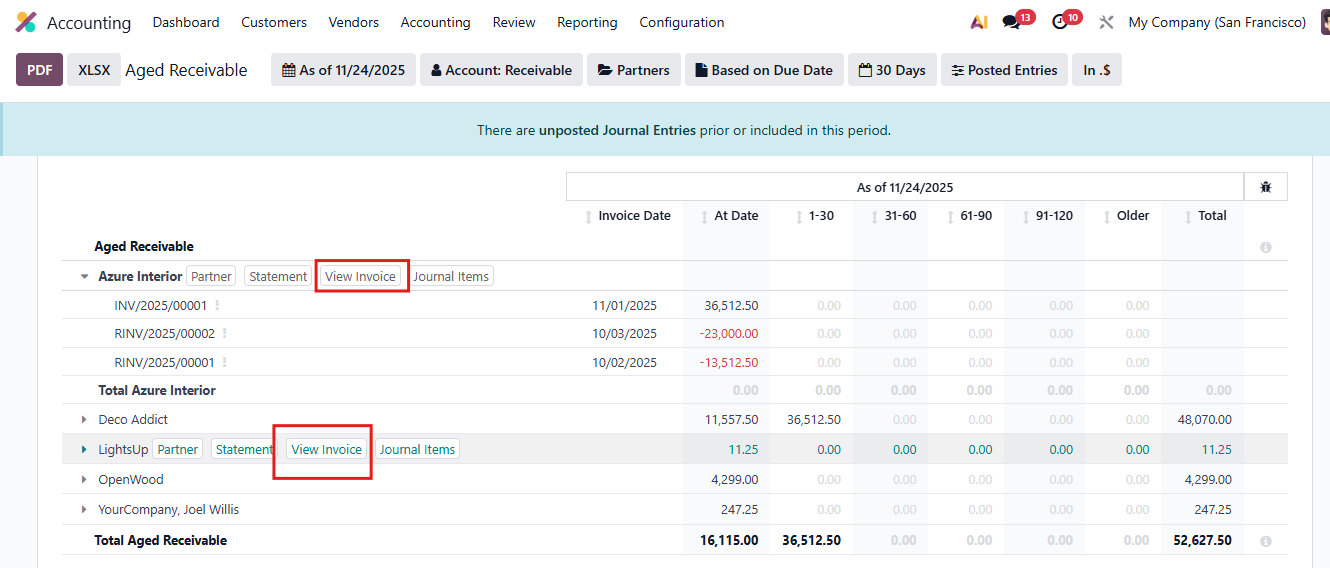 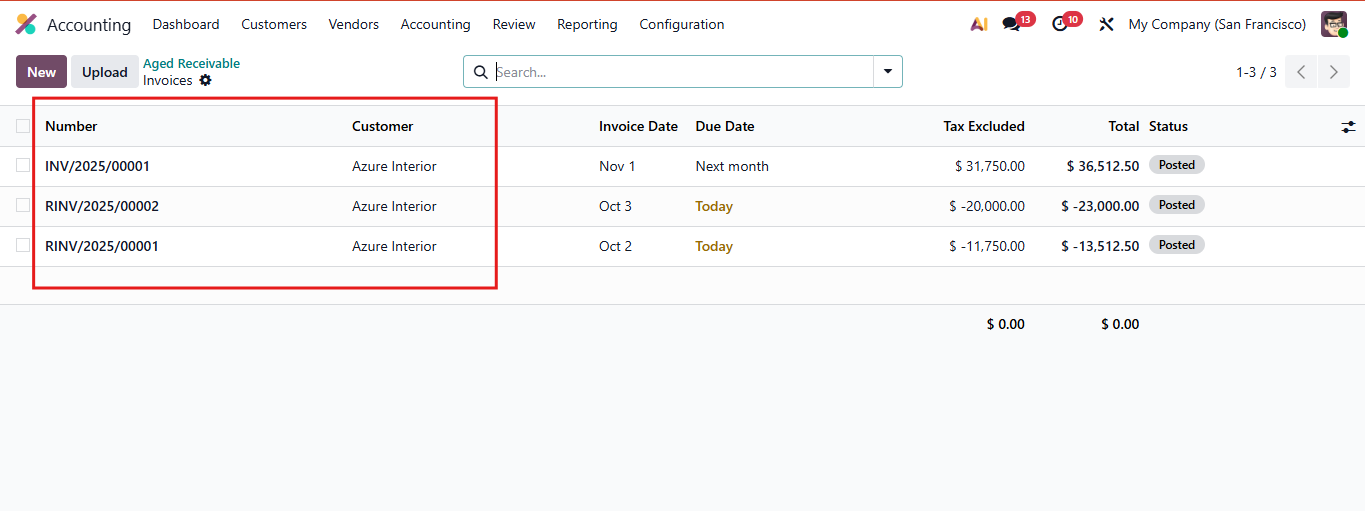 |
2. Go to Accounting > Reporting > Aged Payable. Click 'View Bills' to see the invoices list (invoices menu). Note: - Paid invoices are only shown in View Invoices - Other Journal Entries (such as Provi, PBNK, BNK, MISC, RINV...) that are relative to Invoices are also shown here. | 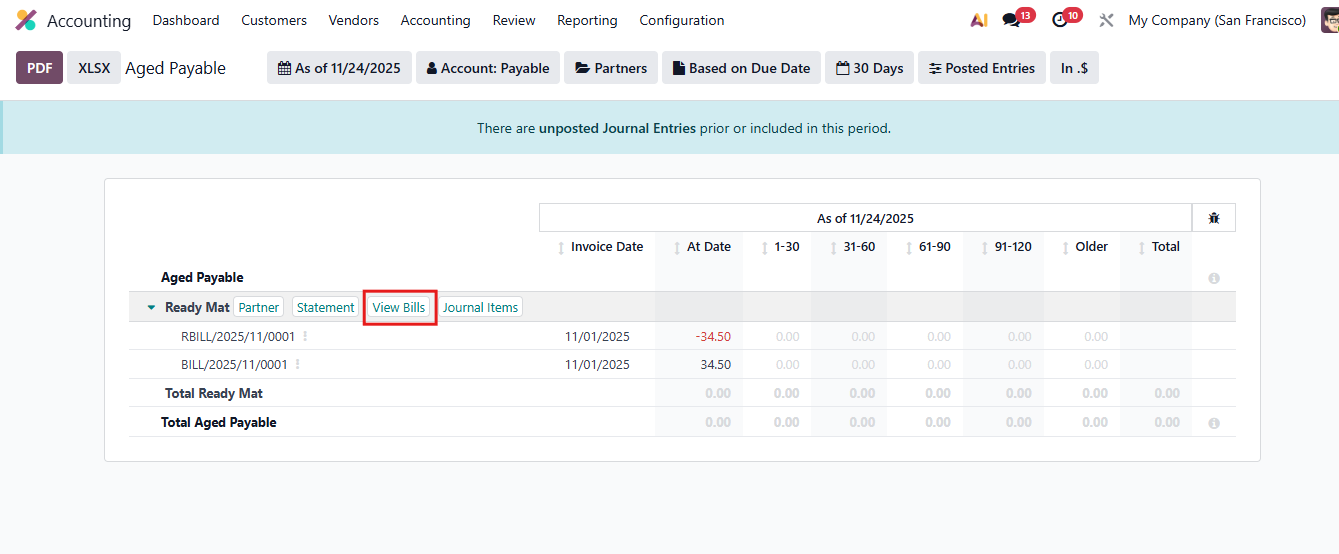 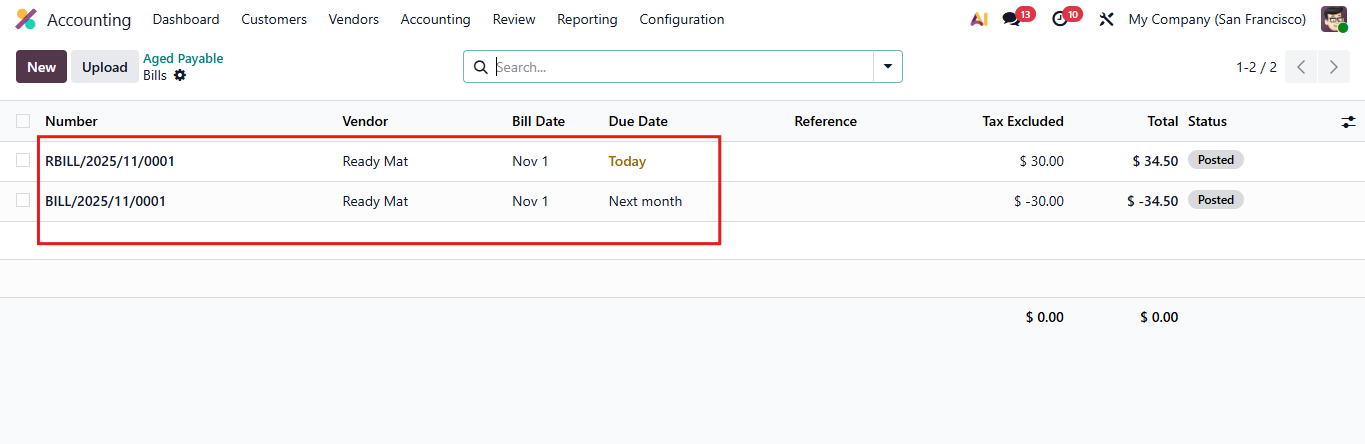 |