



ODOO'S FUNCTION
In standard Odoo, analytics from a Sales Order (SO) do not consistently flow through the entire chain (SO → Delivery Transfer → Stock Valuation Layer → Customer Invoice).
CLUEDOO'S FUNCTION
CLuedoo ensures analytics flow end-to-end across the sales chain.
1️⃣ Automatic propagation: Analytic accounts/tags set on SO lines flow to transfers, stock valuation layers, and invoices.
2️⃣ Consistent COGS and revenue tagging: Both income (invoice) and expense (COGS entry) share the same analytic dimension.
3️⃣ Seamless reporting: Profitability, margin, and project P&L can be tracked per analytic account or tag.
4️⃣ Full traceability: From SO confirmation to valuation and invoicing, analytics remain aligned without manual re-entry.
| 1. Create a Storable Product/Goods tracked by Quantity | 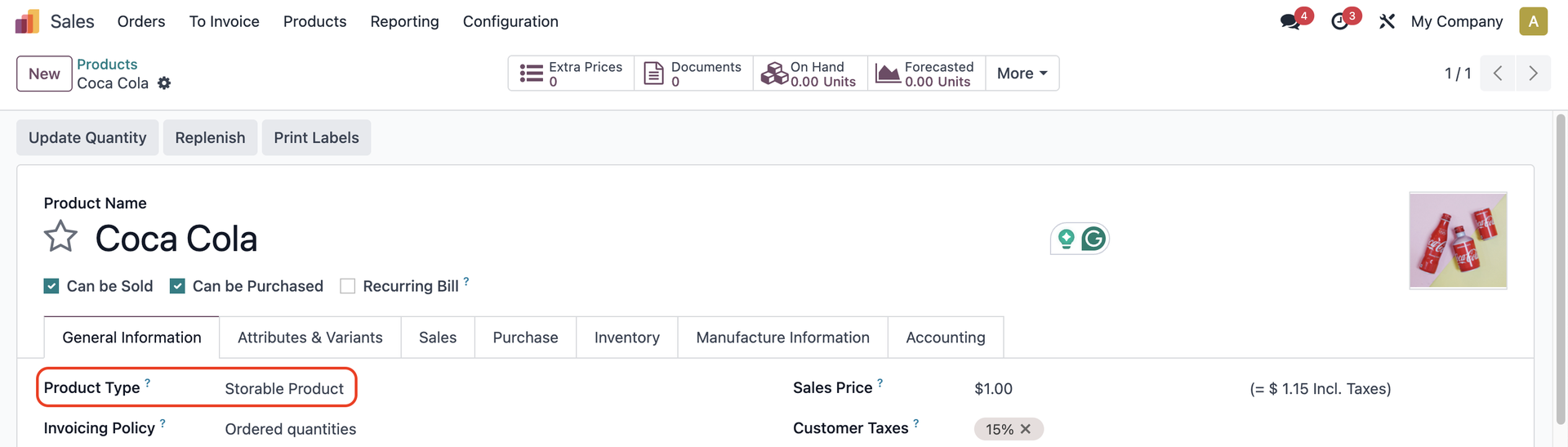 |
2. Create a Sales Order > Add the product and fill out the Analytic Distribution > Confirm | 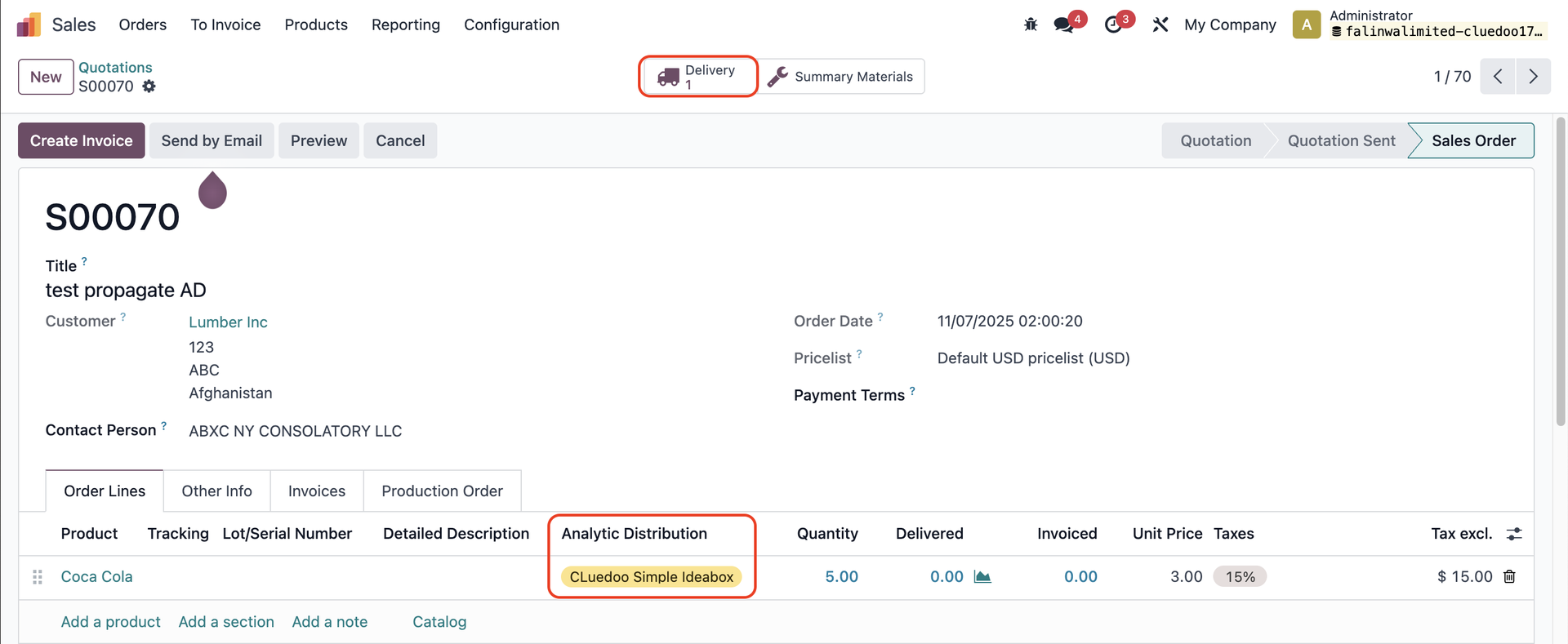 |
3. Go to Delivery > You can see the AD is propagated to the transfer > Validate > A Valuation smart button appears | 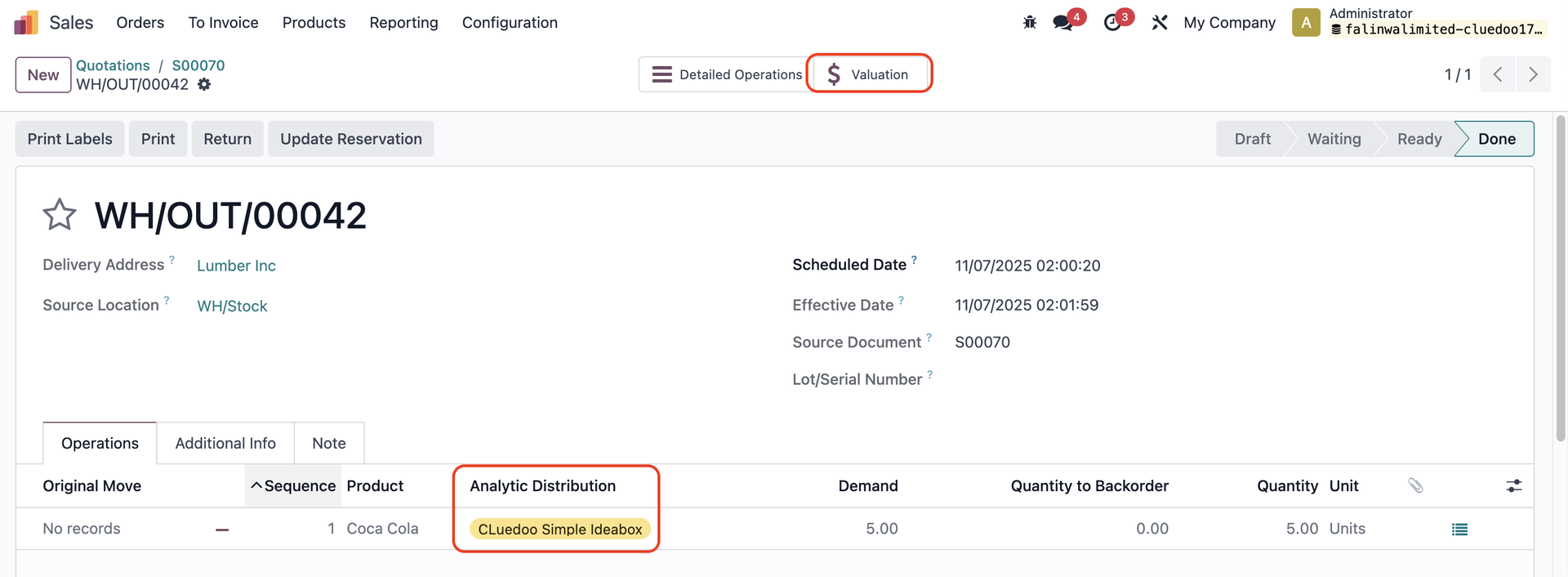 |
4. You can check the AD directly from the Valuation smart button in the transfer |  |
5. Alternatively, go to Inventory > Reporting > Valuation > You can see the AD |  |
6. Go back to the SO > Create Invoice
> The AD is propagated to the invoice lines | 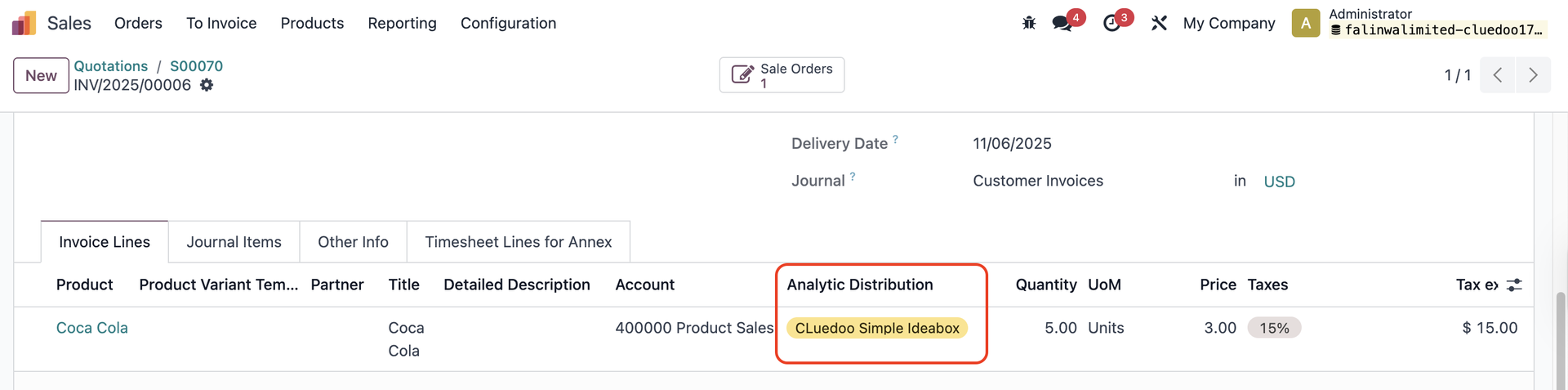 |