



ODOO'S FUNCTION
By default, Odoo’s Accounting module supports managing Deferred Revenue and Deferred Expense entries, but it does not provide a dedicated menu for Journal Items specifically linked to these deferred entries.
CLUEDOO'S FUNCTION
Cluedoo enhances the management of deferred entries by introducing:
- A new dedicated menu for only Deferred Expense Entries.
- The right to decide whether a specific line creates a deferred journal entry or not.
- Manual set into menu deferred expense entries
- A wizard to set old or existing entries as deferred ones.
This allows users to easily access and manage deferred entries in a separate, clean view and provides the flexibility to retroactively update historical data to ensure accurate tracking.
1. Deferred Expense Entries Menu Go to Accounting > Reporting > Deferred Expense Entries | 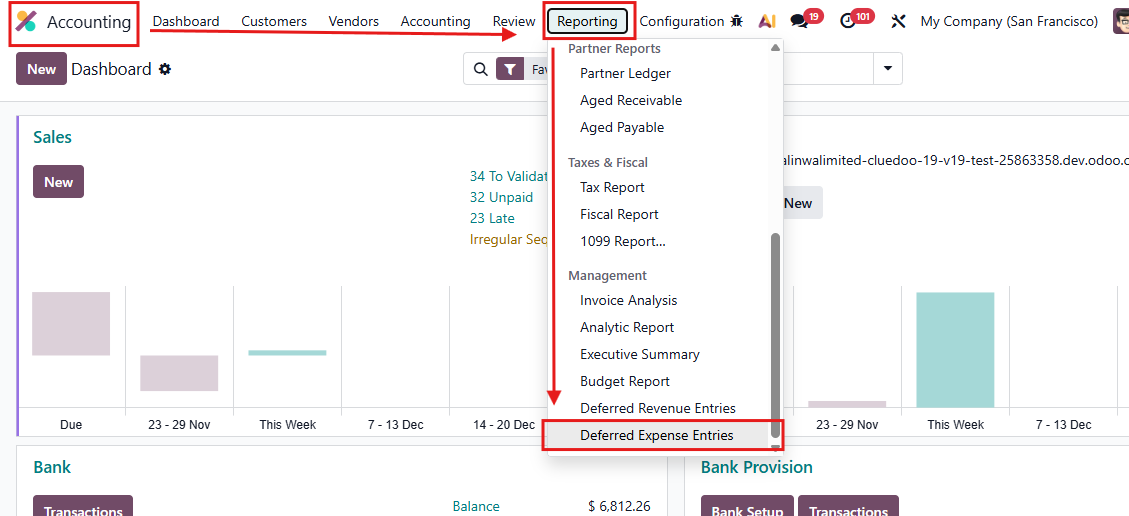 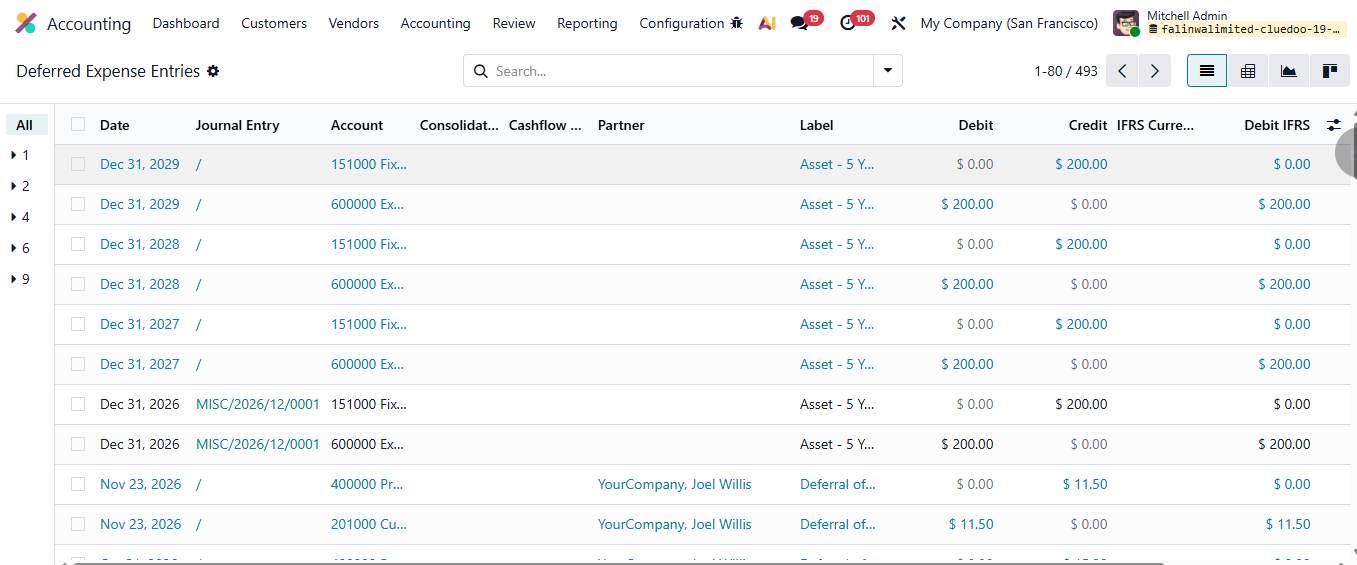 |
2. The right to each line creates a deferred journal entry or not. In Bill, each line will have a checkbox to decide. For example: Bill Line Screw will not be automatically in Deferred Expense Entries. | 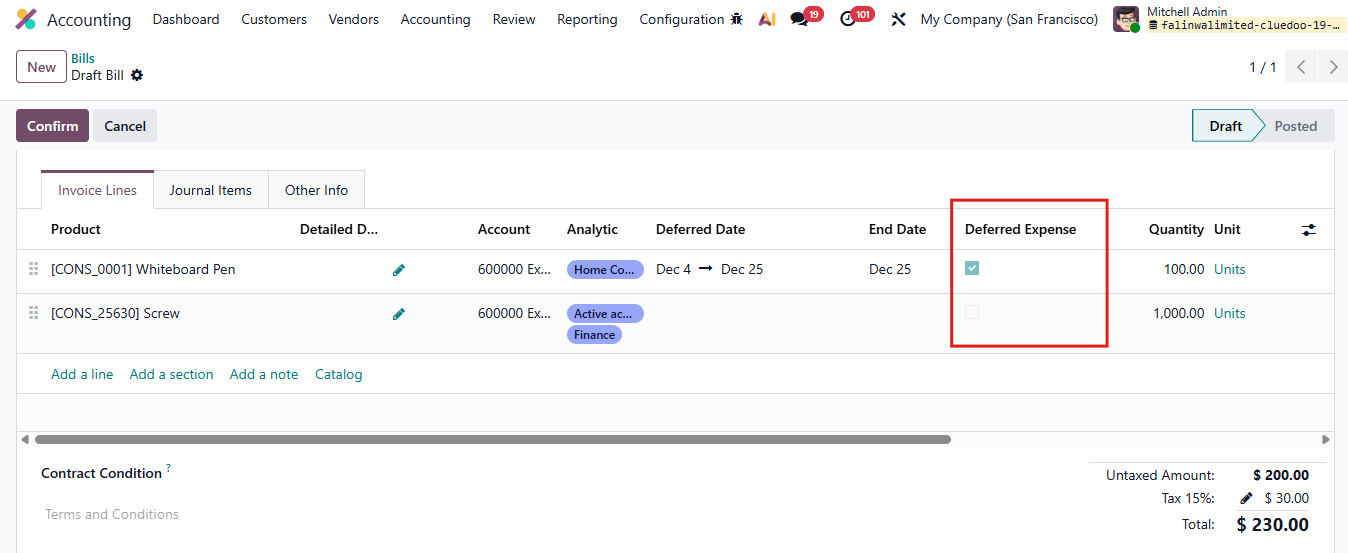 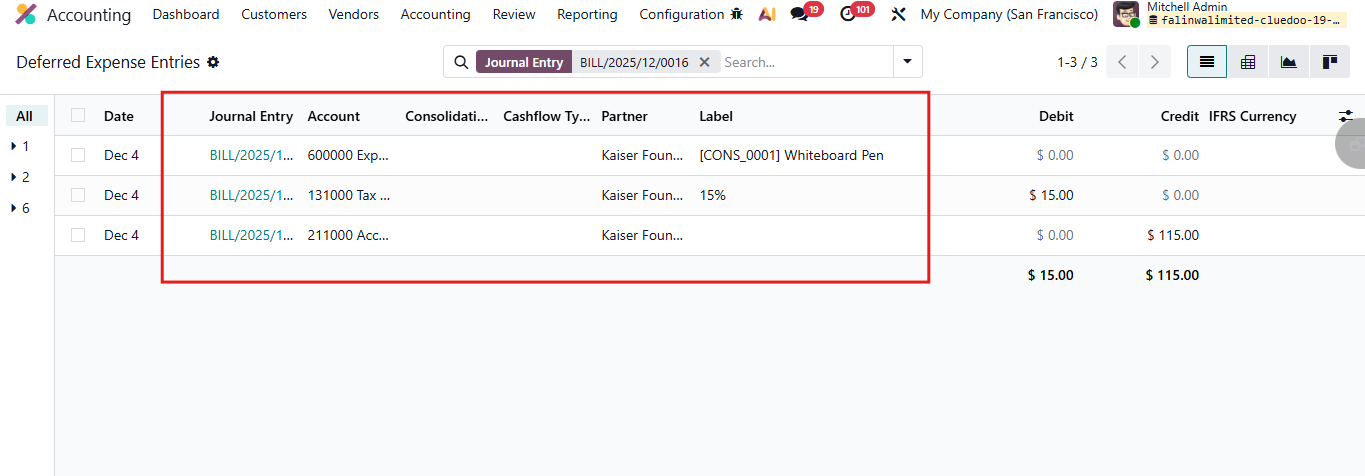 |
3. Manual set into menu deferred expense entries Go to Journal Entries Choose the Journal Entry you want > Action > Set Into Deferred Expense Entries Menu -> Then all the Journal Items of this Entries will be set in Deferred Expense Entries Menu For example: after choosing Set Into Deferred Expense Entries Menu, Journal Item [CONS_25630] Screw is in Deferred Revenue Entries too. | 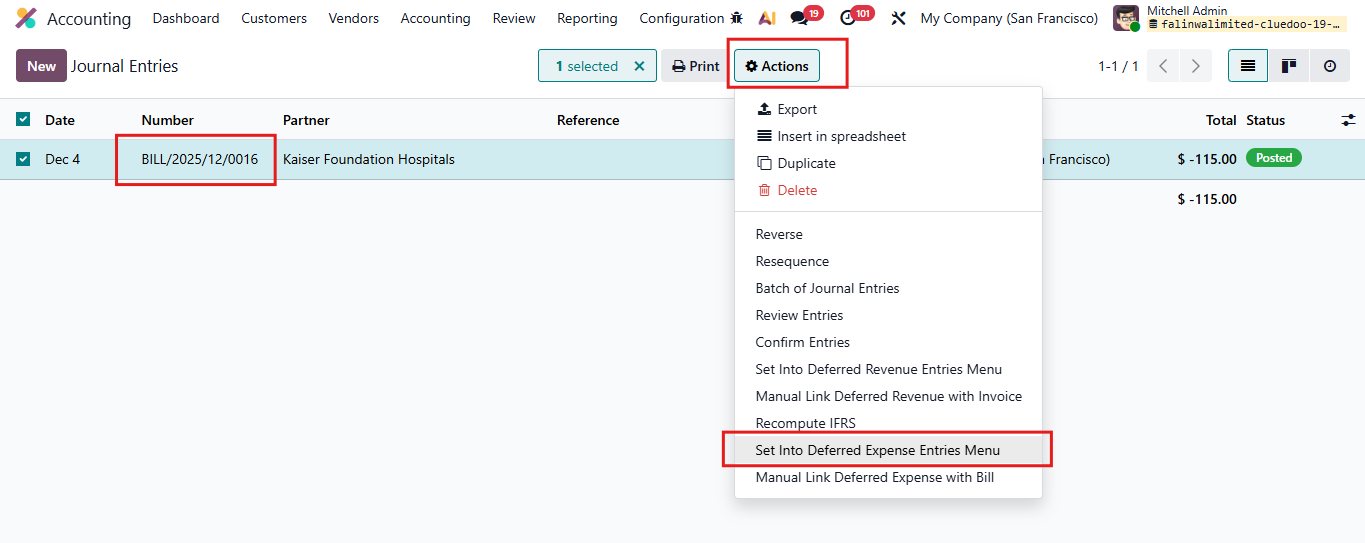 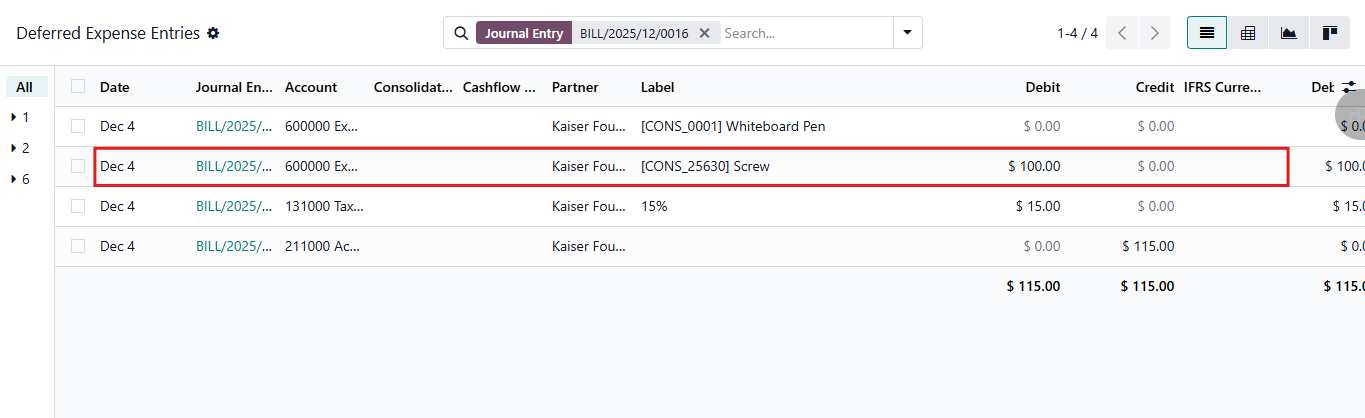 |
4. Manual Link Deferred Expense with Bill Choose Journal Entries > Actions button > Manual link deferred Expense with Bill> Choose Bill Then Confirm Note: make sure your selected journal items already push into Deferred Expense Entries Menu first | 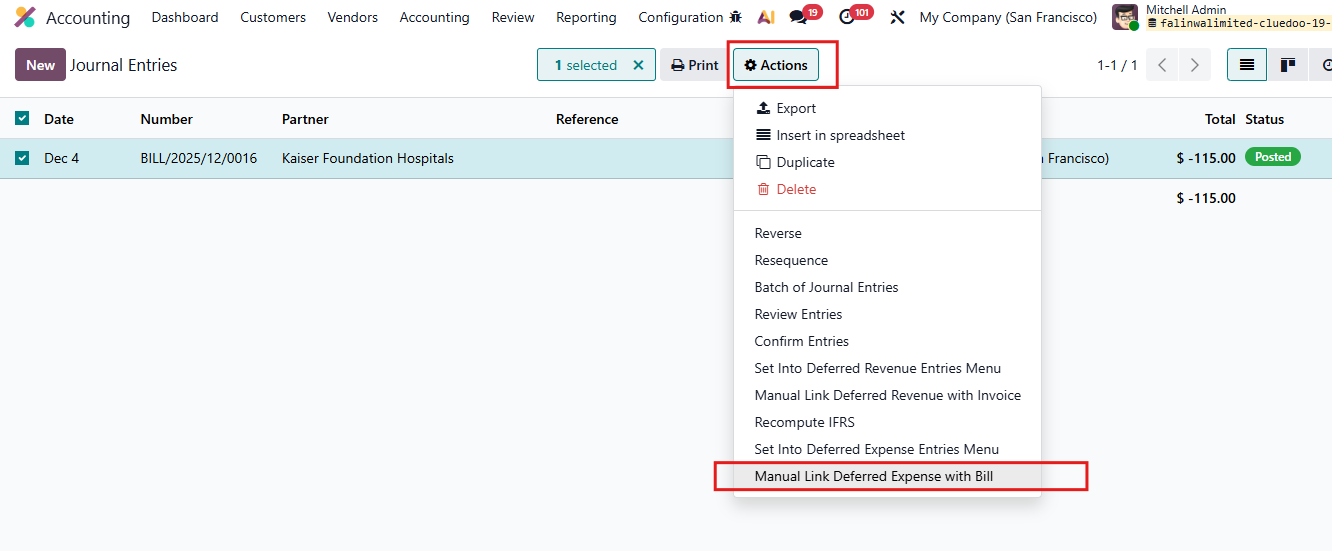 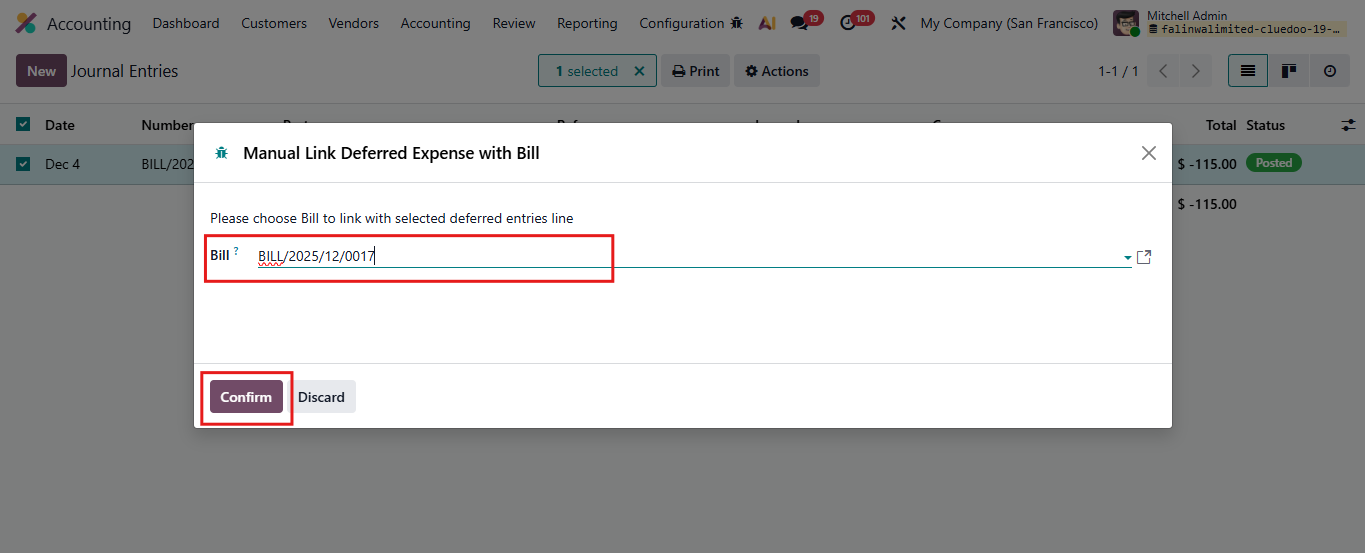 |
4.1 Then go to Vendor Bills > Choose Bill which used to add Journal Items > Deferred Entries button | 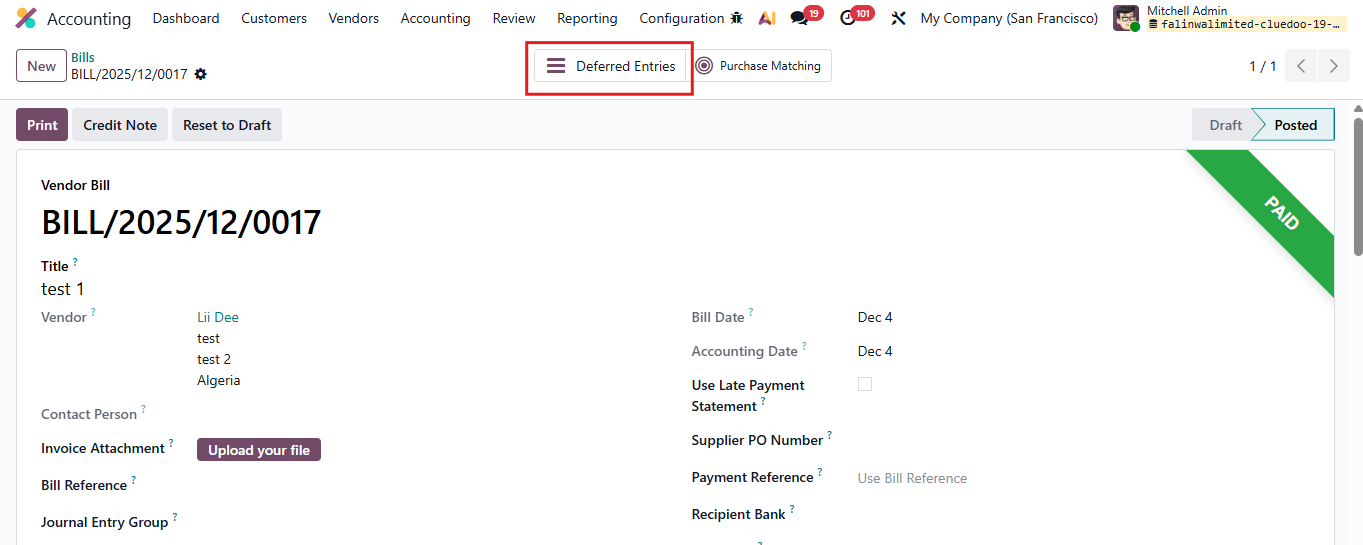 |
4.2 Check that Journal Items already linked | 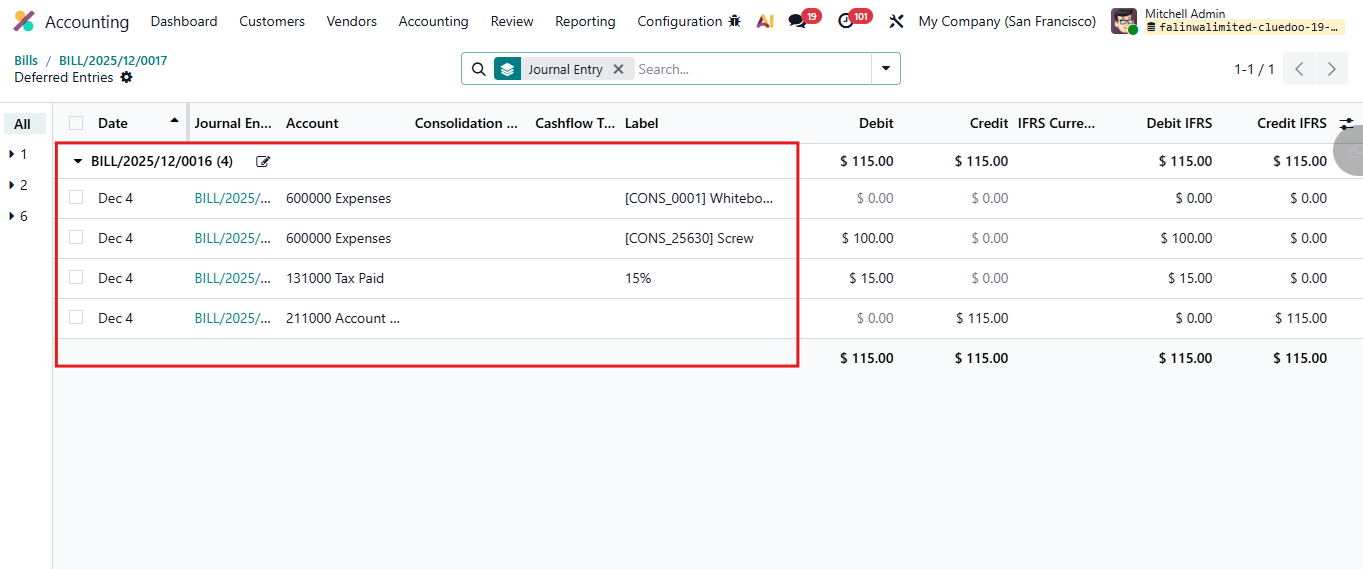 |