



ODOO'S FUNCTION
Odoo does not support automatically adding Chinese delivery fees, creating challenges in management and meeting the specific requirements of businesses in China.
CLUEDOO'S FUNCTION
CLuedoo enhances the sales order process for Chinese localization by introducing:
1️⃣ The ability to add delivery fees to sales order lines.
2️⃣ Additional related fields, including Fapiao Unit Price VAT Included, Fapiao Subtotal, and Fapiao Subtotal VAT Included.
This allows businesses to correctly add and manage Chinese delivery fees on sales orders, meeting the specific requirements of businesses in China.
1. Go to Settings > Users & Companies Choose the user you want to allow access right In Extra Rights, find and tick:
Then Save |  |
2. When creating a Sales Order/Quotation, we have an additional field to put the Delivery Fee, then it will be added to Fapiao Unit Price VAT Excluded, Fapiao Unit Price VAT Included, Fapiao Subtotal, and Fapiao Subtotal VAT Included. Notes:
| 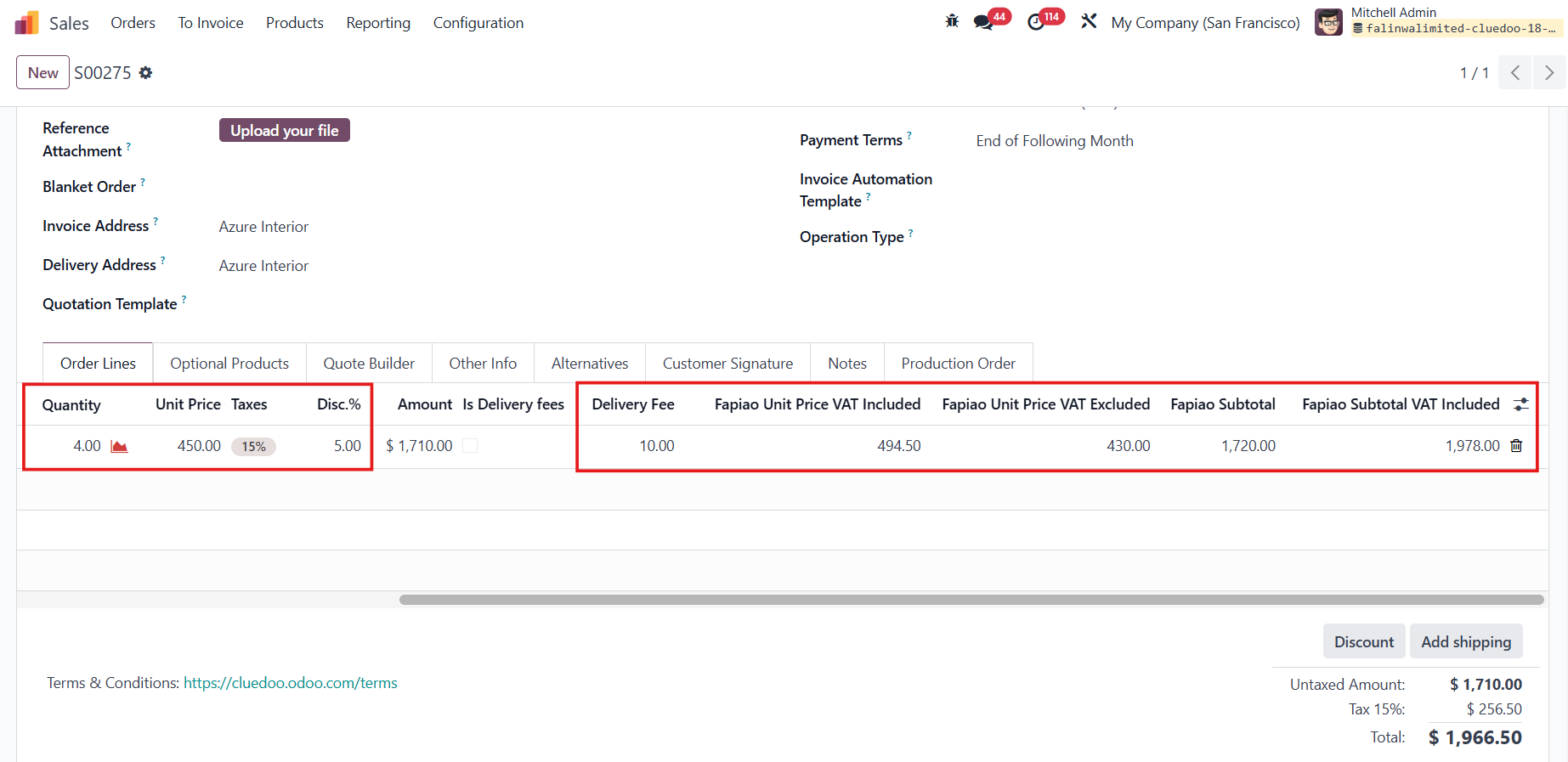 |
3. Fill in the delivery fee for every product order line. After that, we will add a line for the total delivery fee of all the products by checking the Is Delivery Fees option. The unit price of this product will automatically reflect the sum of all the delivery fees lines. | 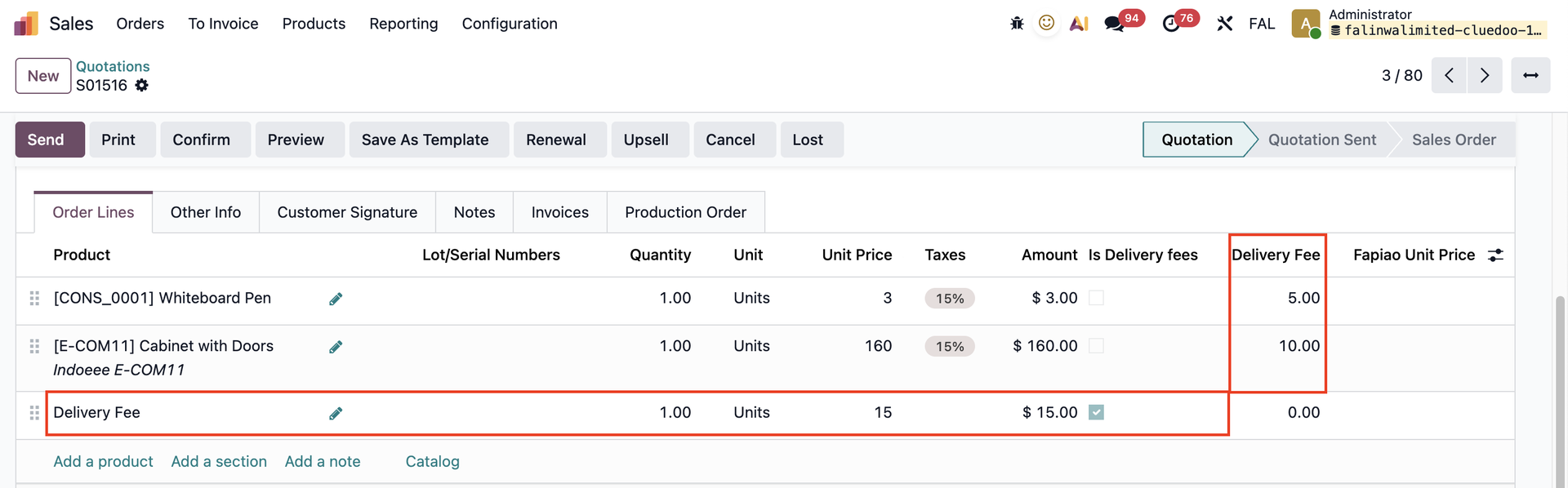 |
4. These additional fields also appear in invoices. |  |