



ODOO'S FUNCTION
- Sales Orders allow setting Analytic Accounts on order lines
- No differentiation by analytic type (e.g., Resource)
- No connection to Analytic Resource view or tracking.
CLUEDOO'S FUNCTION
1️⃣ Enable Analytic Distribution type Resource on SO lines.
2️⃣ If an Analytic Account of type Resource is selected:
→ The Sales Order is automatically linked to the corresponding Analytic Resource.
3️⃣ View and manage SOs related to a Resource in the Analytic Resource dashboard.
Go to Accounting > Configuration > Analytic Plans, we can create an analytic plan with type Resource | 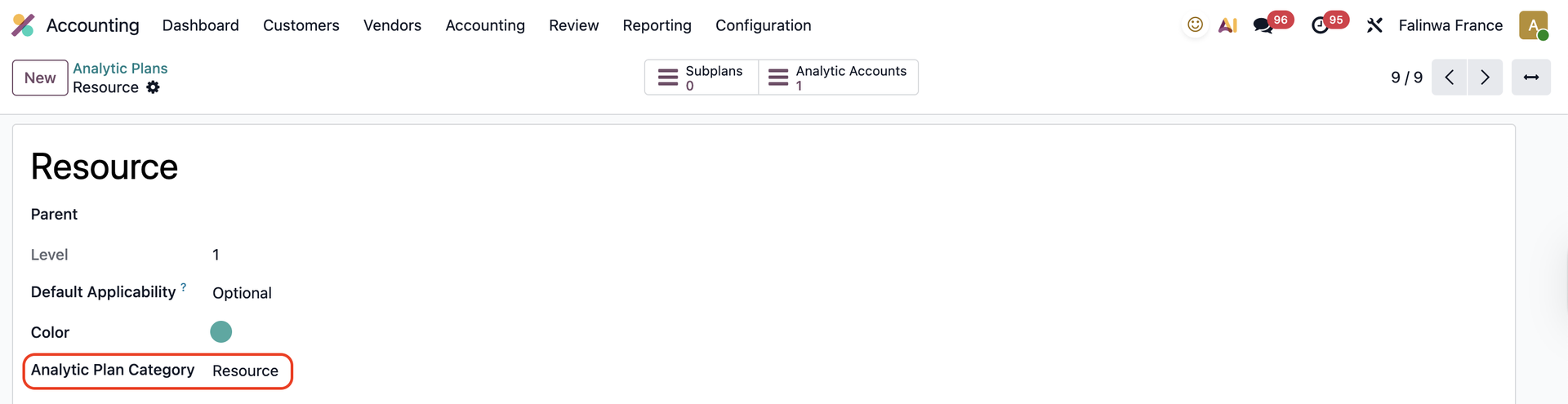  |
Create an Analytic Account with this plan | 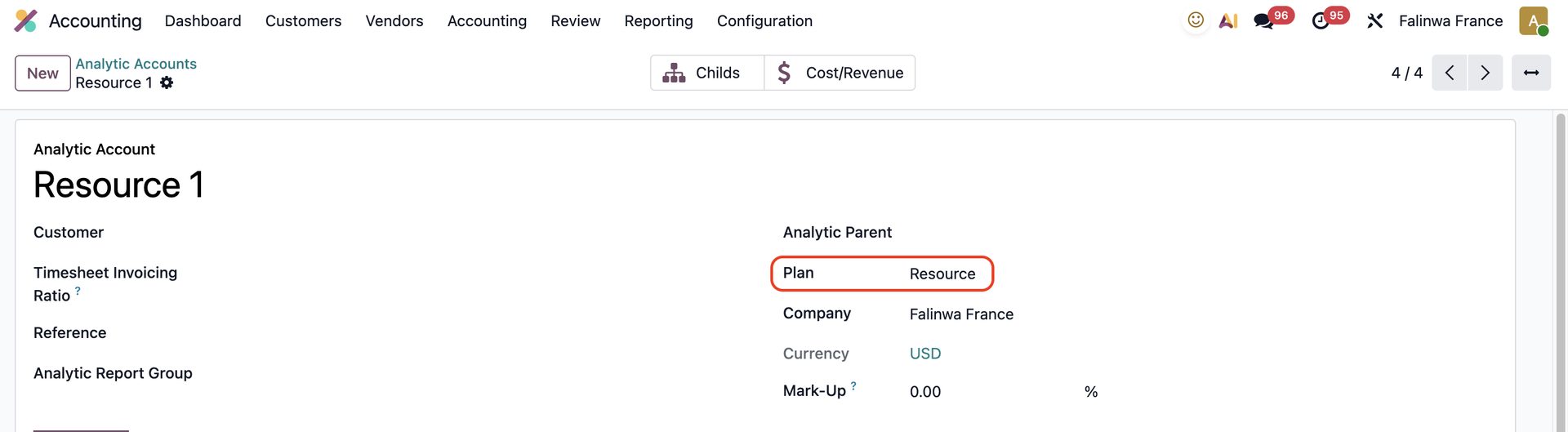 |
Create a new Analytic Resource or choose an existing one > Assign the Analytic Account you just created to this anaytic resource | 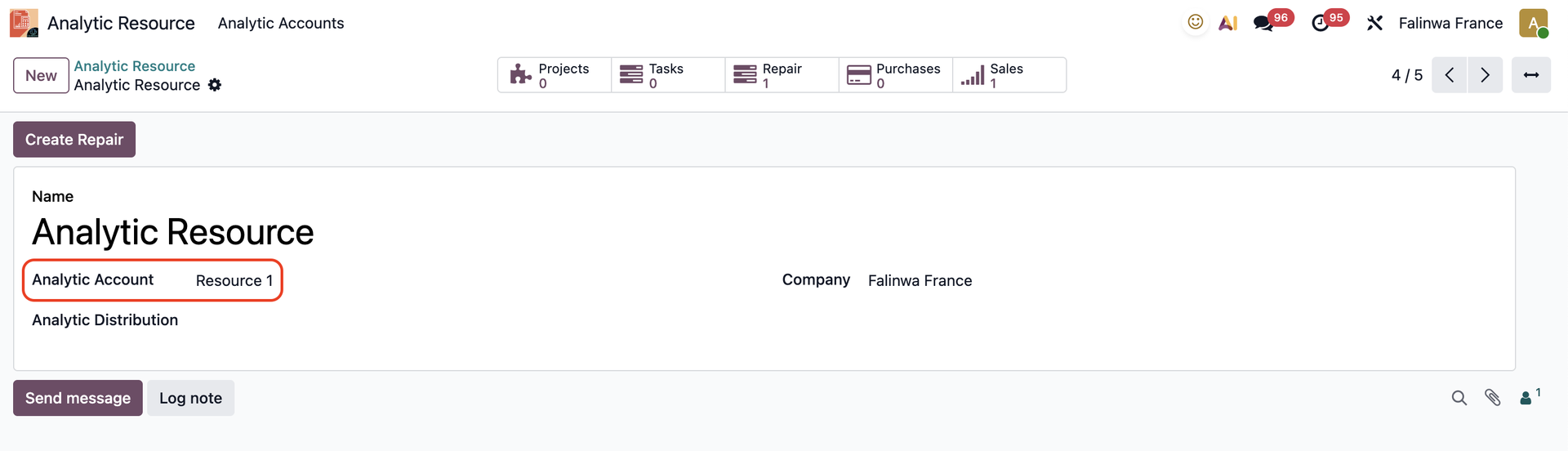 |
Create a Sales Order > On the sales order line, we can add the Analytic Distribution and choose the analytic account with type Resource. | 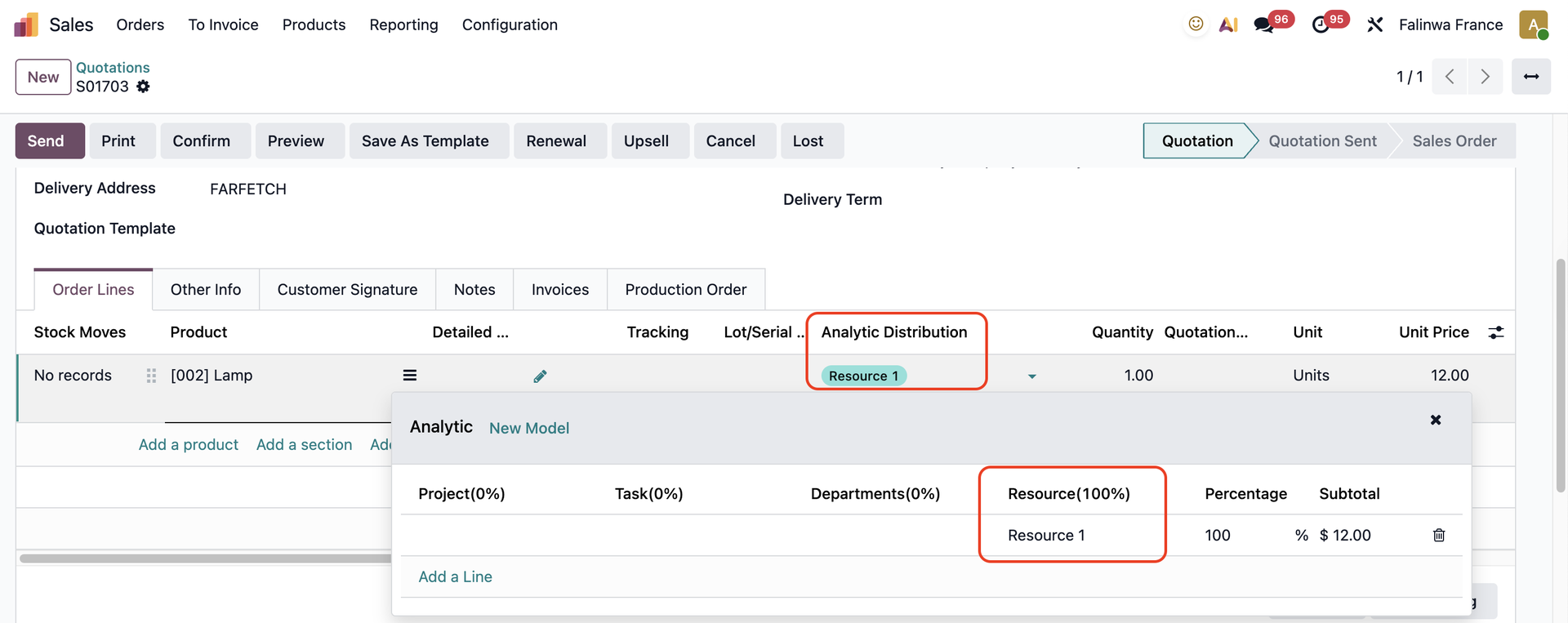 |
We can find this Sales Order in the Analytic Resource via the Sales smart button | 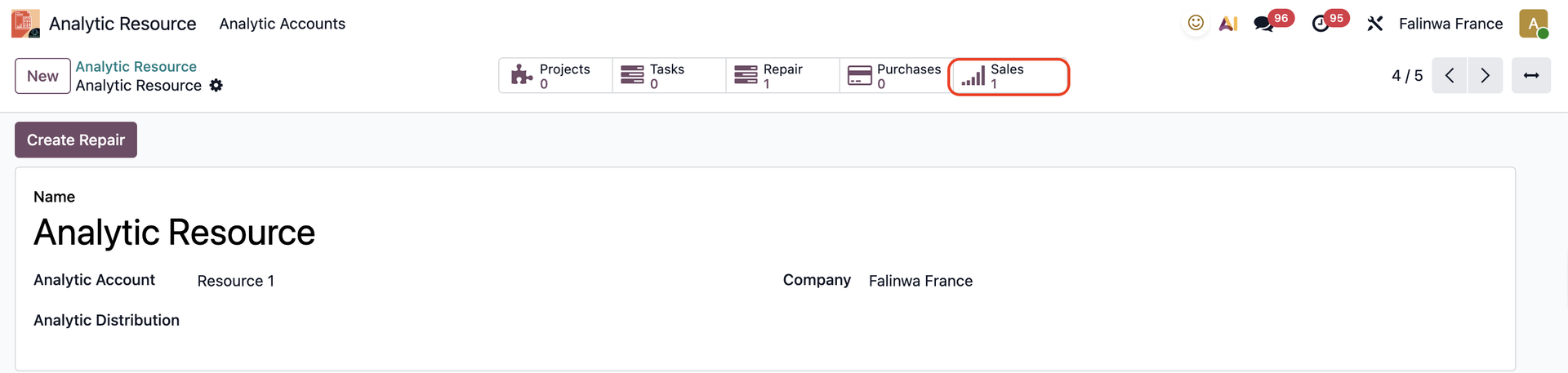  |