


ODOO'S FUNCTION
In standard Odoo, Analytic Plans operate completely independently of each other. While you can set rules to make a plan mandatory based on a specific Ledger Account or Product Category, you cannot make one plan dependent on another.
For example, if a user fills out an analytic account for Plan 1 (like choosing a Department), standard Odoo has no way to force them to also fill out Plan 2 (like choosing a Project). Because there is no setting to link them together, users can easily submit incomplete records by filling out one plan and forgetting the other.
CLUEDOO'S FUNCTION
CLuedoo extends Odoo by introducing dynamic validation by allowing a Mandatory Analytic Plan based on another Analytic Plan. When a specific analytic account is selected, the system automatically enforces the requirement for another related plan. This ensures 100% data integrity and granular financial tracking without over-complicating the user interface for unrelated transactions.
CONFIGURATION | |
Go to Accounting > Analytic Plans > Create a new analytic plan or choose an existing one. | 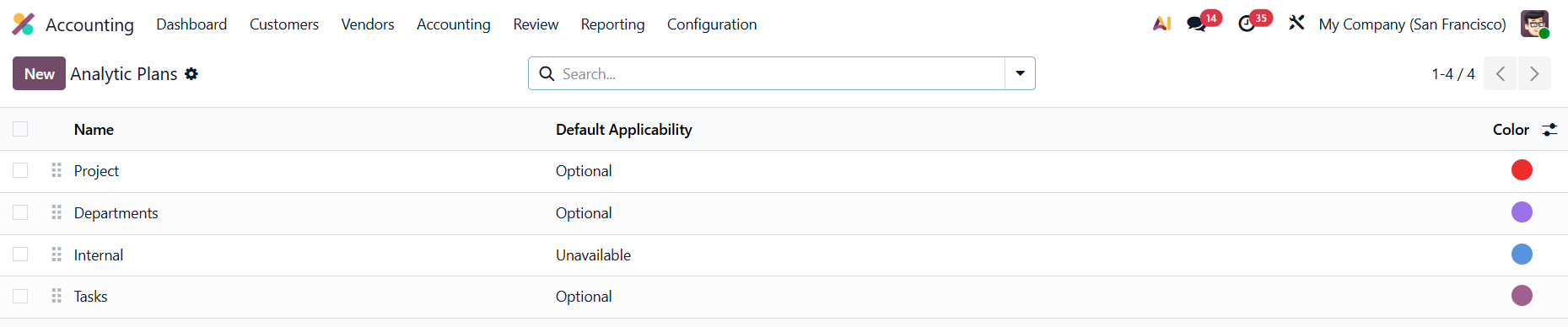 |
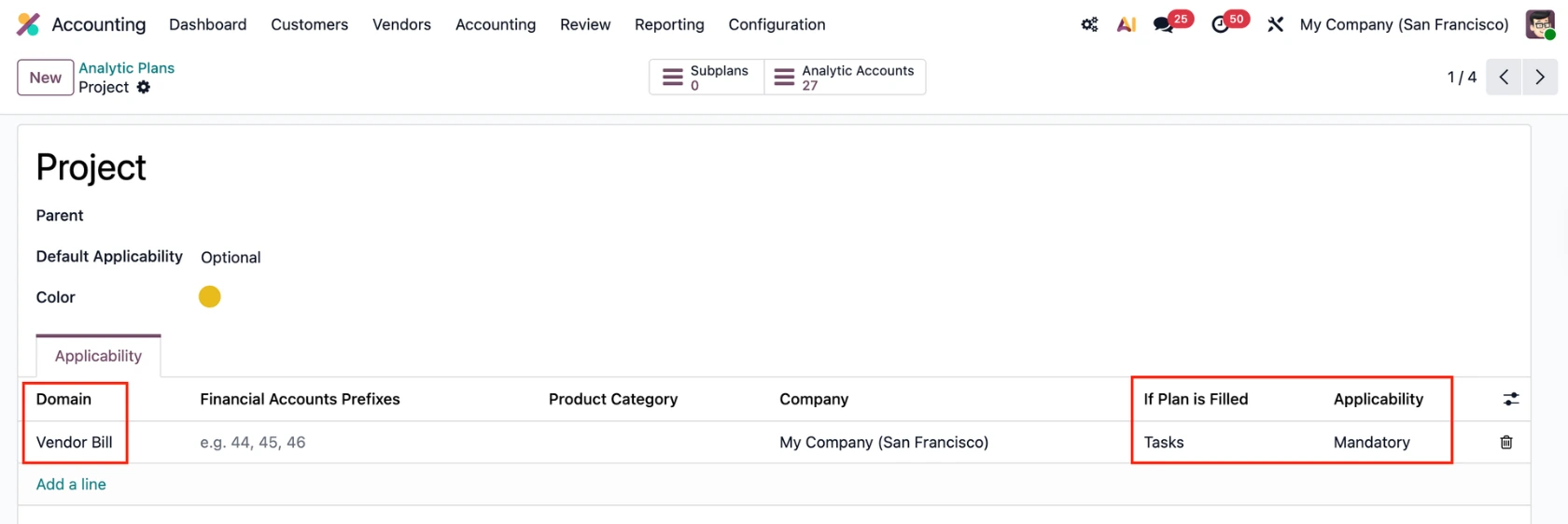
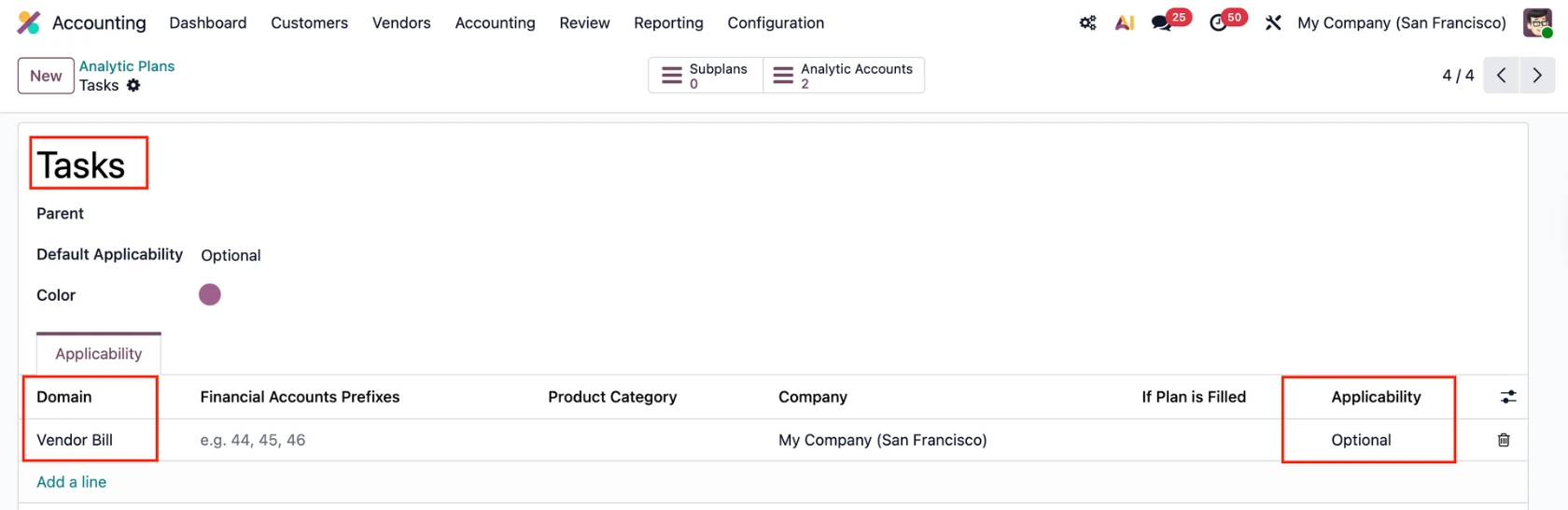
Under the Applicability tab, fill in the Domain, If Plan is Filled, and Applicability. → In this example, the settings mean that:
|   |
USAGE | |
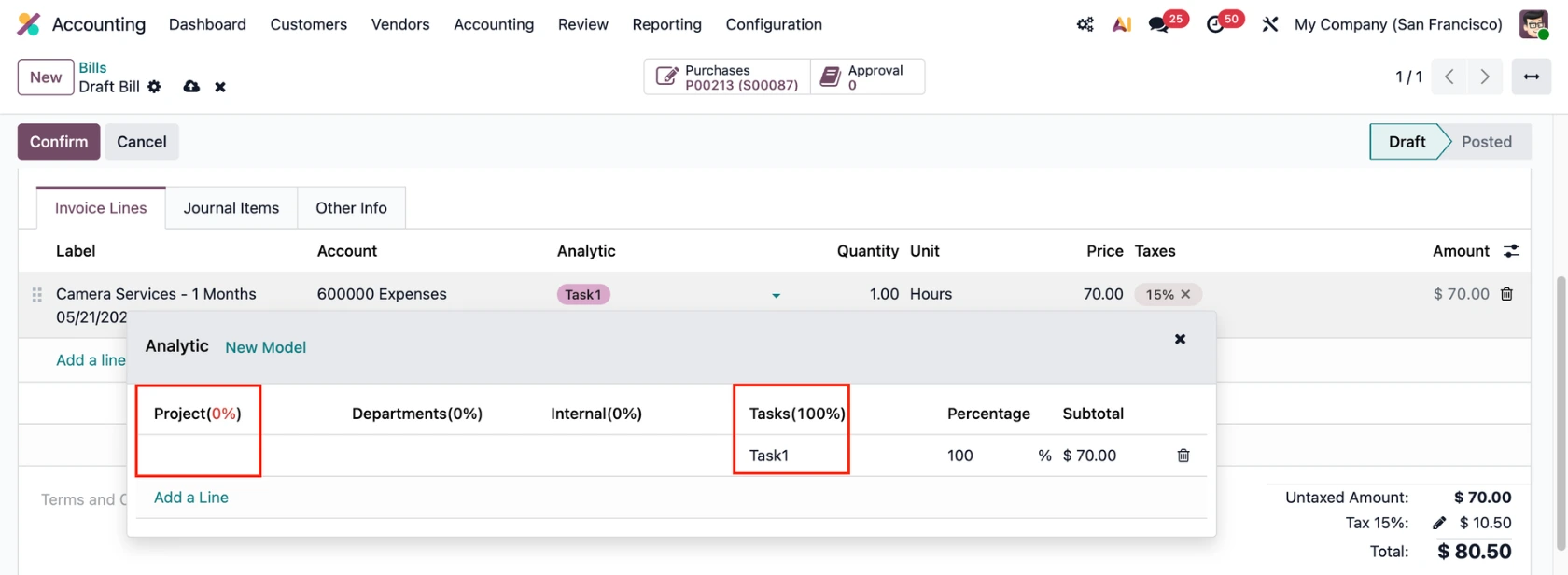
Go to Accounting > Vendor Bills > Create a new bill > Add the Analytic Distribution for plan Tasks and leave the plan Project blank. |
|
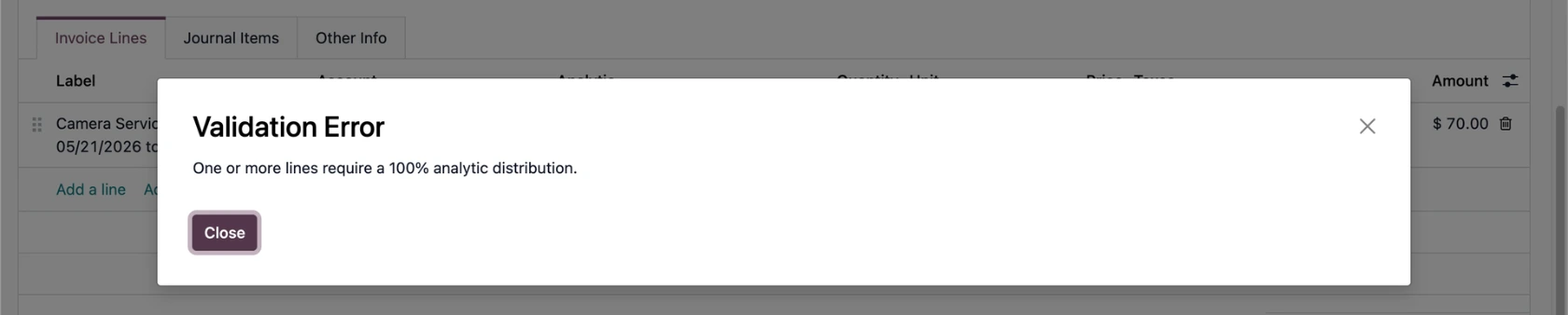
Based on the set up, a warning will be raised, preventing you from confirming the vendor bill if there is no AD for plan Project. |
|
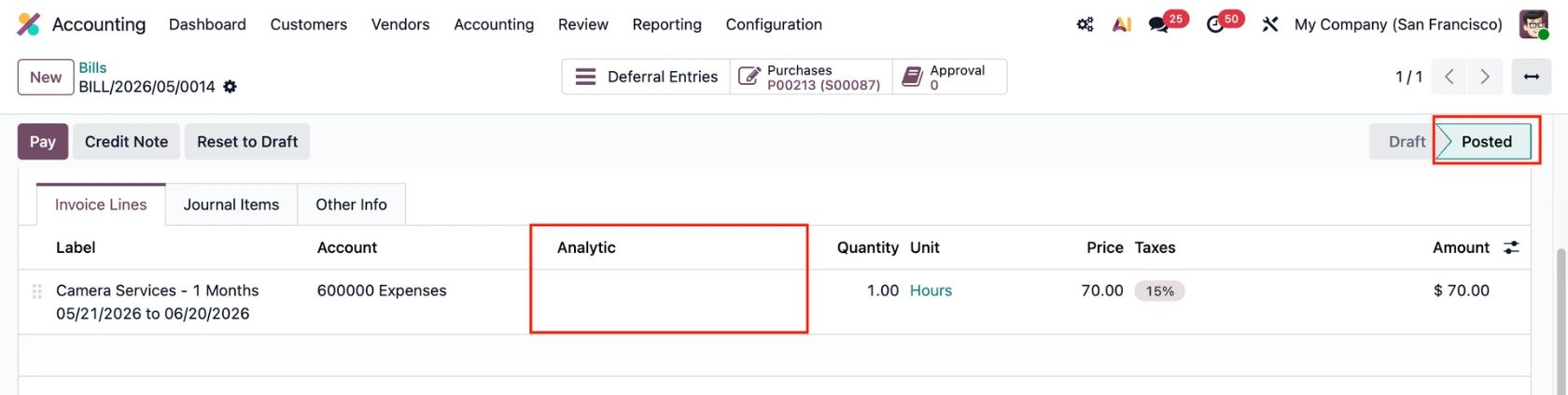
If the plan Project is filled, the vendor bill can be confirmed as normal. | 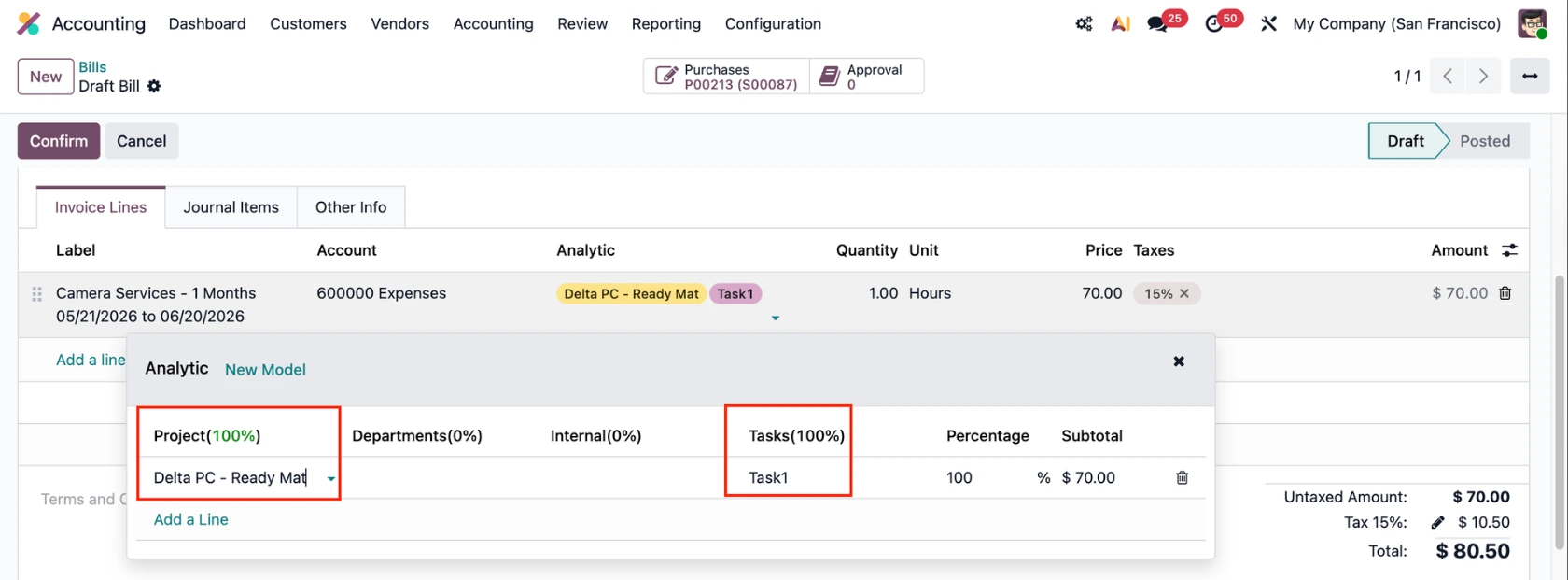 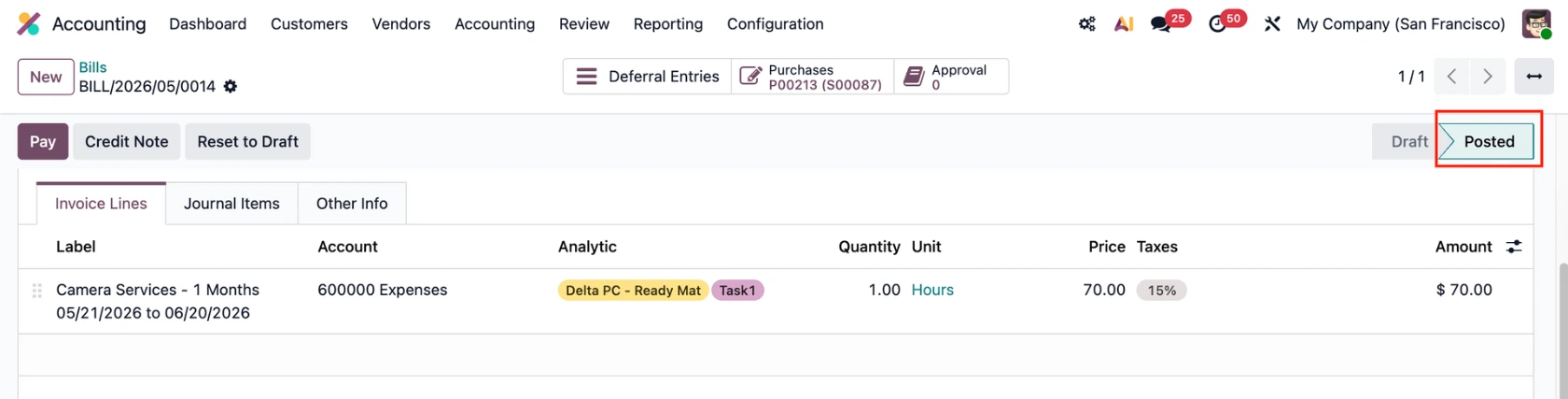 |
AD for plan Tasks is optional so the vendor bill can still be posted if no AD is selected. |
|