



ODOO'S FUNCTION
Odoo's Accounting and Project modules enable the creation and assignment of Analytic Accounts to track project costs and revenues at the project level. However, standard Odoo does not support assigning Analytic Accounts directly to individual project tasks, limiting granular cost tracking within projects.
CLUEDOO'S FUNCTION
CLuedoo extends this functionality by allowing users to assign Analytic Accounts directly on project tasks. This enhancement enables precise cost allocation and revenue tracking at the task level, providing comprehensive visibility into project profitability and resource utilization.
1. Go to Accounting > Configuration > Analytic Accounting > Analytic Accounts | 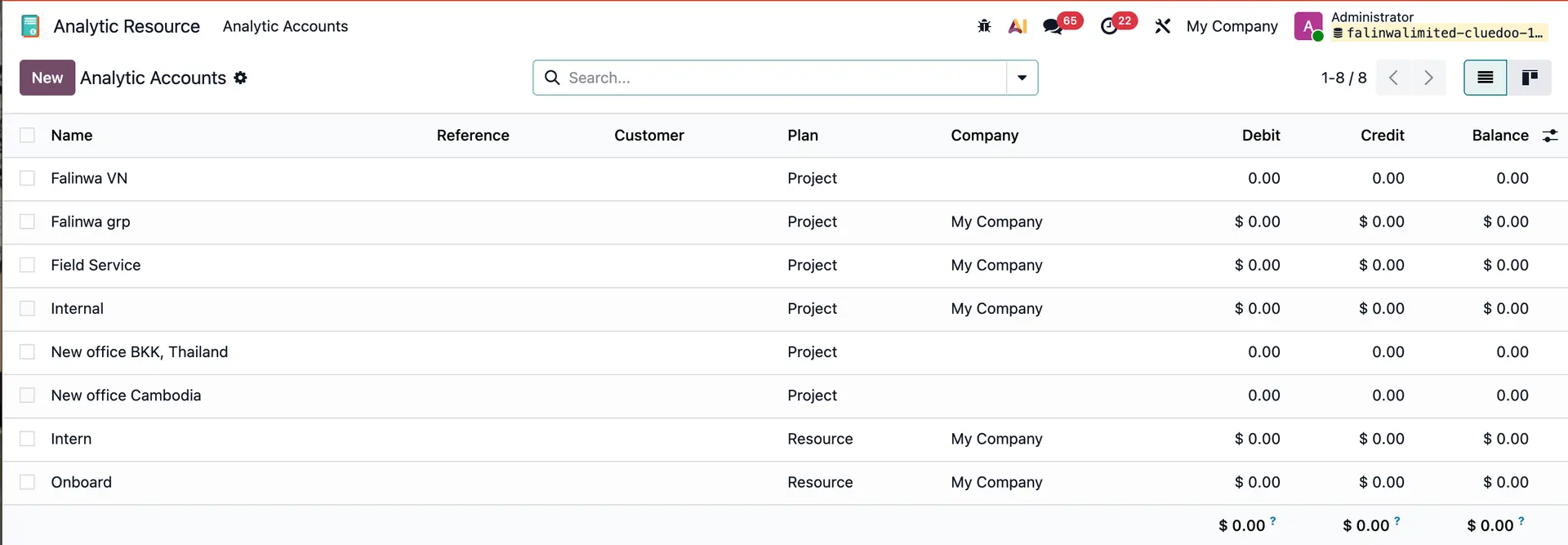 |
2. Create a new or choose an existing analytic account | 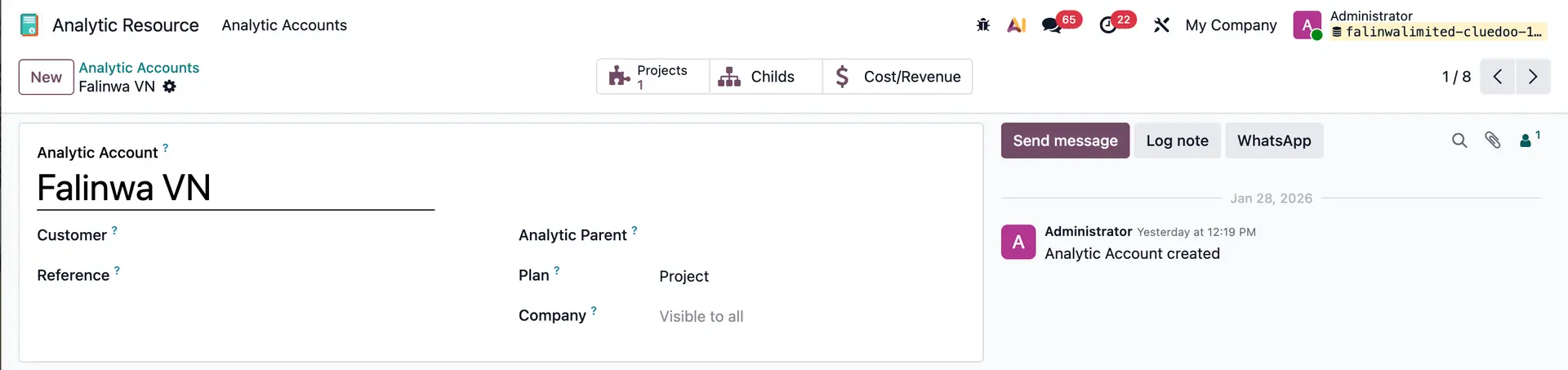 |
3. Go to Projects > choose a project > go to the project's tasks > go to the Extra Info tab. We can choose an Analytic Distribution for the task. | 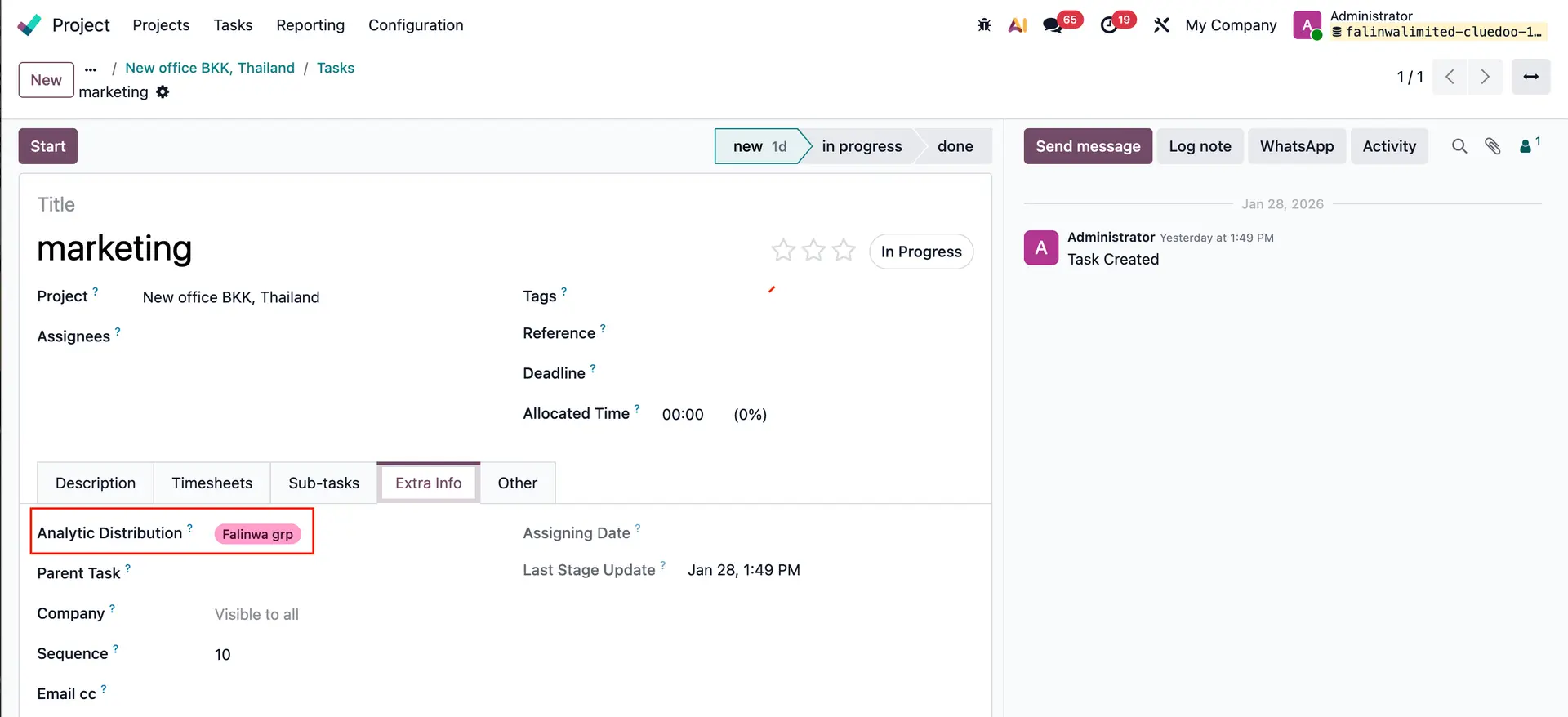 |