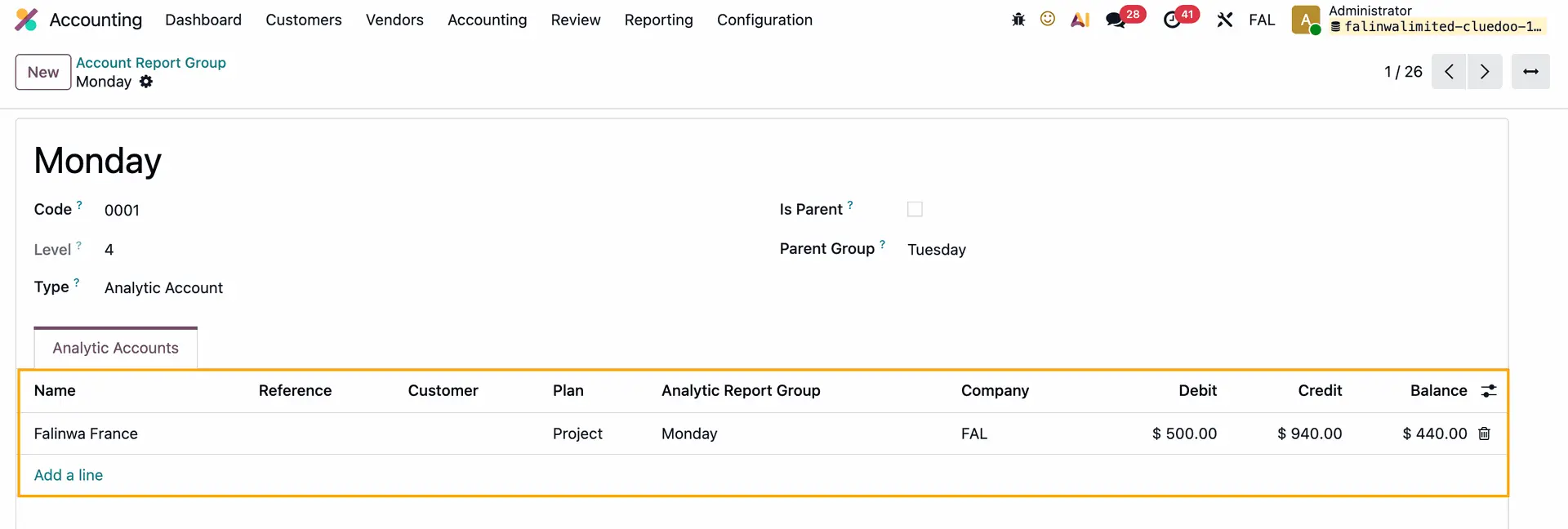



ODOO'S FUNCTION
By default, Odoo’s Accounting module allows users to create Account Report Groups to organize financial reports, but it does not provide a mechanism to categorize these groups by specific types such as Analytic Account or Ledger Account
CLUEDOO'S FUNCTION
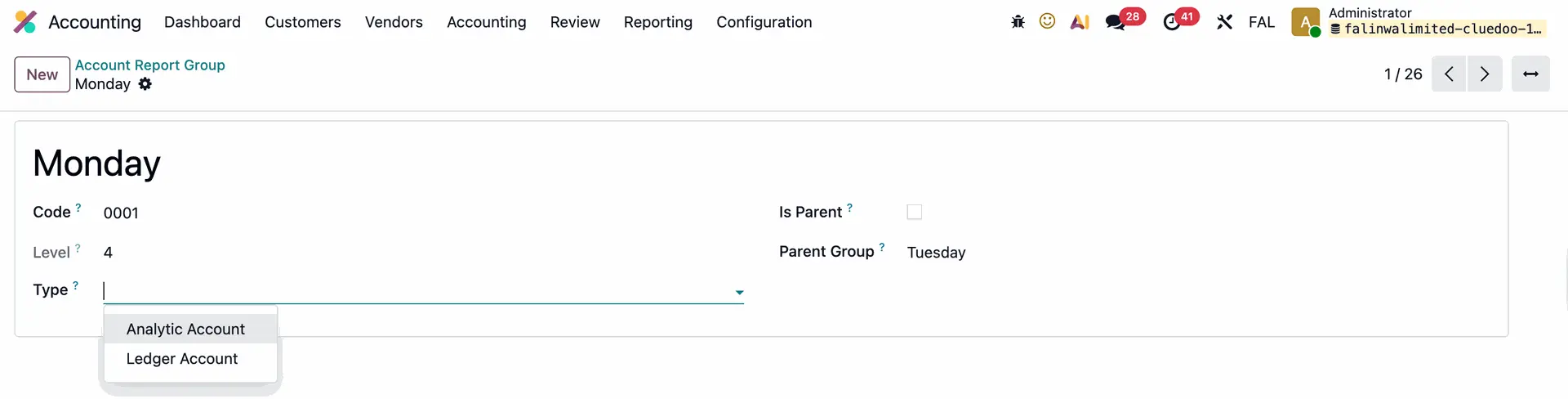
CLuedoo introduces a Type field in the Account Report Group form under Account Report Group, offering two options: Analytic Account and Ledger Account for specific categorization and providing a filter for the list of Analytic Report Groups in the Analytic Account and Chart of Accounts.
1. Go to Accounting > Configuration > Account Report Group > Create a new group or access an existing one > On the Account Report Group form, you can see the Type field with 2 options:
|  |
2. Go to Analytic Accounts > Create a new AA or access an existing one > On the Analytic Account form, the list of Analytic Report Group only shows the ones with Type: Analytic Account | 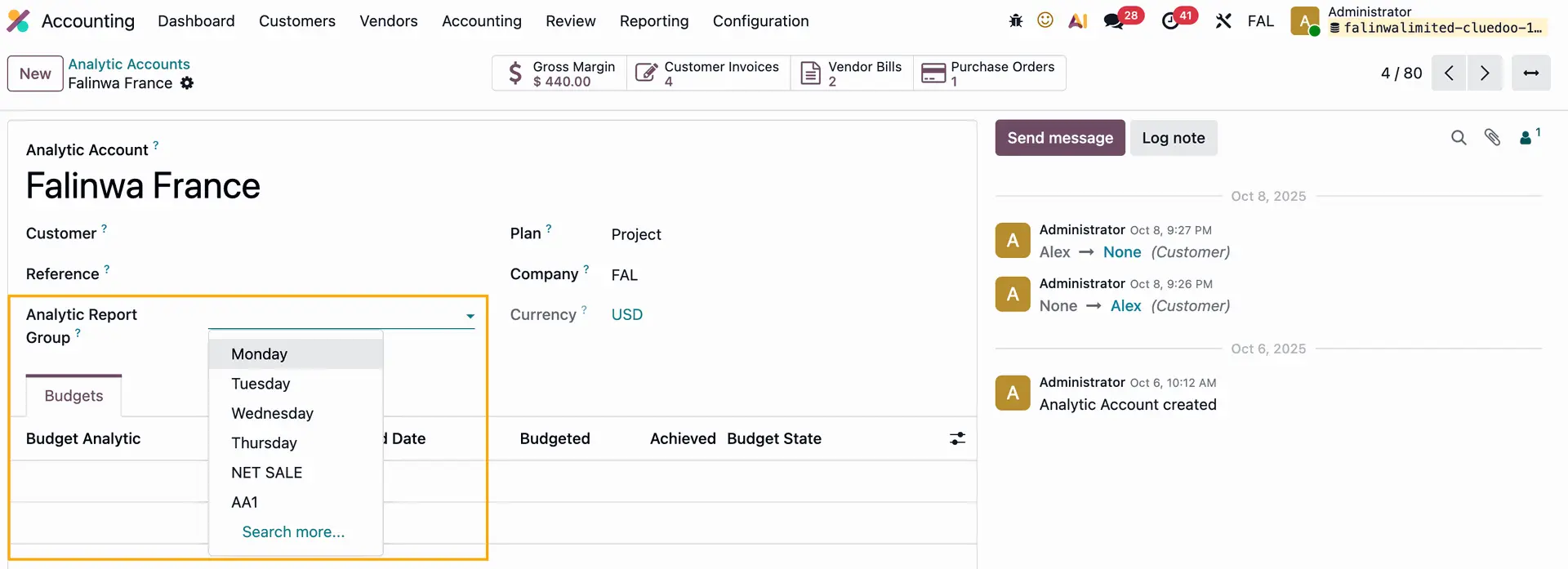 |
If you add an Analytic Report Group to an Analytic Account, the Analytic Account will be automatically added to the Analytic Report Group form You can also add a new Analytic Account directly from the form by clicking Add a line |
|
3. Go to Chart of Accounts > Create a new CoA or access an existing one > On the Chart of Accounts form, the list of Analytic Report Group only shows the ones with Type: Ledger Account | 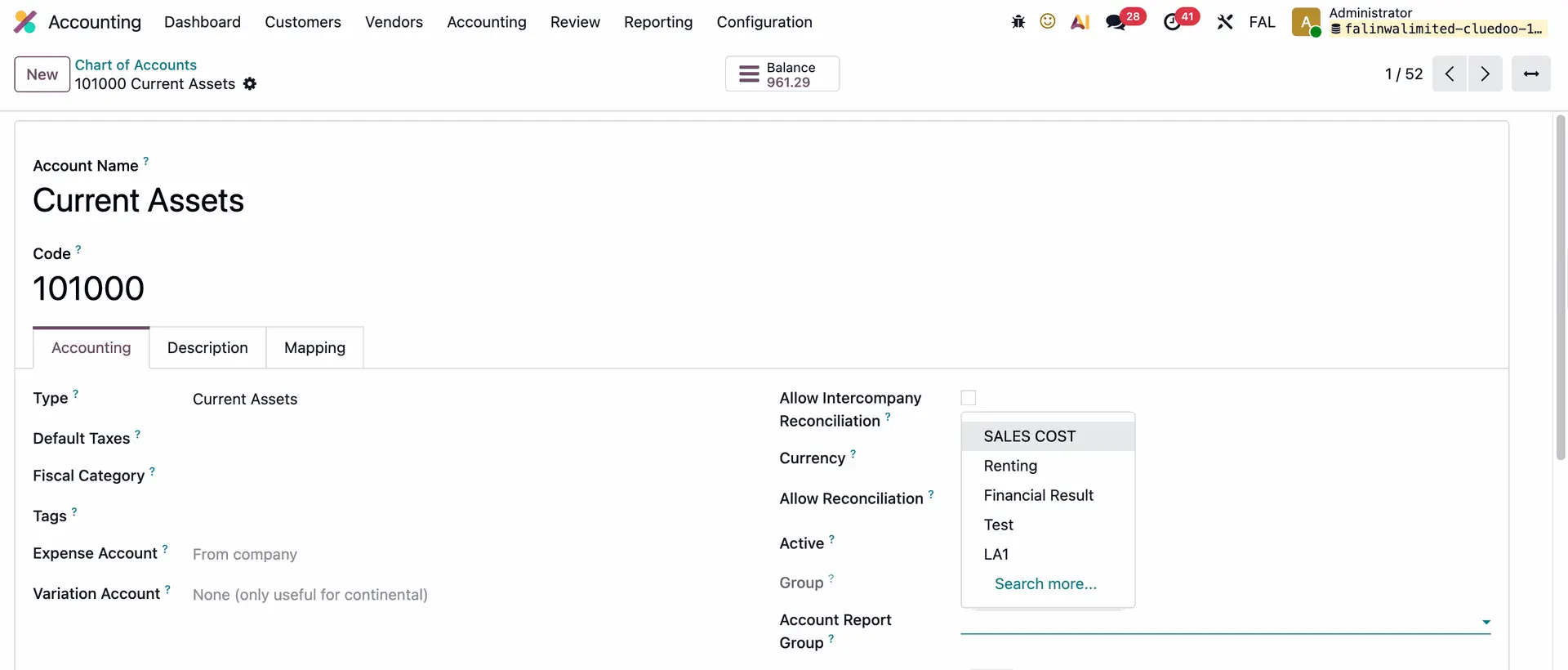 |
Note: You can search an Analytic Report Group by its code as well | 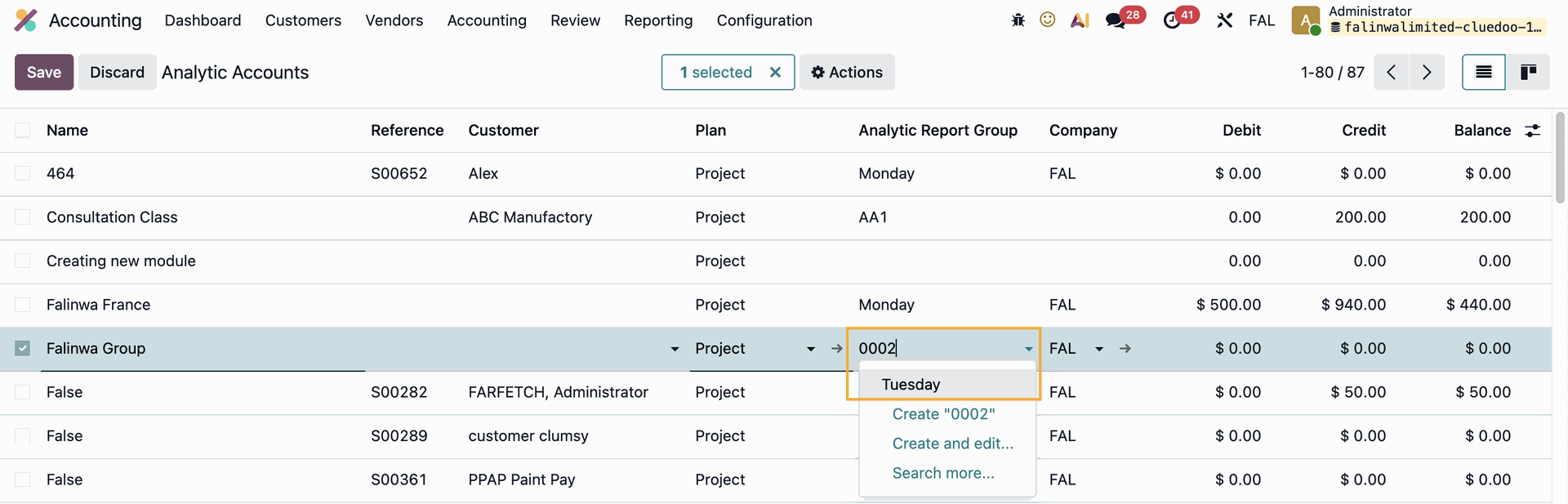  |