



ODOO'S FUNCTION
In Odoo, when an expense is created, users can manually assign an analytic account or distribution to track costs.
CLUEDOO'S FUNCTION
Cluedoo enhances expense management by introducing:
1️⃣ The automatic creation of an analytic item when an expense is approved.
2️⃣ The explicit categorization of the analytic item with the type "Expense".
This allows for the automation of cost tracking upon approval, ensuring that analytic entries are generated and clearly categorized without depending solely on manual input.
1. Go to Expenses > Expense Reports Create New Report Click Add a line to fill the expense for this report. You can choose existing expenses or create new Then click Select. Note: Remember to designate the Analytic Account on the expense line, | 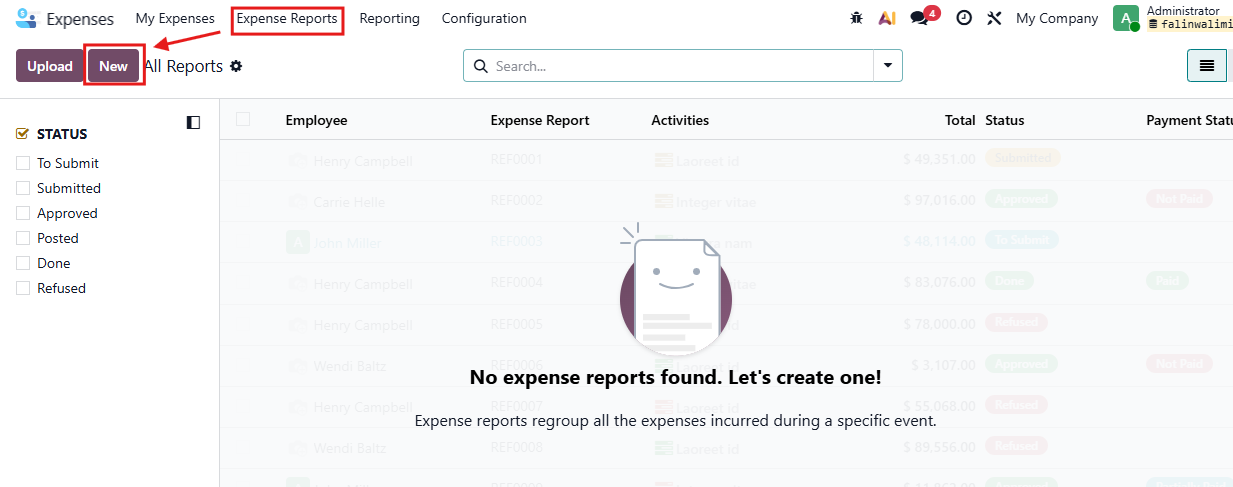 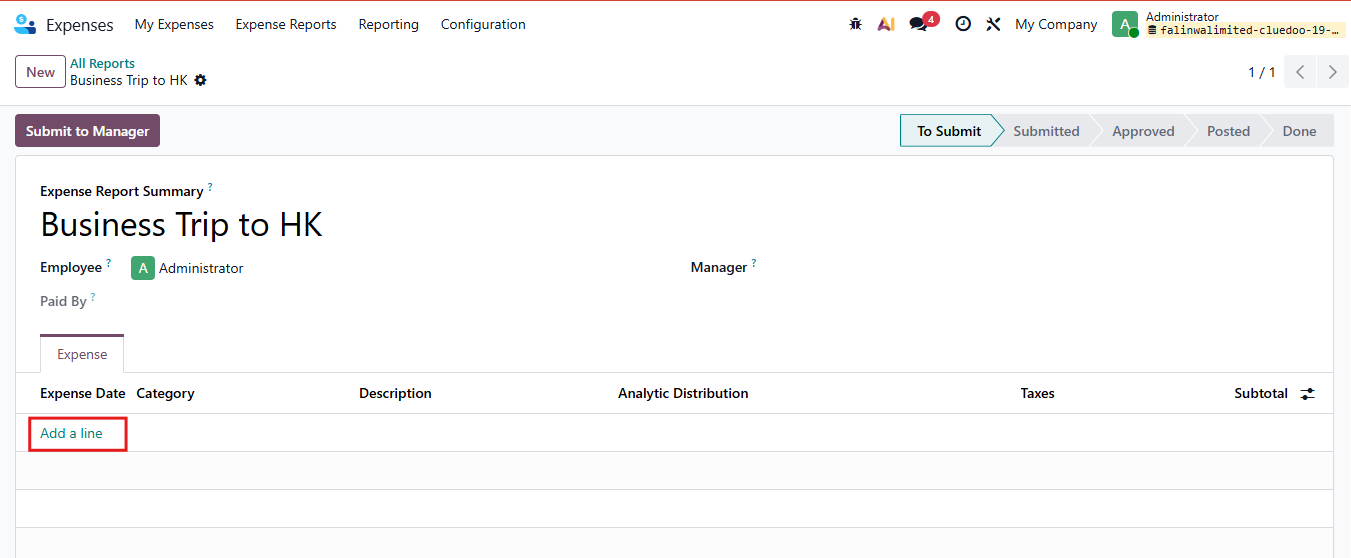 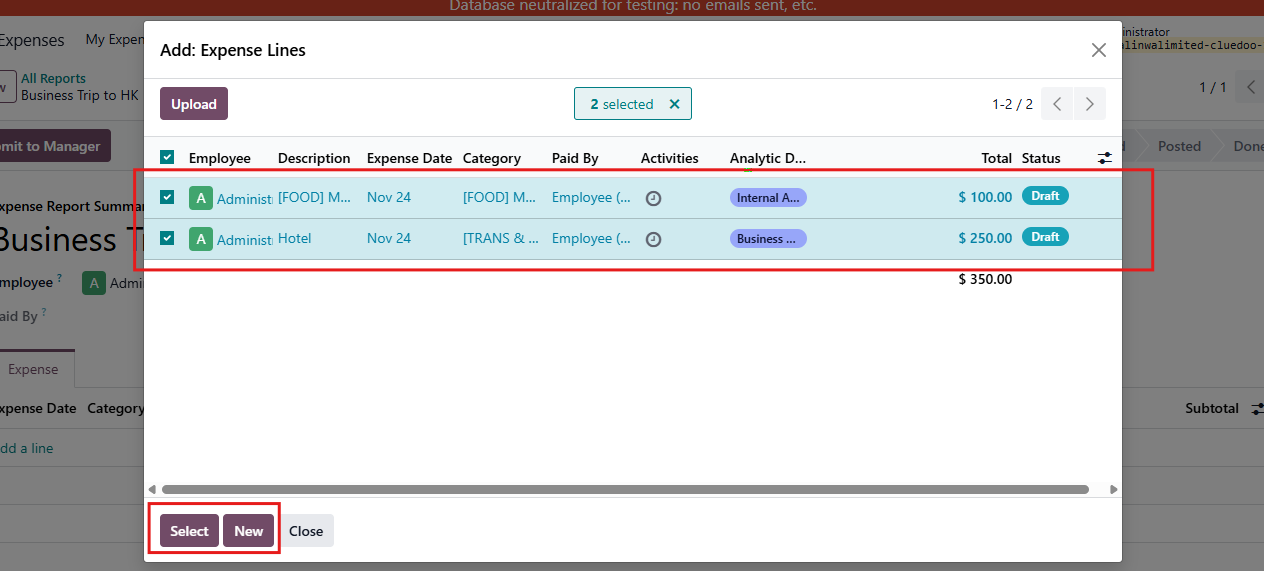 |
2. All the expenses will display in expense report line Then Submit to Manager and Approve this report | 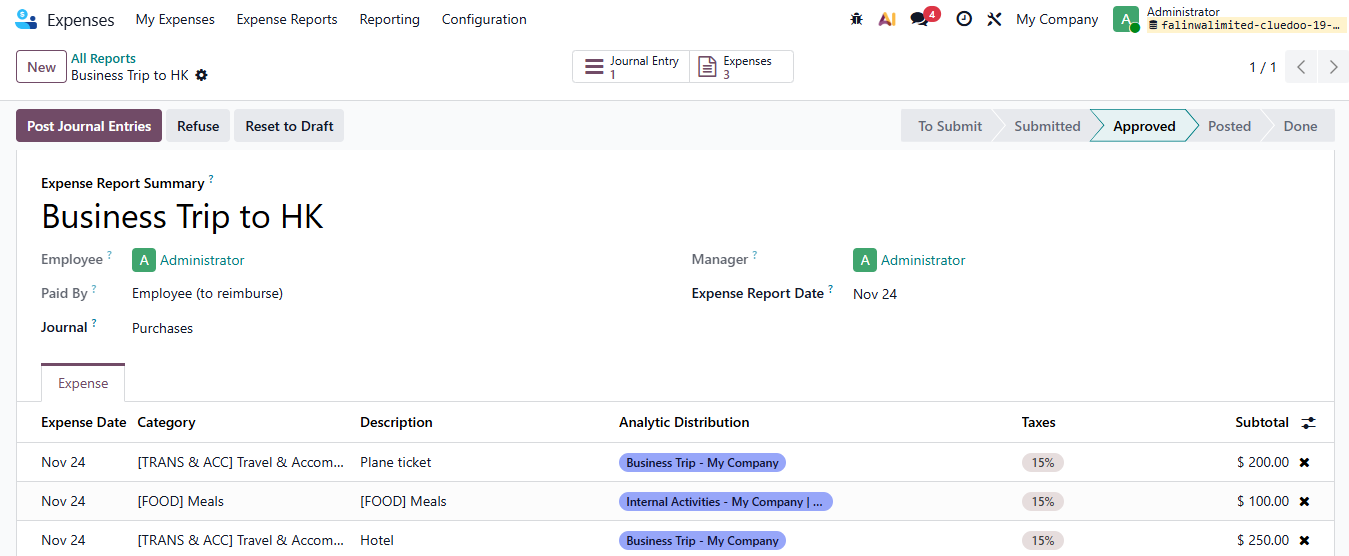 |
3. Go to Analytic Items. Here we will find the Analytic Item from the line expense. | 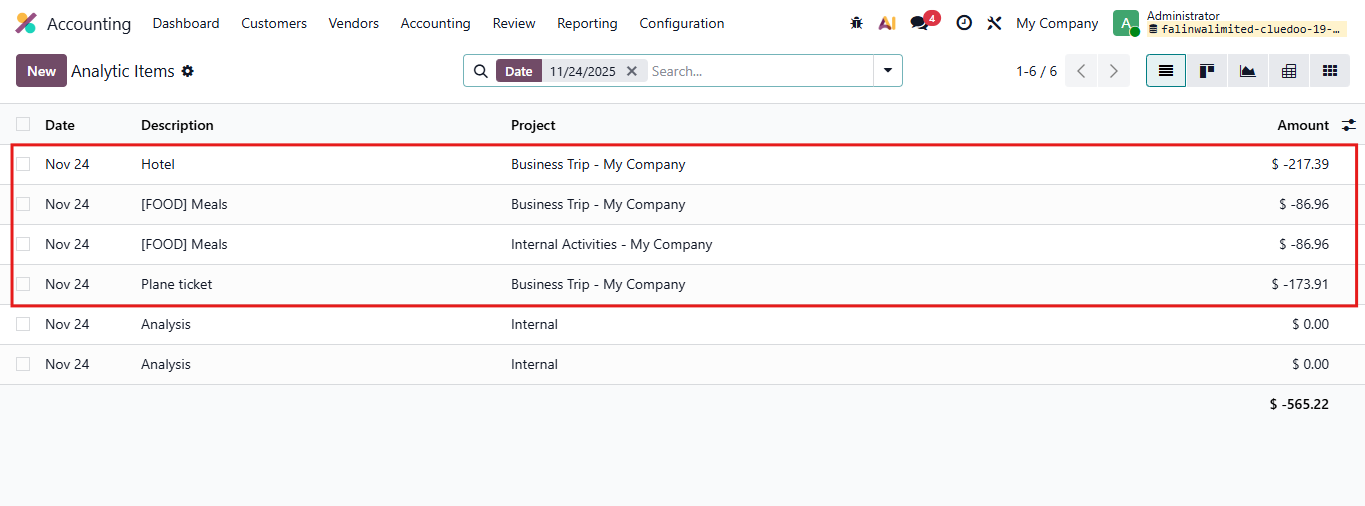 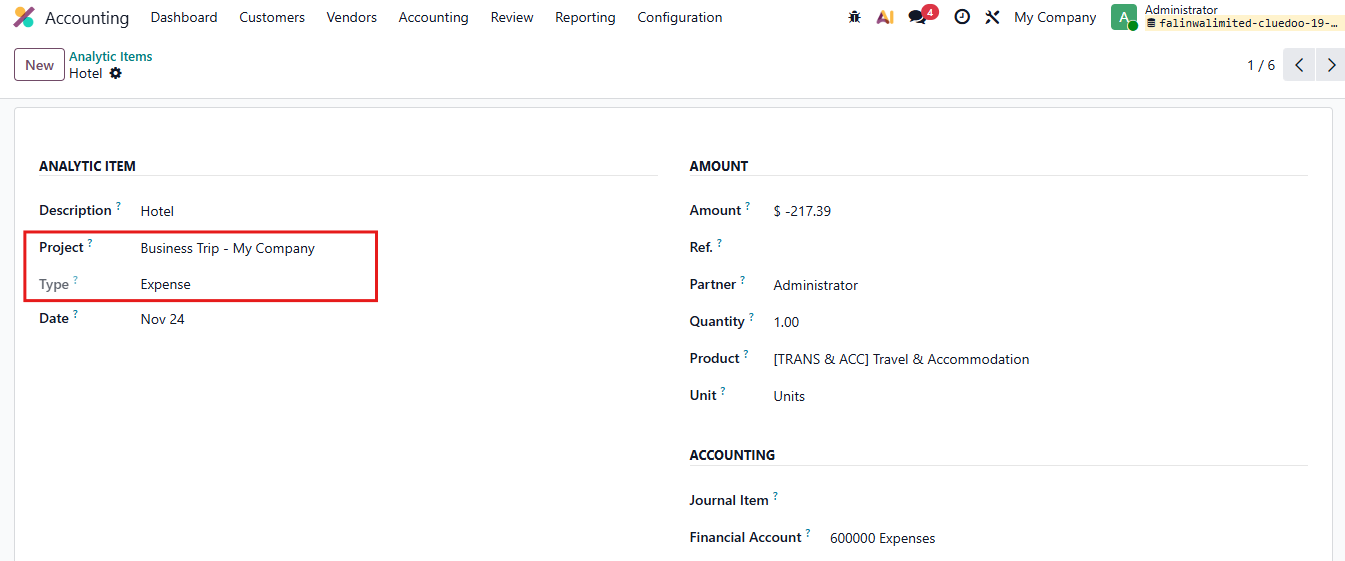 |