



ODOO'S FUNCTION
Odoo Standard does not include Chinese accounting standards.
CLUEDOO'S FUNCTION
CLuedoo provides the Chinese Chart of Accounts (CoA) with correct configurations for account types, tags, and more. These settings work seamlessly with Odoo’s official reports and add further value for group consolidation by enabling consistent consolidation account matching across multiple countries.
1. Go to Settings → Users & Companies → Companies → Create a company that uses the Currency = CNY | 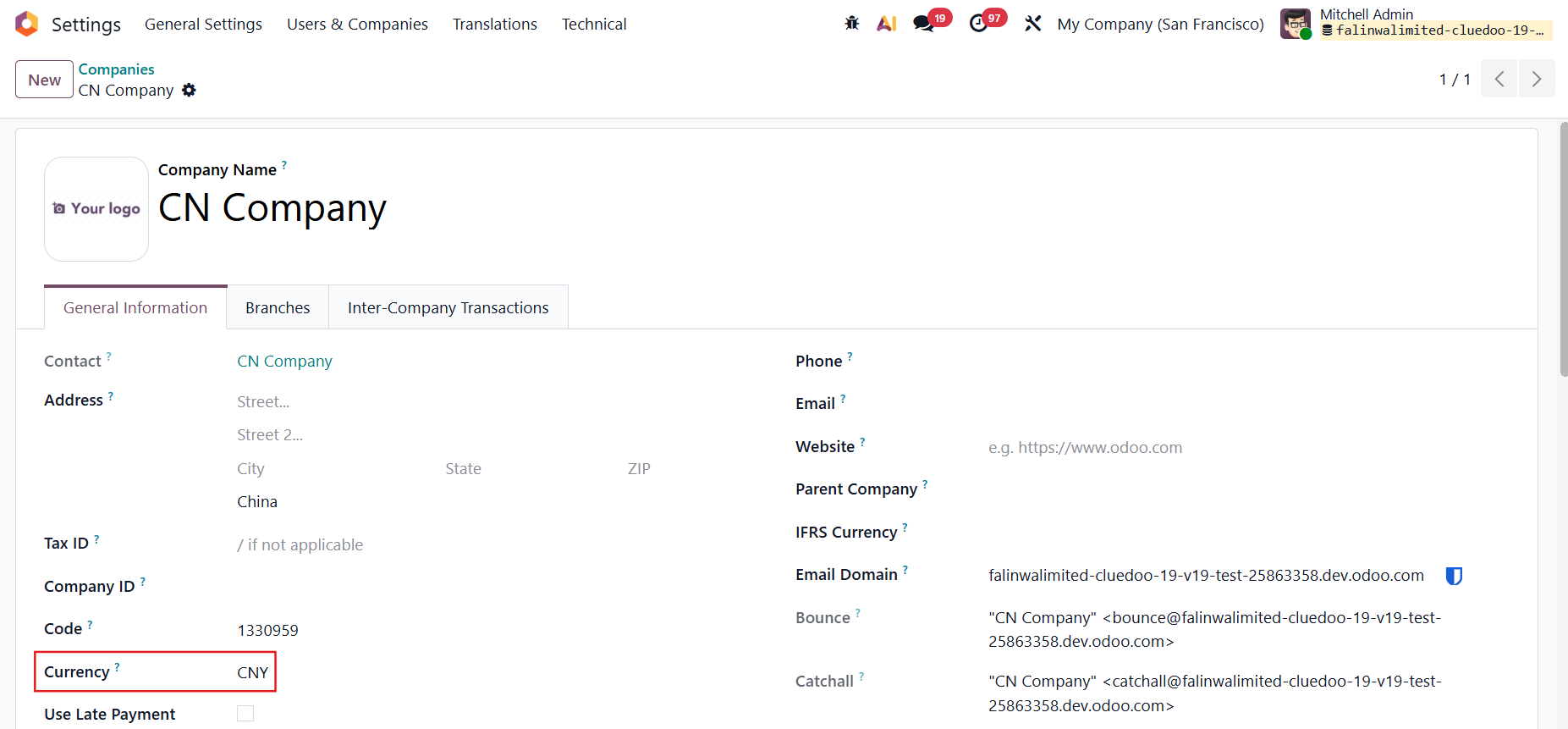 |
2. Go to Accounting → Configuration → Settings → Fiscal Localization → Choose Falinwa Chinese CoA | 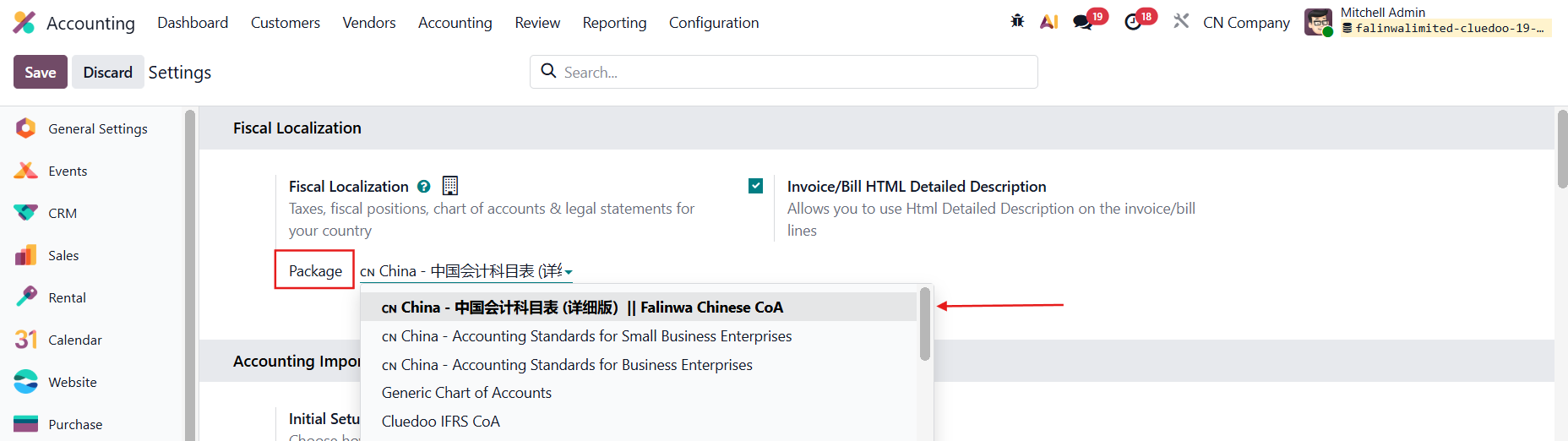 |
3. Under Configuration → Chart of Accounts, you have a list of the Chinese CoA You can choose the Cashflow Type and China Account Type | 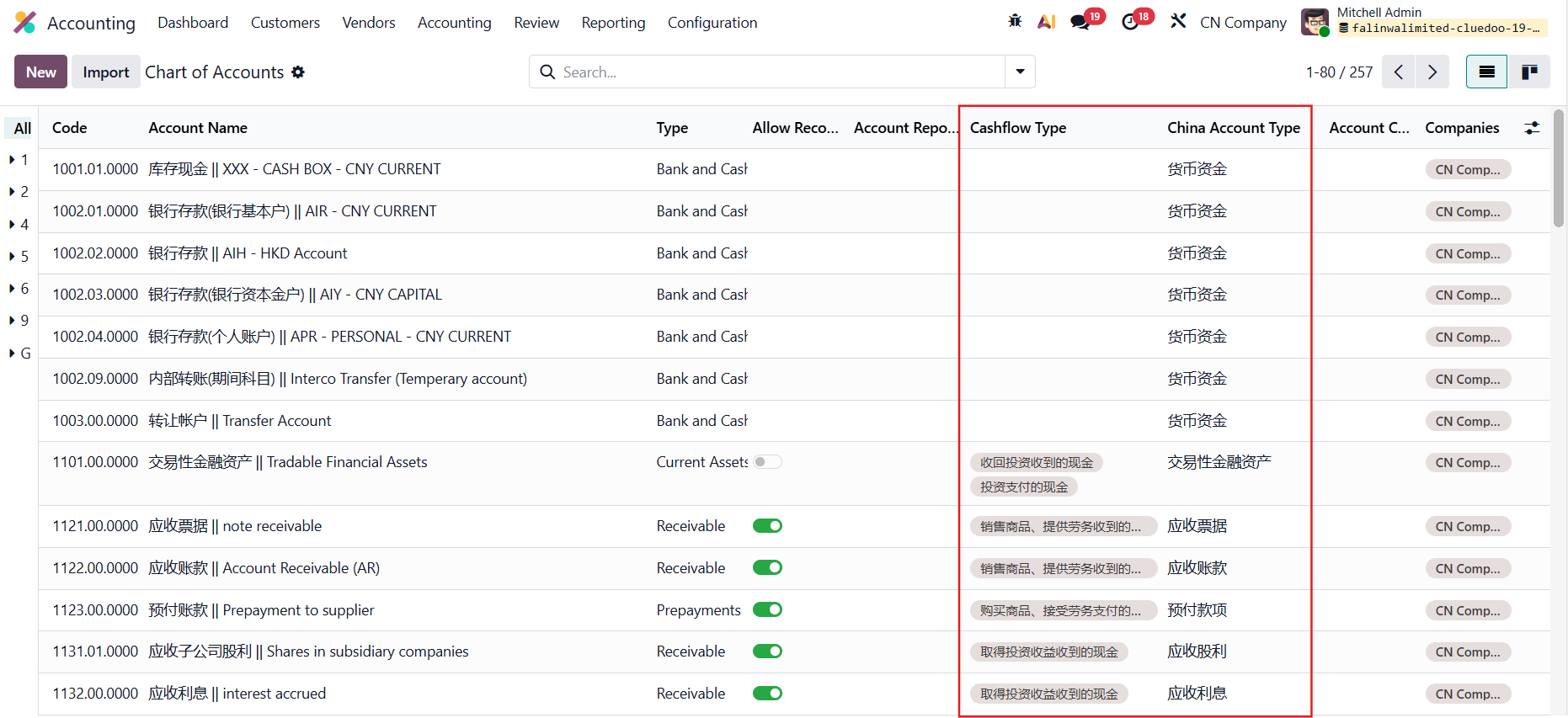 |
You have dedicated menus for Account China Type and Cashflow Statement Type |  |
4. Under Configuration → Taxes, you have a list of the Chinese taxes | 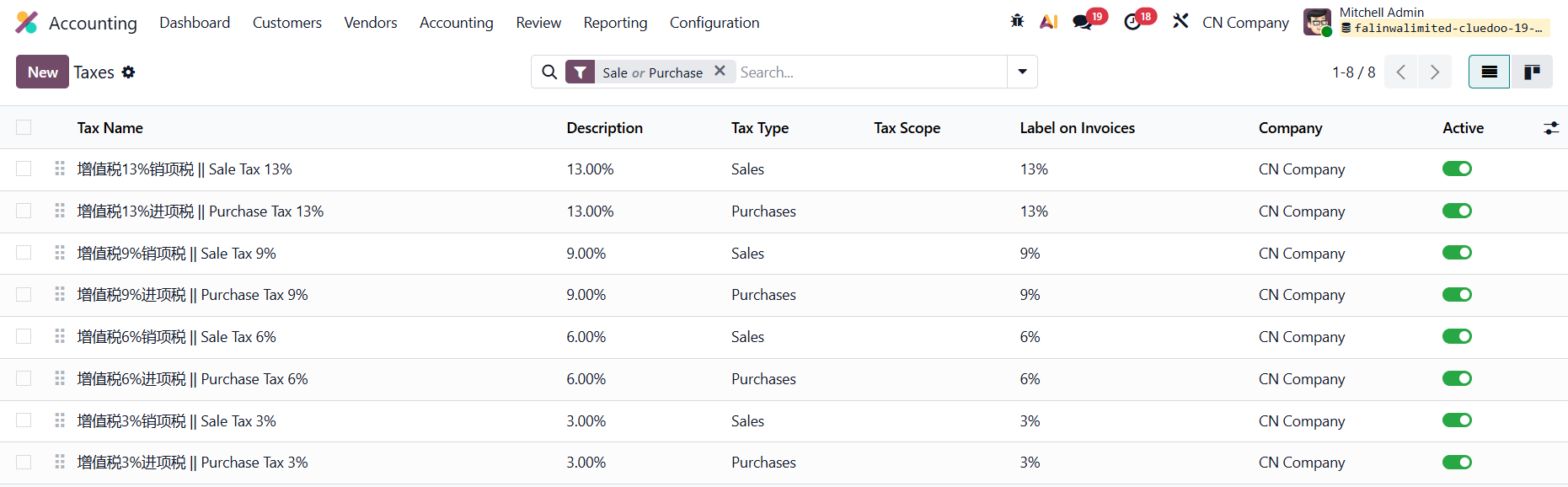 |
5. You can now use the Chinese CoA and taxes in your accounting entries | 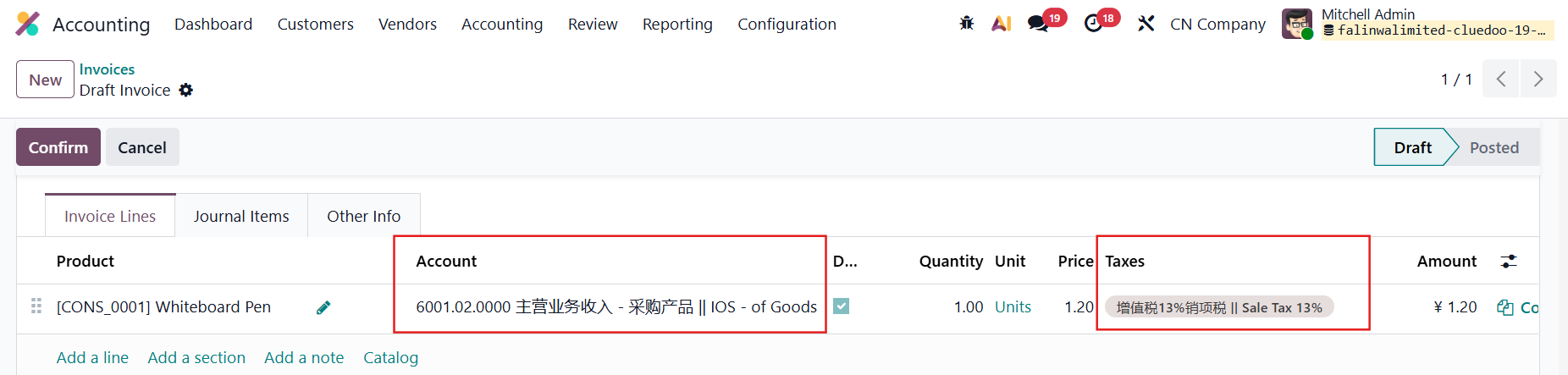 |