ODOO'S FUNCTION
Odoo utilizes a built-in validation system where approval rules and permissions are configured directly within the standard Approval categories.
CLUEDOO'S FUNCTION
CLuedoo provides a custom validation framework that, when enabled in the Approval category settings, completely overwrites Odoo's native rules. It executes its own custom backend logic while seamlessly utilizing the standard Odoo "Approve" button to trigger the action in the user interface.
CONFIGURATION | |
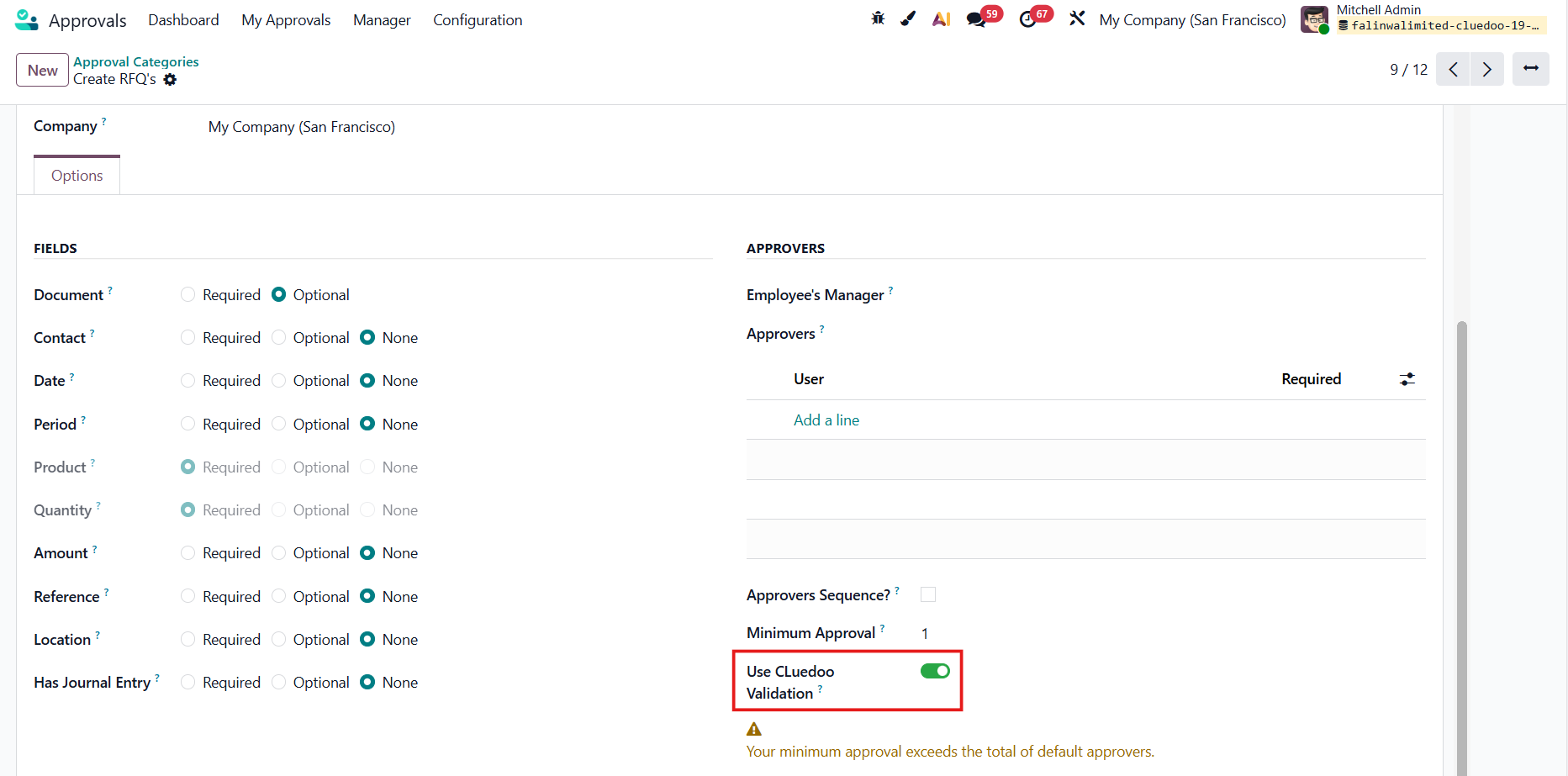
Go to Apporvals > Configuration > Approval Categories and select a category. Activate the Use CLuedoo Validation function. e.g., Create RFQ's |
|
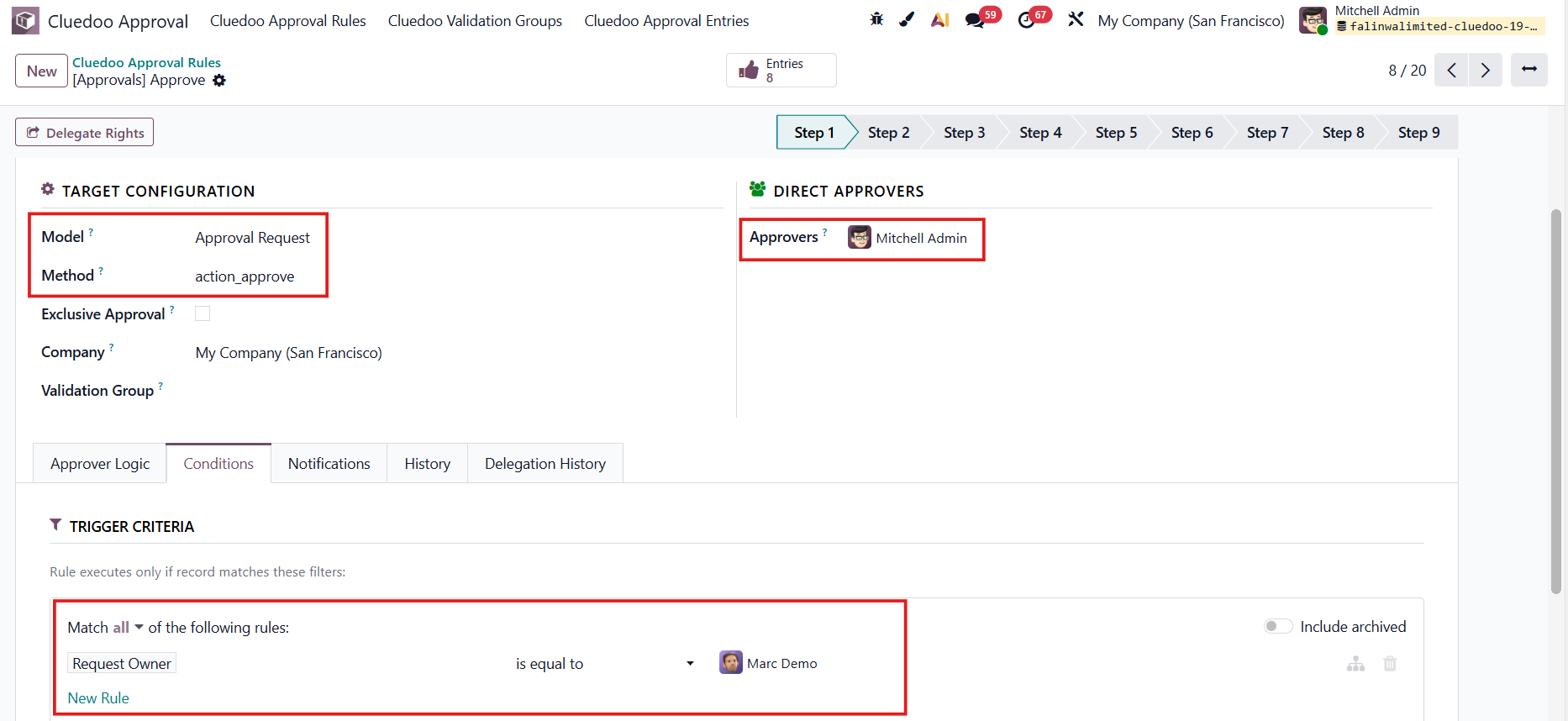
Navigate to CLuedoo Approval Rules > Create an approval rule as you wish. Actions:
|
|
USAGE | |
1. Create an approval request that satisfies the configured rule > Fill in the necessary information > Submit | 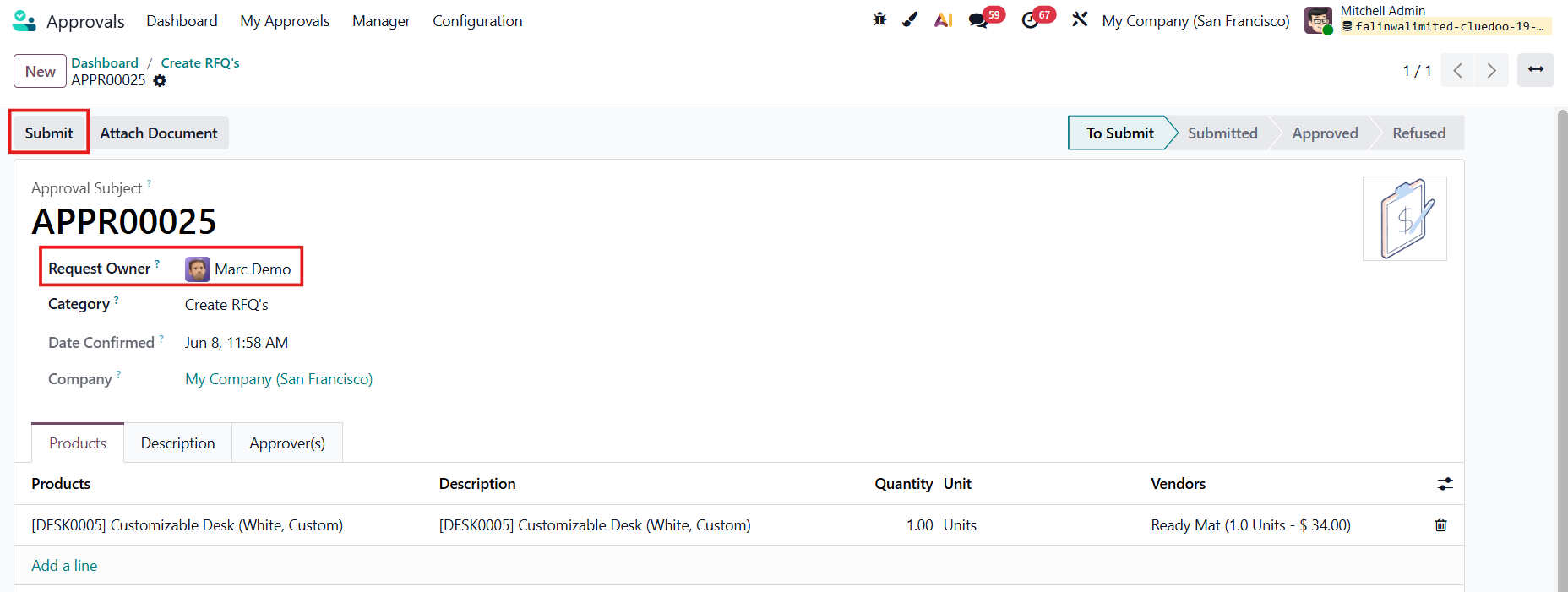 |
2. When the stage changes to Submitted > CLuedoo validation process is applied. | 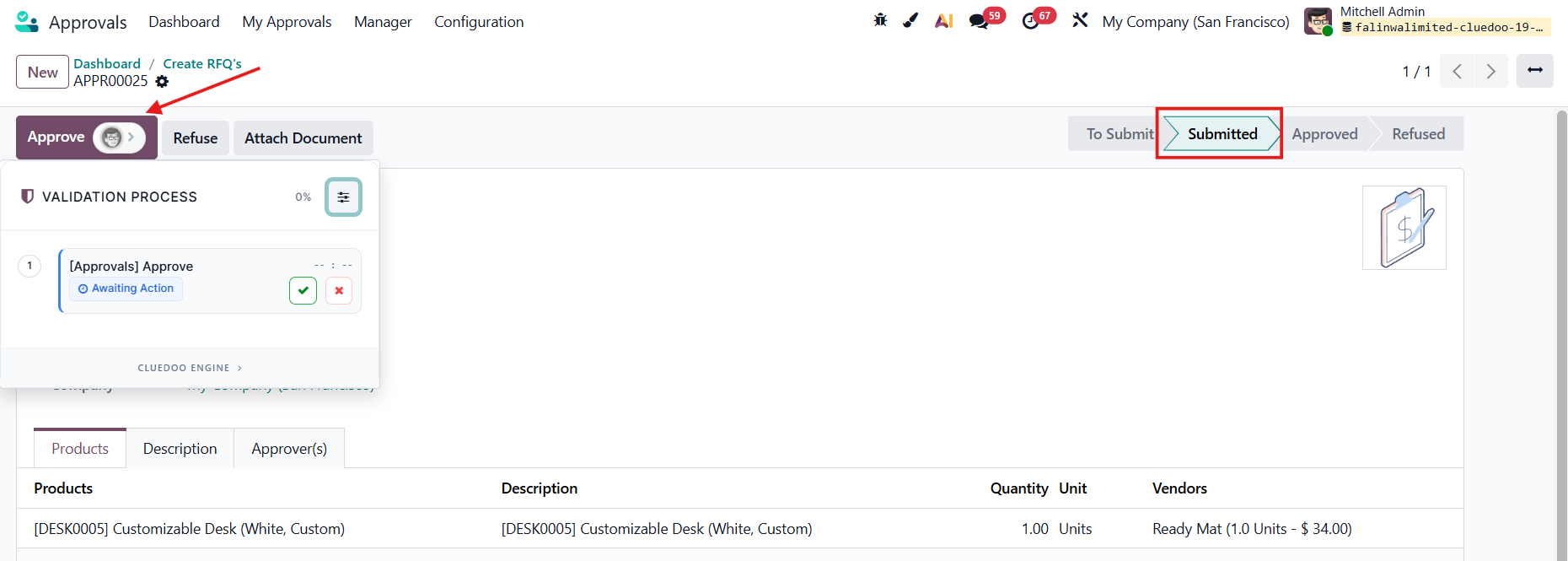 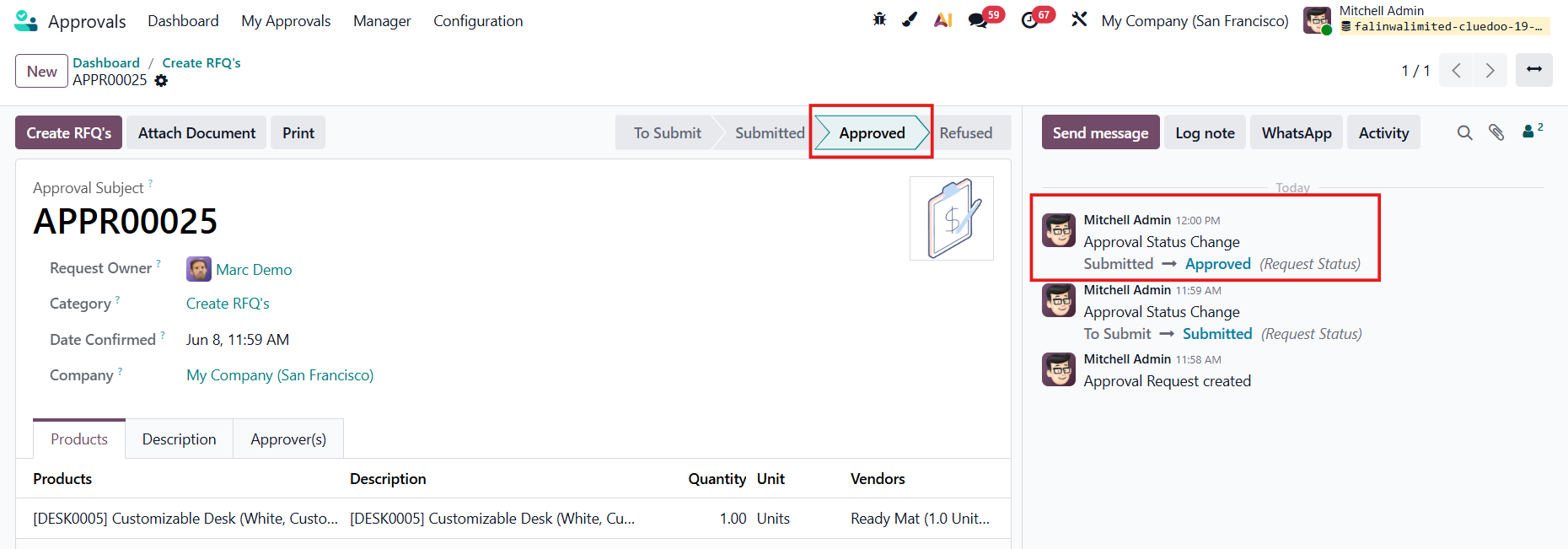 |