ODOO'S FUNCTION
By default, Odoo restricts assigning tasks for portal users, we can assign tasks to internal users only. This means portal users cannot be selected as task assignees through the task form
CLUEDOO'S FUNCTION
CLuedoo removes the restriction to allow portal users to be assigned to project tasks alongside internal users. In addition, assigned portal users are granted the ability to update the stage of tasks directly from the portal.
1. Navigate to Projects > open an existing task or create a new one. In the Assignees field, Portal Users can now be assigned to tasks just like internal users. | 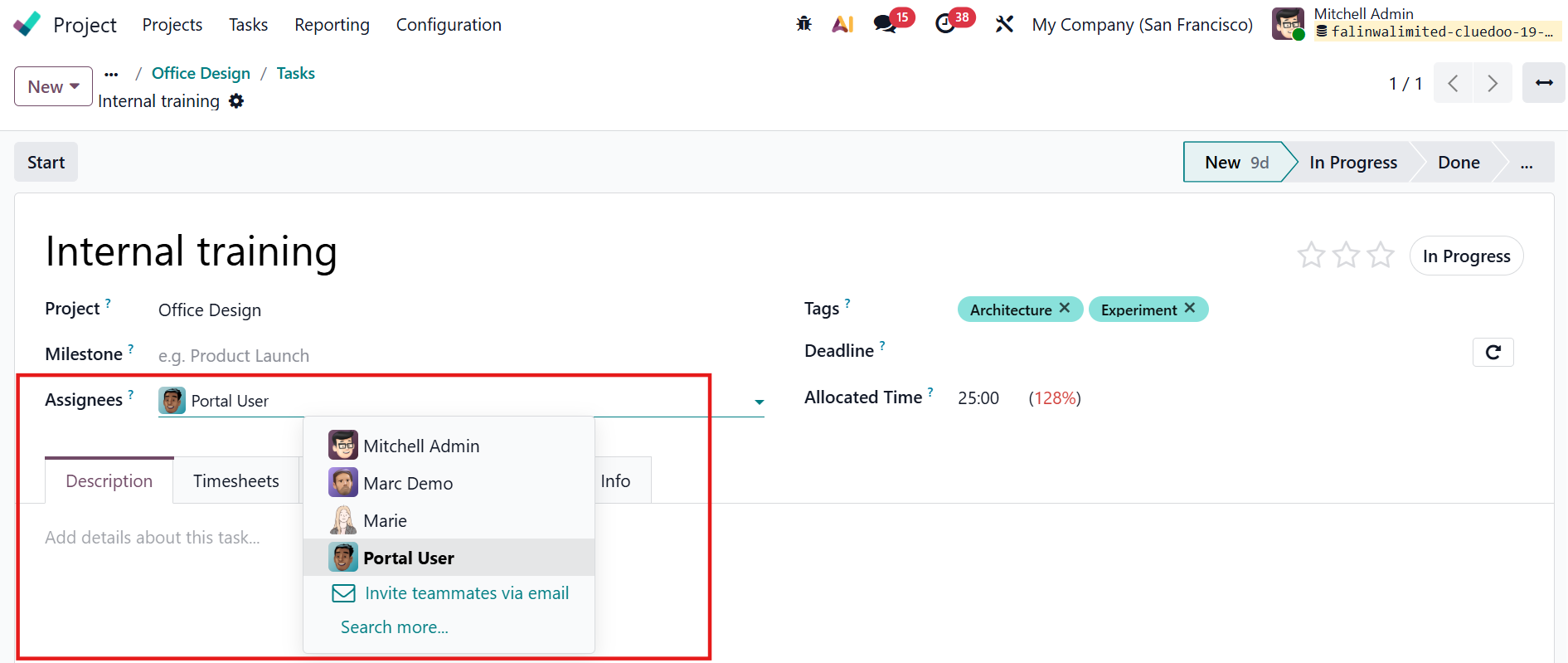 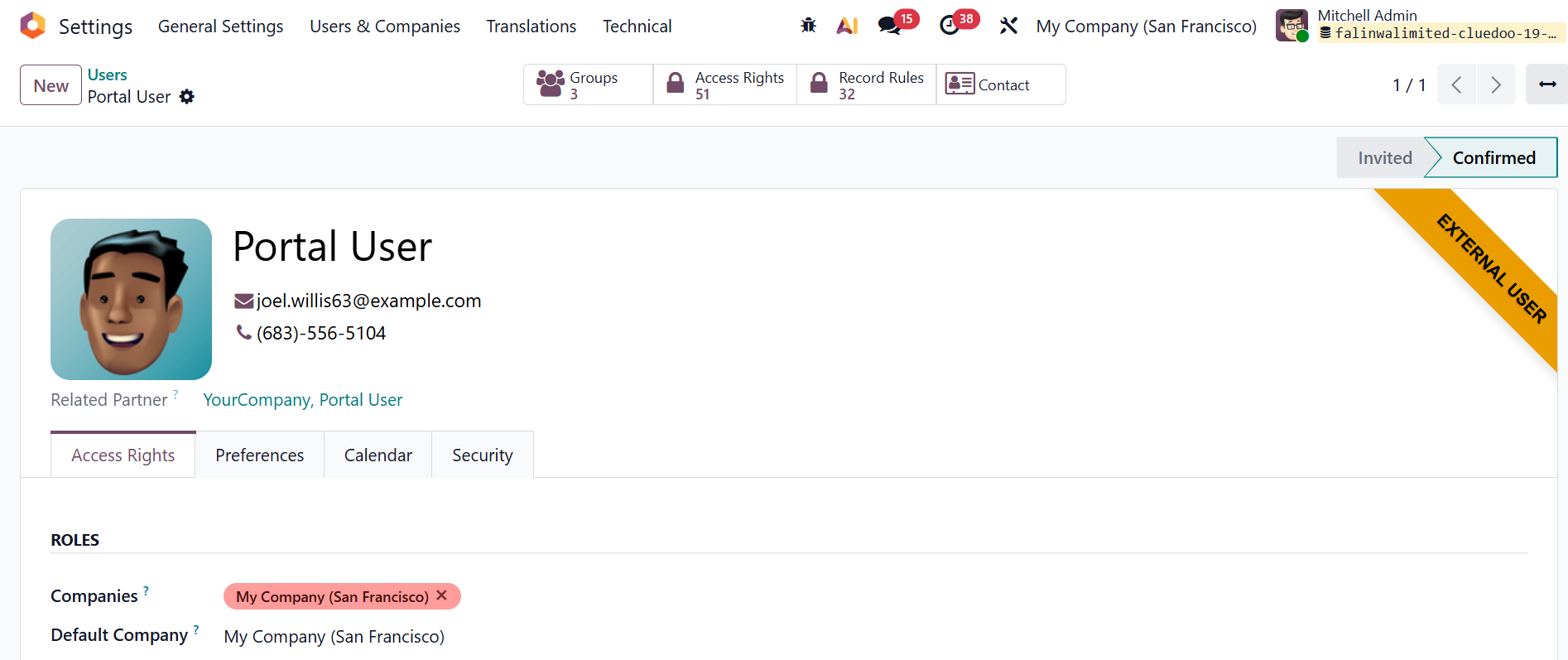 |
2. Log in as the portal user > From the customer portal homepage, navigate to Tasks to see all tasks assigned to or followed by that portal user | 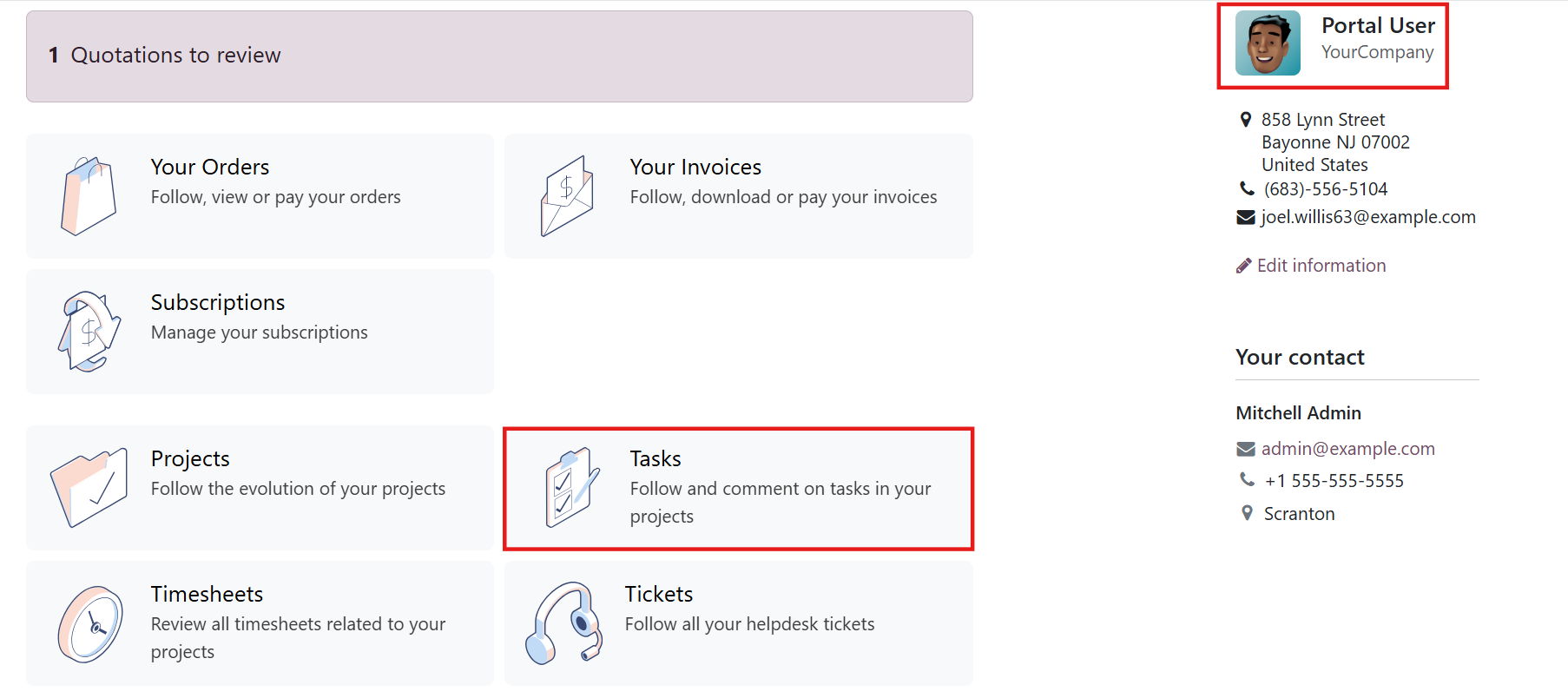 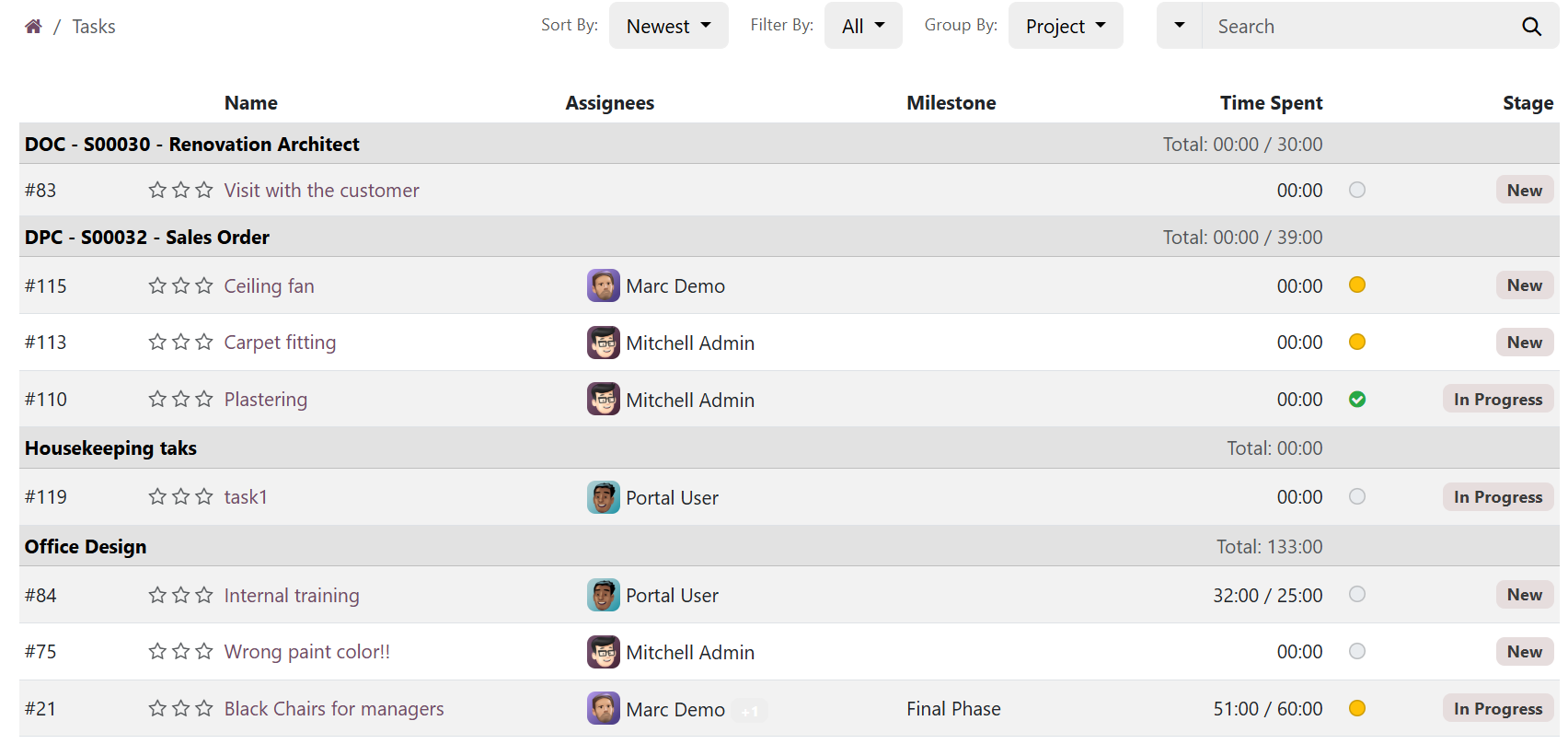 |
3. Open a task from the portal > Click the Update Task button to advance the task to the next stage - for example, moving it from New to In Progress. | 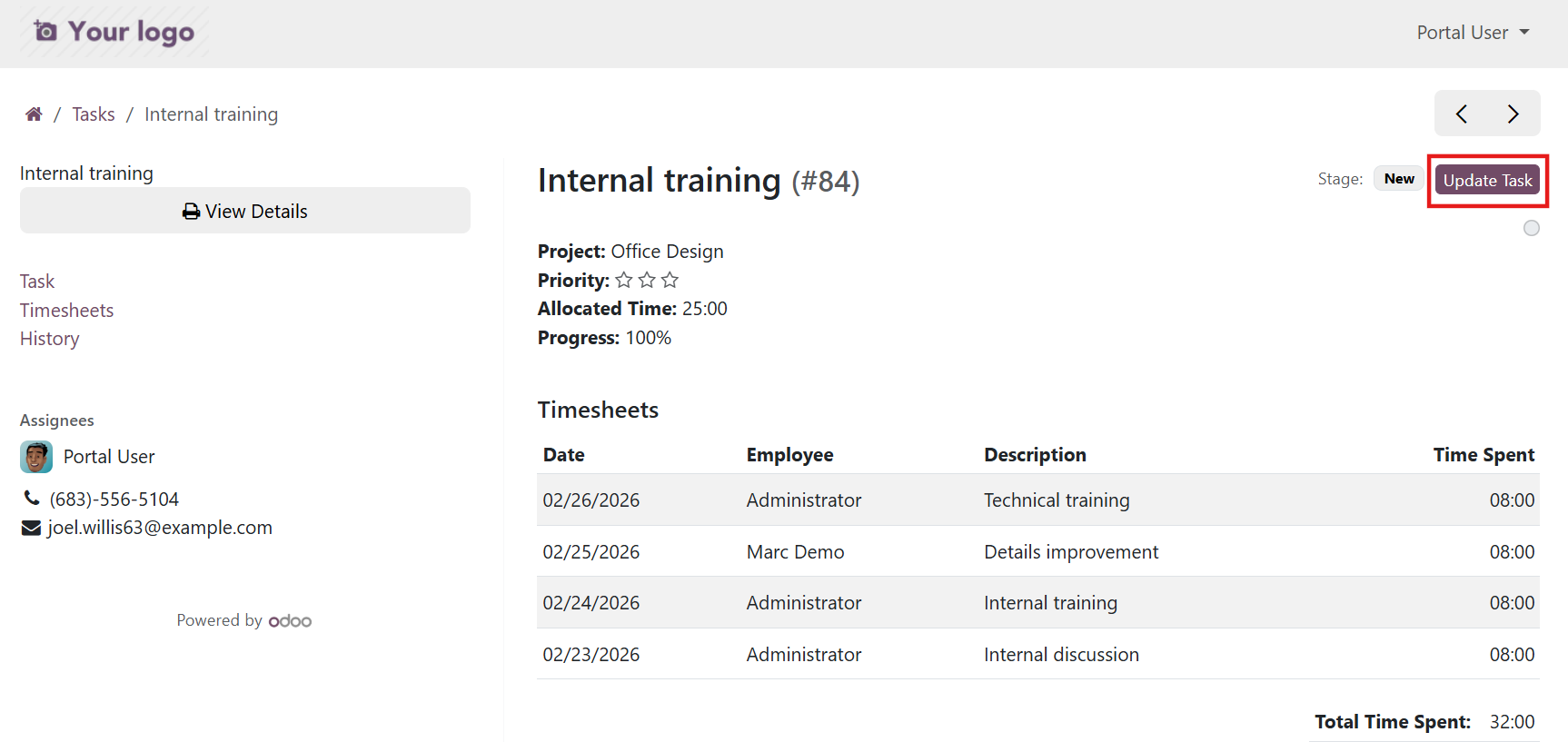 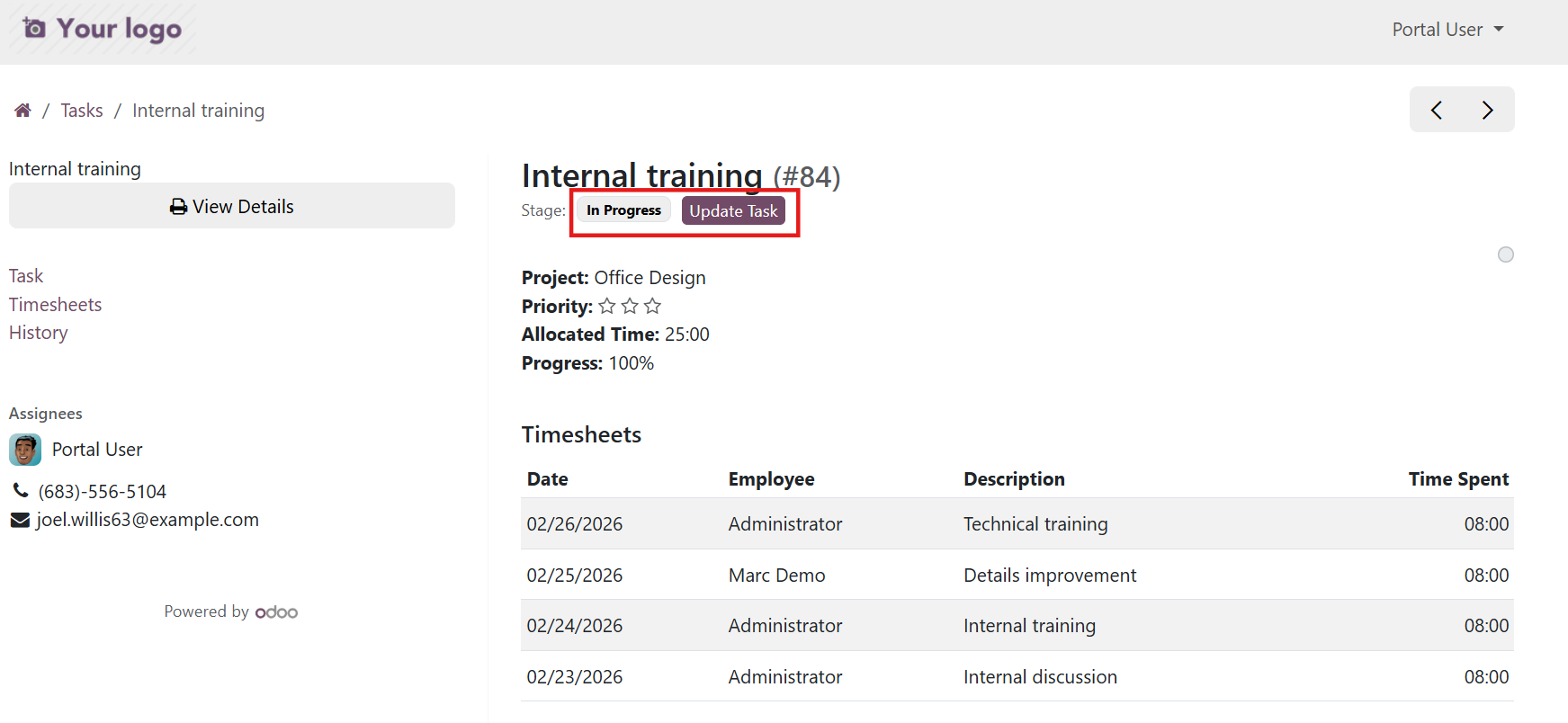 |
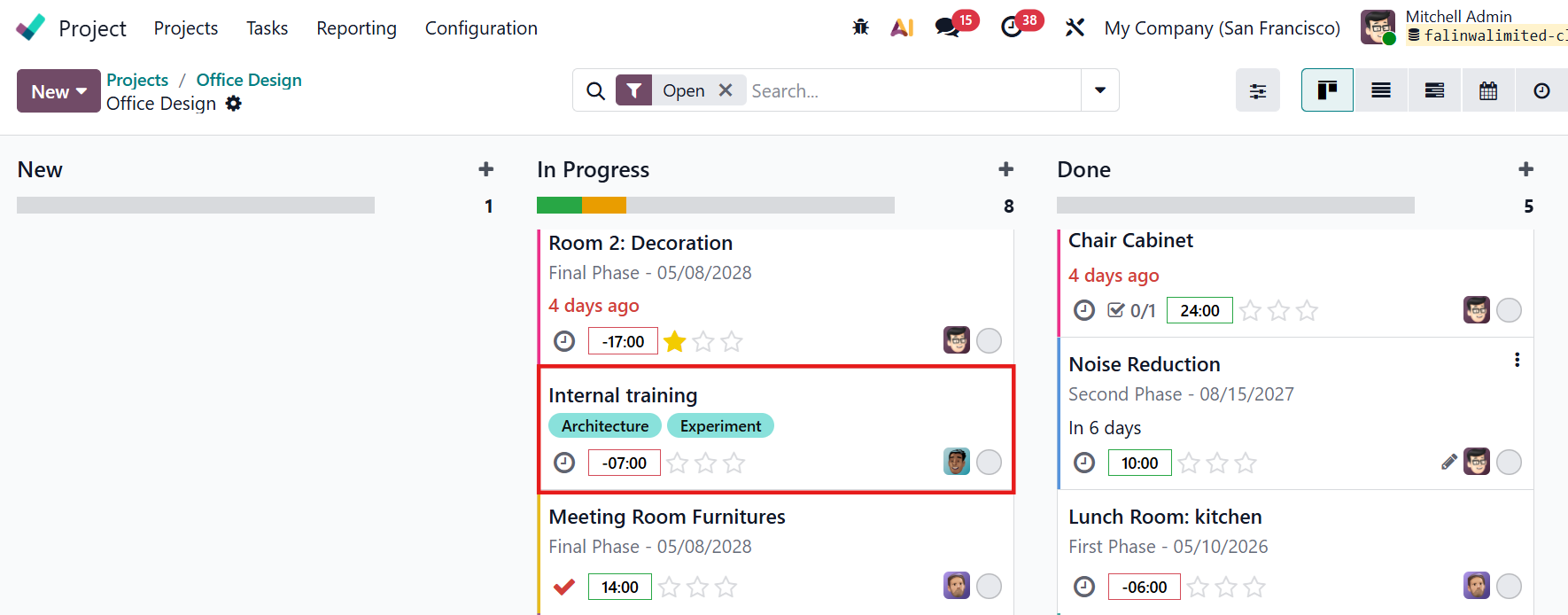
4. Once the portal user updates the stage, the change is immediately reflected in the internal view. The task now appears under the correct stage column (e.g., In Progress). |
|