



Odoo(オドゥー)の機能
【翻訳】Timesheet and bookkeeping are not related. You can have an overview of a project to know your timesheet cost, but it's a different object and is never consolidated.
Cluedoo(クルードゥー)の機能
【翻訳】When you close a timesheet, you can post this timesheet on the Timesheet Journal to have the cost repartition of each employee properly reflected on each analytic account as given on the timesheet.
【翻訳】1. On Timesheet → Configuration → Timesheet Journals, we can create a journal specifically for timesheet by checking the Timesheet Journal checkbox | 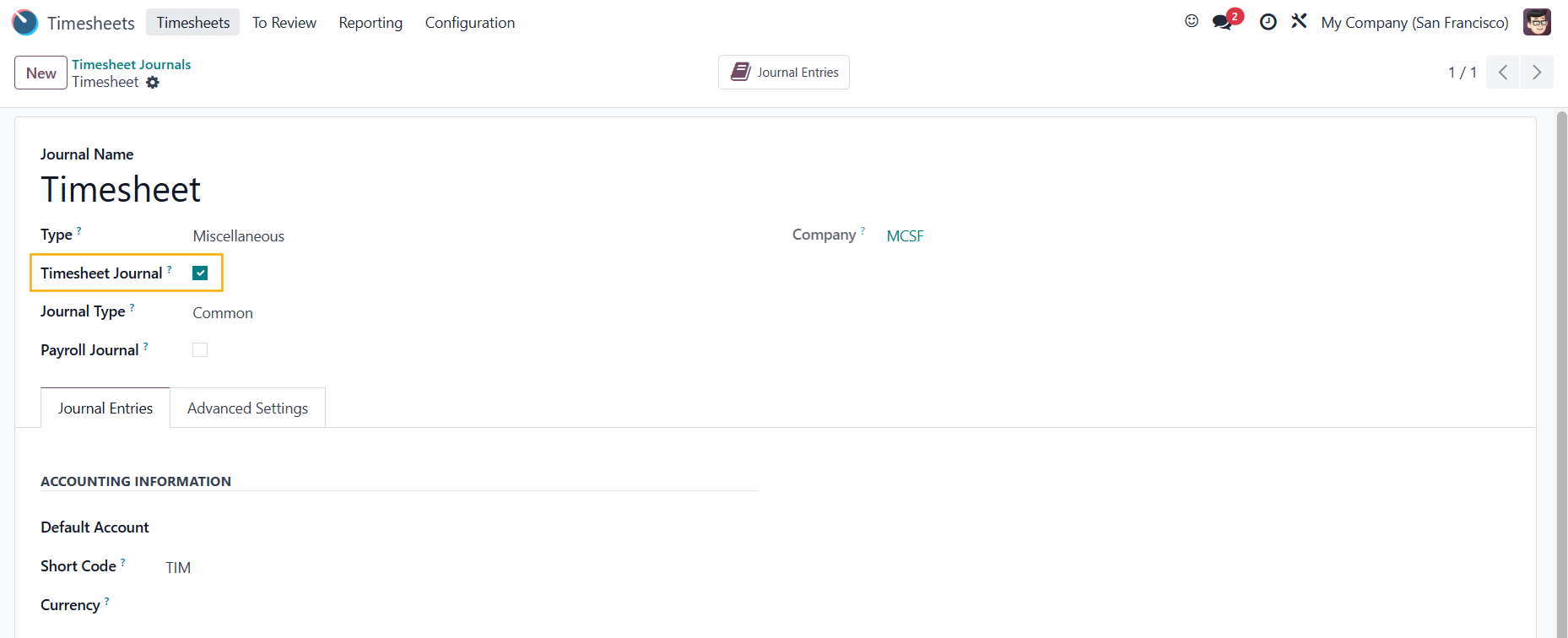 |
【翻訳】2. Go to Employees and choose an employee → Under the HR Settings tab, set the Product and the Hourly Cost | 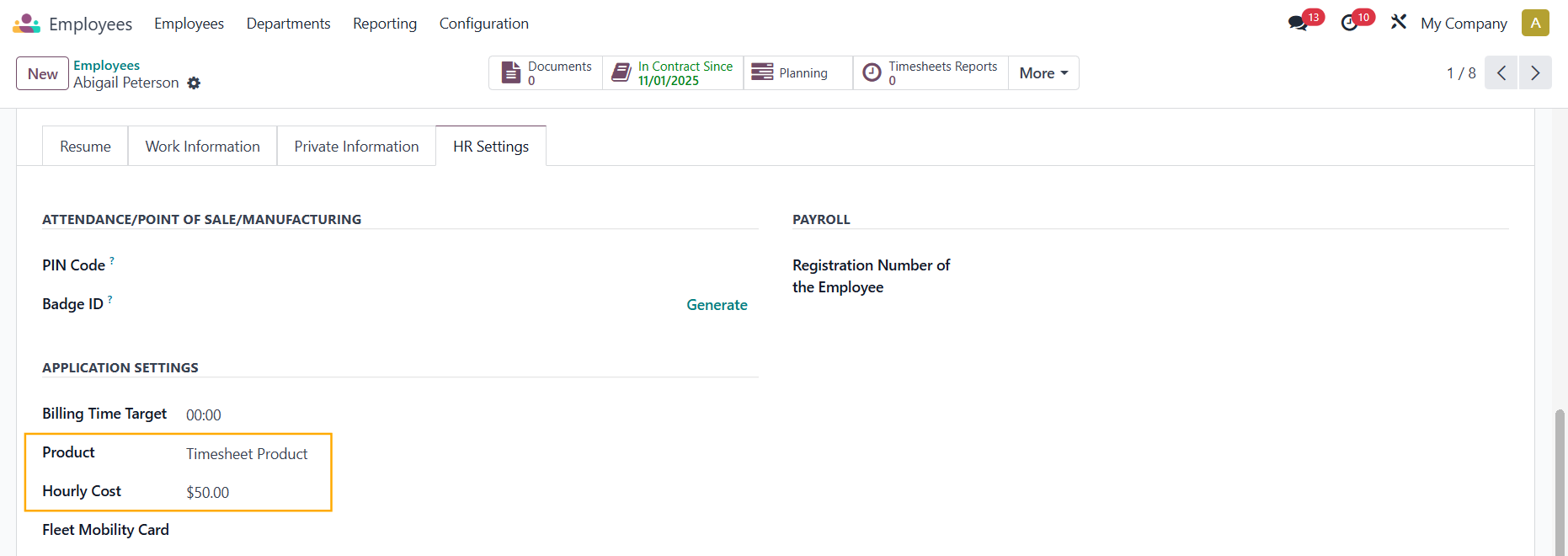 |
【翻訳】Note: 【翻訳】From v18, you can set Product and Hourly Cost under the Settings tab → Application Settings section | 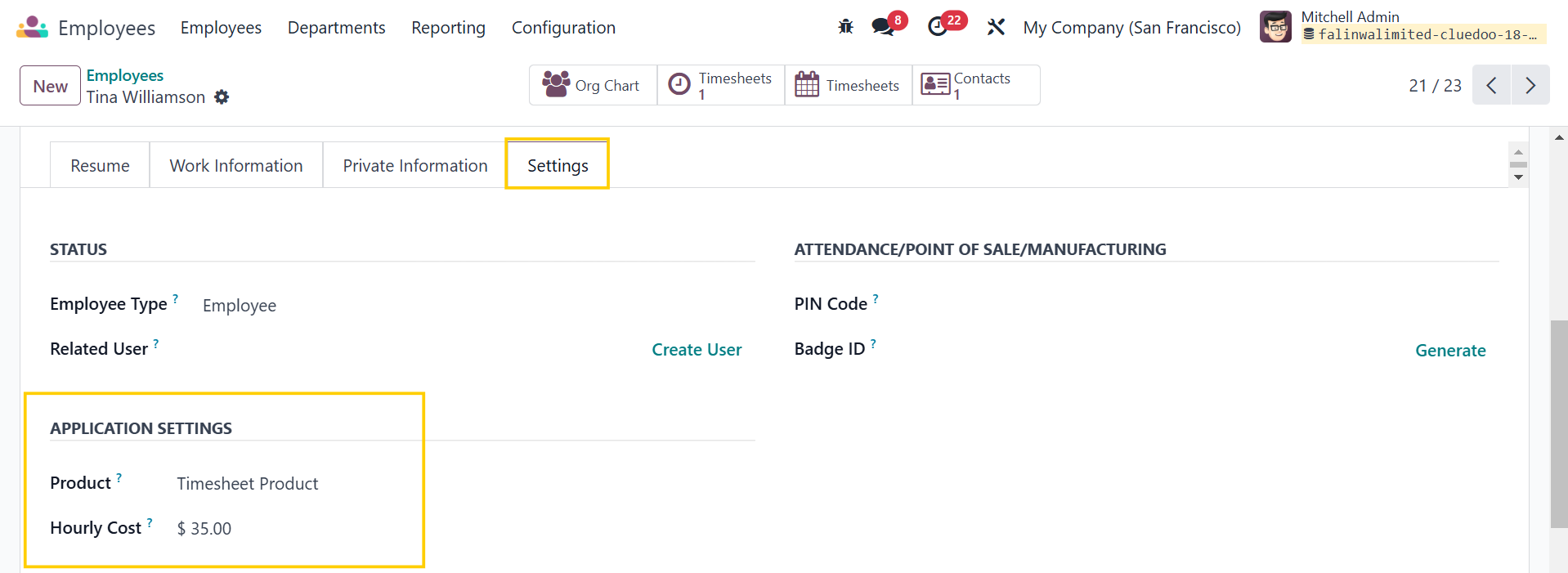 |
【翻訳】3. Go to My/All Timesheet Reports → The employee creates a new Timesheet Report and then asks for approval from the Manager. 【翻訳】The manager approves the Timesheet → Create Draft Journal Entries | 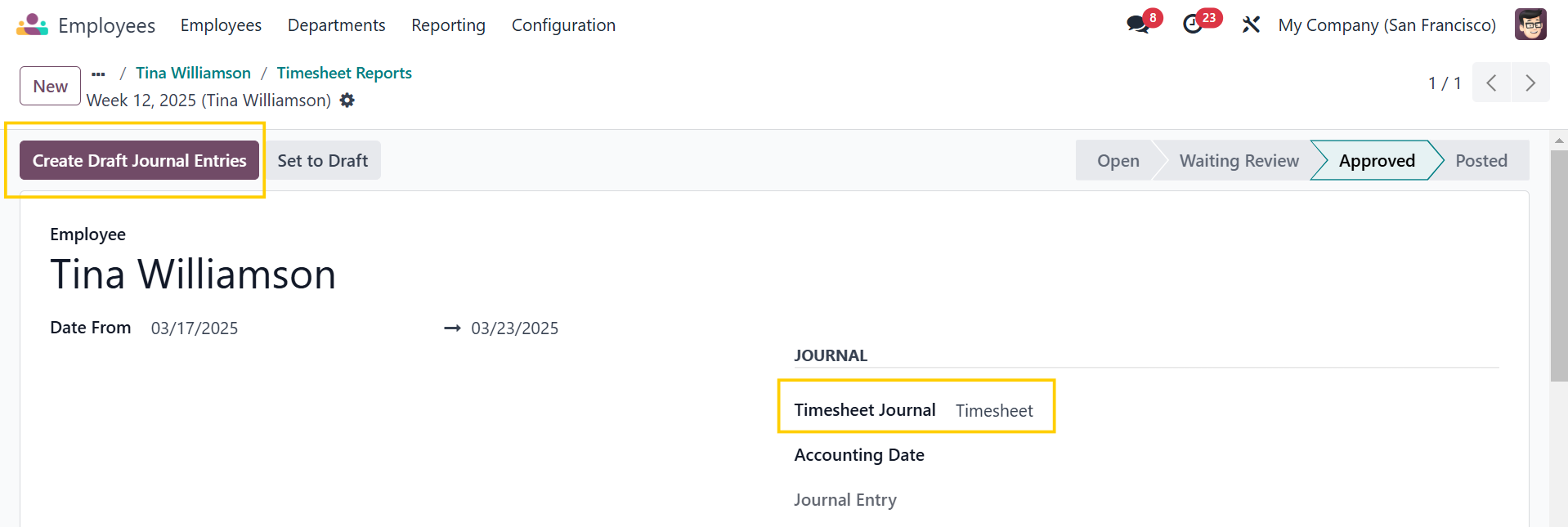 |
【翻訳】Alternatively, you can also create a timesheet report via the Timesheets Reports smart button in the employee form. | 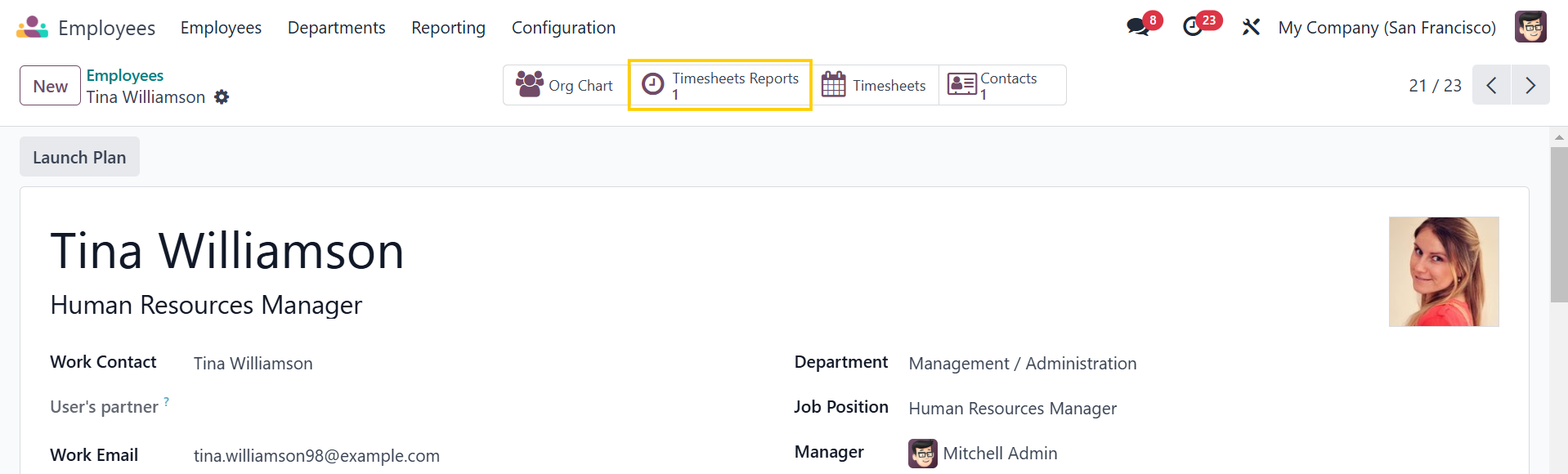 |
【翻訳】4. Journal Entry for the Timesheet Report | 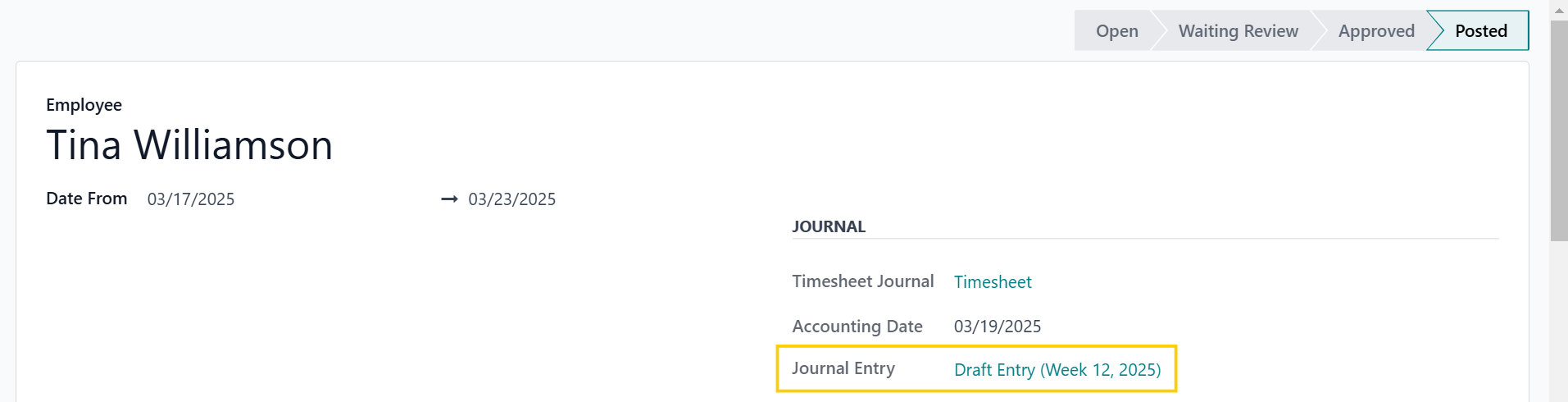 |
【翻訳】Note: 【翻訳】If you put an Analytic Account / Distribution in the employee's contract | 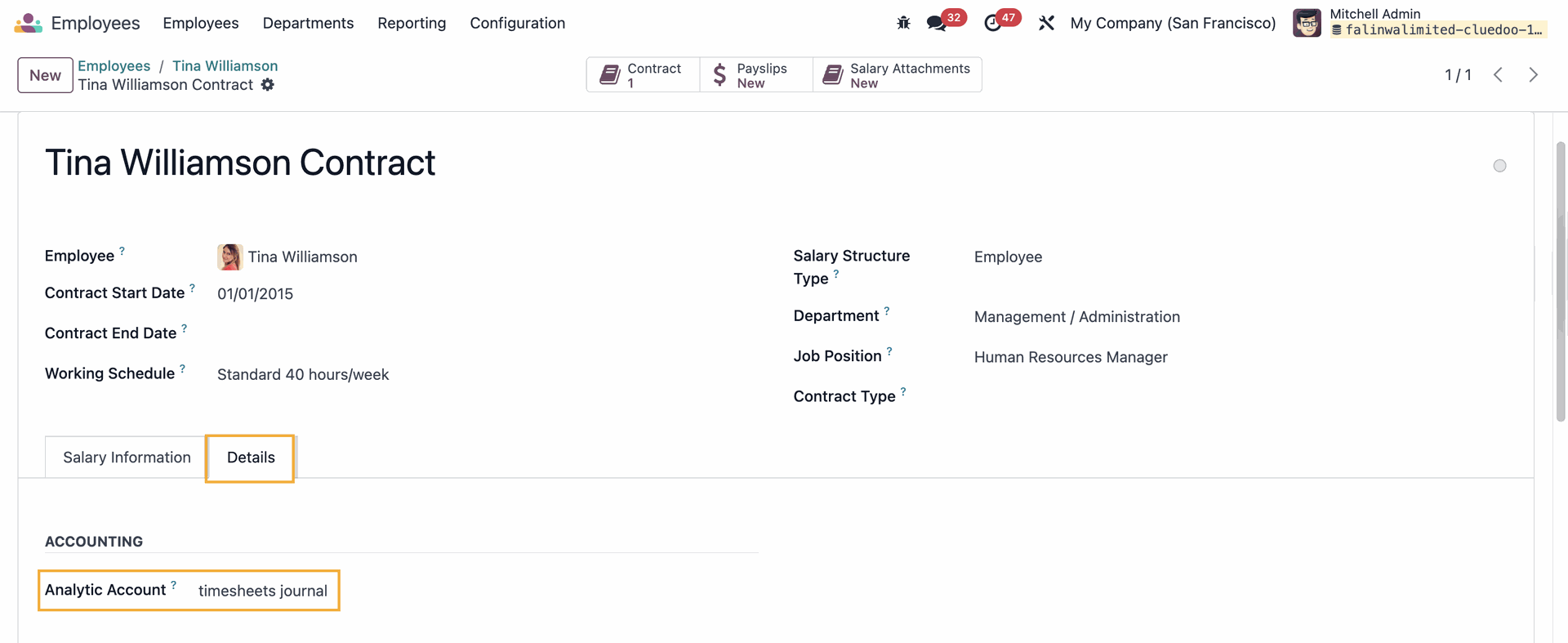 |
【翻訳】It will show in the total line of the Journal Items in the Journal Entry. | 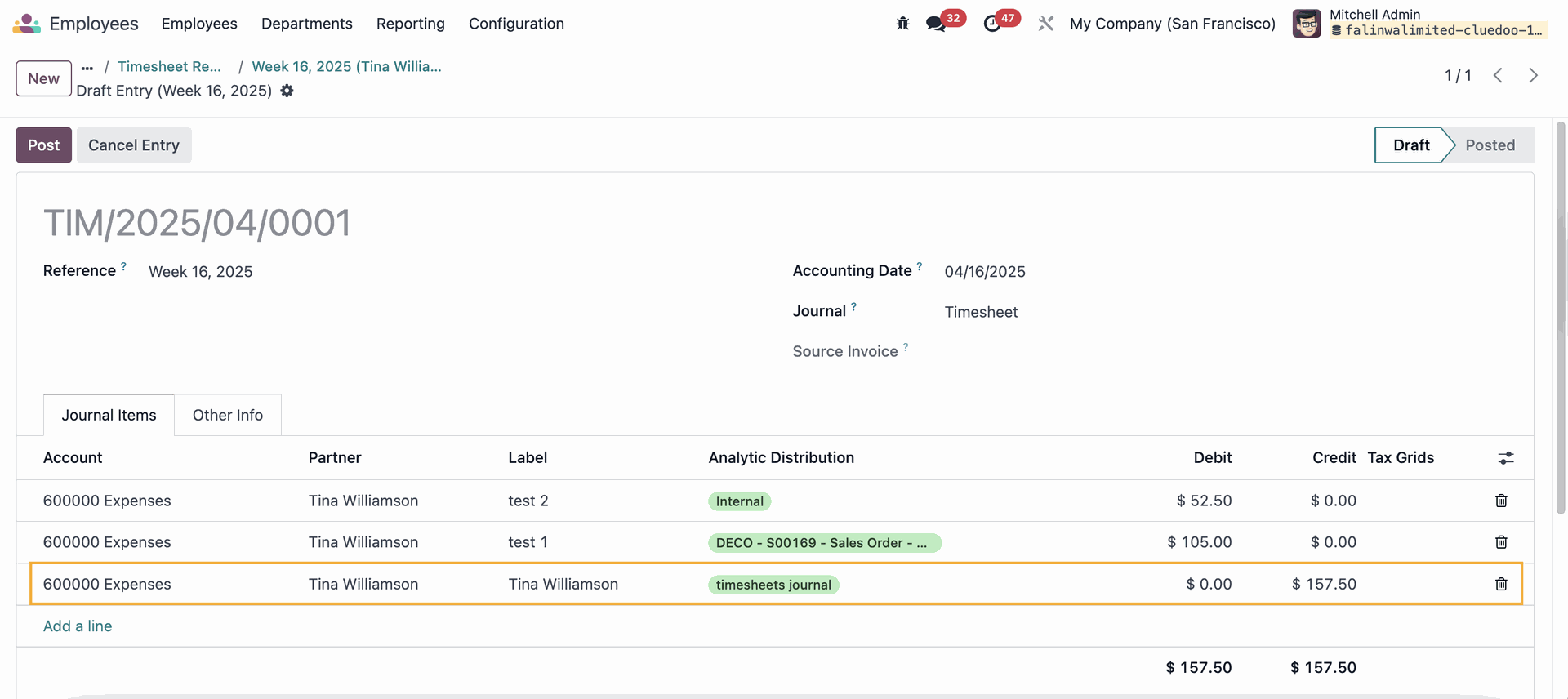 |