
ODOO'S FUNCTION
By default, Odoo supports product pricing through pricelists with fixed prices, percentage discounts, or basic formula-based rules. However, it does not support custom pricing logic or dynamic calculation.CLUEDOO'S FUNCTION
CLuedoo provides dynamic pricing capabilities for sales orders using Python code formulas defined in pricelists. This allows businesses to compute prices based on custom logic and apply them instantly across all Sales Order Lines with a single click.
CONFIGURATIONGo to Sales > Products > Pricelists > Open or create a pricelist, you can see that Python Formula option is added to the pricelist rule > Select Python Formula as the Price Type, then write your formula in the script box. Example: For Apple Pie, the formula result = SOL.product_uom_qty * 10 means the unit price will equal the ordered quantity multiplied by 10. | 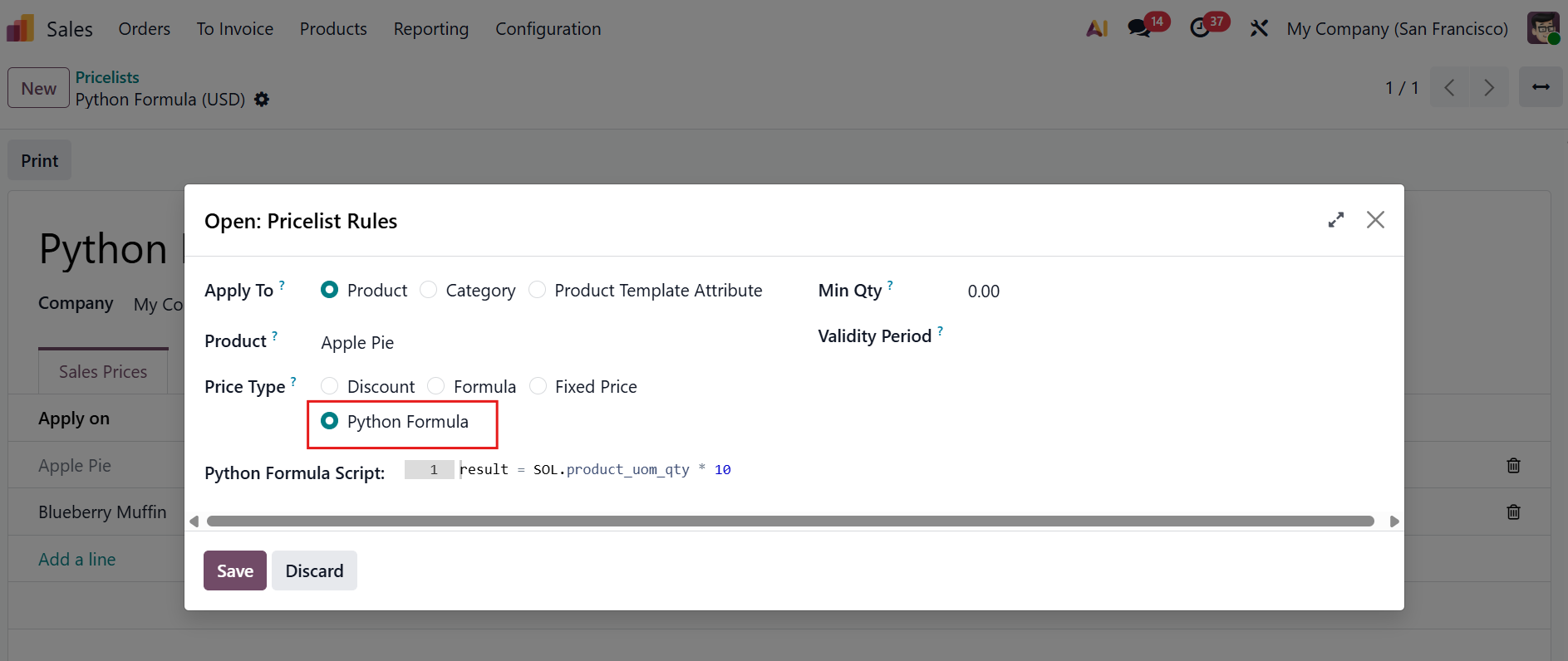 |
USAGECreate a new Sales Order using the pricelist you just configured > The formula is automatically inherited by each Sales Order Line At this point, the unit price still shows the original value. The formula is ready but not yet applied. | 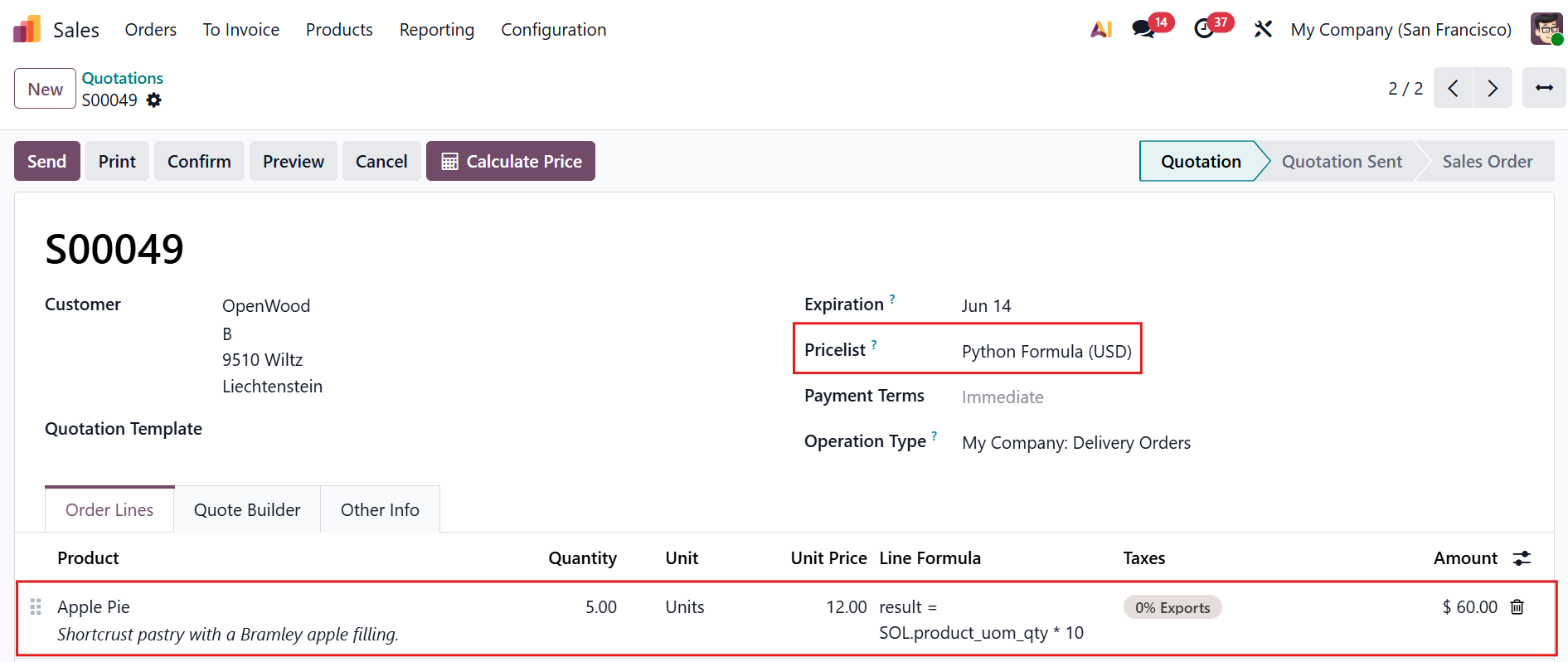 Before using Calculate Price button |
Hit the Calculate Price button at the top of the Sales Order > The system instantly recomputes the unit price for all lines based on their formula. | 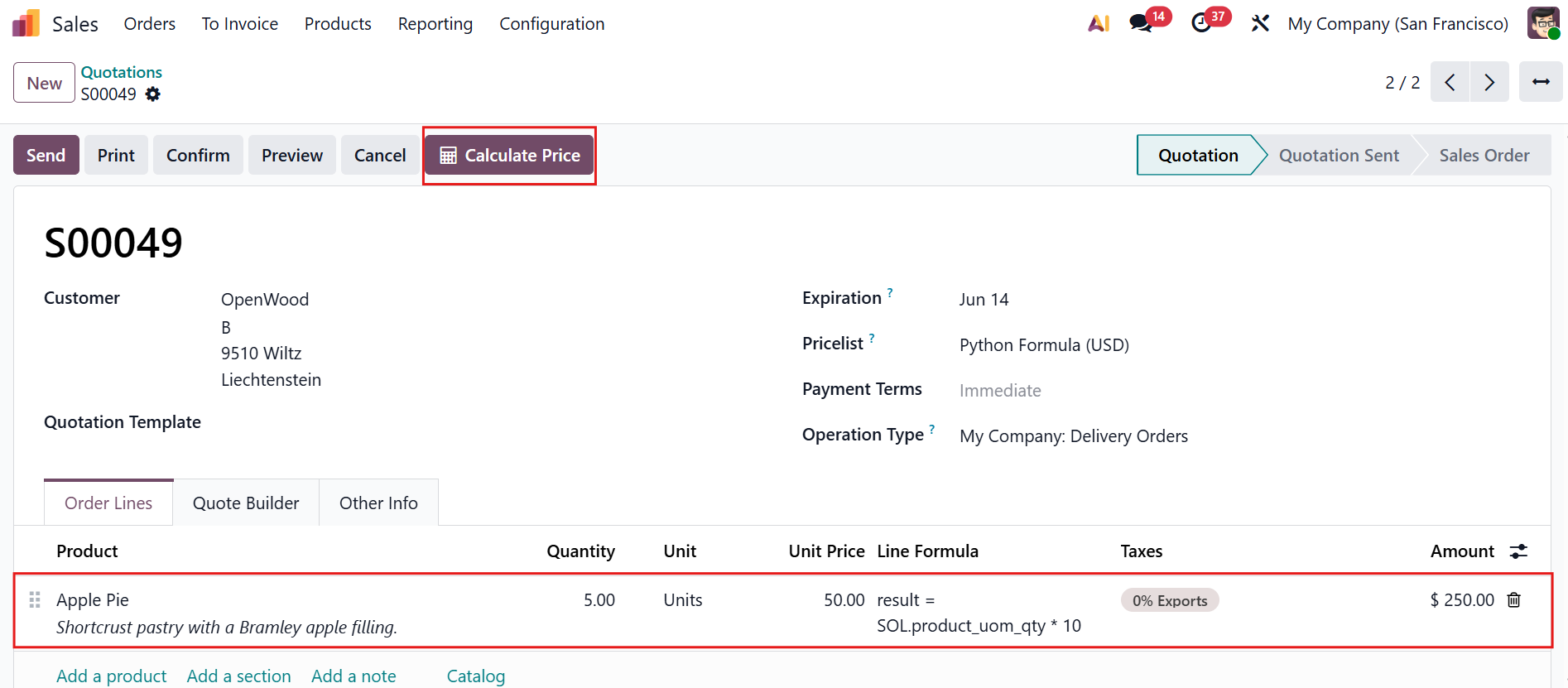 After using Calculate Price button |
Note:
| 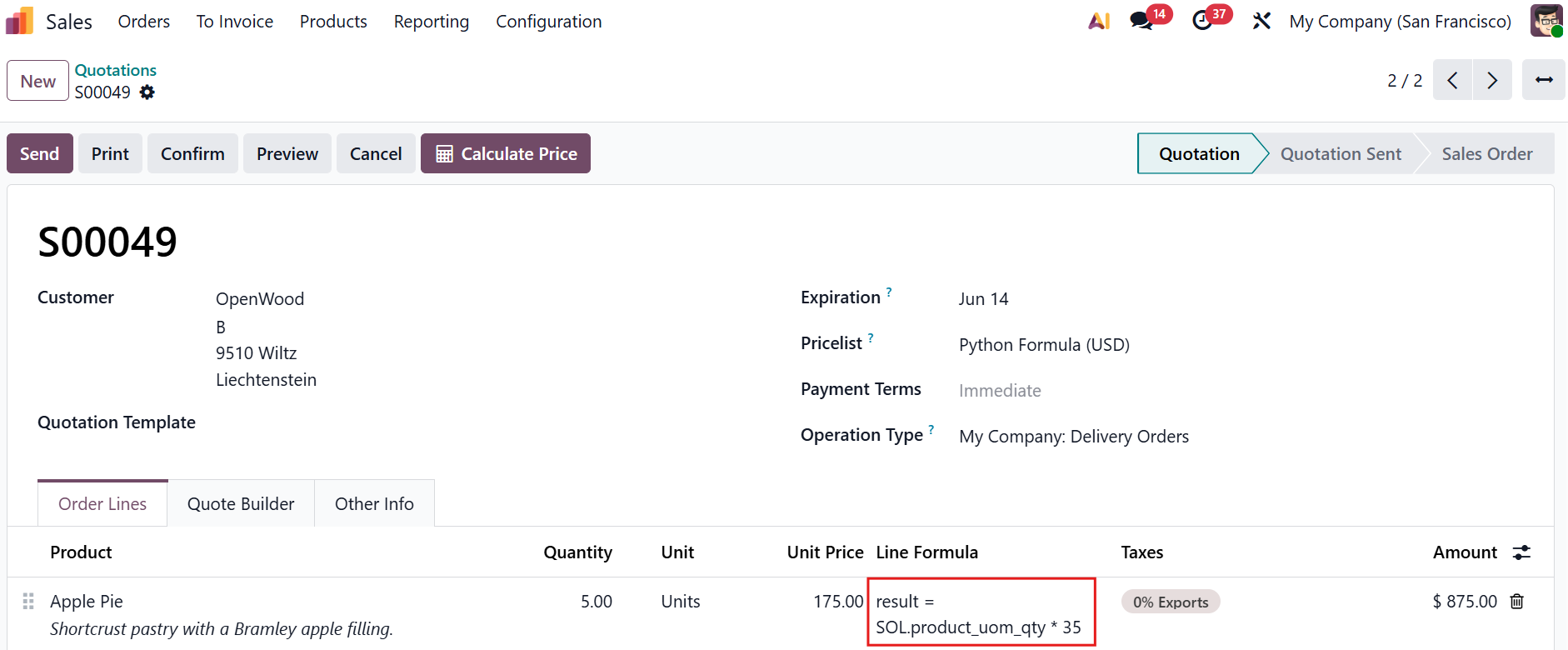 |