
ODOO'S FUNCTION
In Odoo, when an internal purchase automatically generates a corresponding sales order, the system syncs the product and the price but leaves out the supplier details. The resulting Sales Order Line does not have a field to display the product's vendor. If the sales team needs to know who supplies that specific item, they are forced to leave the screen and manually search through the product's settings to find the vendor information.
CLUEDOO'S FUNCTION
CLuedoo enhances this workflow by adding a dedicated Vendor field directly onto the Sales Order Line. When the automated sales order is created, the system saves the sales team a step by instantly auto-filling this field with the primary vendor listed on the product form. Not only does this provide immediate visibility without clicking away, but it also remains flexible, allowing users to easily change the selected vendor manually if the situation requires it.
CONFIGURATION | |
1. Go to Settings and check Inter-Company Transactions in both companies e.g., My Company and Your Company | 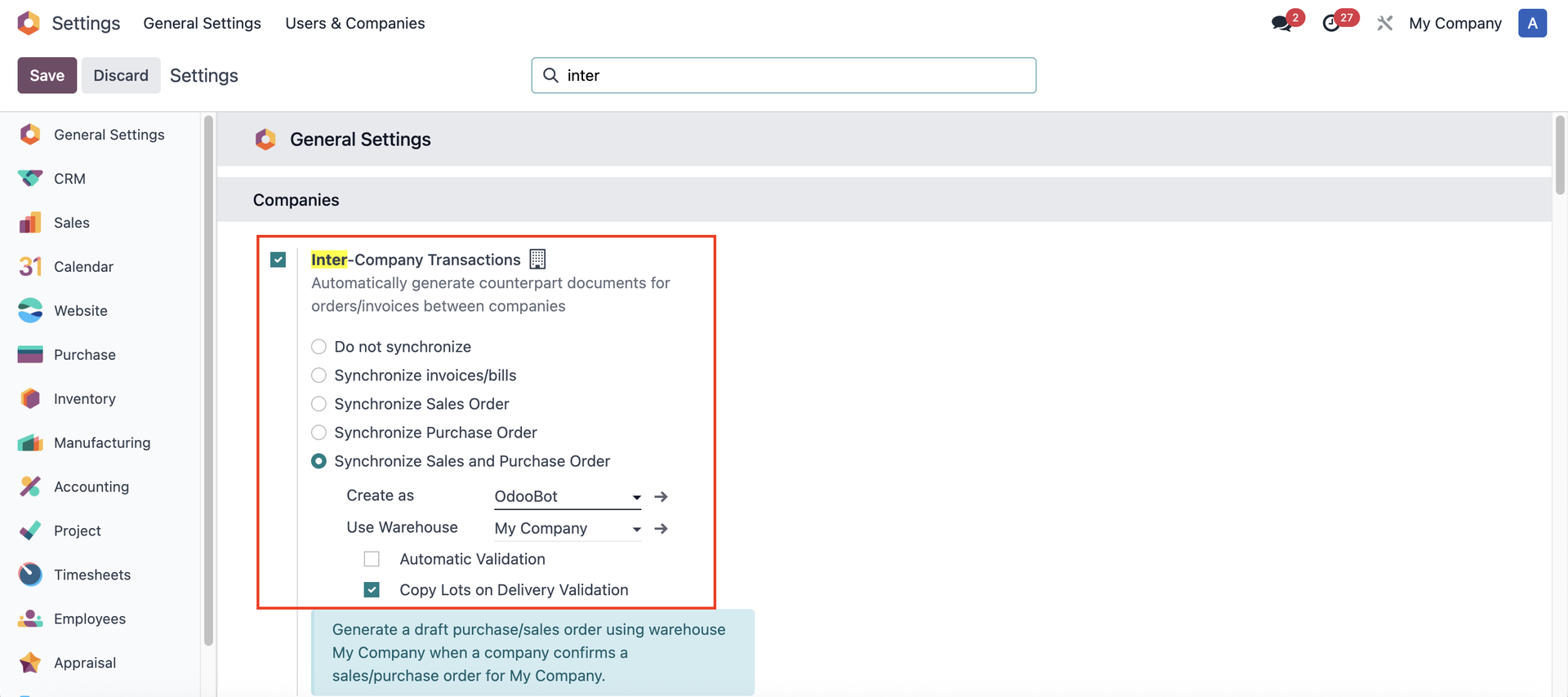 |
2. Create a product and add some vendor pricelists under the Purchase tab. Remember not to set the Company so the vendor pricelists are available in both companies. | 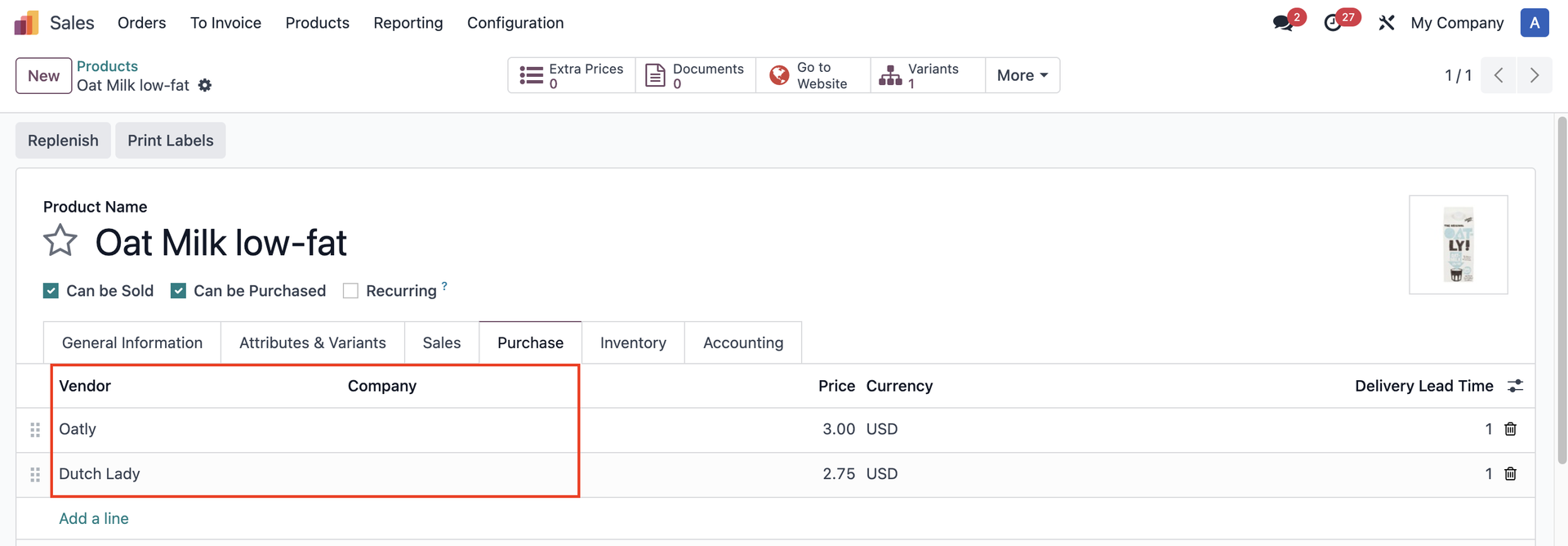 |
USAGE | |
1. Create a Purchase Order from My Company to Your Company > Confirm | 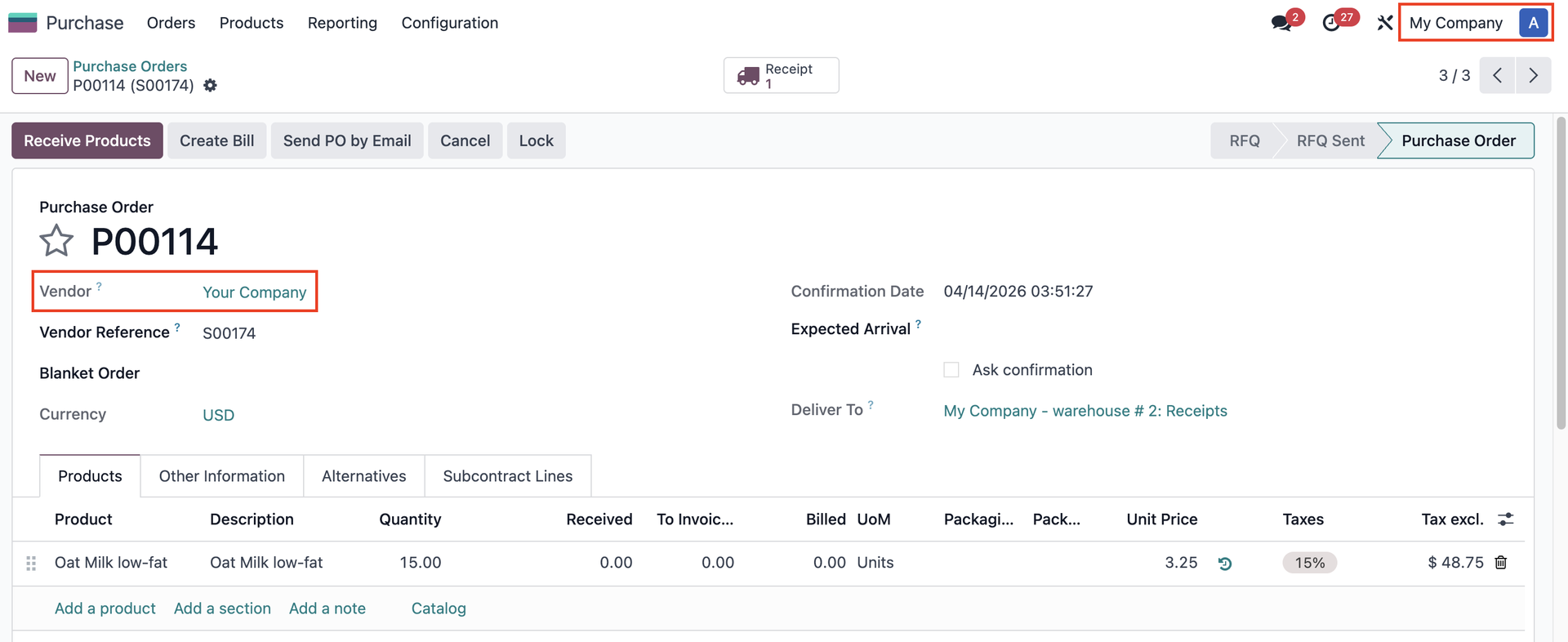 |
2. A Sales Order will be automatically created in Your Company. On the SOL, the first vendor pricelist in the product form will be selected in the Vendor field, with the ability to change. | 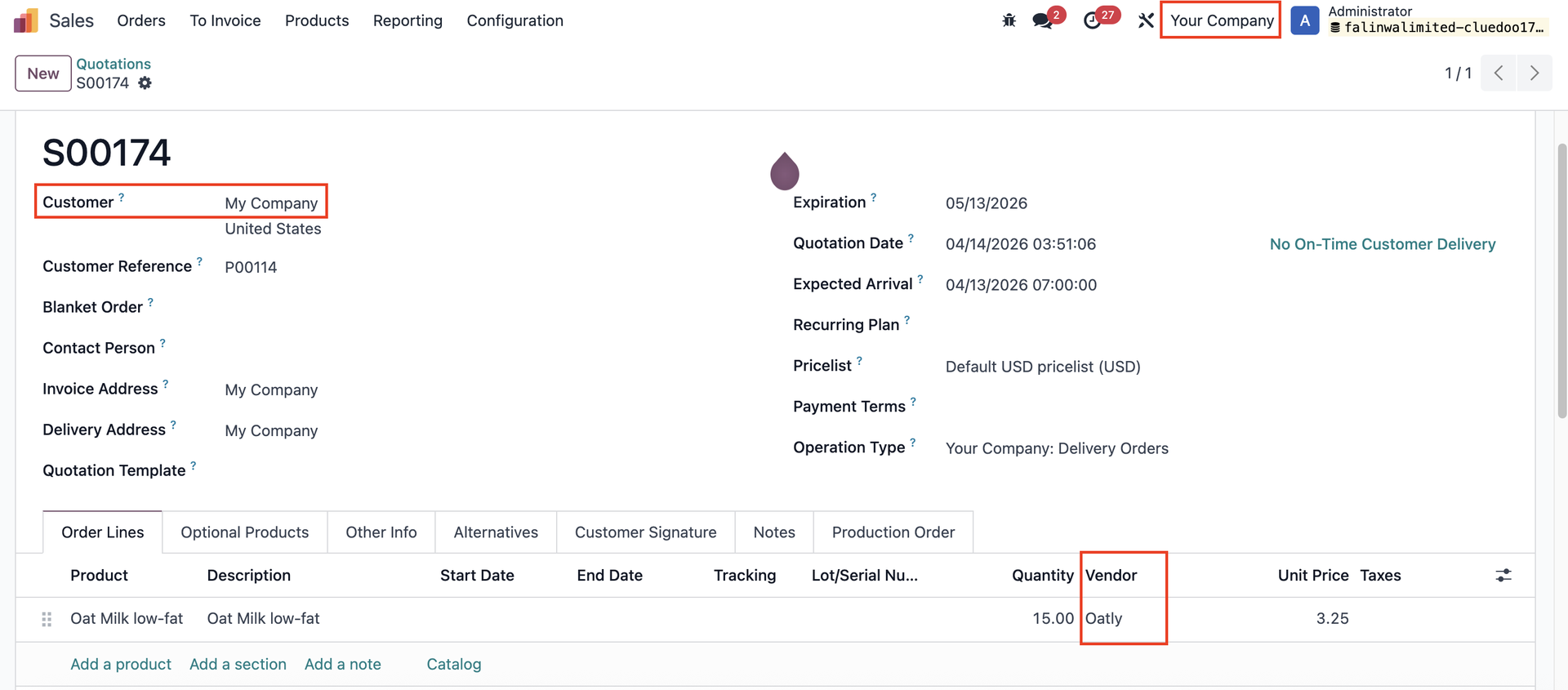 |