



ODOO'S FUNCTION
In Odoo, you have to manually fill in information such as the journal, warehouse, and operation type in orders every time. If you want to sort and filter orders classified by these fields, there is no available method.
CLUEDOO'S FUNCTION
Combined with module Order Types Creation, this module helps you transfer the journal, warehouse, and operation type from a Sales Agreement to a Sales Order.
In the Sales module, go to Configuration → Order Type to create a new order type. | 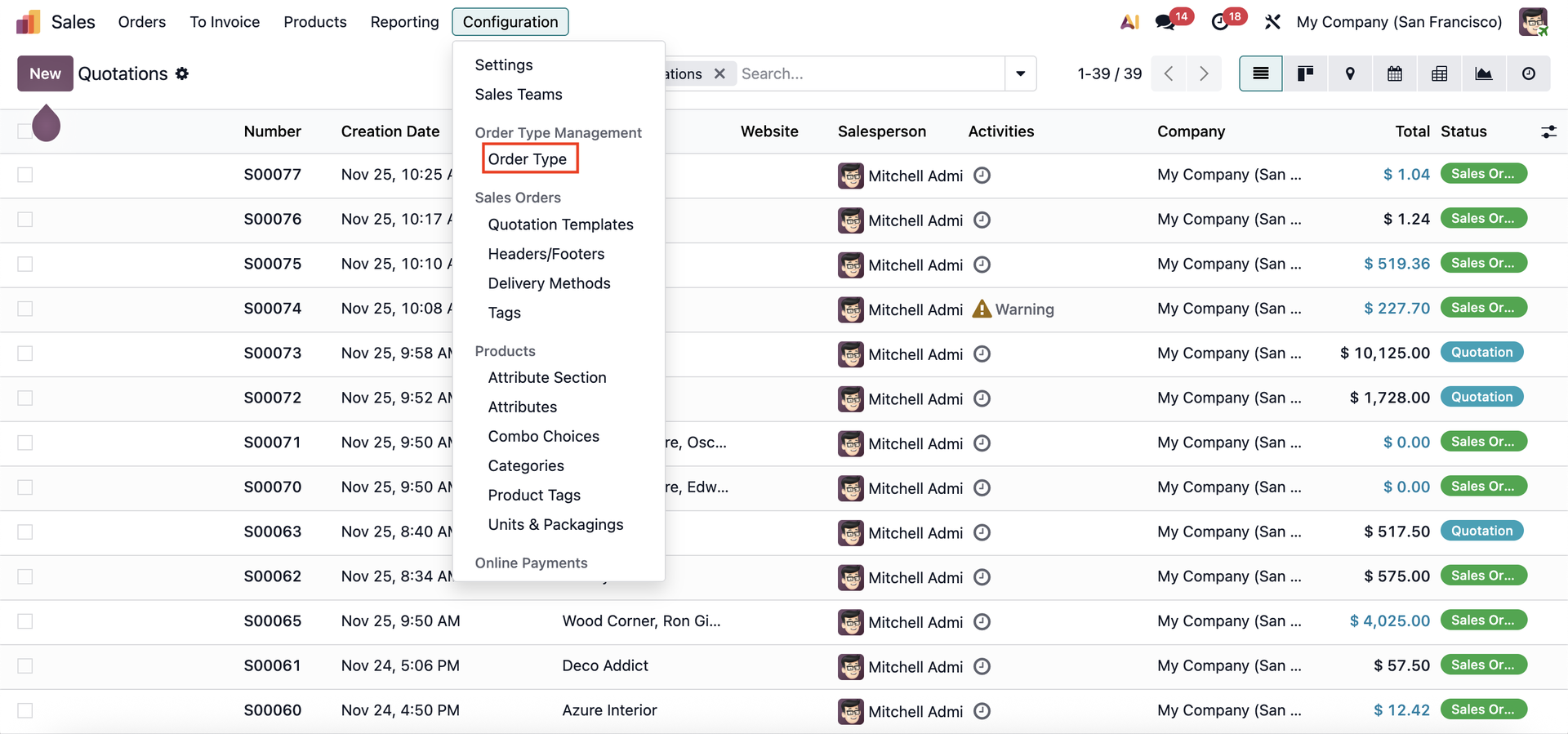 |
Configure the order type by selecting the type, journal, warehouse, operating type, and company. | 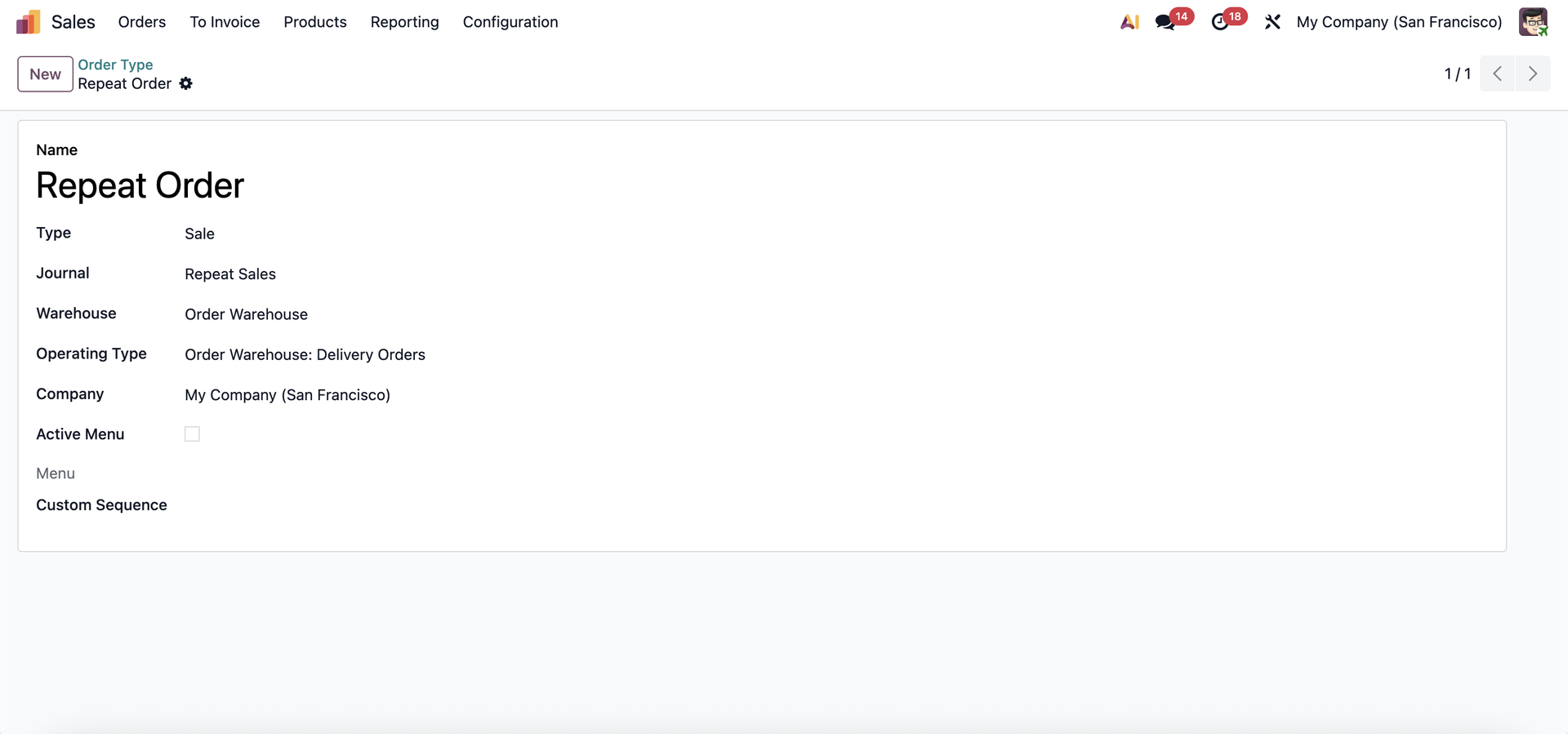 |
Then, create a Blanket Order and select the Order Type. | 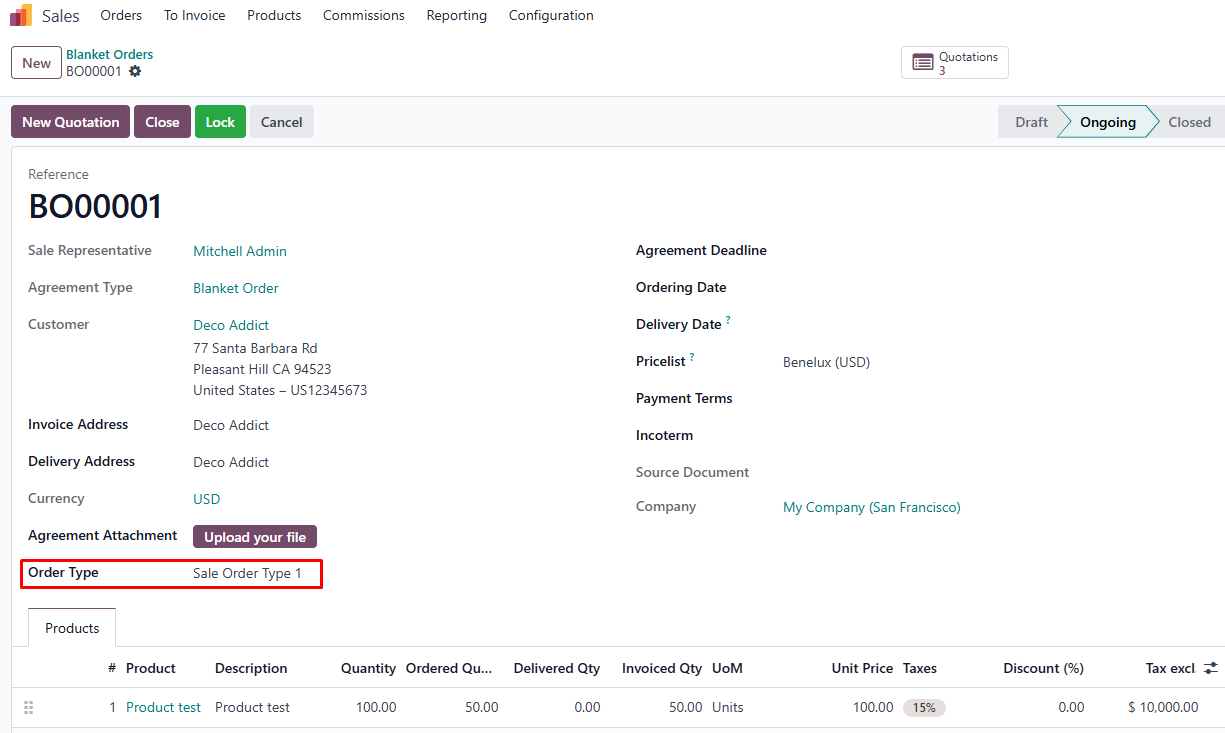 |
Choose New Quotation from the Blanket Order. The Warehouse and Operation Type fields will be automatically filled based on the settings in the order type. | 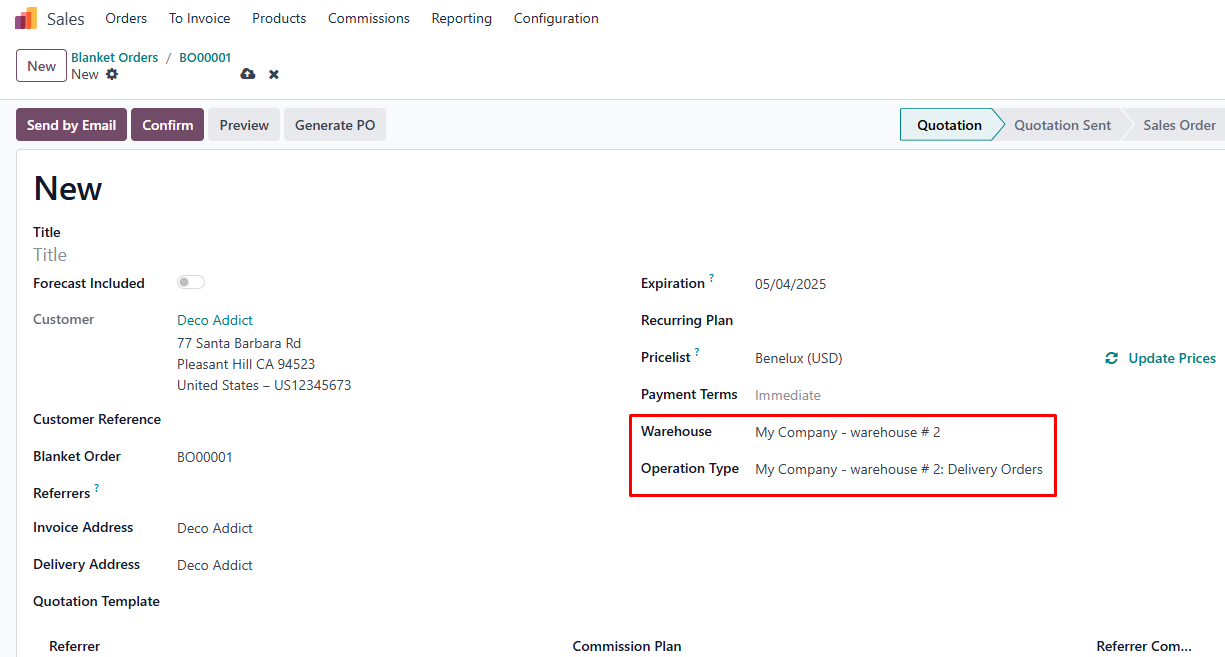 |
Confirm the quotation to create the Sales Order. | 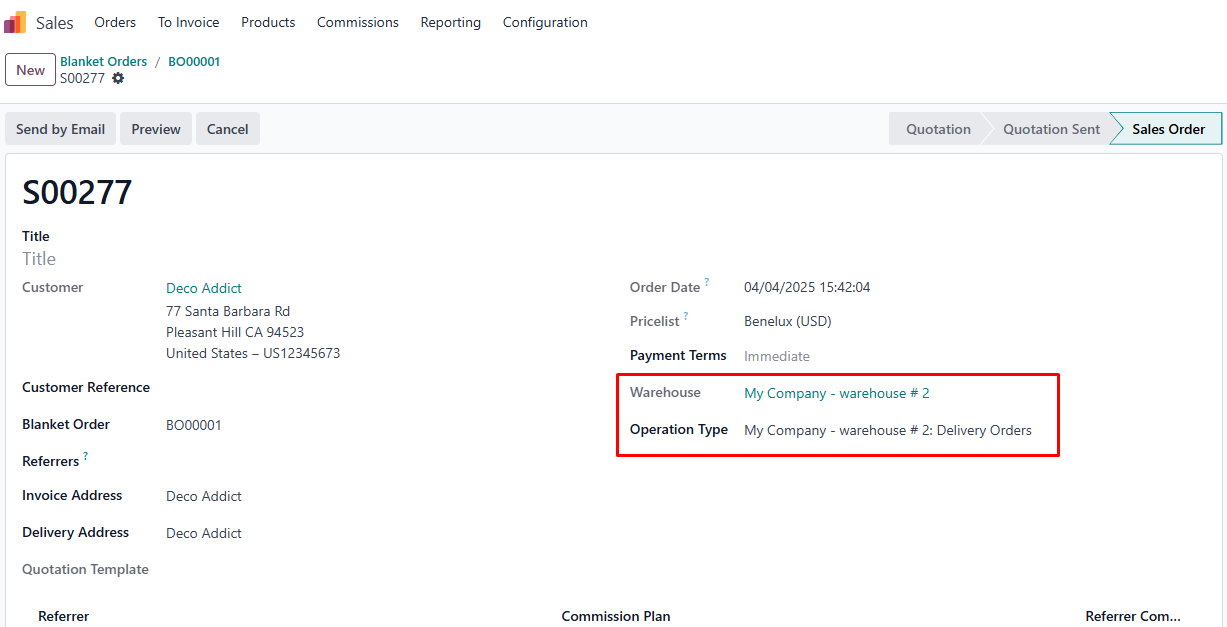 |
When you create the invoice, the Journal field will also be auto-populated. | 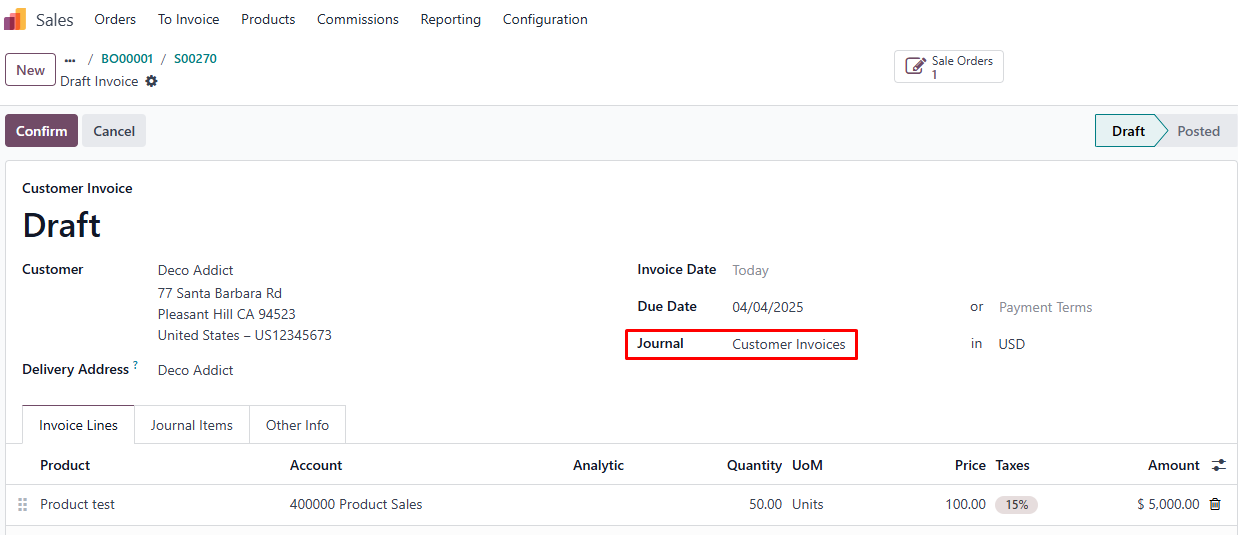 |