



ODOO'S FUNCTION
- Provides task names within the Project app.
- Lacks a dedicated “reference” field to standardize documentation or align with external systems.
- Does not link sales orders to project phases (“create on order” / “project phase”), making tracking and audits less structured.
CLUEDOO'S FUNCTION
1️⃣ Adds a Reference field in the Project app for better documentation, auditing, and cross-system alignment.
2️⃣ Connects sales orders directly to project phases using “create on order” / “project phase” fields.
3️⃣ Improves visibility and coordination between sales and project teams.
1. Create a service product and choose Create on Order: Task | 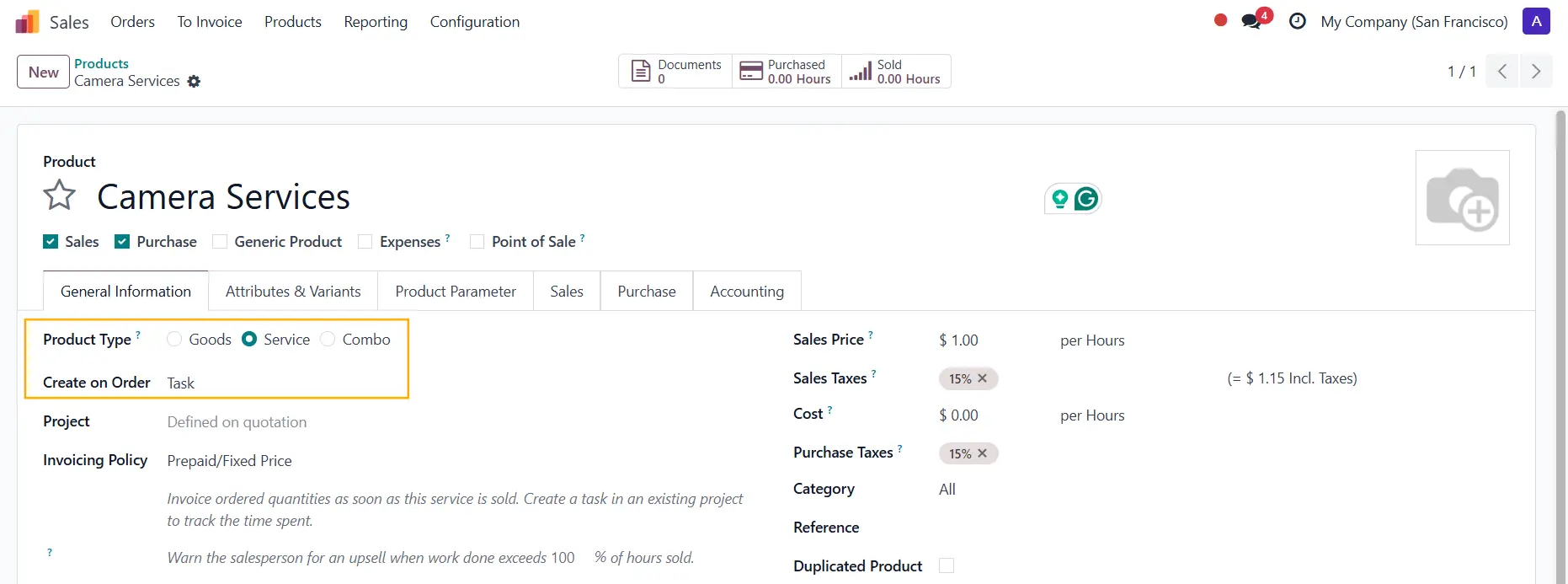 |
2. Go to Sales Order > Create a new order > Add the product and the Create on Order field will be automatically added; We can also add the Project Phase > Confirm | 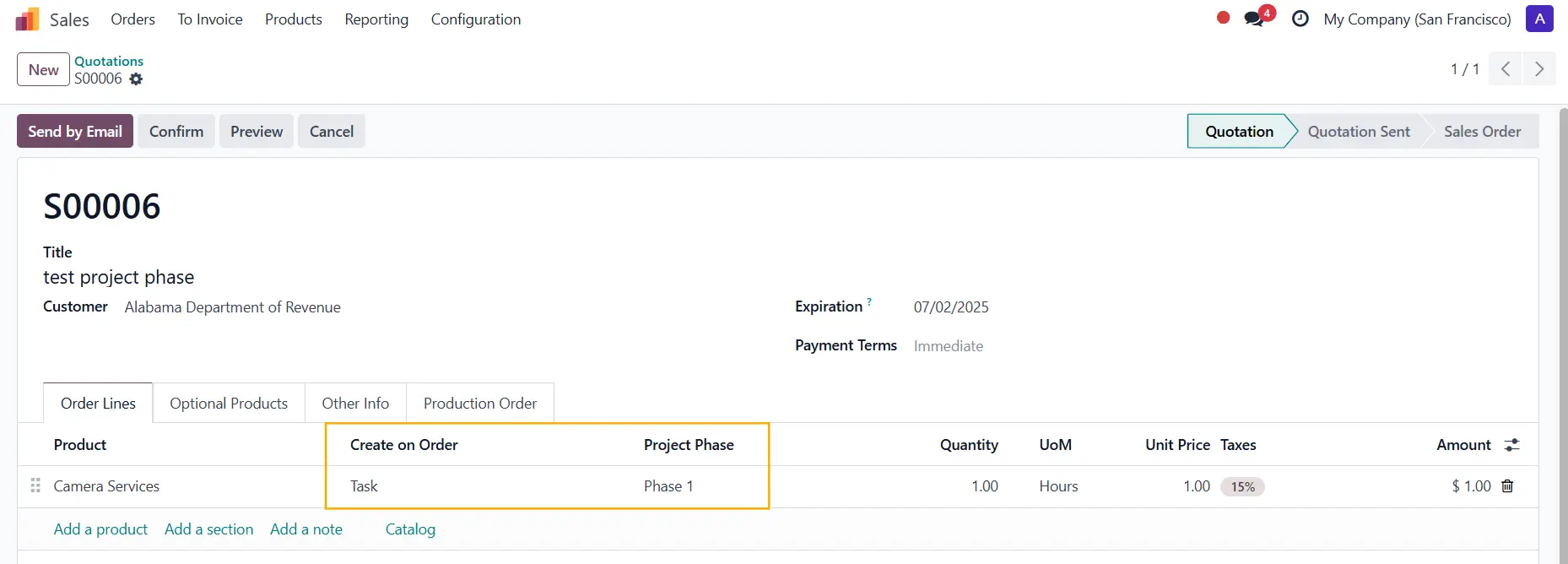 |
3. A field Reference has been added to the Task The display name = SO reference - Project Phase Note: In v19, the field changes to Task Code | 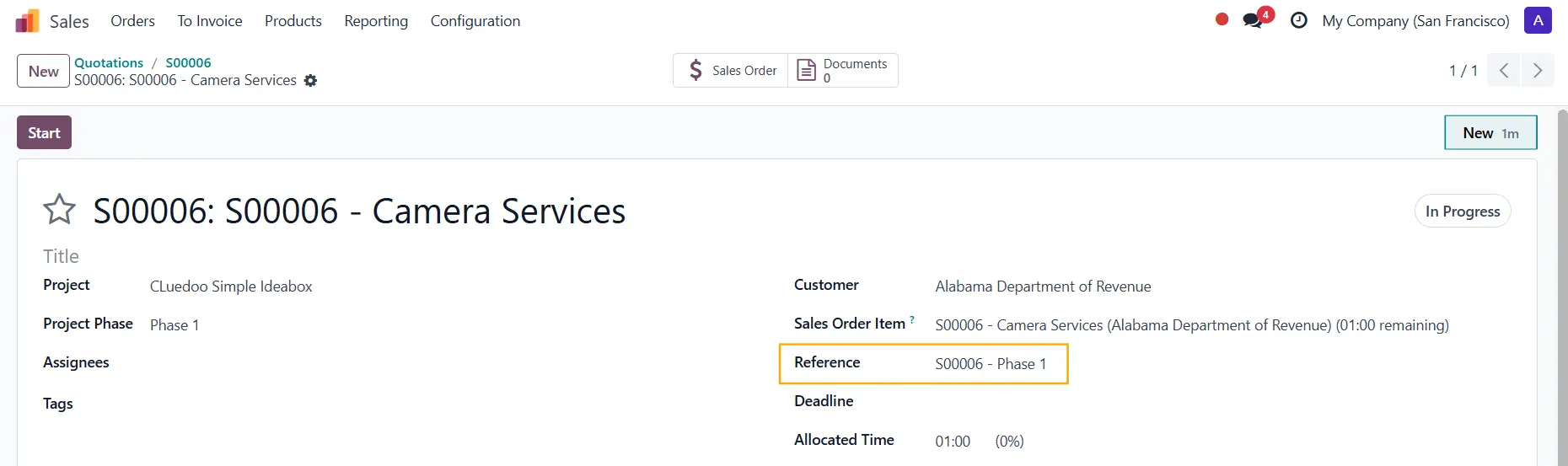 |