



ODOO'S FUNCTION
Odoo allows users to create work order entries and assign work centers for a manufacturing order without further integration into the scheduling or planning system to visualize and manage the workload automatically.
CLUEDOO'S FUNCTION
CLuedoo enhances the standard reconciliation process:
1️⃣ When a work order is created and assigned to a work center, Cluedoo generates a continuous planning slot reflecting the scheduled production time and location.
2️⃣ This planning slot helps visualize the workload and available capacity for each assembly line or work center.
3️⃣ It improves resource management by linking work orders directly to the production schedule, enabling better capacity planning and efficiency tracking across different shifts and assembly lines.
This enhancement transforms static work orders into dynamic, actionable schedules, offering manufacturers clearer visibility and control over their production workflow.
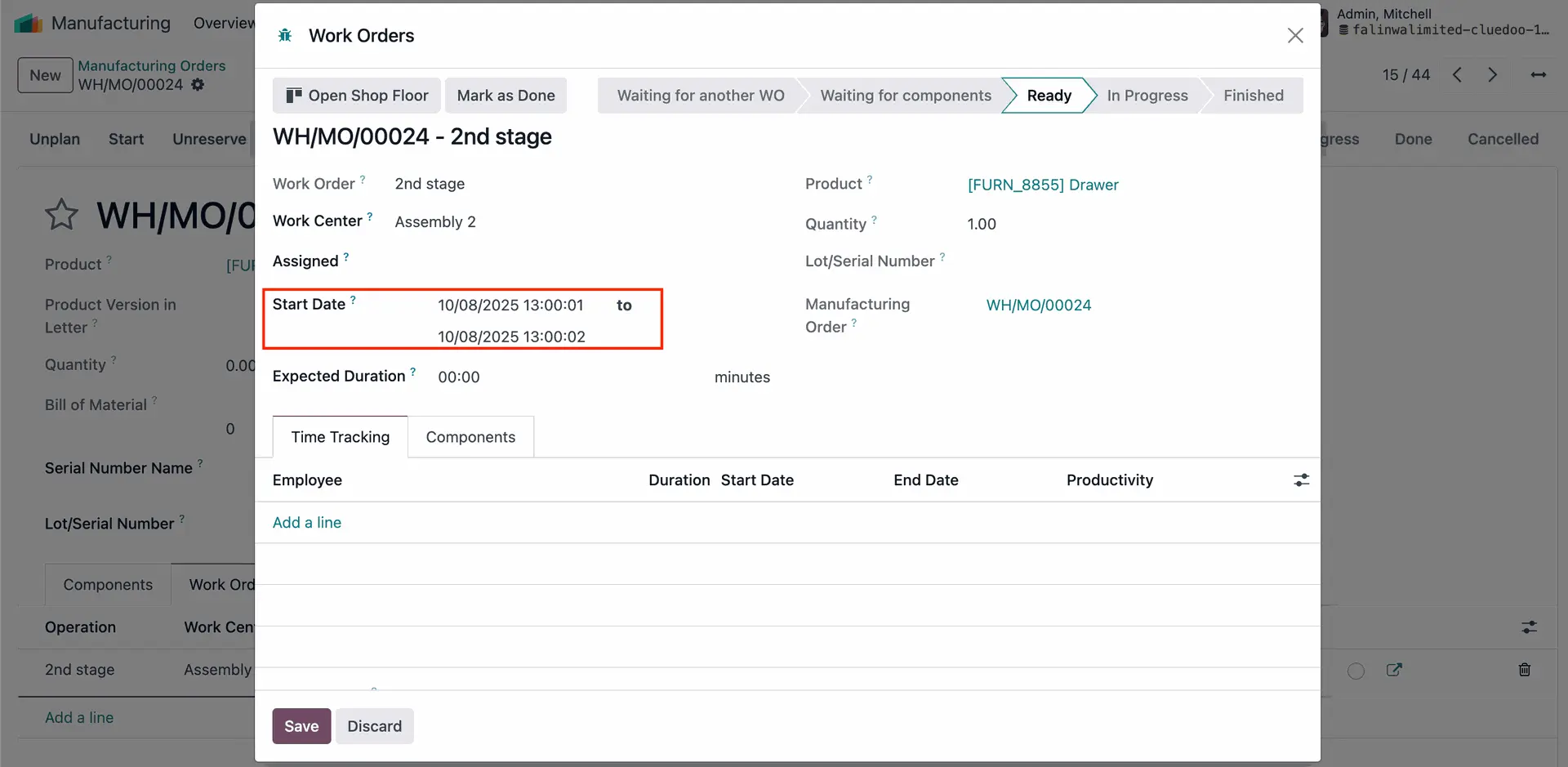
Create Production Order or Manufacturing Order with work order. Fill the start and end date in the work order. | 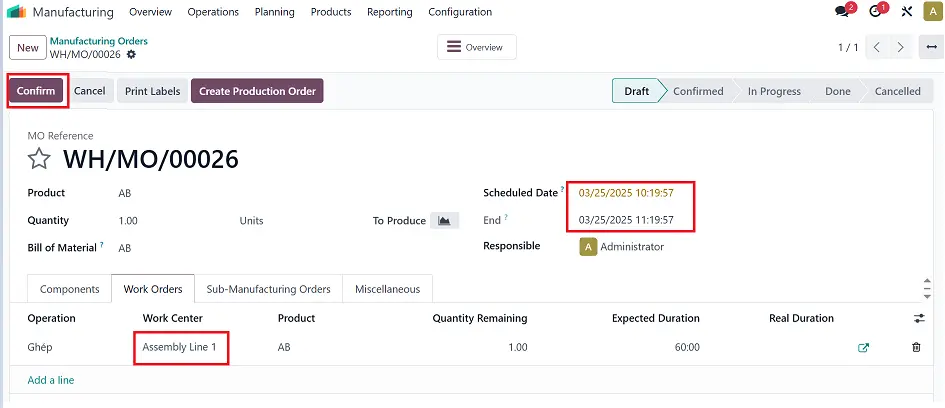 |
Confirm and the work order can be found in the Planning app. | 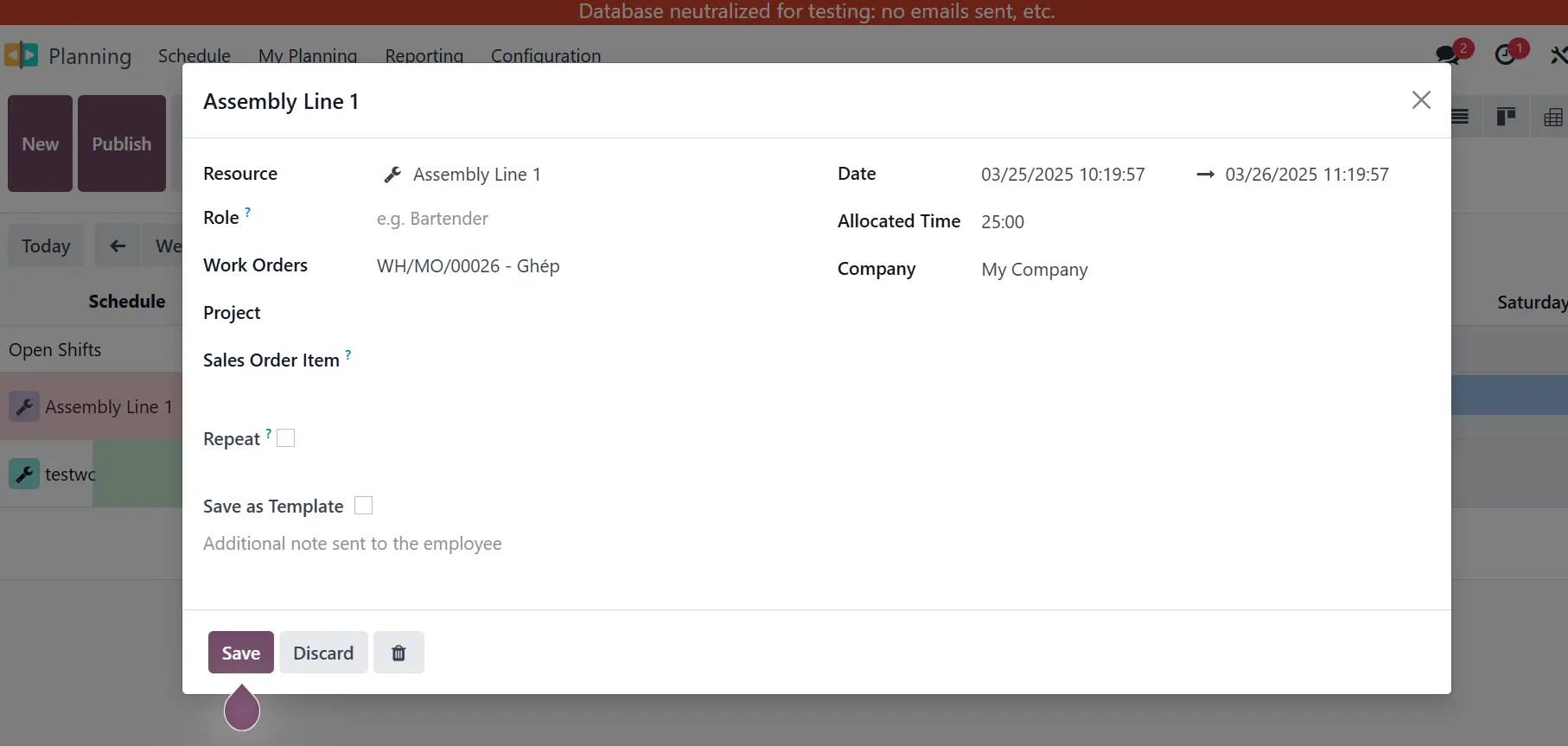 |
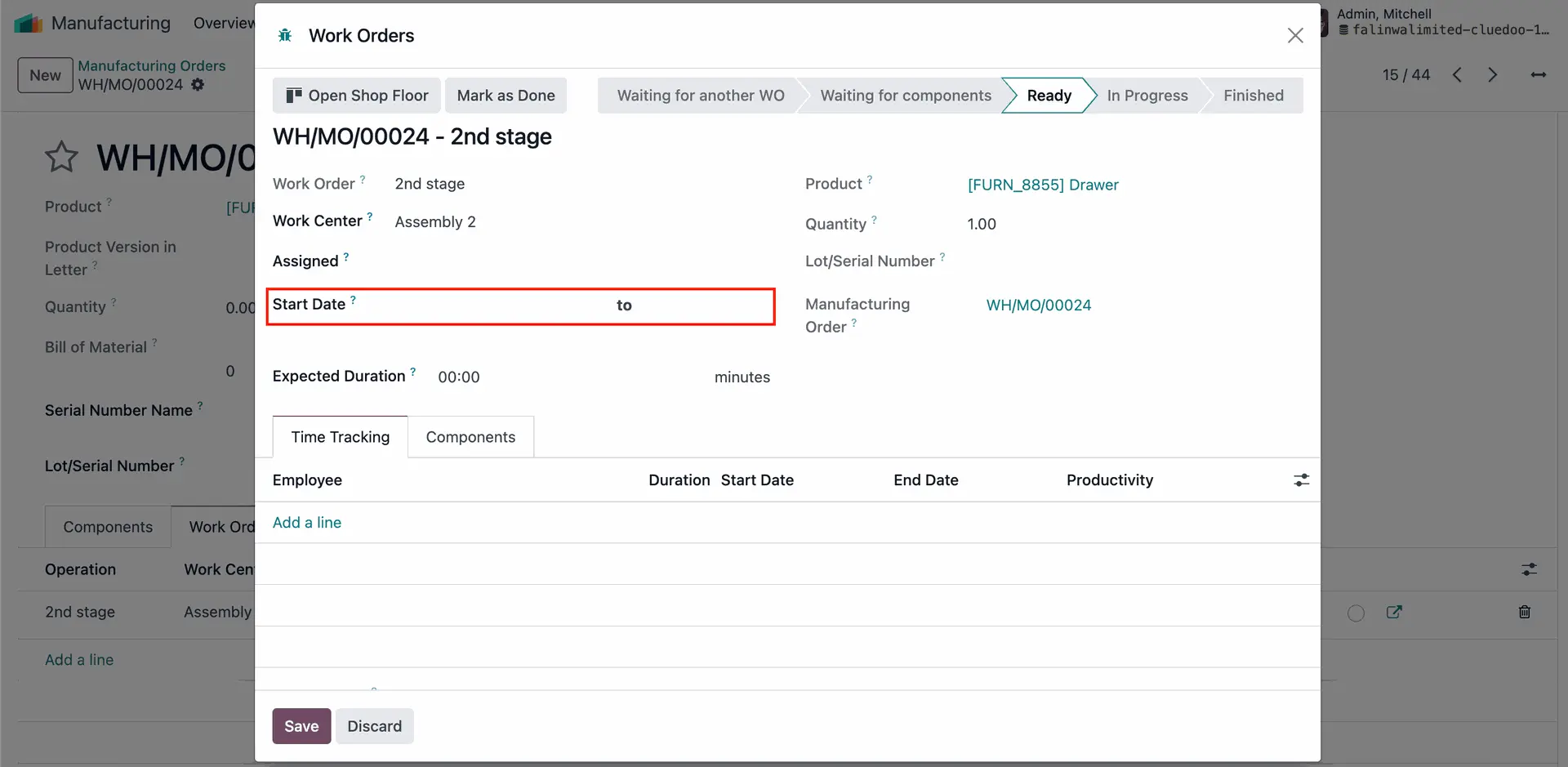
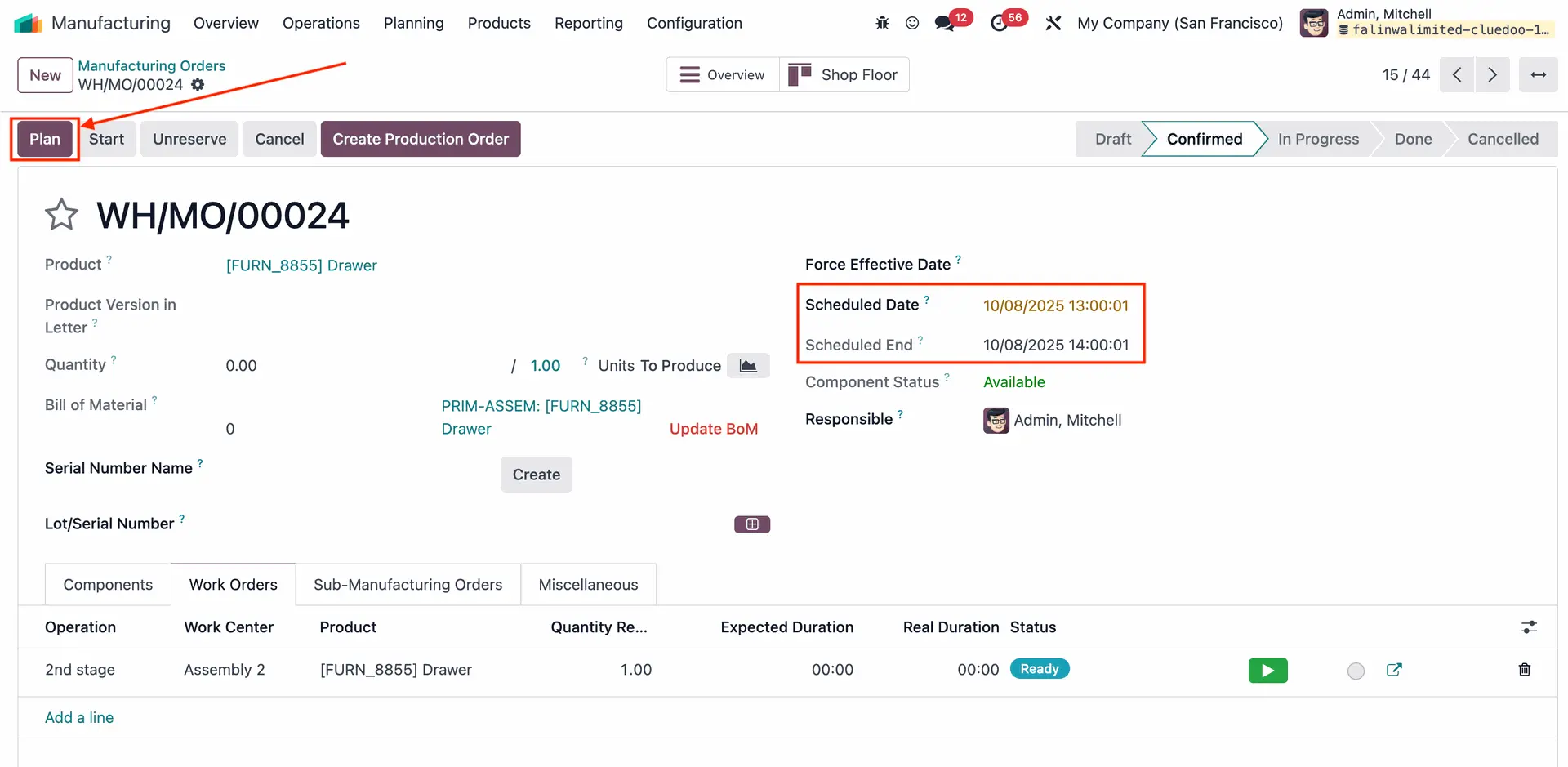
Note: The start date & end date in workorder wizard will be propagated from MO after click "Plan"
|  |
 | |
 |