


ODOO'S FUNCTION
Odoo provides purchase app with multiple advance pricelist management. On the other hand, Odoo doesn't explicitly show which products are managed by which pricelist.
CLUEDOO'S FUNCTION
CLuedoo adds a domain to the pricelist so that we can select the specific products and variants managed by that pricelist in Purchase Orders. This ensures a rapid search process and guarantees that only items with predefined, authorized pricing are available for selection, including all relevant product variations.
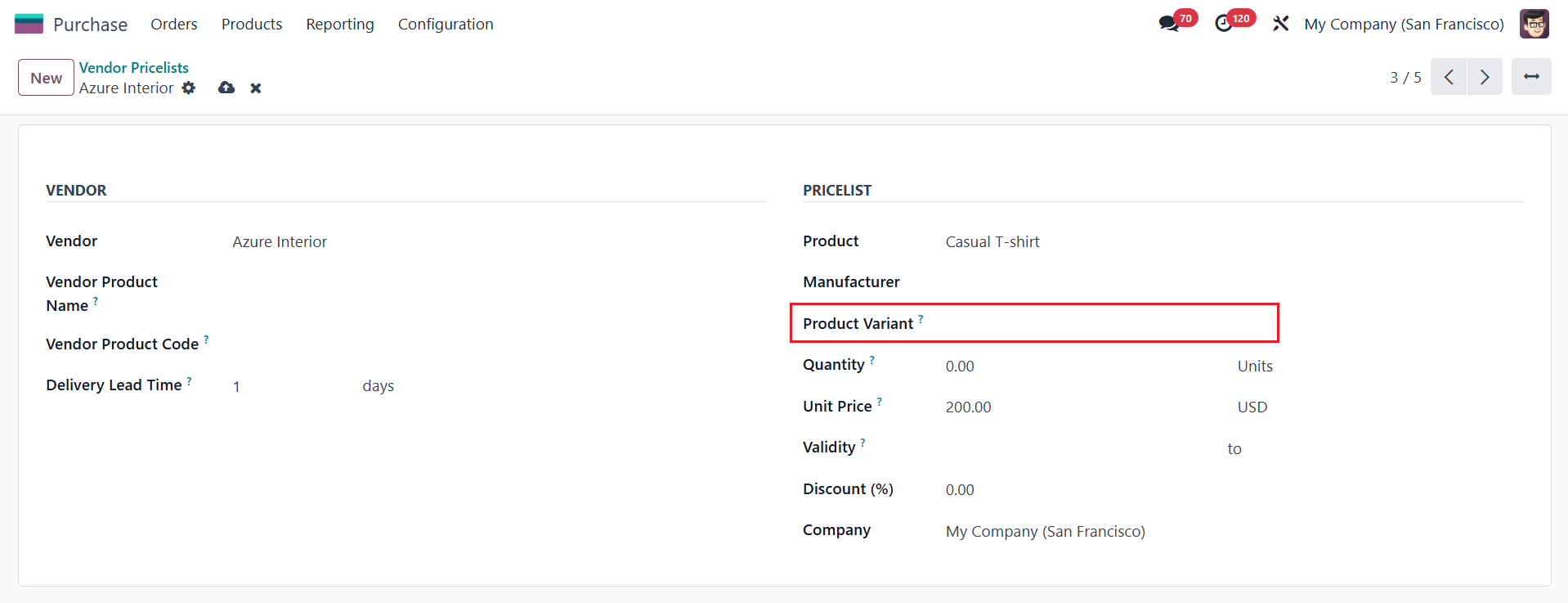
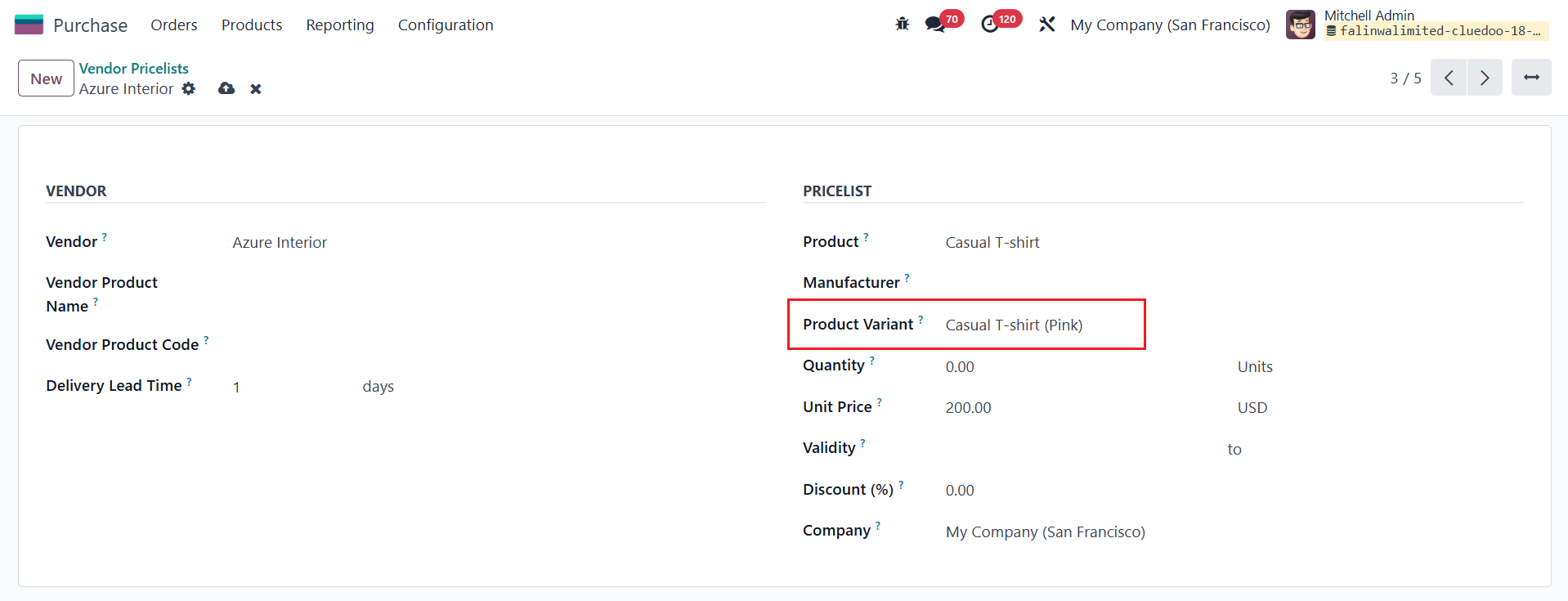
CONFIGURATION Go to Purchase > Configuration > Vendor Pricelists Choose existing Pricelist or create a New one > Fill in Vendor, Product and Product Variant (if any). | 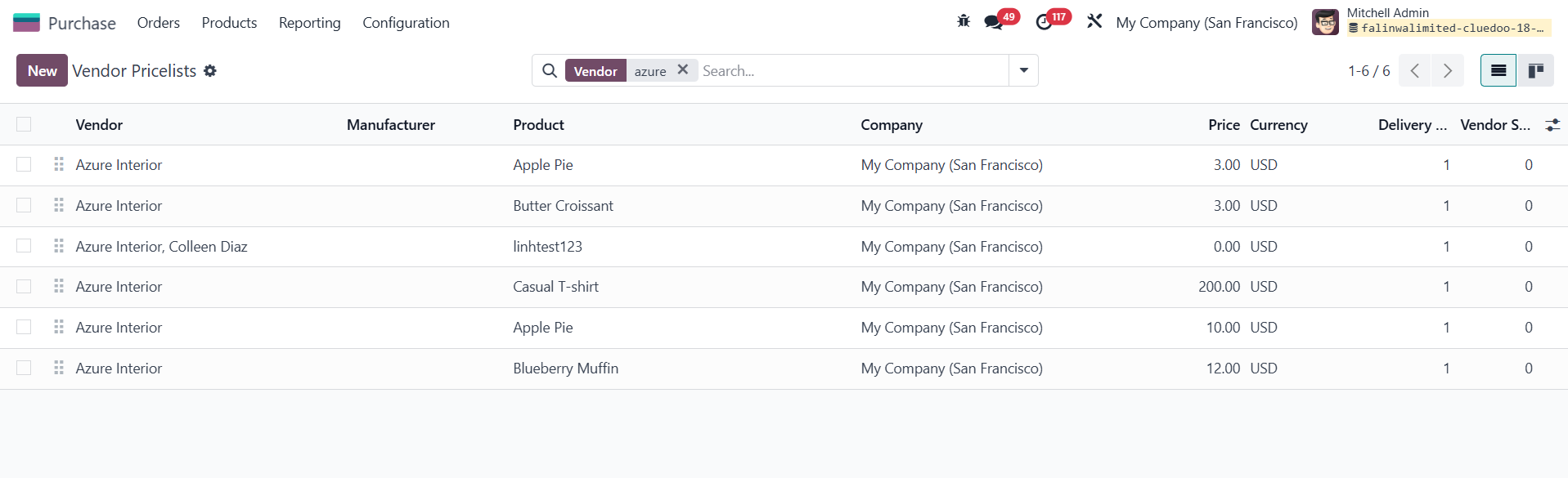 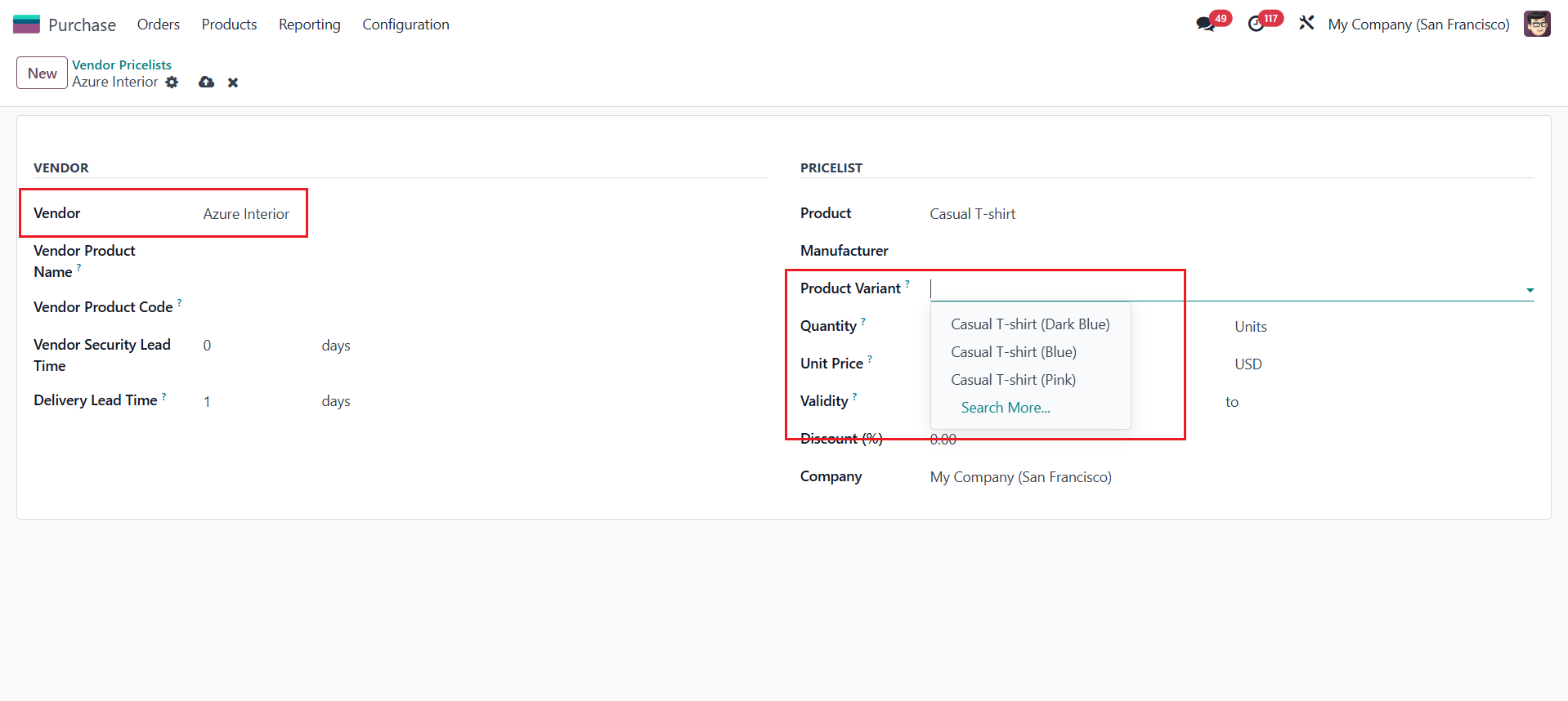 |
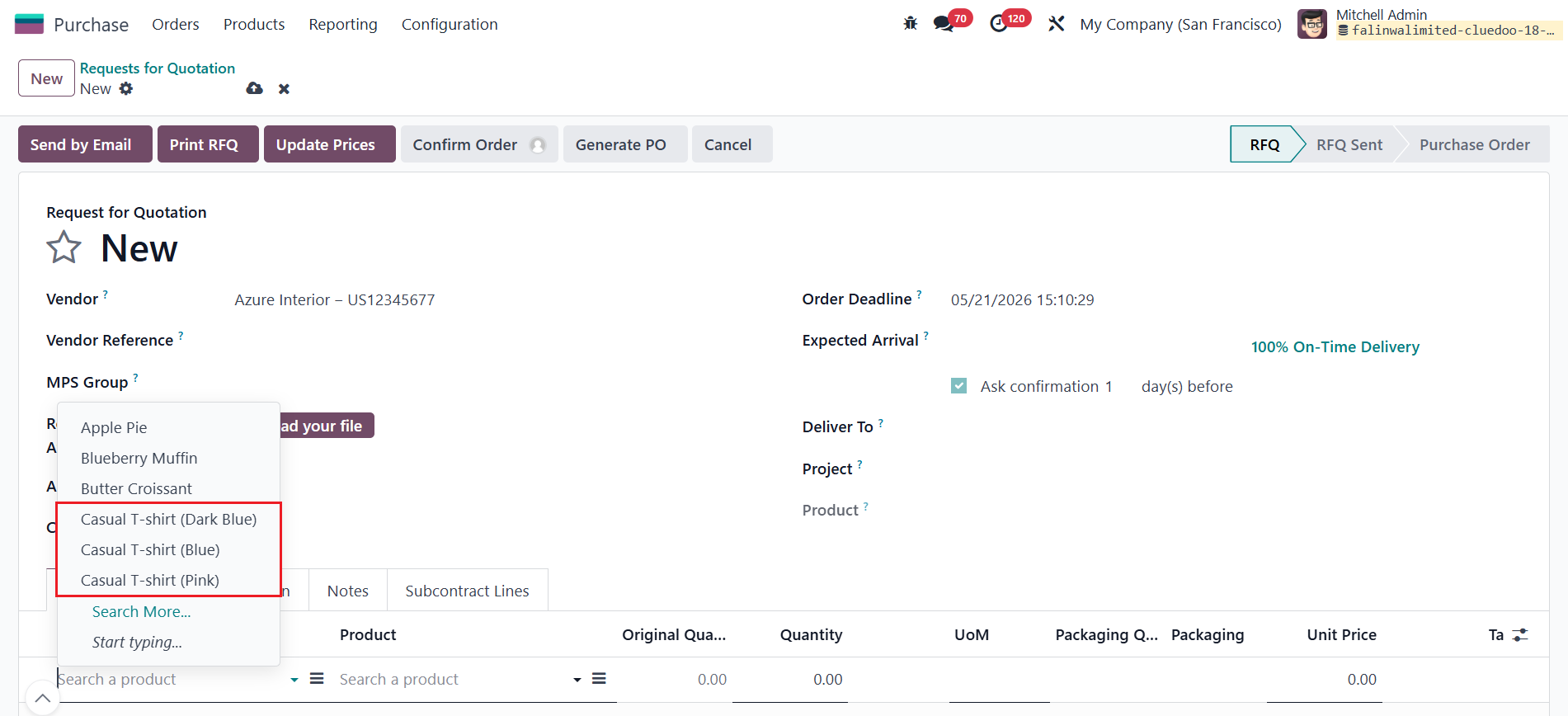
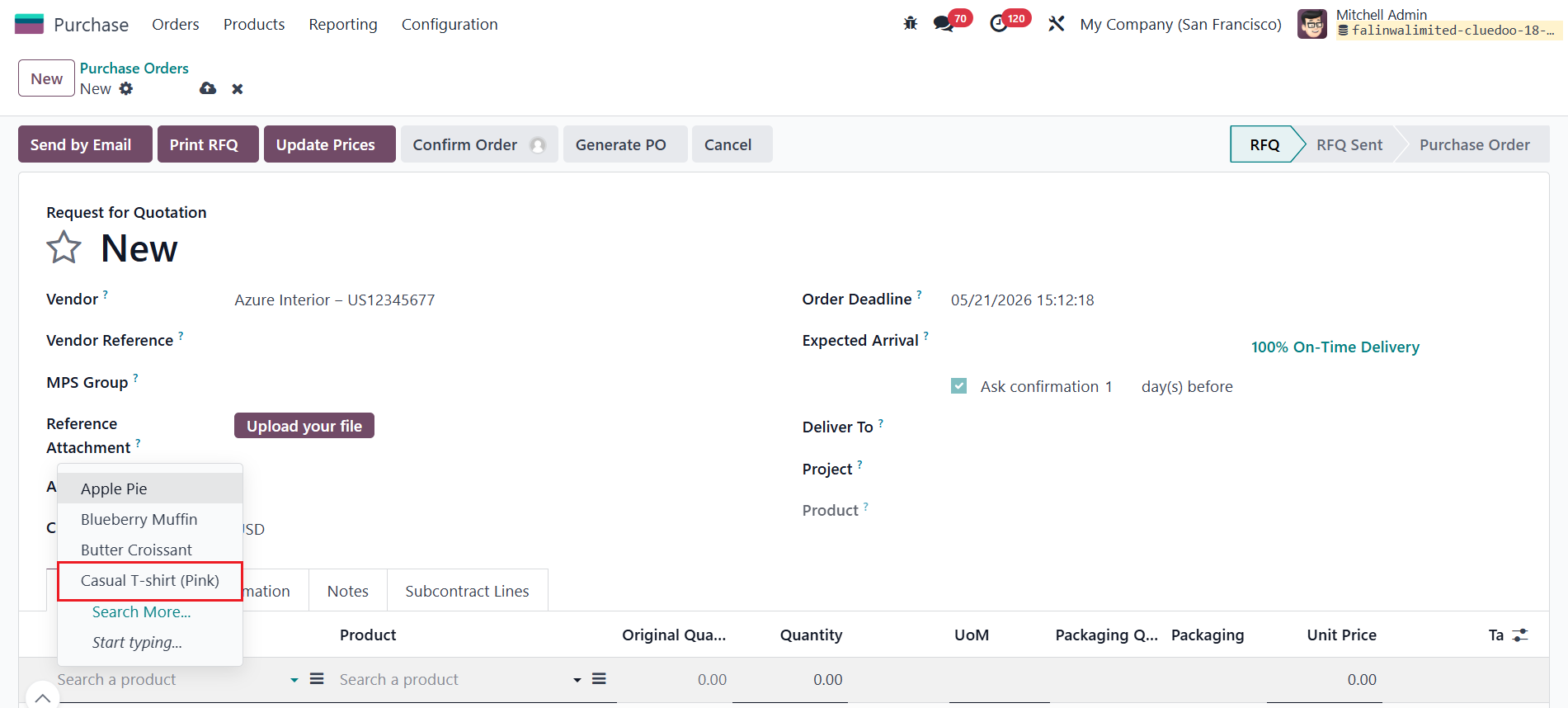
USAGE Go to Purchase > Create new Purchase Order > Fill in the Vendor that has been configured. Only products that are determined on vendor pricelist will be showed. | 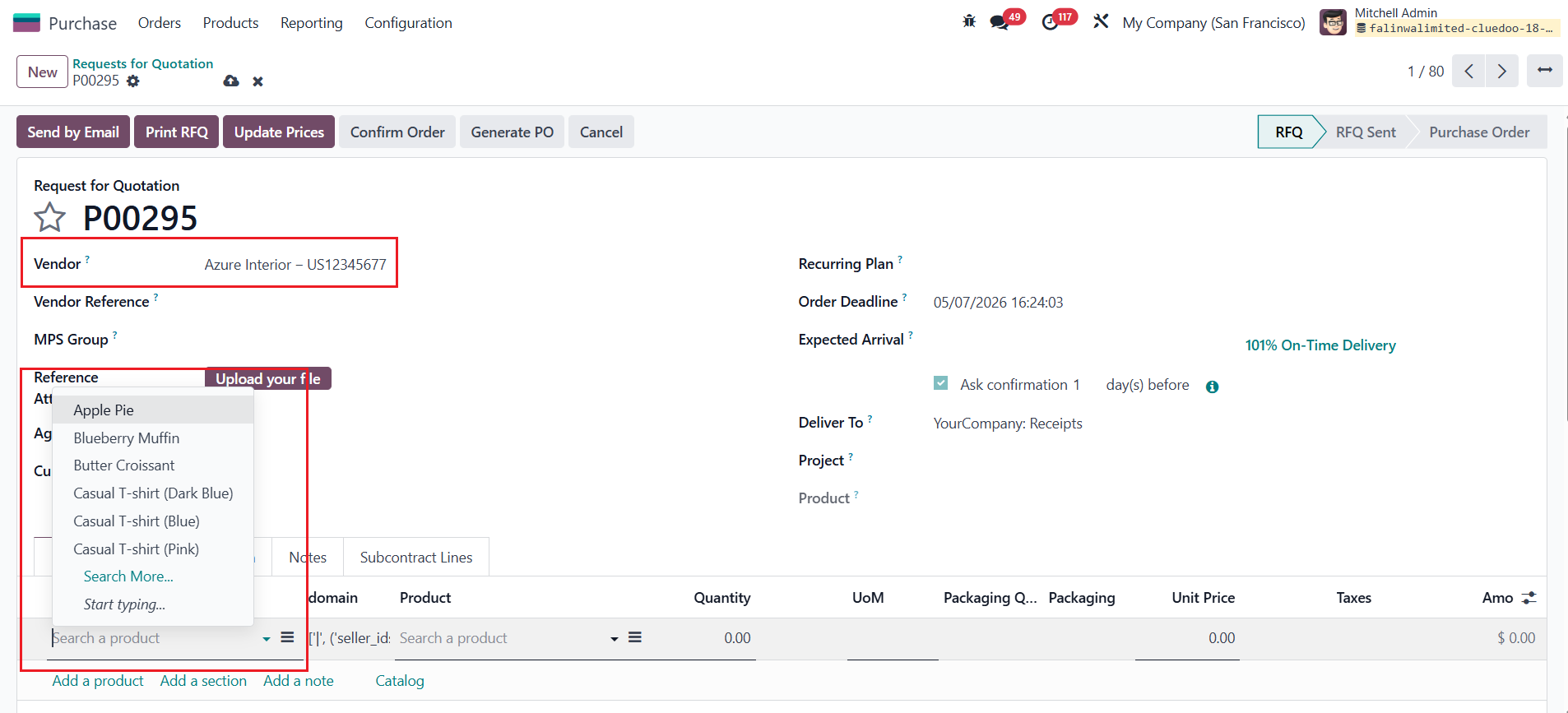 |
If the Product Variant field is left blank, all variants are available and selectable in the quick search. |
|
If a specific Product Variant is defined in the Vendor Pricelist, only that selected variant will be available in the quick search. |
|