



ODOO'S FUNCTION
In standard ODS self-order, selecting a Product Combo may use a stepper to guide the customer through multiple selection steps. This can make the ordering flow feel longer and less direct.
CLUEDOO'S FUNCTION
Cluedoo enhances the ODS self-order theme by removing the stepper when a user selects a Product Combo. Instead of showing step-by-step navigation, the combo selection is presented in a more direct and streamlined way, reducing clicks and improving the self-order experience.
CONFIGURATION | |
1. Go to Point of Sale > Configuration > Set up Self-ordering Kiosk | 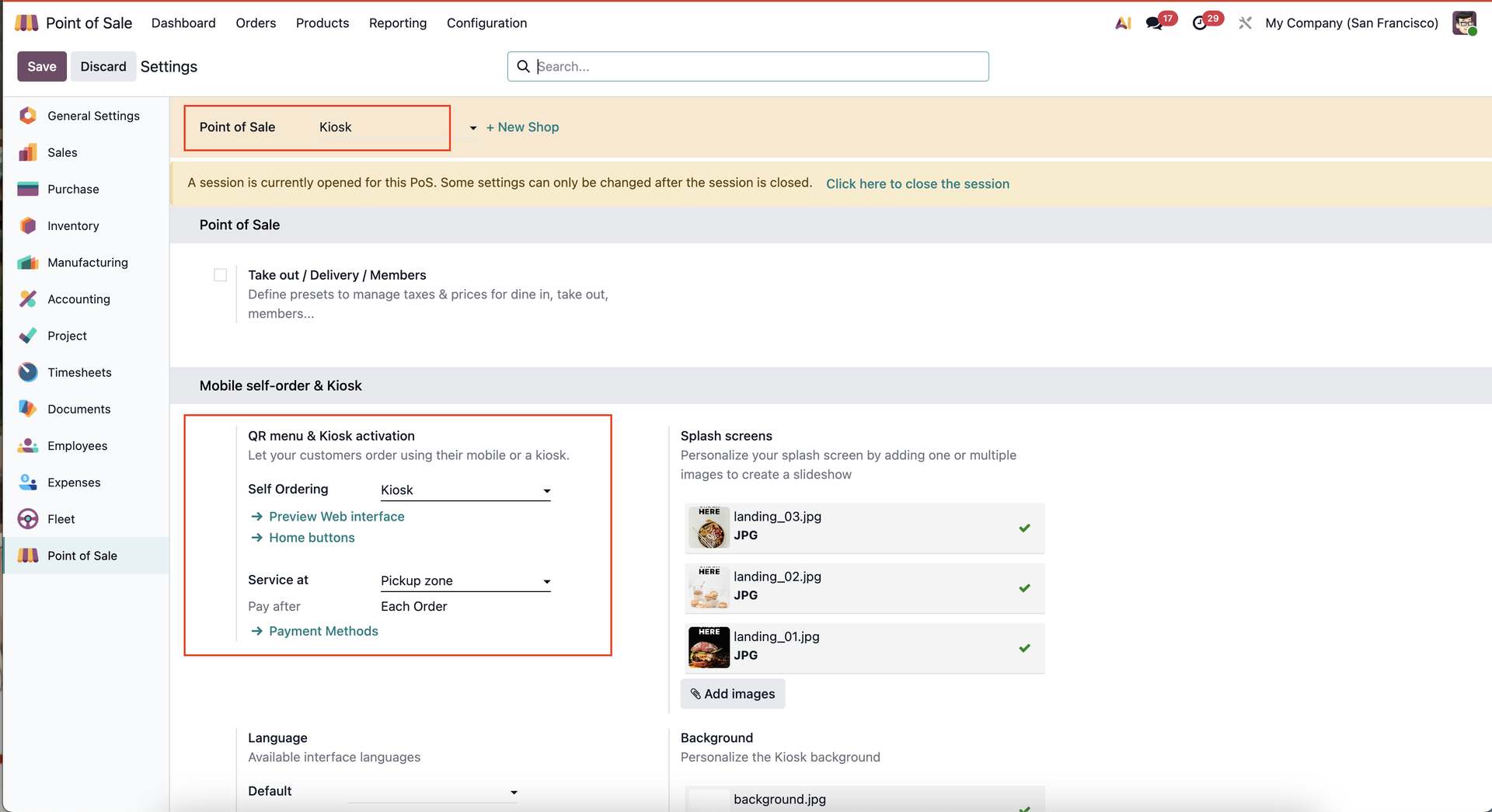 |
USAGE | |
1. Go to Point of Sale's Dashboard > Open the self-ordering kiosk | 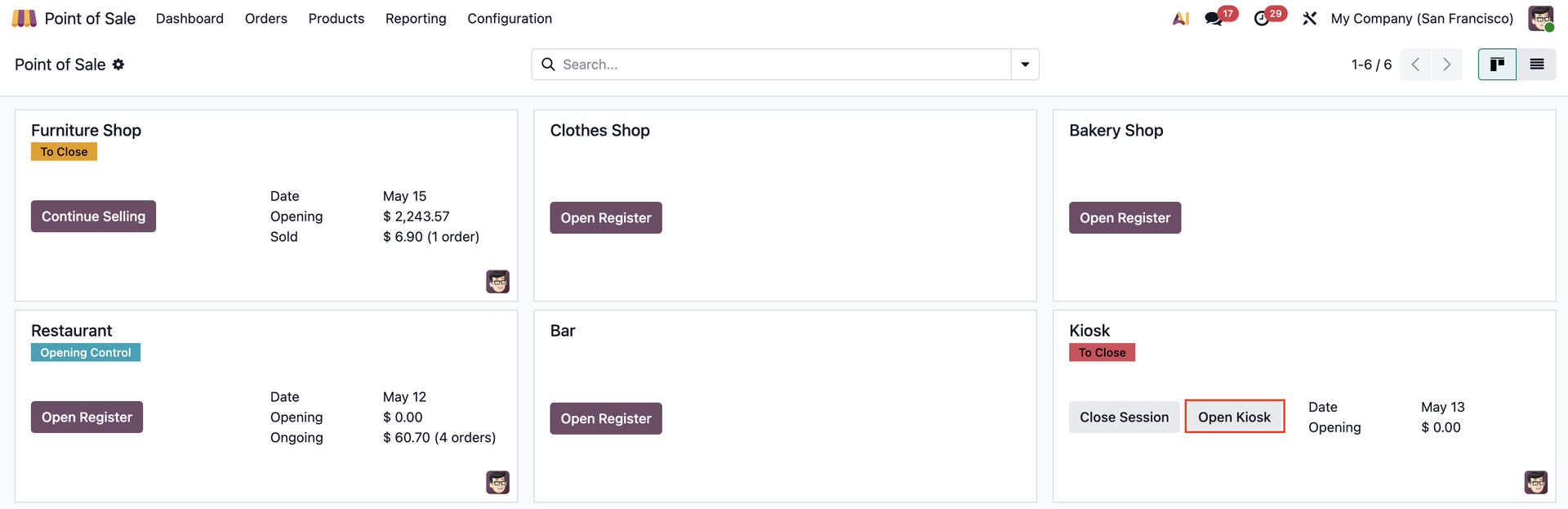 |
2. Choose a combo, i.e: Sushi Lunch combo. You can choose the different items included in the combo on a single screen. | 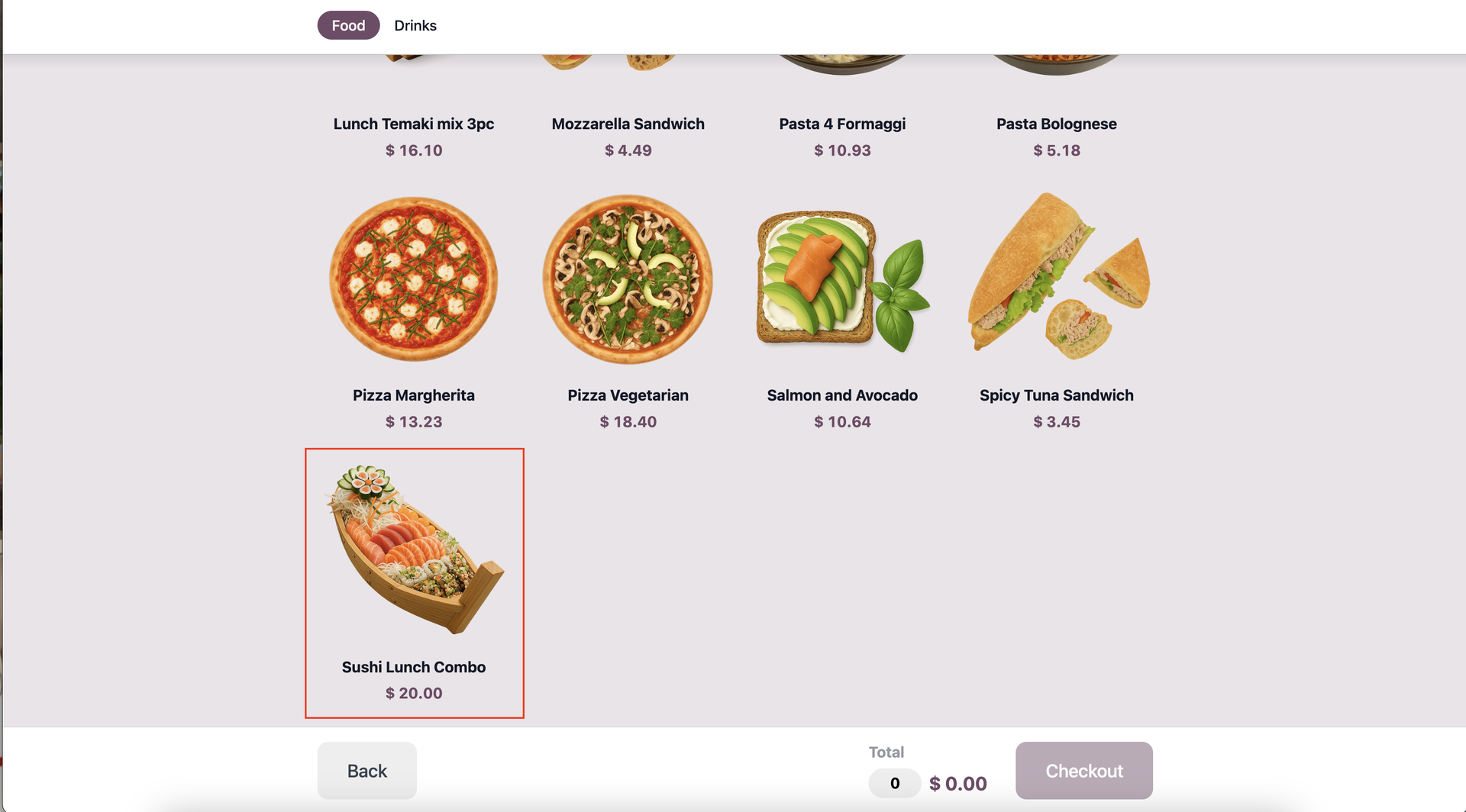 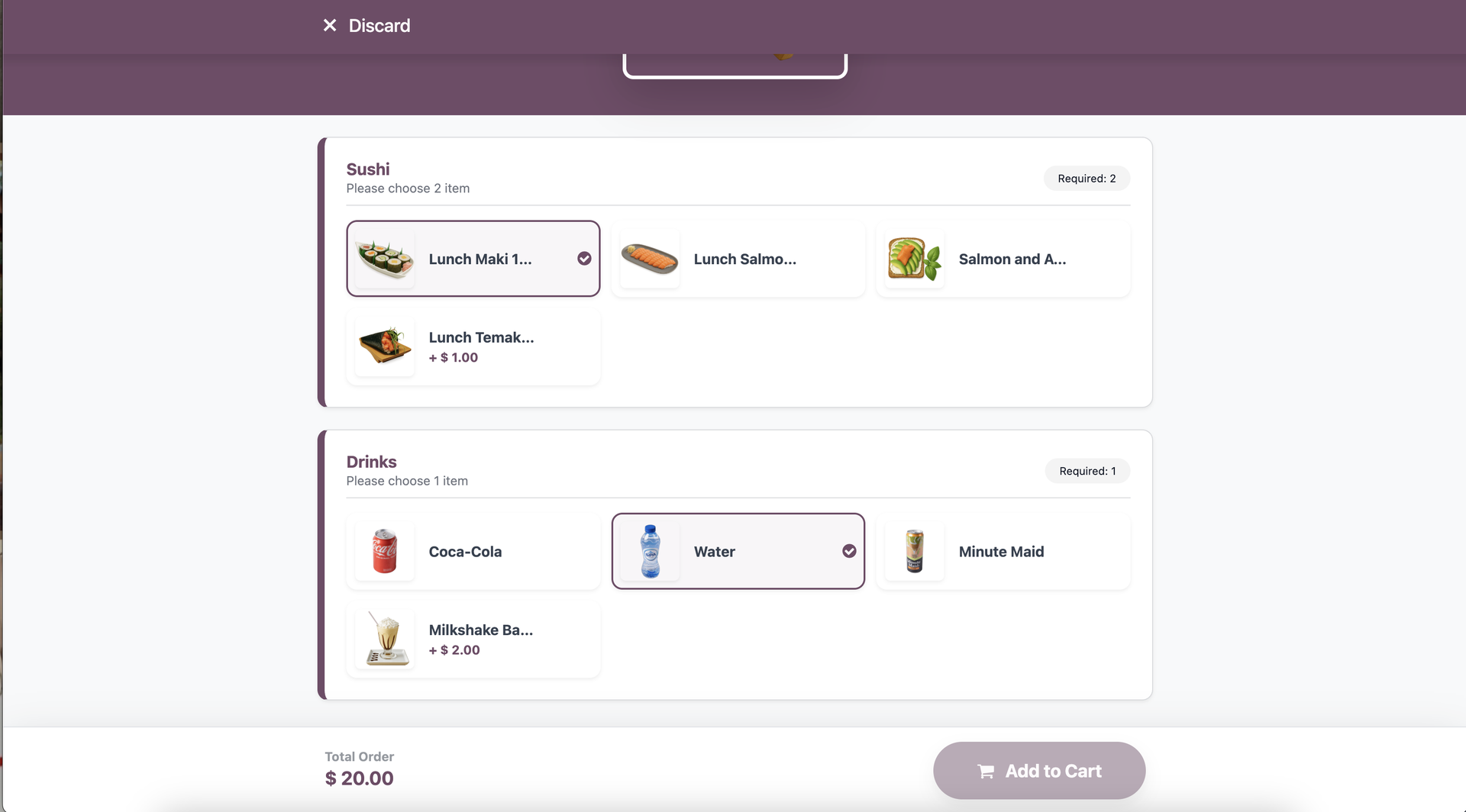 |