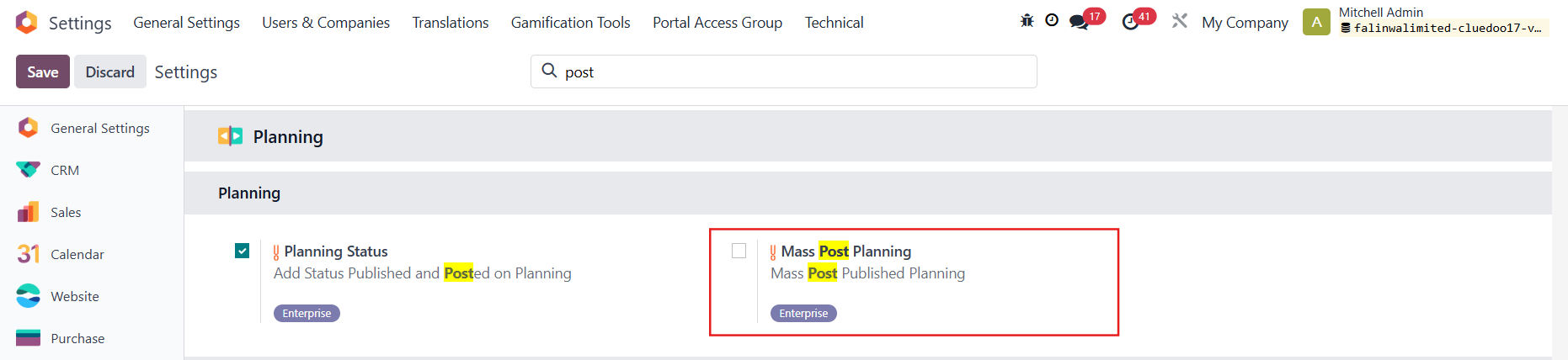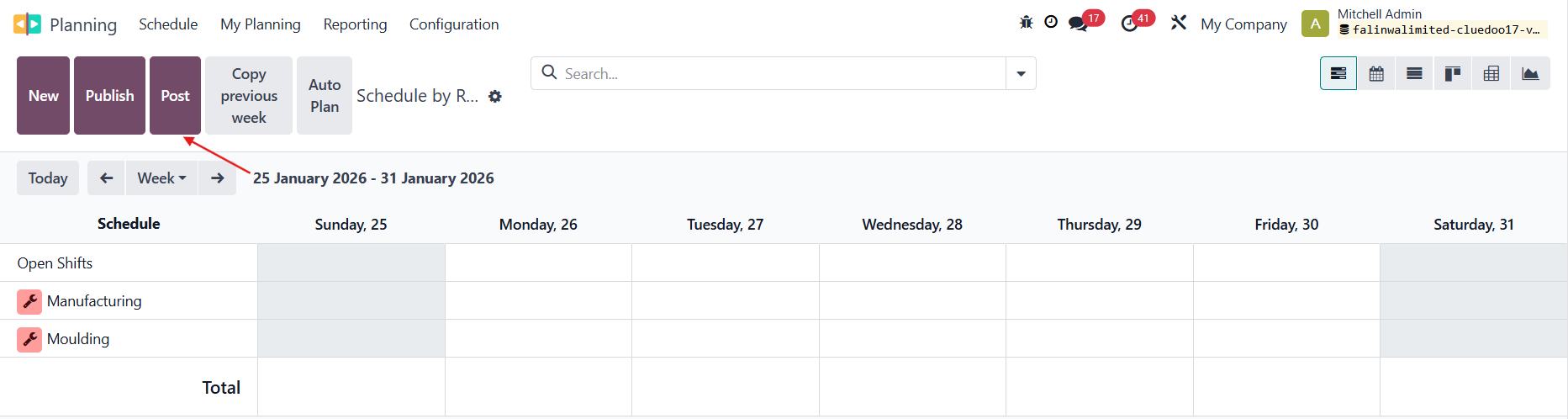



ODOO'S FUNCTION
CLUEDOO'S FUNCTION
CLuedoo enhances the standard process by creating a direct connection between Planning and Timesheets:
1️⃣ Link Planning to Timesheets: Planning entries can be directly connected to Timesheet records, creating full traceability between scheduled work and reported hours.
2️⃣ Mass Post Planning to Timesheets: Users can convert multiple planning lines into Timesheet entries in a single action, eliminating manual re-entry.
This feature streamlines time reporting, reduces administrative effort, and ensures better accuracy between planned and actual working hours.
1. Go to Employees > choose an employee > Settings tab > Check Create Planning Timesheet | 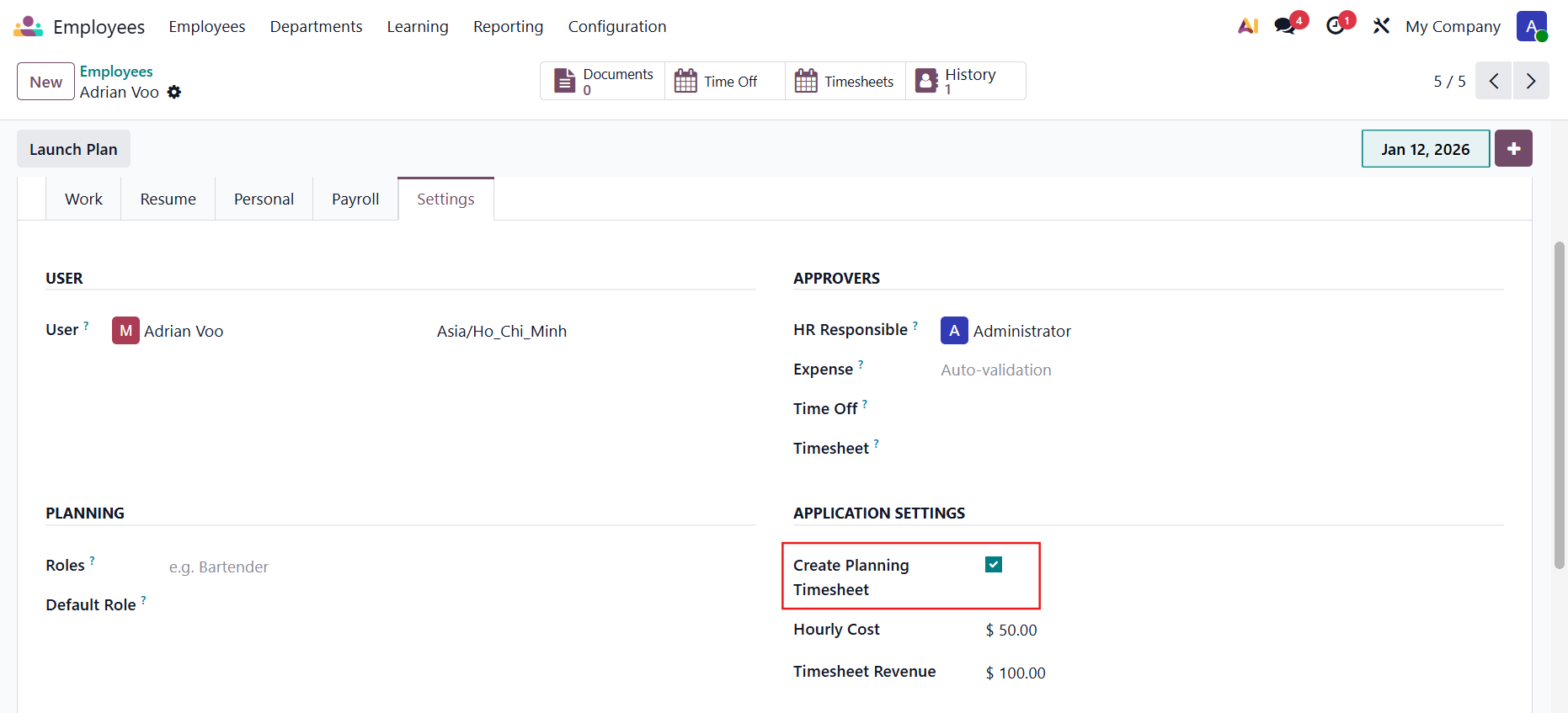 |
2. Go to Planning > Create a new planning for the employee > Fill in the neccessary information > Publish & Send > It will marked as Published > Then click Post | 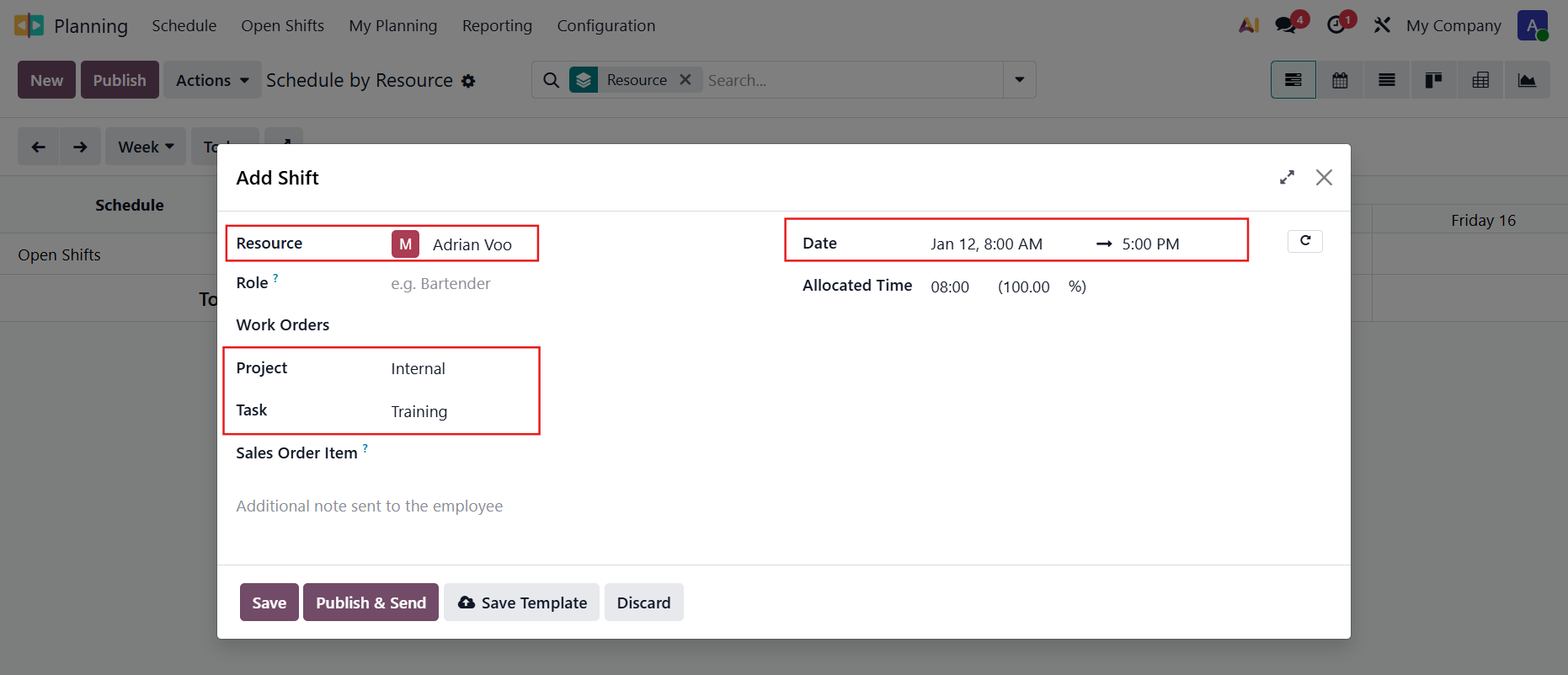 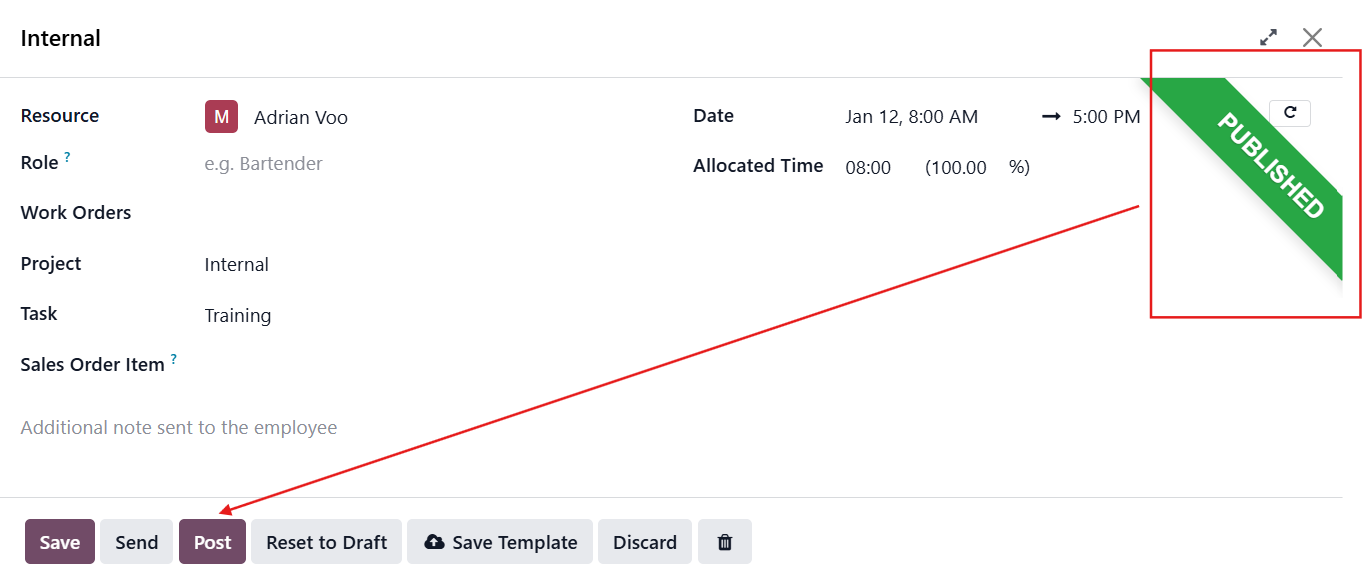 |
3. Go to Timesheets > Check that the new timesheets have been added for that employee | 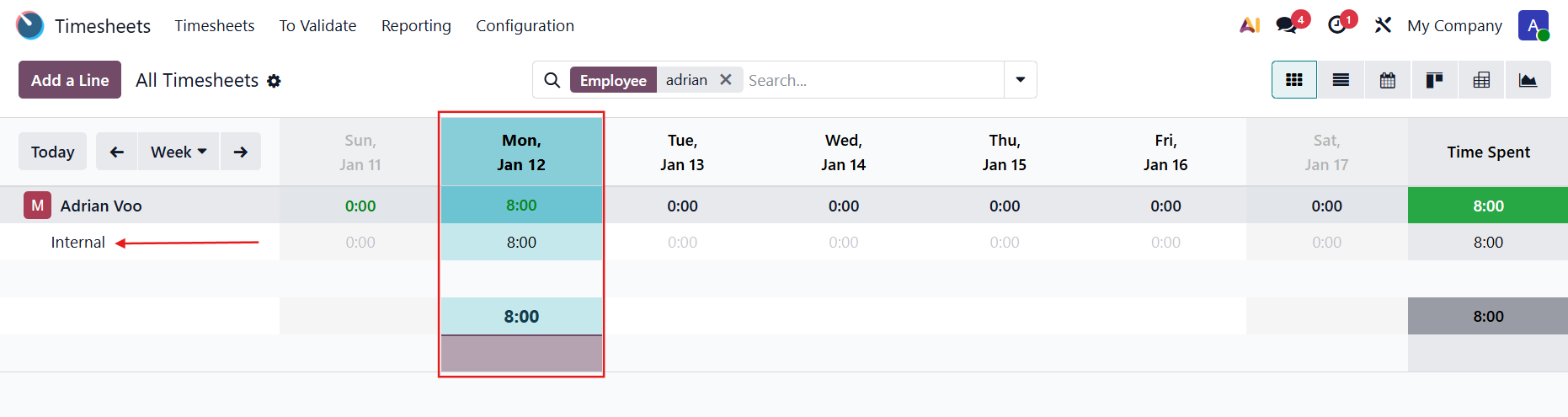 |
Note: This module only creates one timesheet entry if you haven't split the planning. You need to split the planning first, then post it if you want the allocated time to be divided across multiple days. (Need to install fal_planning_split) | Before splitting 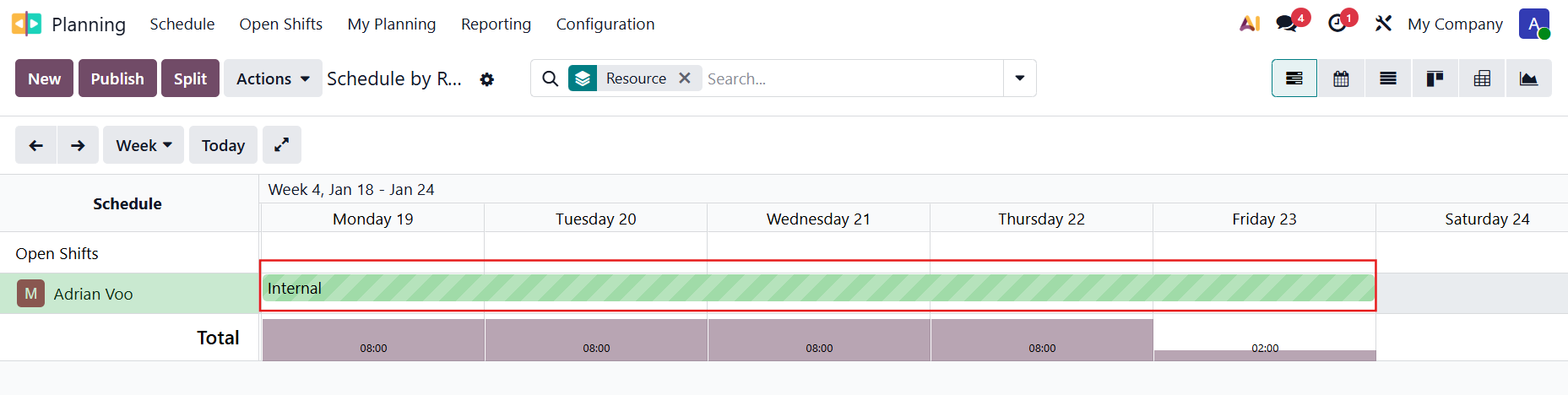 After splitting 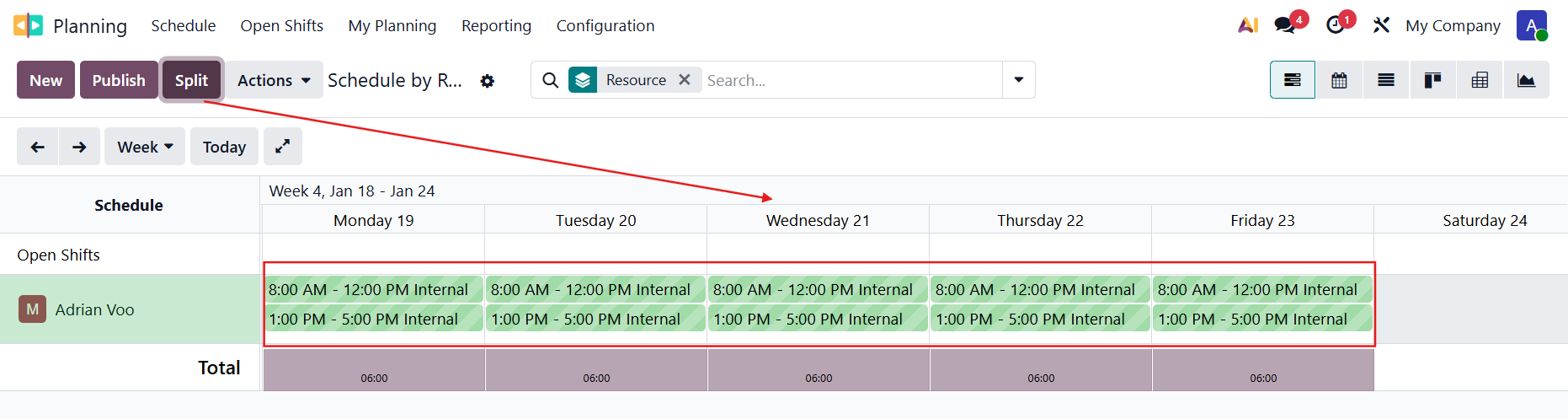 Result after posting the planning 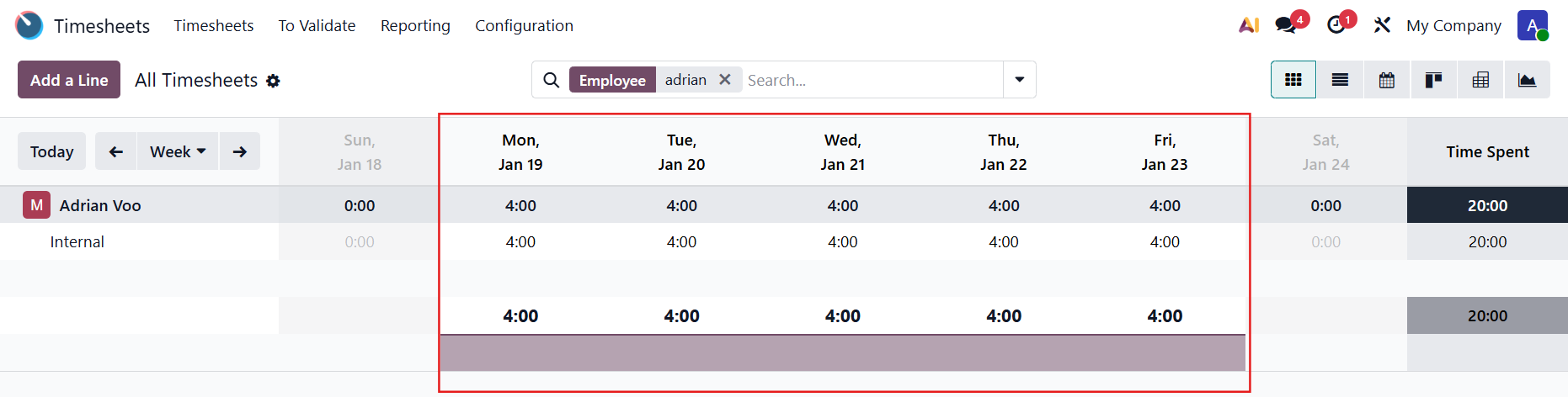 |
4. Go to Settings > We have an option to show or not show the Post button on the Planning app for mass posting. |
|