

ODOO'S FUNCTION
Odoo's partner management system lacks the ability to differentiate between suppliers and customers, which often leads to confusion during Sales Order or Purchase Order creation.
CLUEDOO'S FUNCTION
Cluedoo's new feature provides a straightforward way to distinguish between suppliers and customers.
FOR CUSTOMERS | |
1. Go to Contacts → Select desired contact. In the Sales & Purchase tab, within the Sales section, you'll find a checkbox labeled Is Customer > Check this box to classify the contact as a customer. | 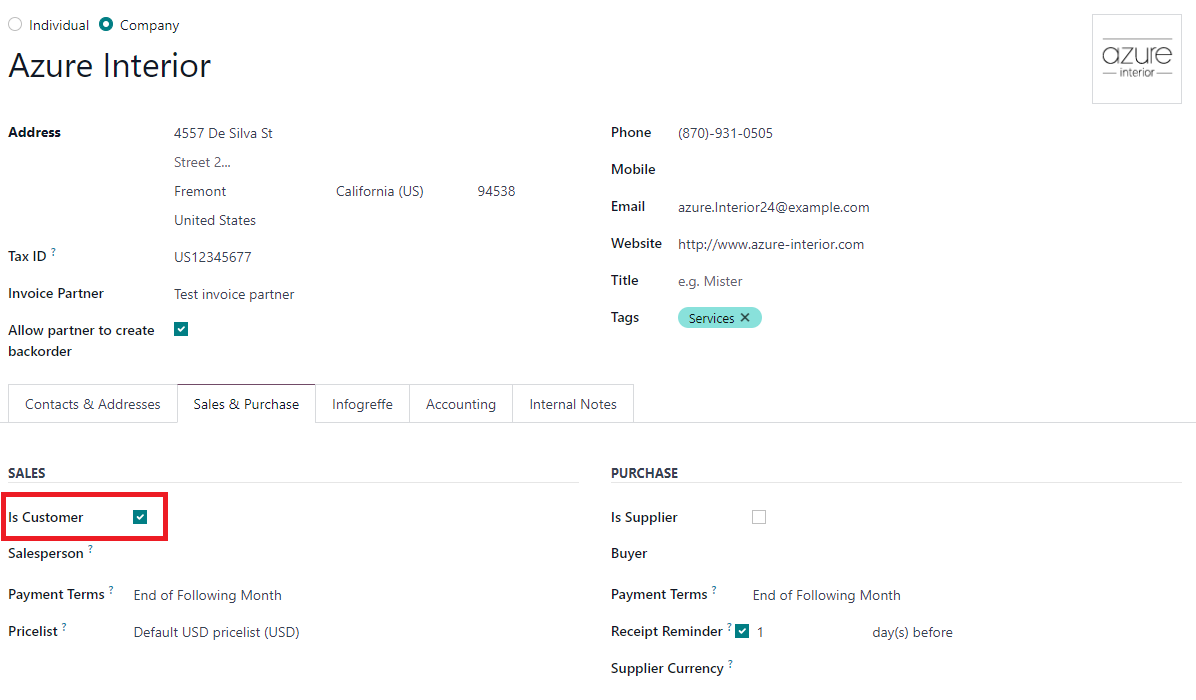 |
Note: Once the primary contact is designated as "Is Customer", all subsequent contacts associated with it will also be automatically marked as "Is Customer" | 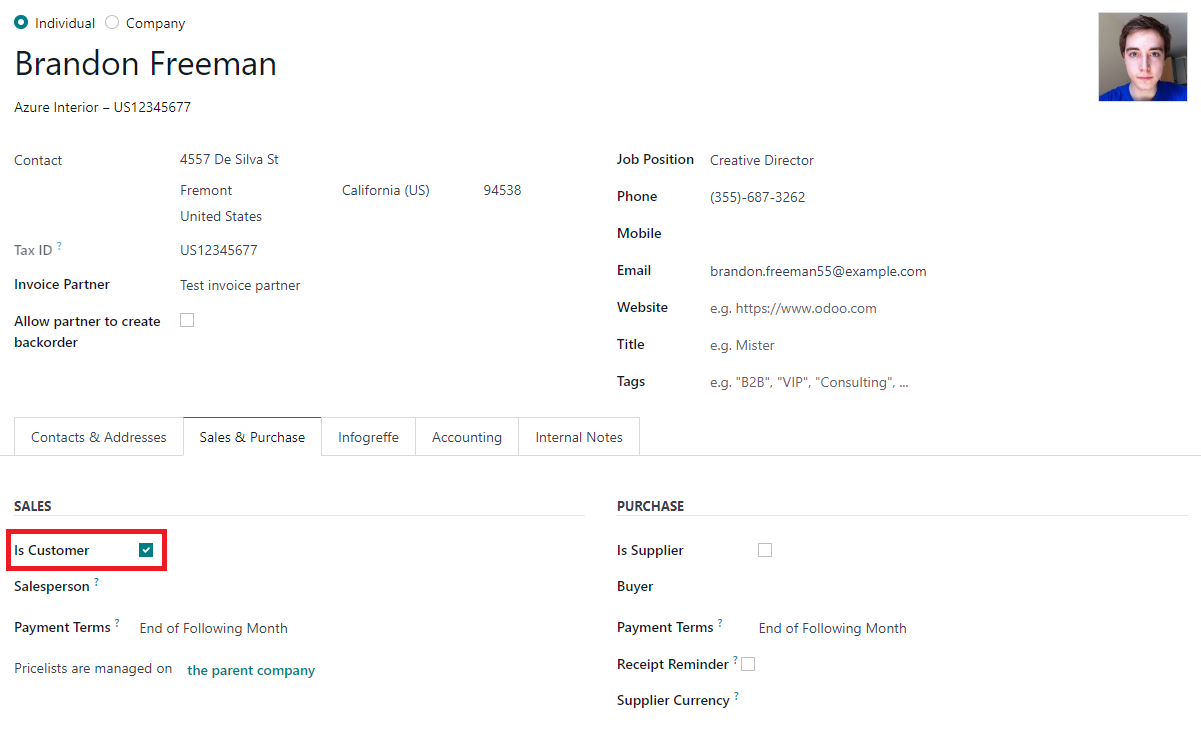 |
2. Create a Sales Order. Only contacts marked as "Is Customer" can be selected as customers | 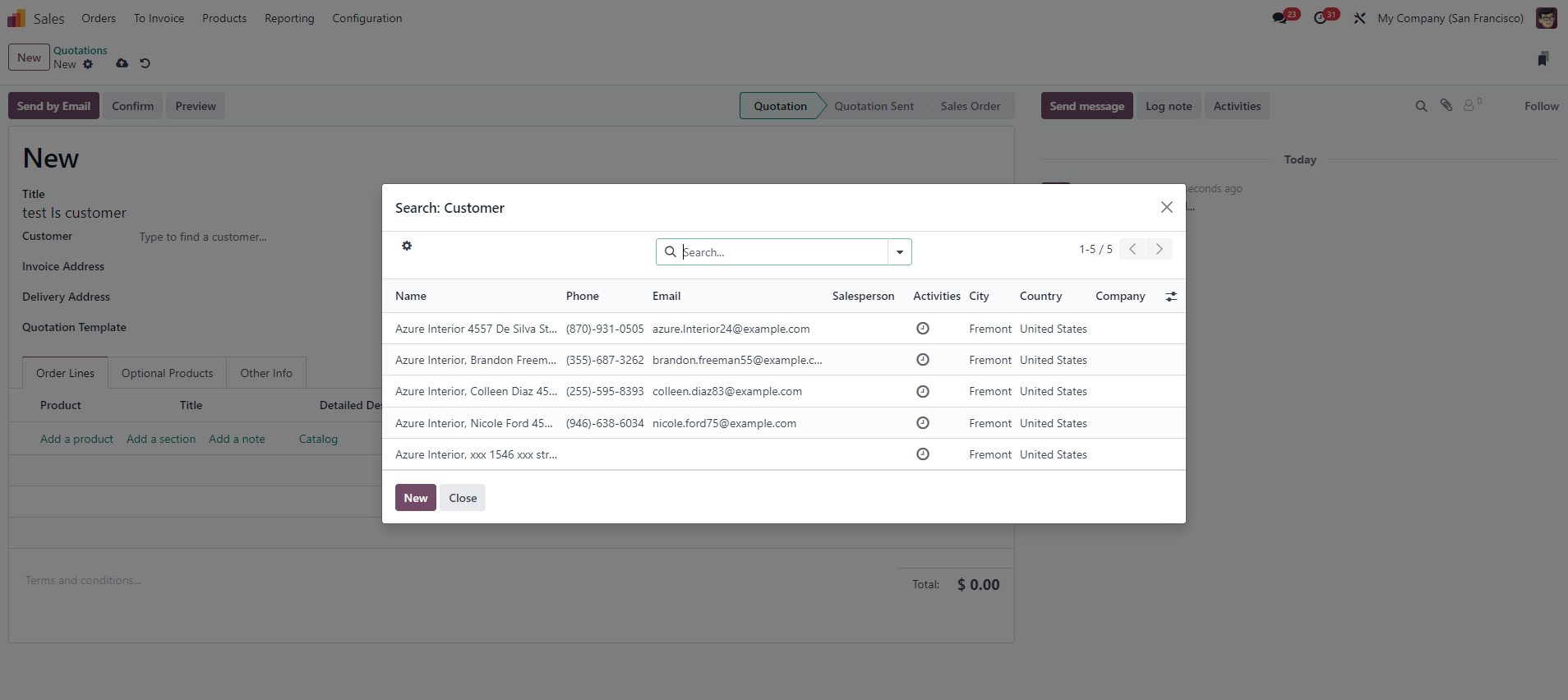 |
FOR SUPPLIERS | |
1. In the chosen contact, within the Purchase section, you'll find a checkbox labeled Is Supplier > Check this box to classify the contact as a supplier. Note: Once the primary contact is designated as "Is Supplier", all subsequent contacts associated with it will also be automatically marked as "Is Supplier" | 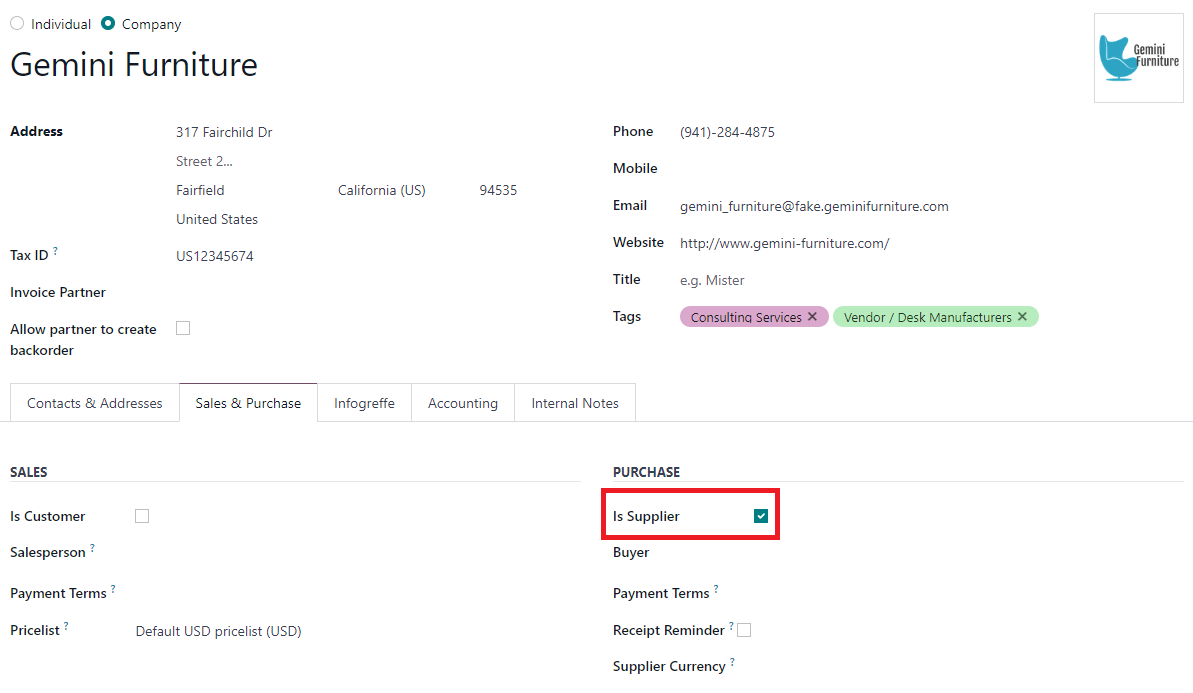 |
2. Create a RFQ/Purchase Order. Only contacts marked as "Is Supplier" can be selected as vendors. | 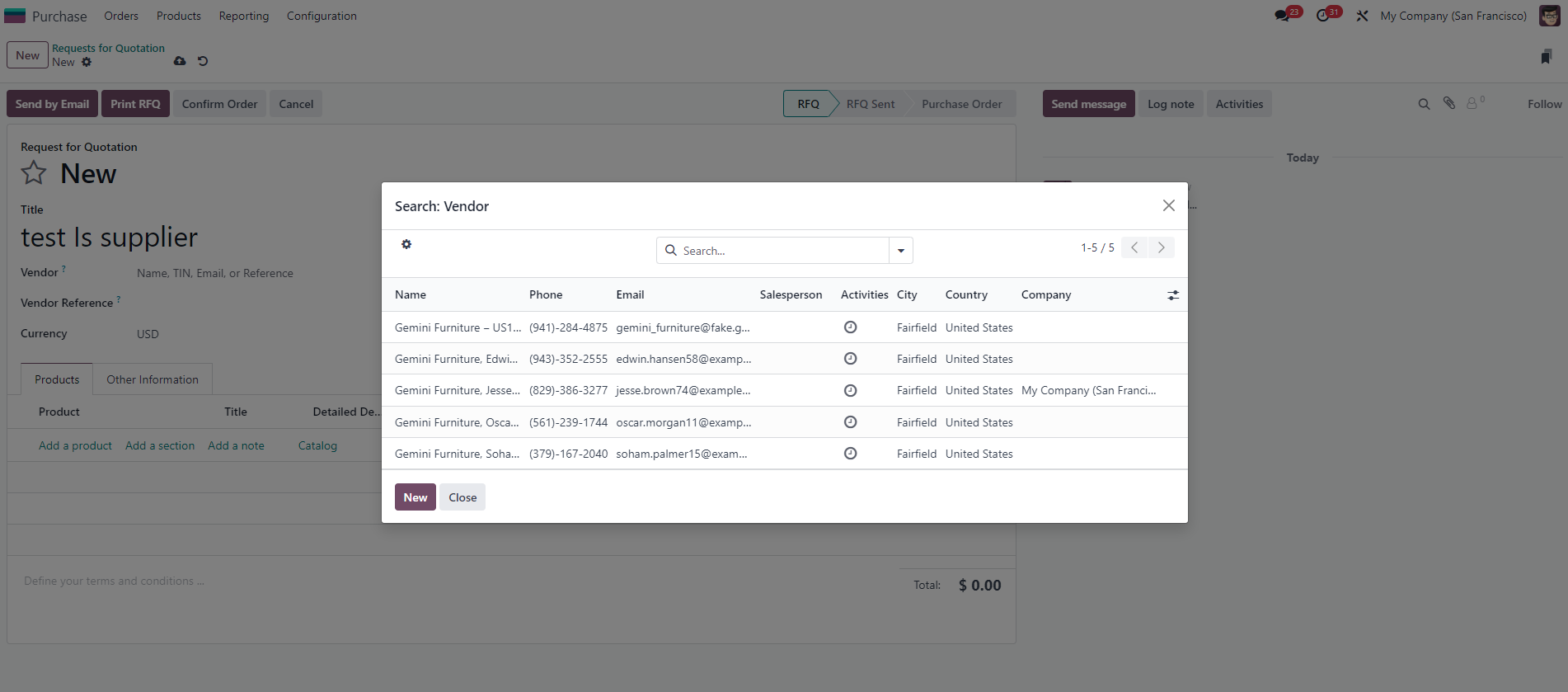 |