



ODOO'S FUNCTION
In Odoo, each product variant shows only a single standard cost, and users must manually dig through stock valuation layers (purchase receipts, landed costs, adjustments, etc.) to understand how this cost is built.
CLUEDOO'S FUNCTION
CLuedoo adds a Cost Breakdown view on the product variant that automatically decomposes the standard cost into its underlying components.
1️⃣ Cost Breakdown table per product variant, grouping stock valuation layers by category (purchase, landed costs, insurance, adjustments, deliveries, etc.) and showing, for each category, total value, cost per unit, and its ratio (%) in the product cost.
2️⃣ Auto‑recalculates this breakdown whenever Odoo updates the product’s standard cost (incoming moves, landed cost validation, valuation adjustments), with an extra server action to recompute existing products without new movements.
1. Go to Inventory > Products > Product Variants Choose an existing/ create a new product variant. | 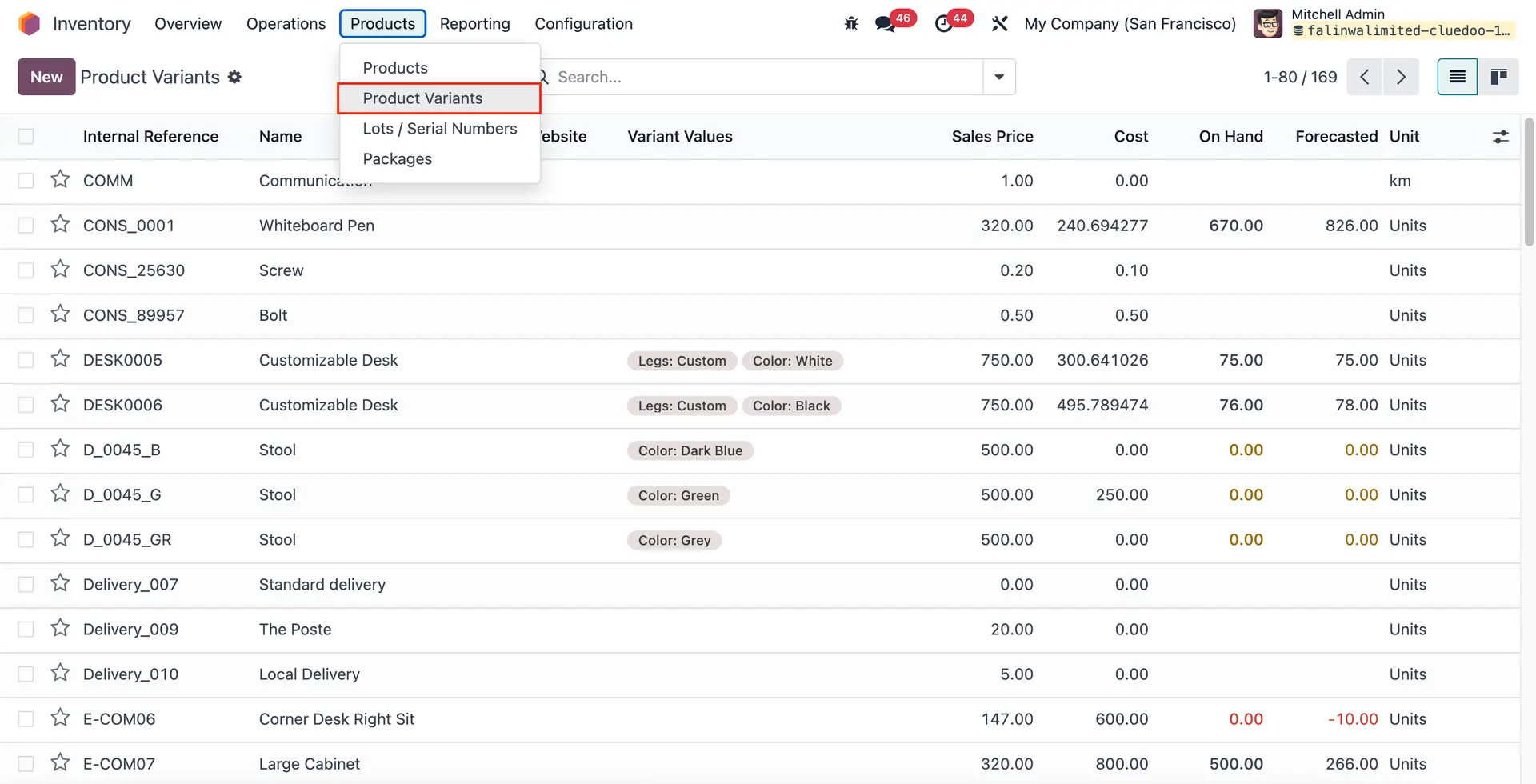 |
2. On the Product Variant form, go to the Cost Breakdown tab This tab shows how the product’s standard cost is split across different Stock Valuation Layer categories, such as Purchase, Delivery Fee, Insurance, Adjustments, etc. CALCULATIONS:
e.g., Ratio of No Category = 50/ 22,548 x 100 = 0,22
e.g., Cost Per Unit of the Cost Adjustment = 19,500/75 = 260 | 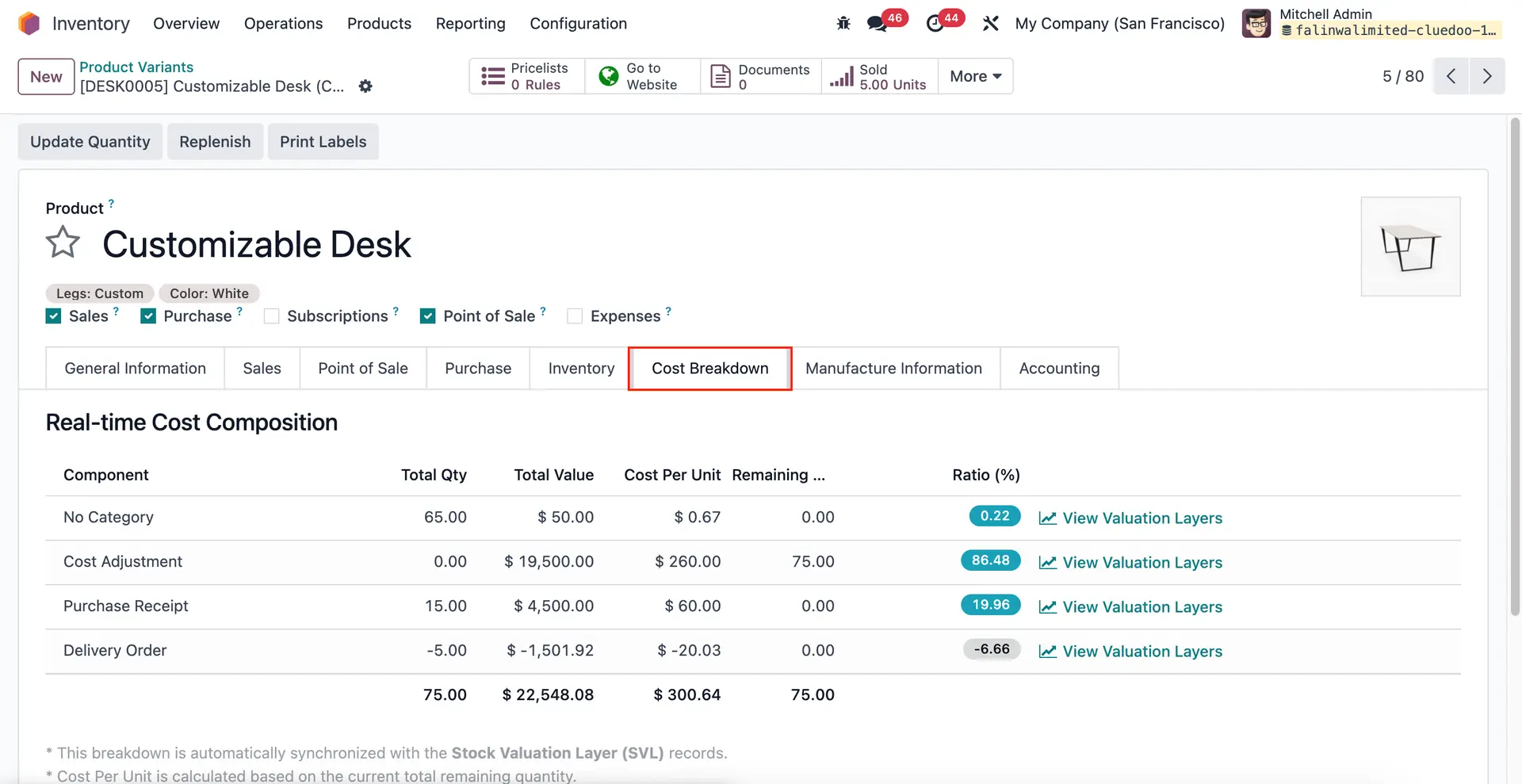 |
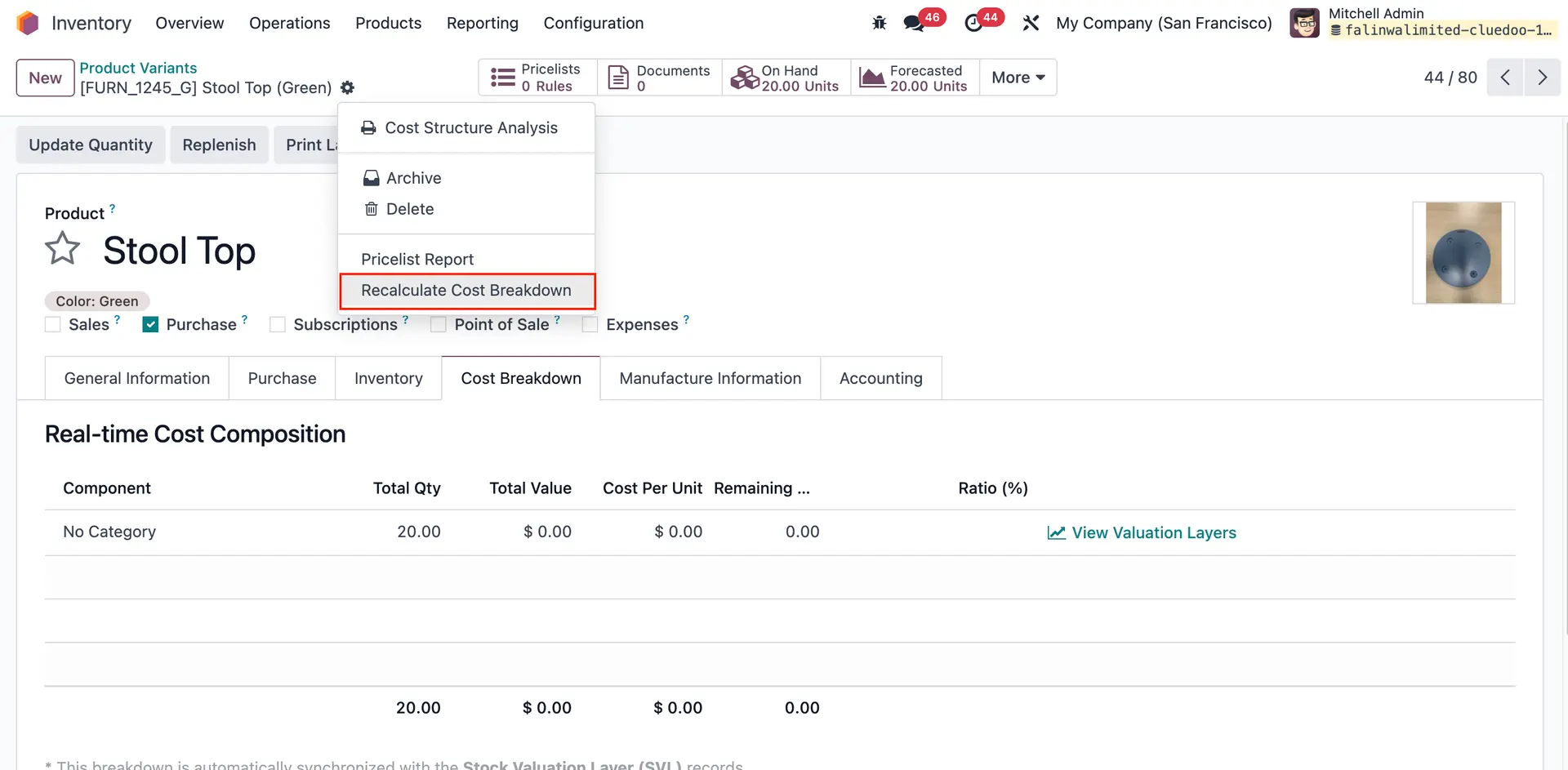
You can run the Recalculate Cost Breakdown server action to compute the cost breakdown based on current valuation data for existing product variants without any new stock movement.
|  |