



ODOO'S FUNCTION
Odoo allows you to configure backorder behavior within each Operation Type, giving you full control over how backorders are handled during stock operations
CLUEDOO'S FUNCTION
CLuedoo extends Odoo’s default behavior by allowing you to configure whether or not to create backorders based on partners.
The system automatically decides to generate or skip backorders by checking the customer’s configuration in the Contacts and Operation Type without requiring any manual confirmation. This automation helps streamline warehouse workflows, reduce human error, and ensure consistent handling of customer-specific logistics preferences.
Overall flow of this module | 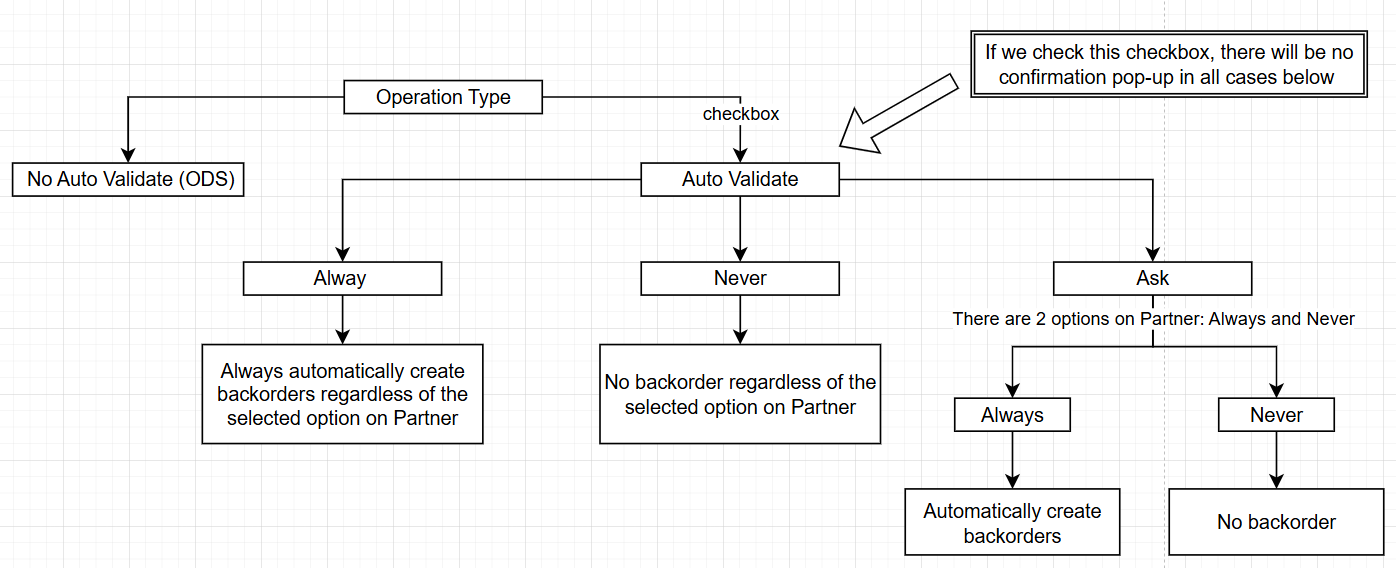 |
1.1 Go to Inventory > Configuration > Operation Types > Delivery Orders > Select Auto Validate Create Backorder checkbox and set Create Backorder to Always | 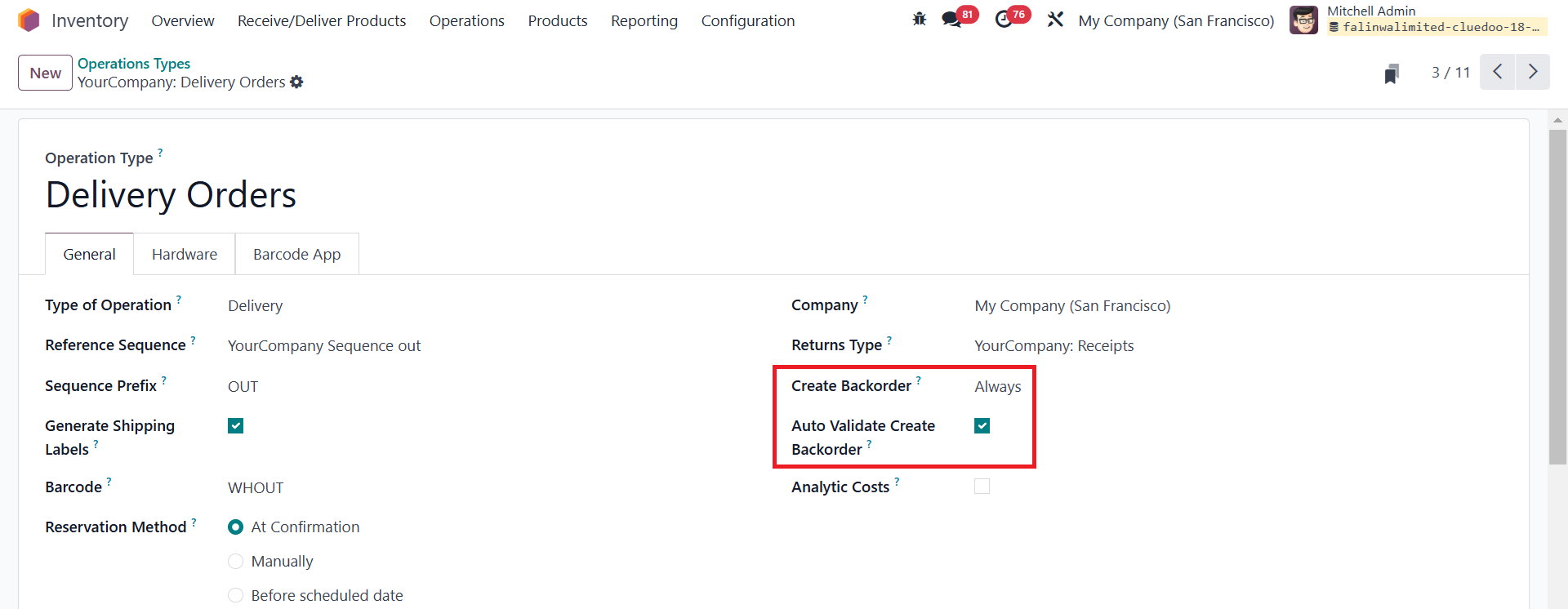 |
1.2 Go to Contacts > Choose a partner > set Create Backorder to Always or Never | 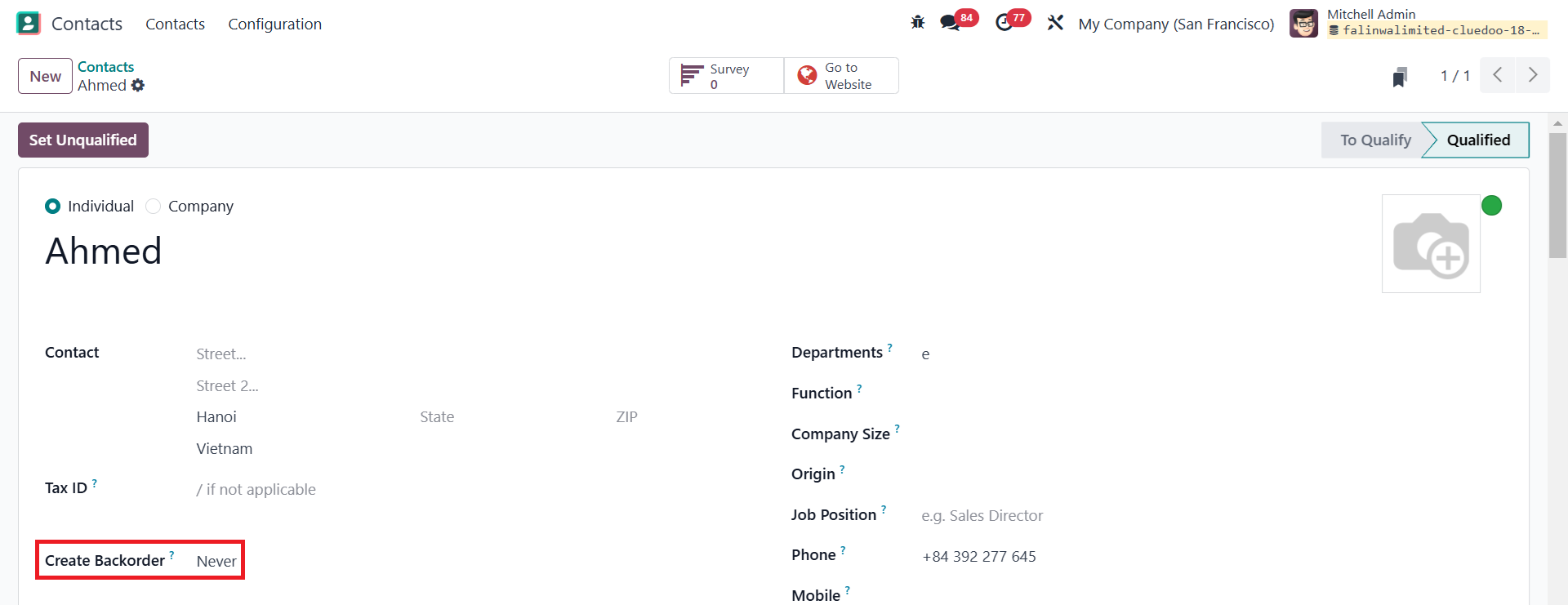 |
1.3 Go to Sales > Create a new Quotation > Choose the configured Partner in the Customer field > Add products and set the quantity to a significant number > Confirm > Click on the Delivery button | 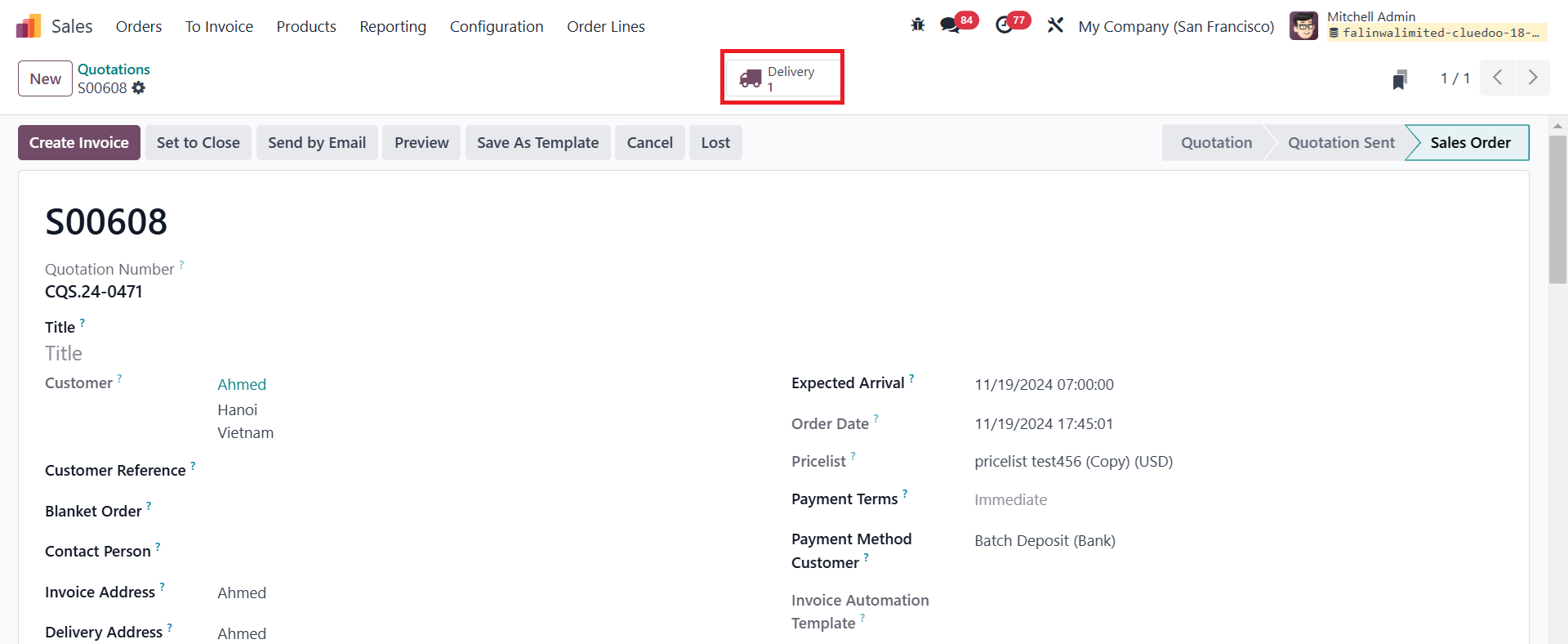 |
1.4 In Delivery, we modify the number of the Quantity to be smaller than that of the Demand > Click on the Validate button | 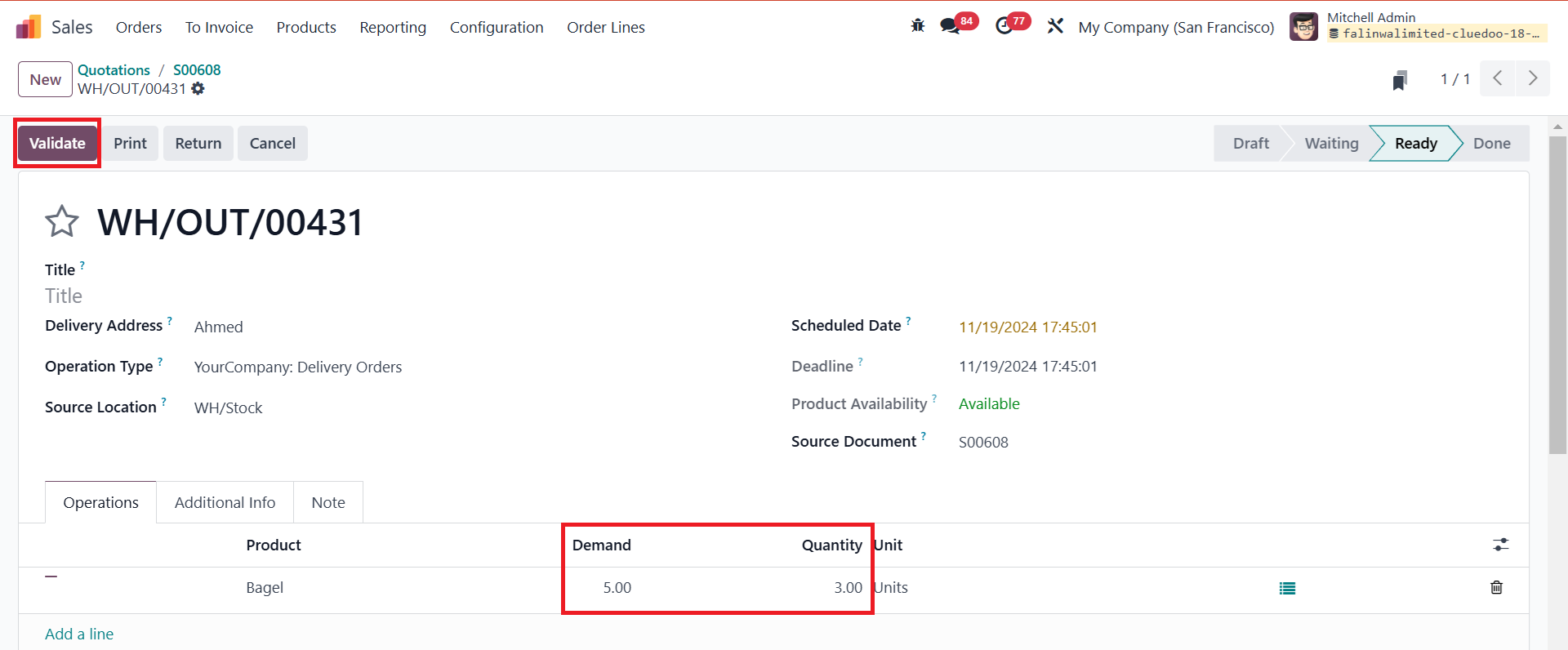 |
1.5 After completing the above step, we can see that a backorder is automatically created, and the original transfer is automatically validated. |  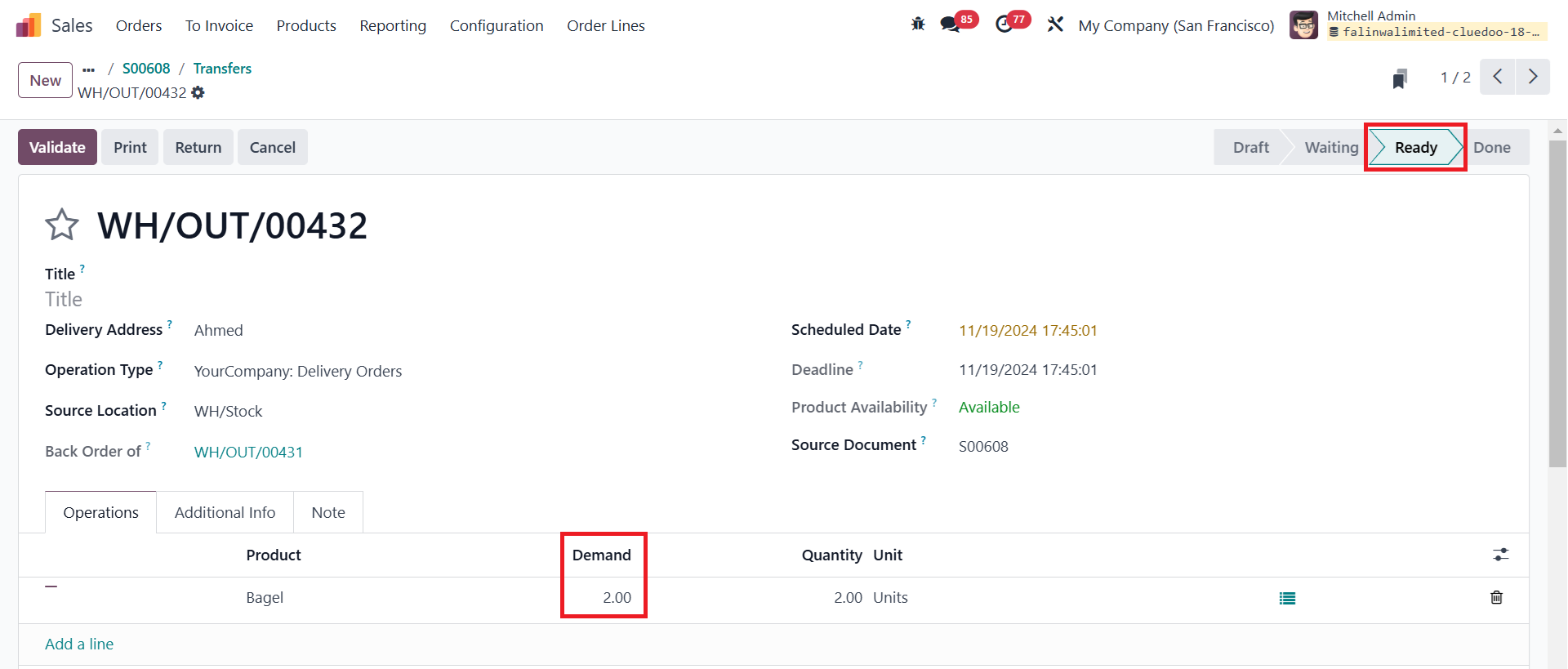 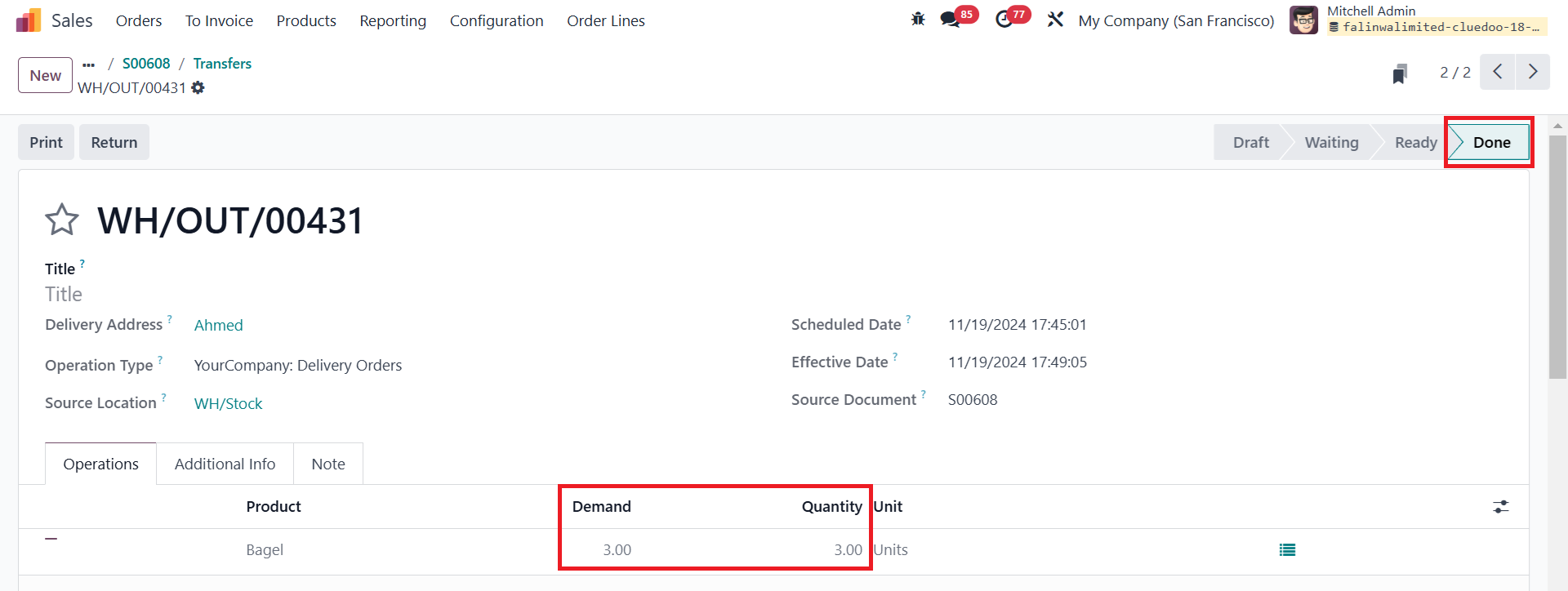 |