
ODOO'S FUNCTION
Odoo does not allow mass updating Website eCommerce Category images.
CLUEDOO'S FUNCTION
CLuedoo supports mass importing Website eCommerce Category images via CSV where each category can receive its own individual image.
1. Go to Inventory > Products > Image Uploader > Bulk Import Products' Picture In Select Entity, choose Website Category Image > Upload your file or use the sample file that we provided > Upload Now | 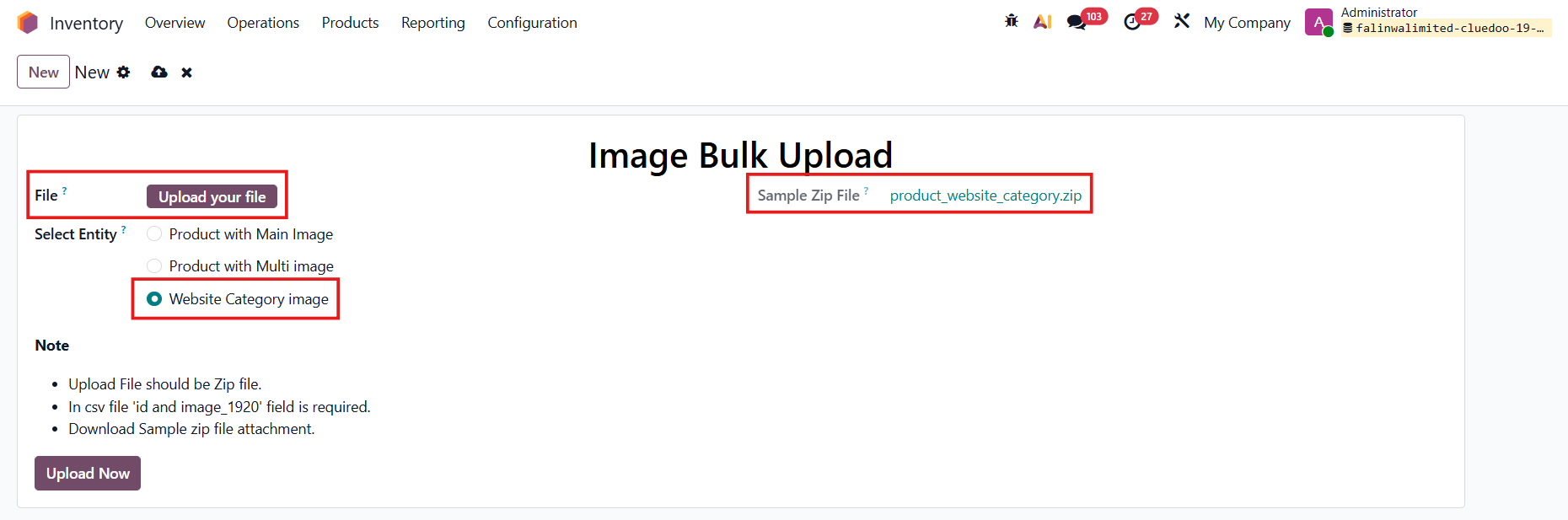 |
2. Go to Image Uploader > History > From here, you can check whether the file is successfully applied, and all the data details. For example, I upload a photo for the category Desks | 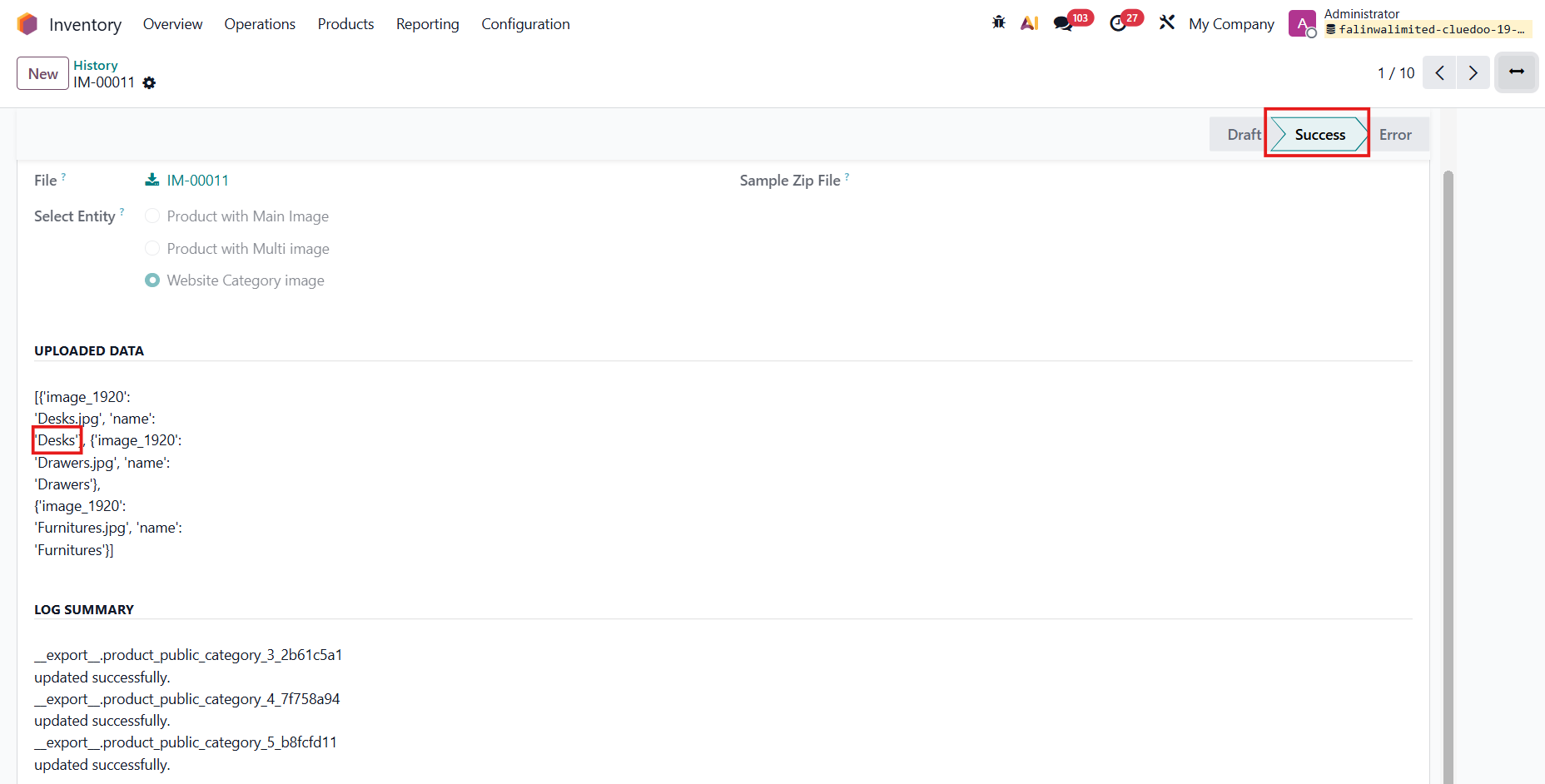 |
Note: Make sure the ID in the CSV file is the same as the ID of the category you want to upload photo to How to check: Go to the Website > eCommerce > eCommerce Categories > click the bug icon > Metadata > check the XML ID |  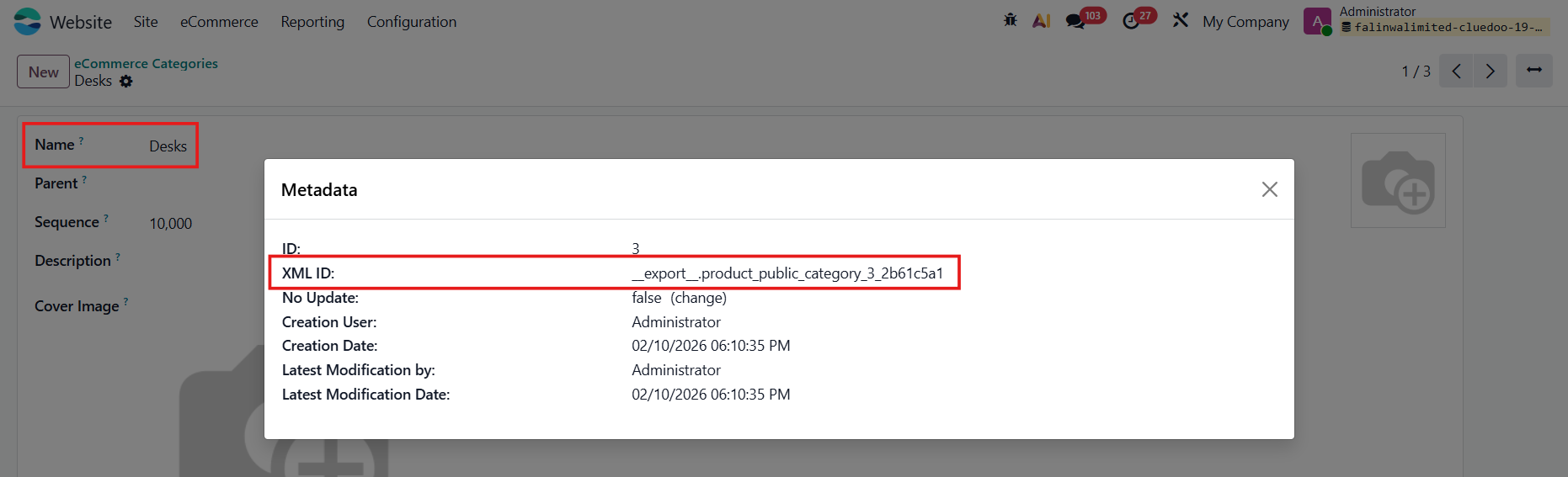 |
3. Open the categories you just uploaded photos for, and you’ll see that each category’s image has been updated. | 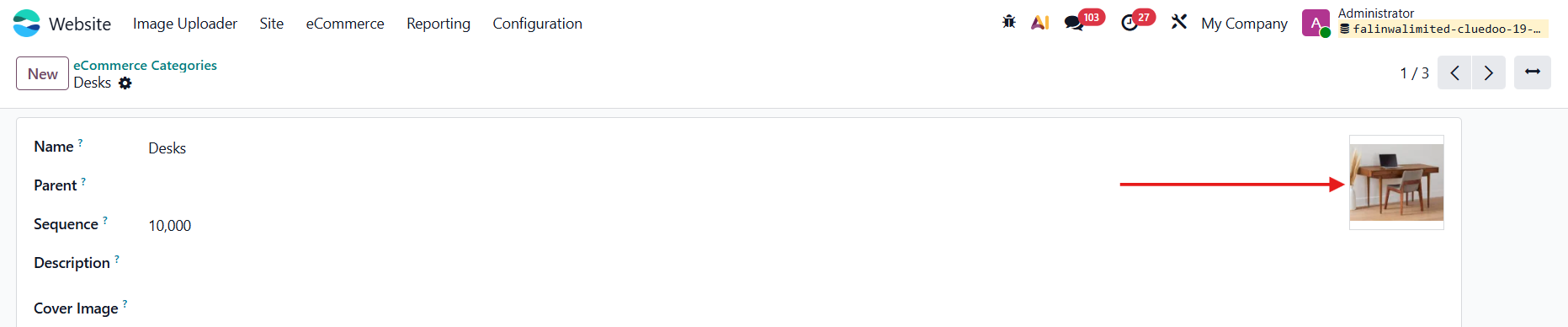 |