



ODOO'S FUNCTION
A bill of materials (or BoM for short) documents specific components, along with their respective quantities, that are needed to produce or repair a product. In Odoo, BoMs as blueprints for manufactured goods and kits, and often include production operations and step-by-step guidelines, as well.
CLUEDOO'S FUNCTION
Cluedoo extends this feature and namely only for the list view display and adding the create feature in the BOM Component.
1. Go to Manufacturing > Products > BoM Component > The information available in list view (such as parent BoM, Component, Product Template...) | 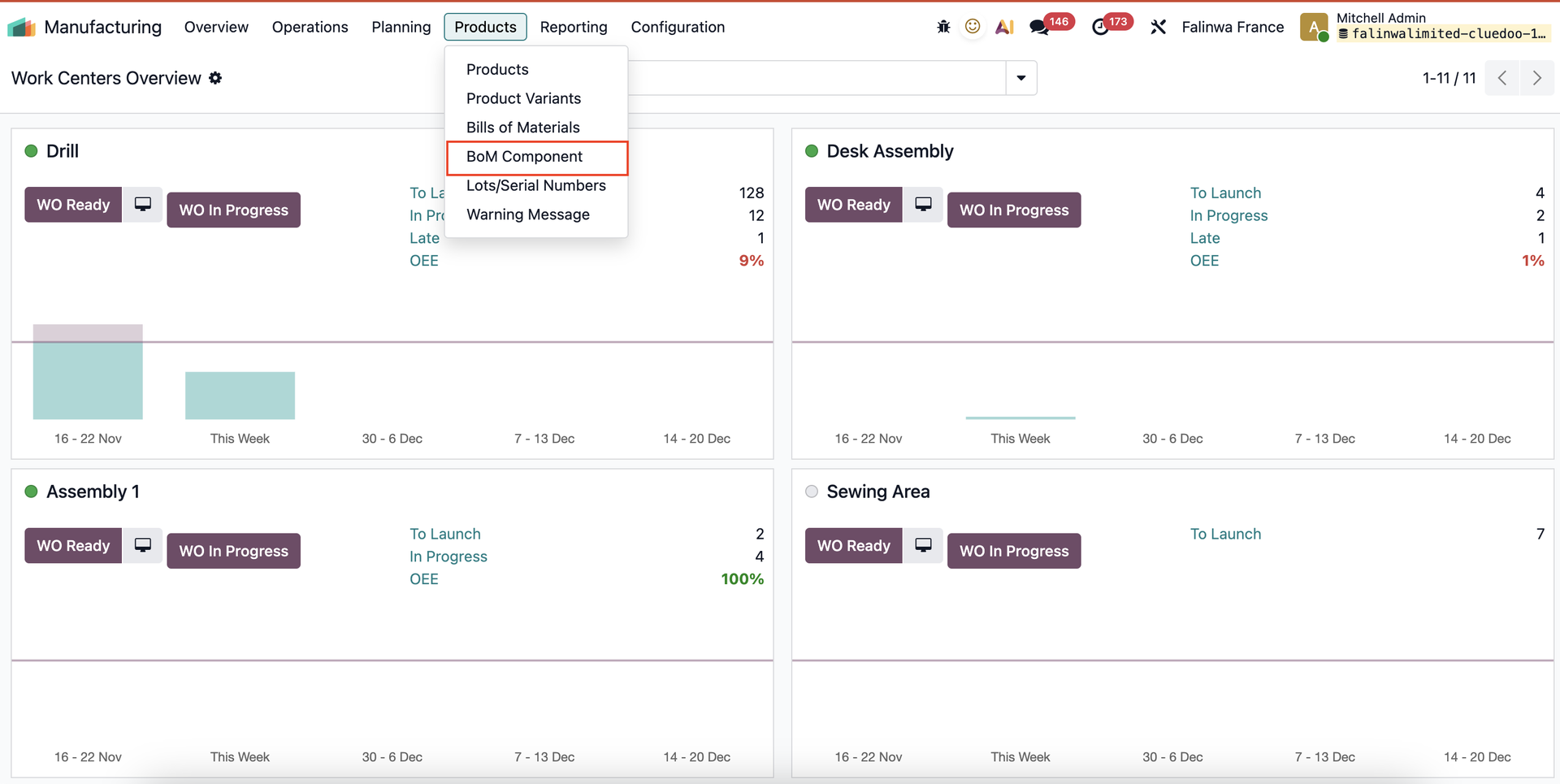 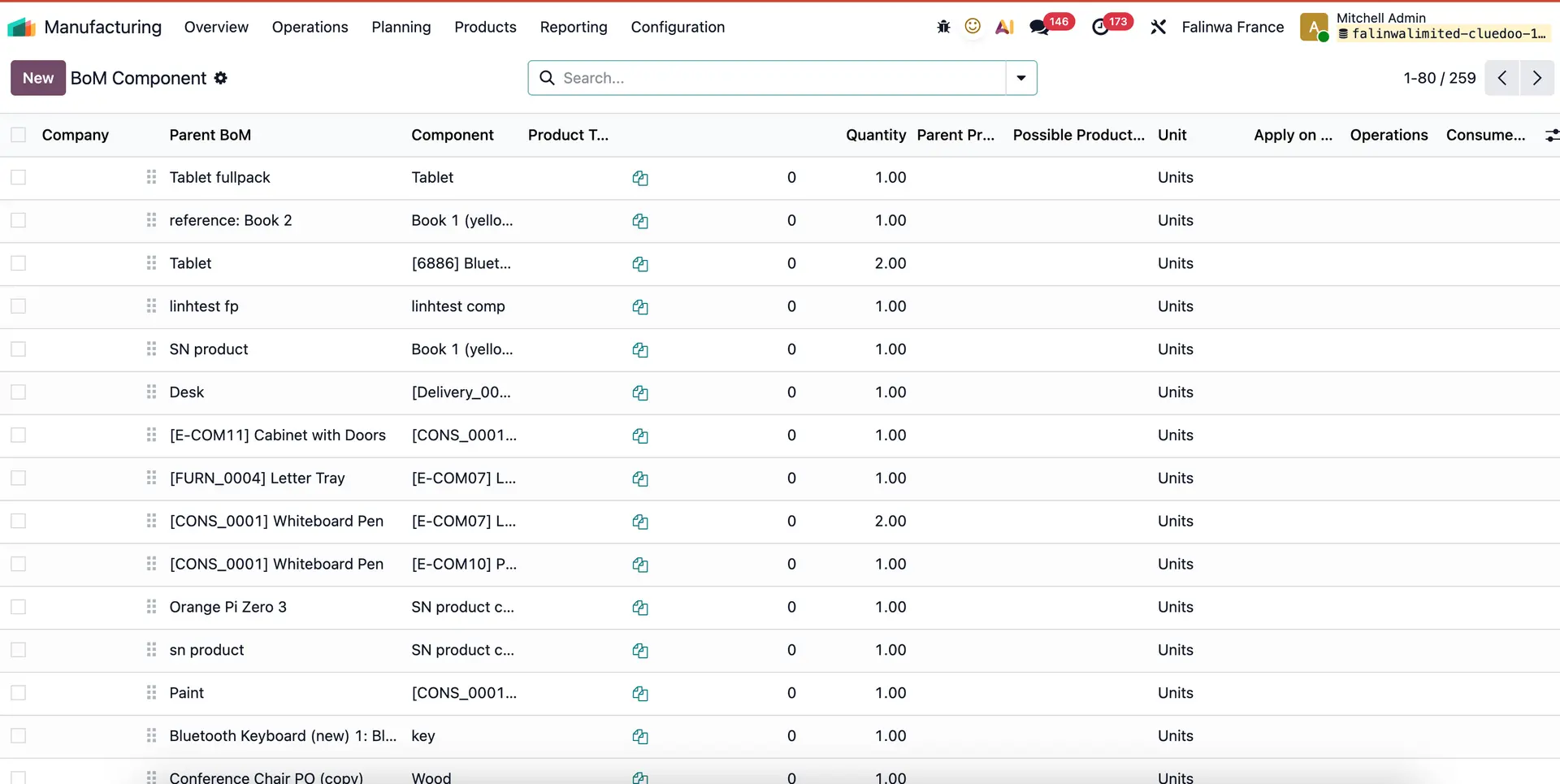 |
2. You can create new BOM > Fill all information > Save | 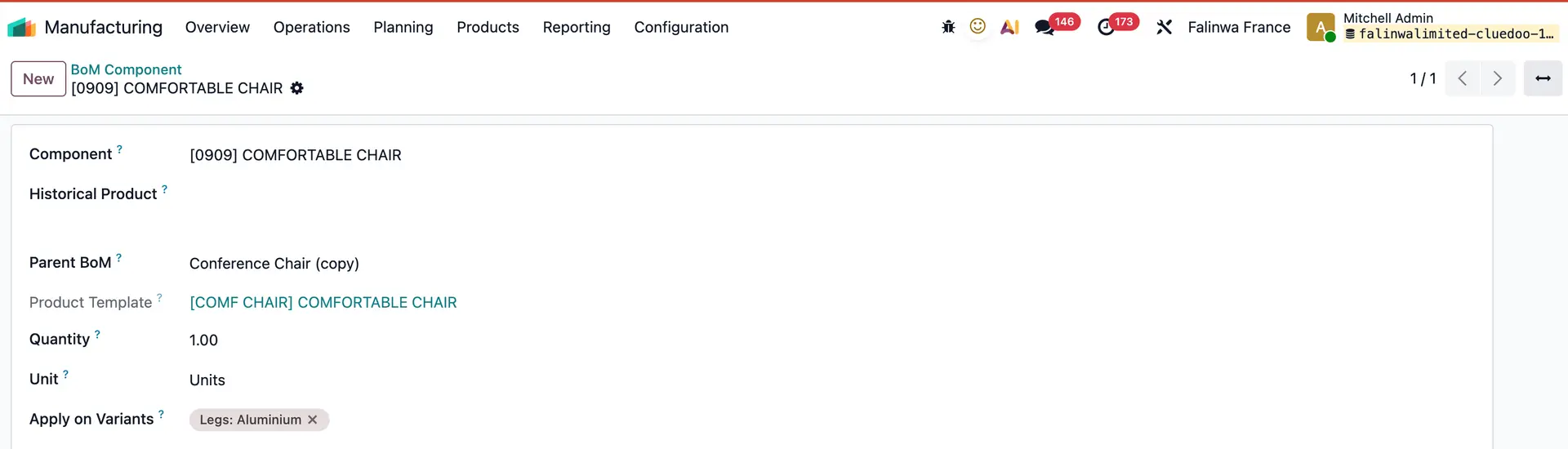 |
3. New BoM Component created on list view | 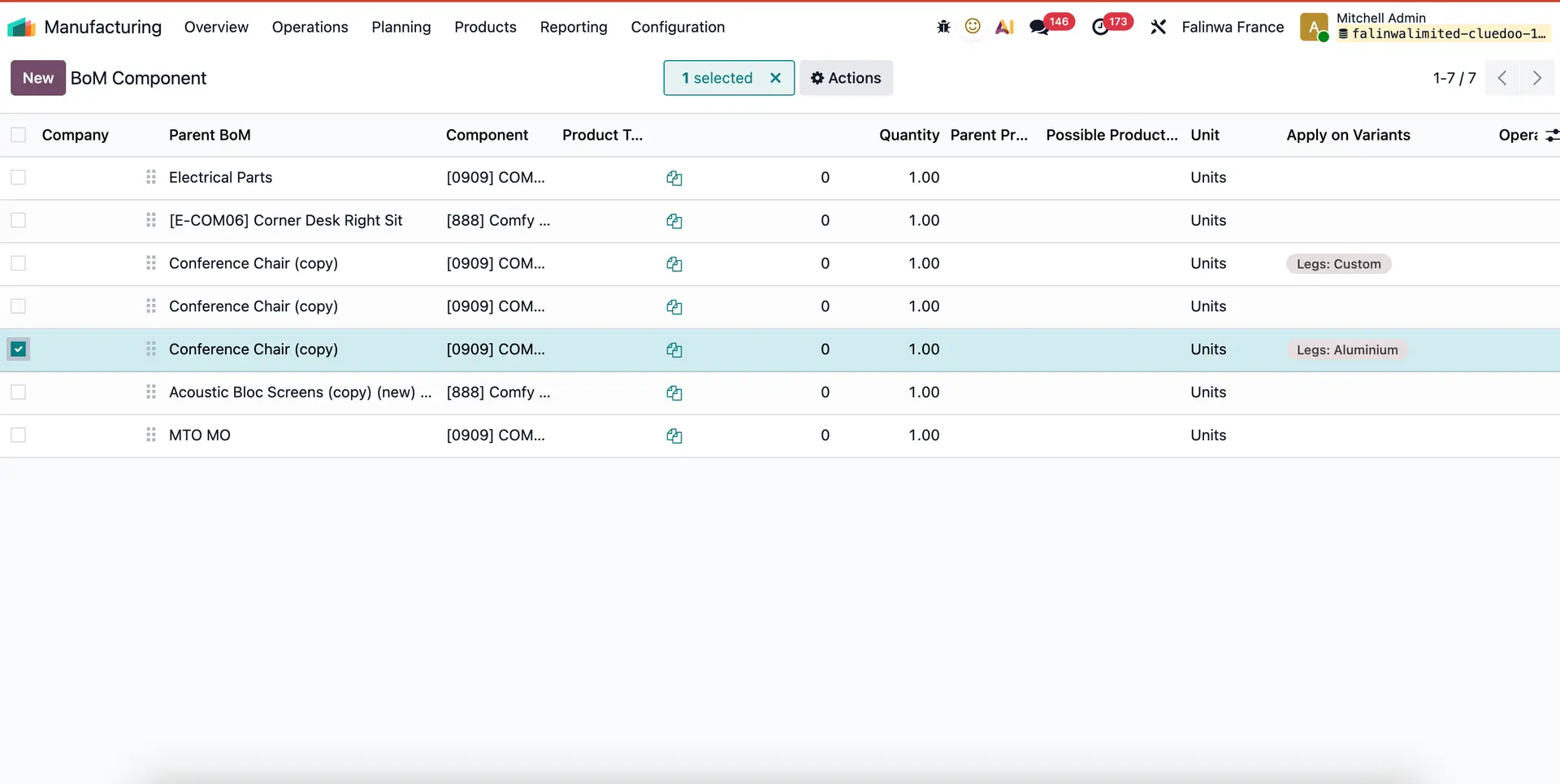 |
Note:Define variants for the product first, then the variants will appear in the menu in Bom component. | 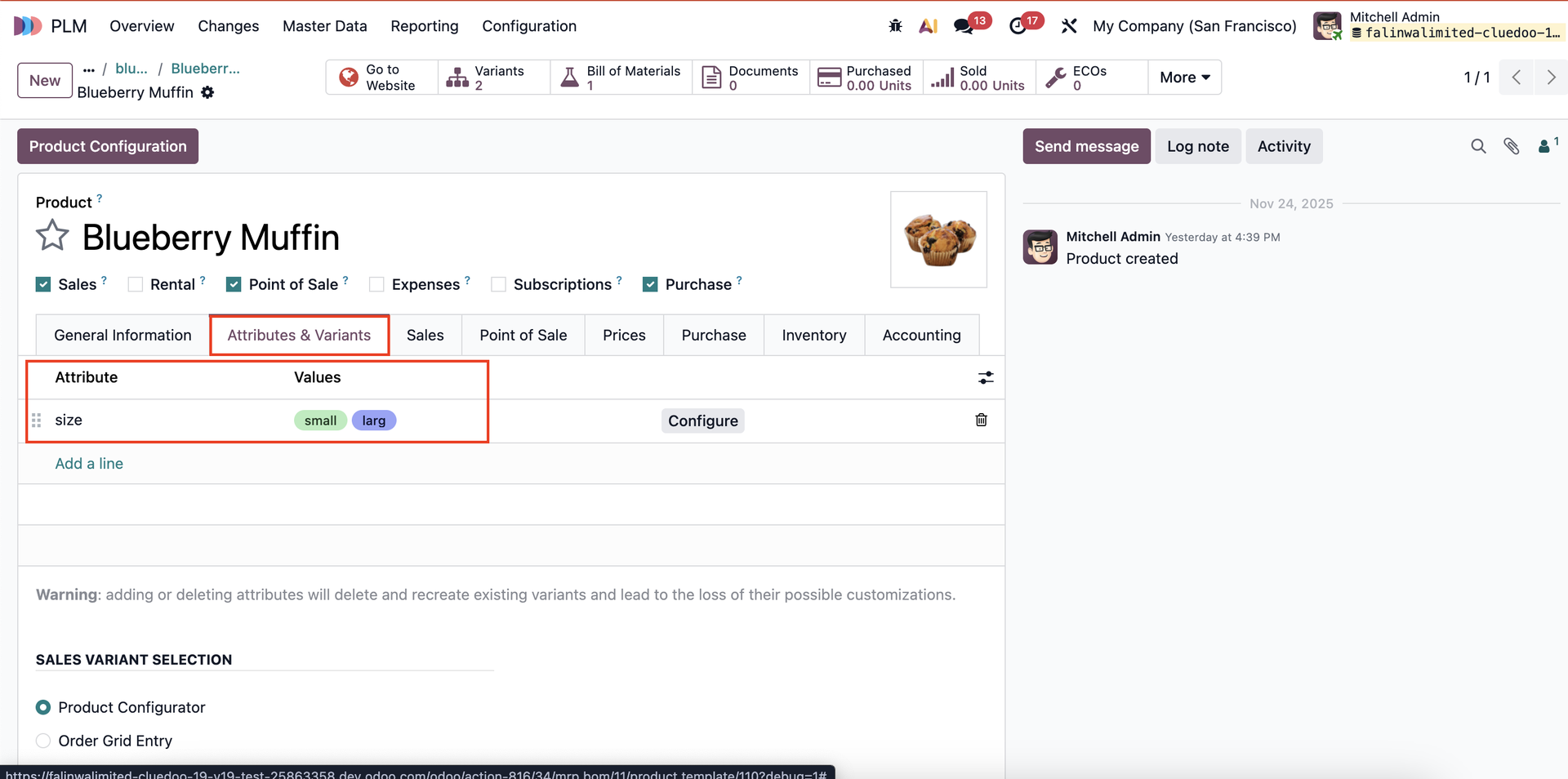 |
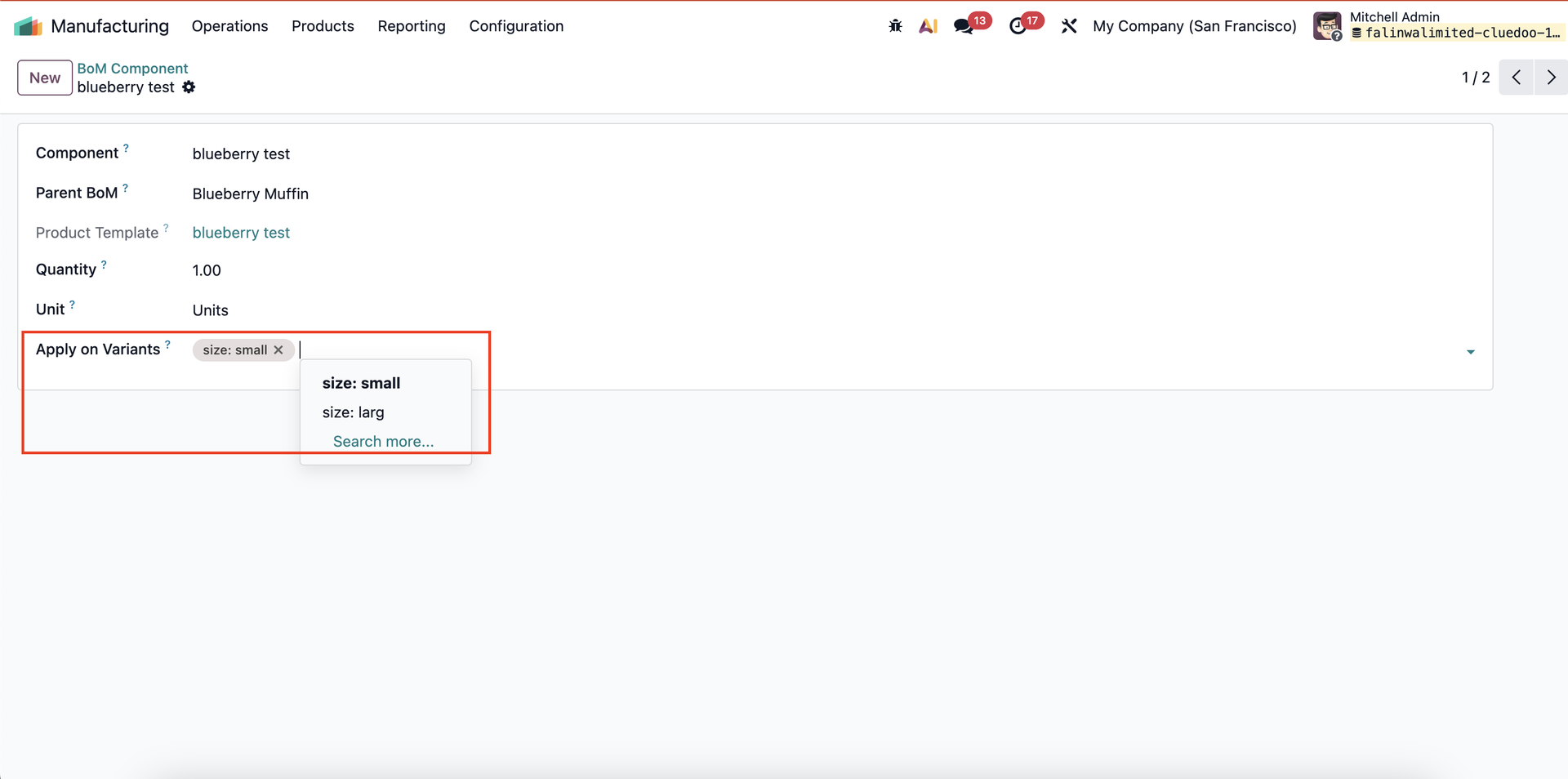 | |
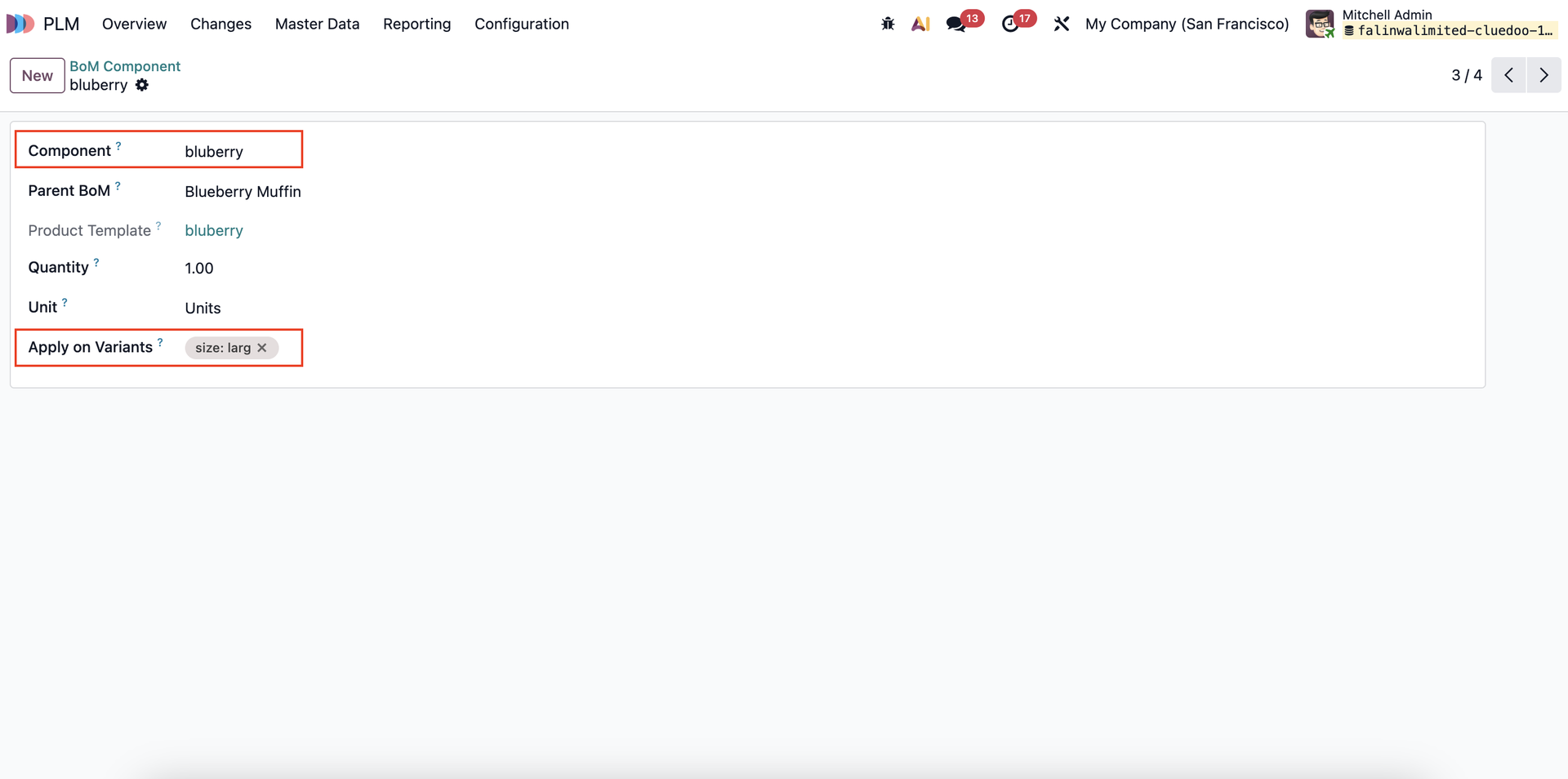
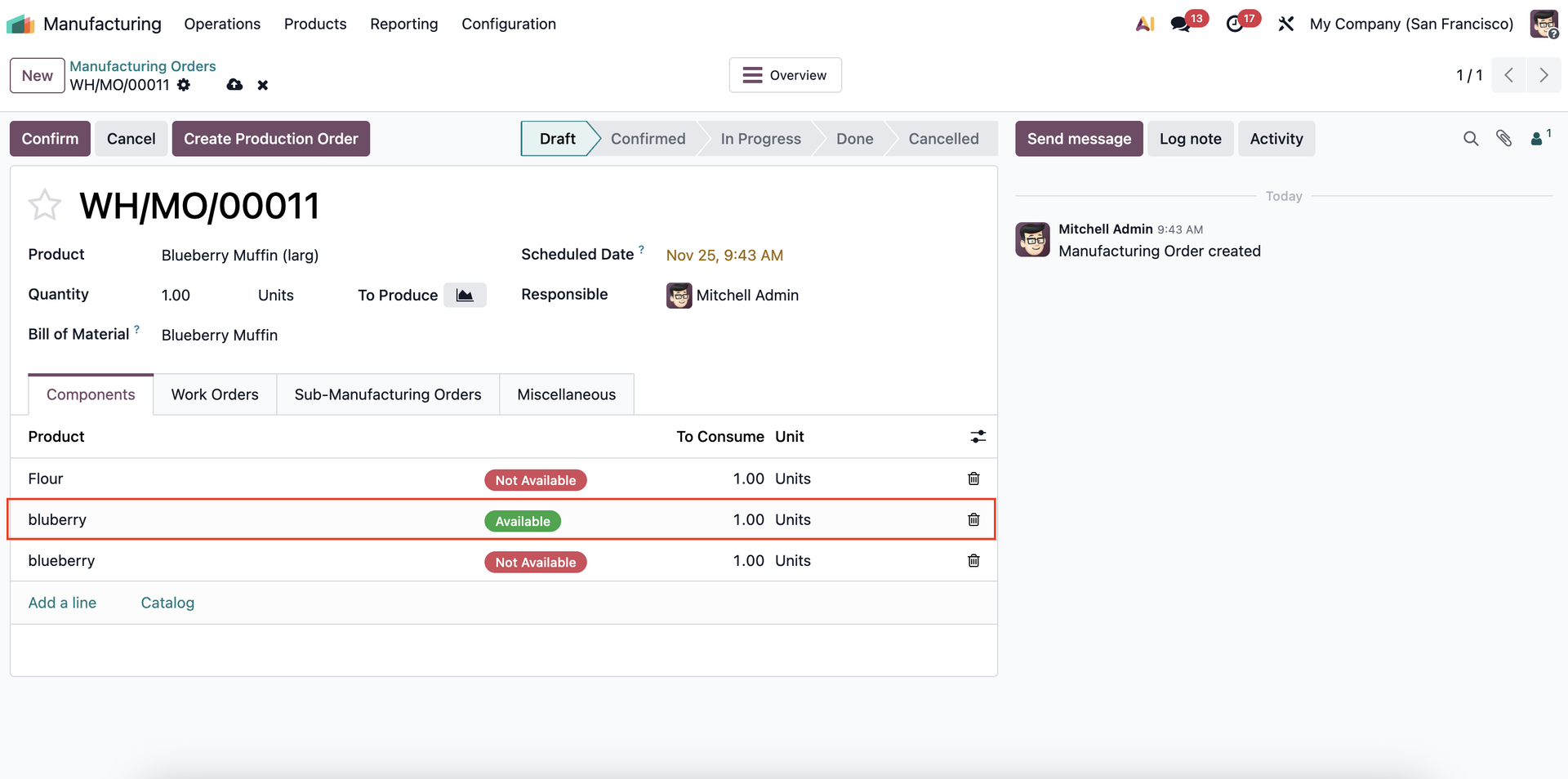
When the ‘Apply on Variants’ option is defined on a component, that component should only appear in the MO if the finished product variant matches the variant conditions specified on the component. | 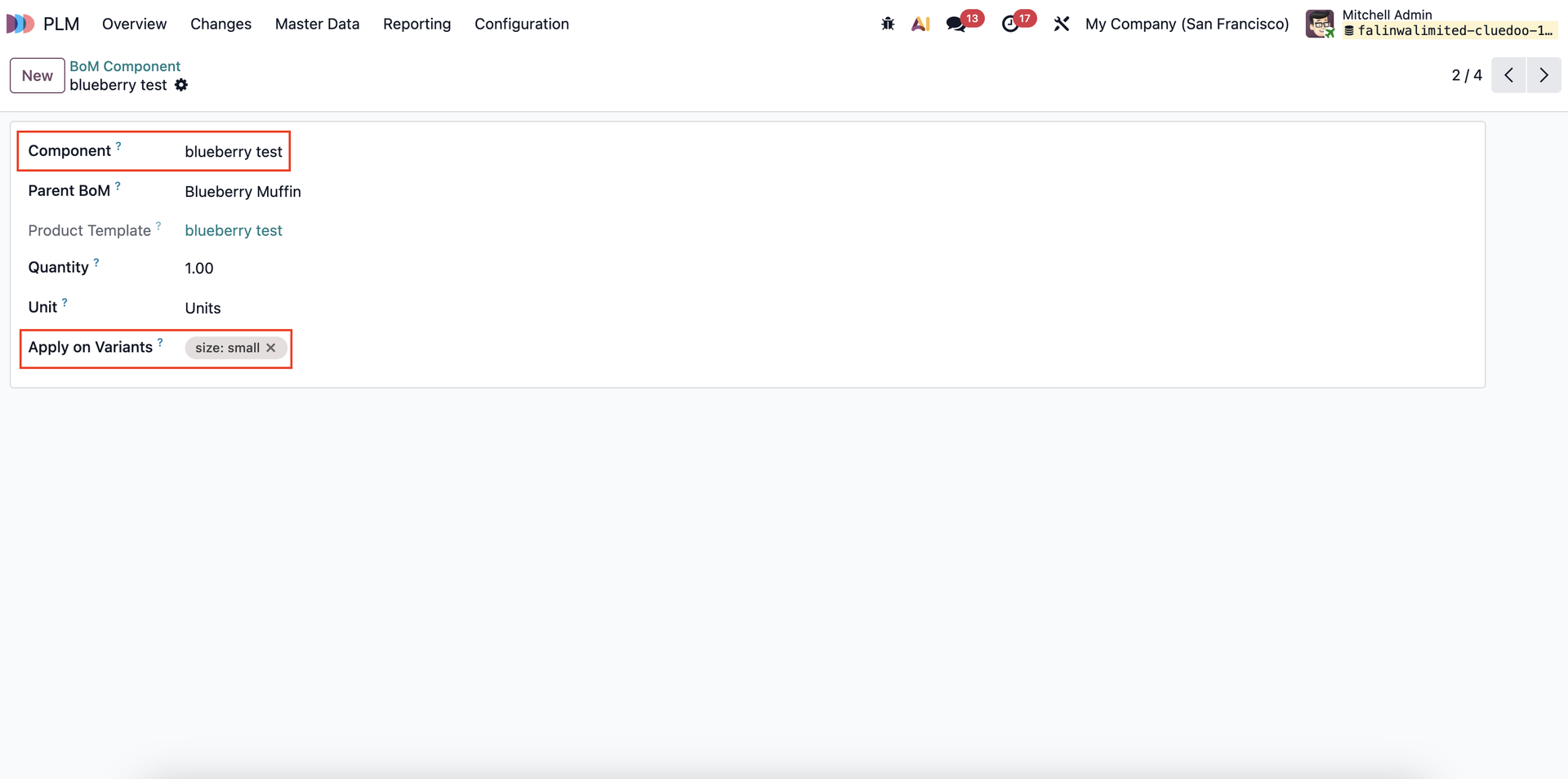 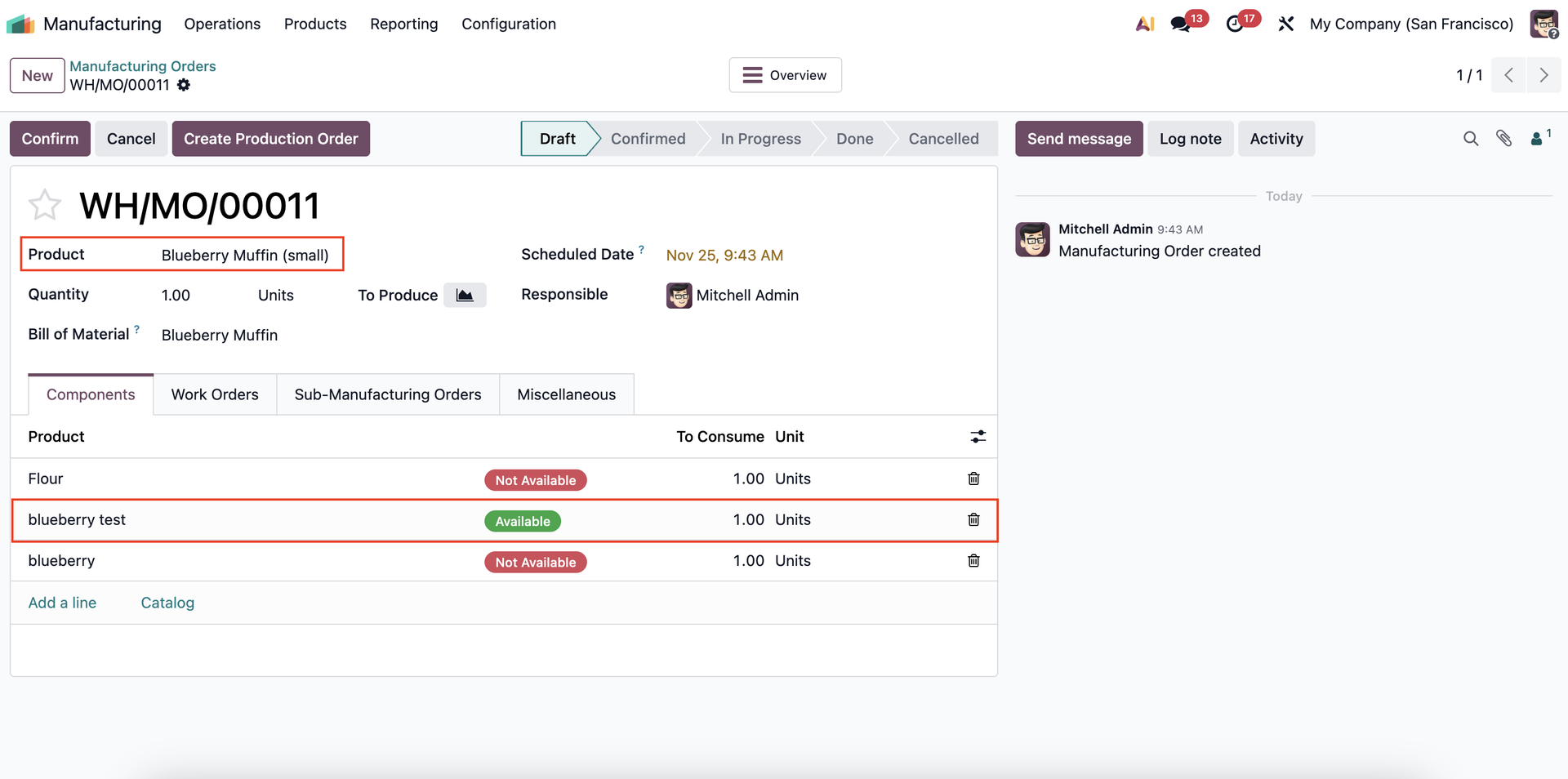 |
|   |