



ODOO'S FUNCTION
In standard Odoo, analytics in Manufacturing flows (SO → Delivery → Manufacturing Order (MO) → Stock Valuation Layer) are not fully carried through.
1️. SO may hold analytics, but they are lost when passing into MO and valuation layers.
2️. MO consumption and production valuation entries lack analytic accounts/tags.
3. Resulting journal entries (WIP, production costs, finished goods) do not align with the sales analytics.
4. This breaks profitability analysis: revenues can be analytic-tagged, but manufacturing costs cannot be traced to the same project or cost center.
CLUEDOO'S FUNCTION
CLuedoo ensures analytics flow through the sales → manufacturing → valuation chain.
1️⃣ End-to-end propagation: Analytics from SO flow to delivery, MO, and both MO consumption and production valuation entries.
2️⃣ Consistent tagging: WIP, finished goods, and related COGS all share the same analytic dimensions as the originating SO.
3️⃣ Accurate manufacturing cost tracking: Enables full project/cost center P&L including production.
4️⃣ Seamless reporting: Revenue, inventory consumption, and manufacturing valuation are aligned for true profitability and cost transparency.
MO --> VALUATION1. Go to Manufacturing > Manufacturing Orders > New |  |
2. Add a product > Go to the Miscellaneous tab > Fill out the Analytic Distribution > Confirm > Produce All | 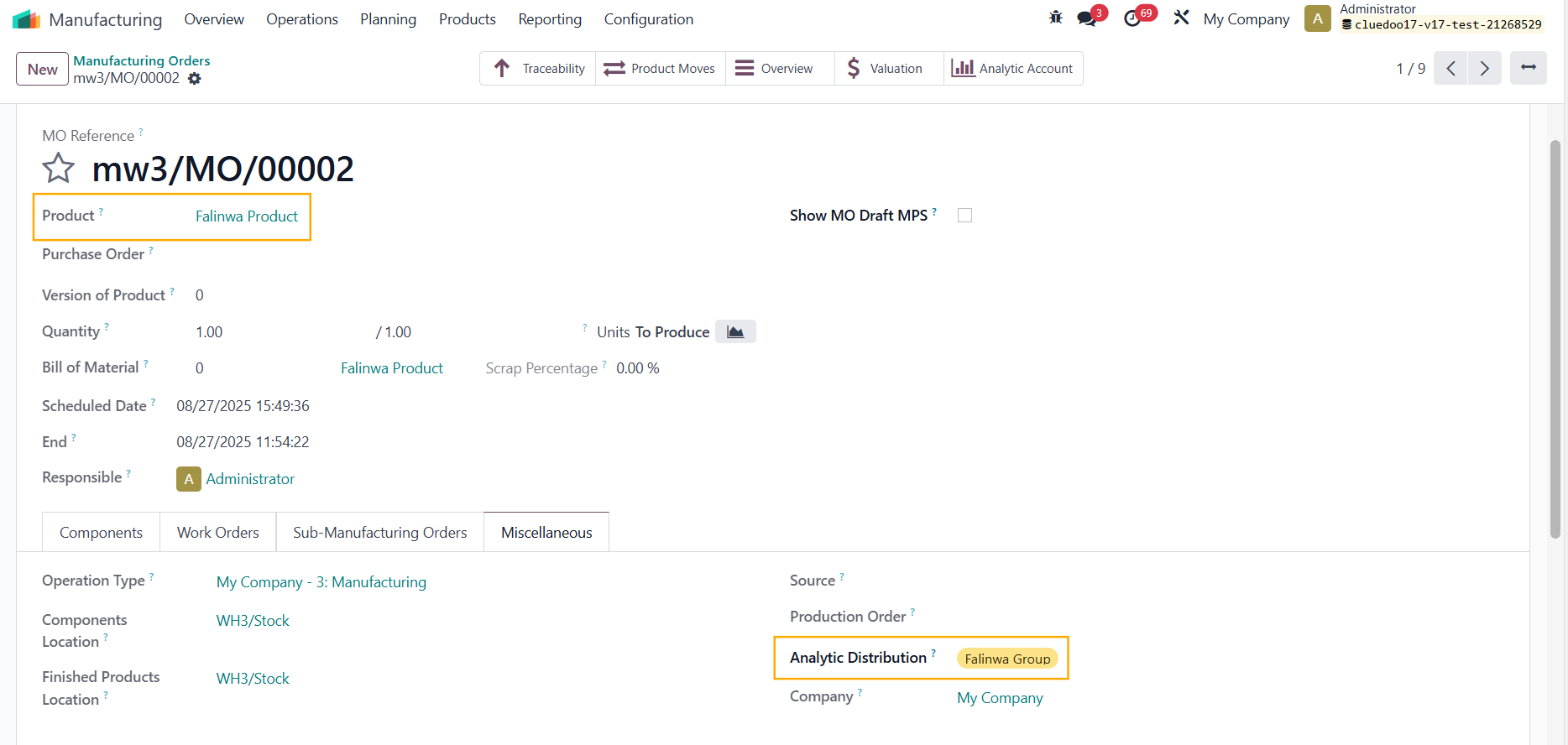 |
3. Click on the Valuation smart button to check the AD | 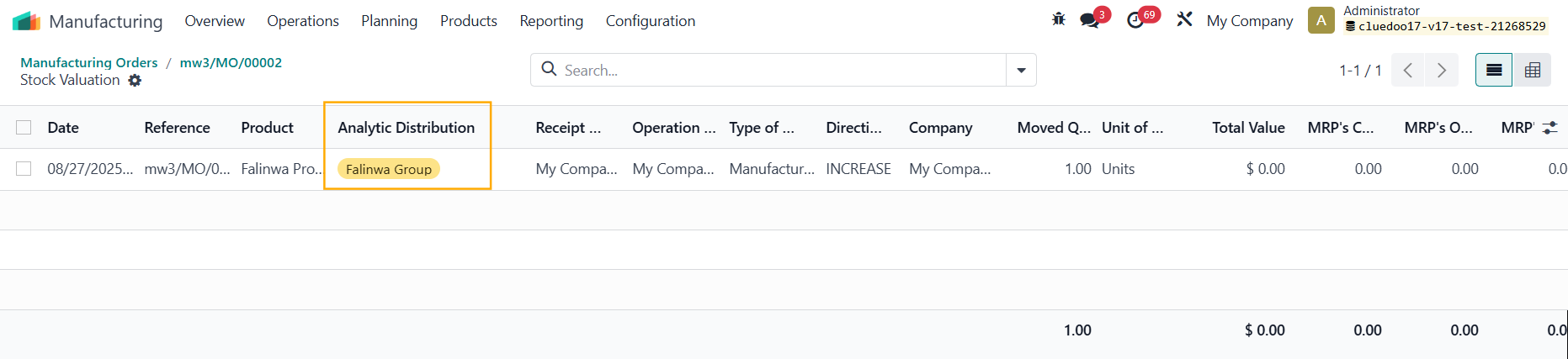 |
Alternatively, you can go to Inventory > Valuation Note that from v19, there is no longer Valuation smart button. |  |
SO --> TRANSFER --> MO --> VALUATION1. Create a Sales Order for a product with Routes MTO and Manufacture > Add the AD > Confirm > Delivery and Manufacturing smart buttons will appear | 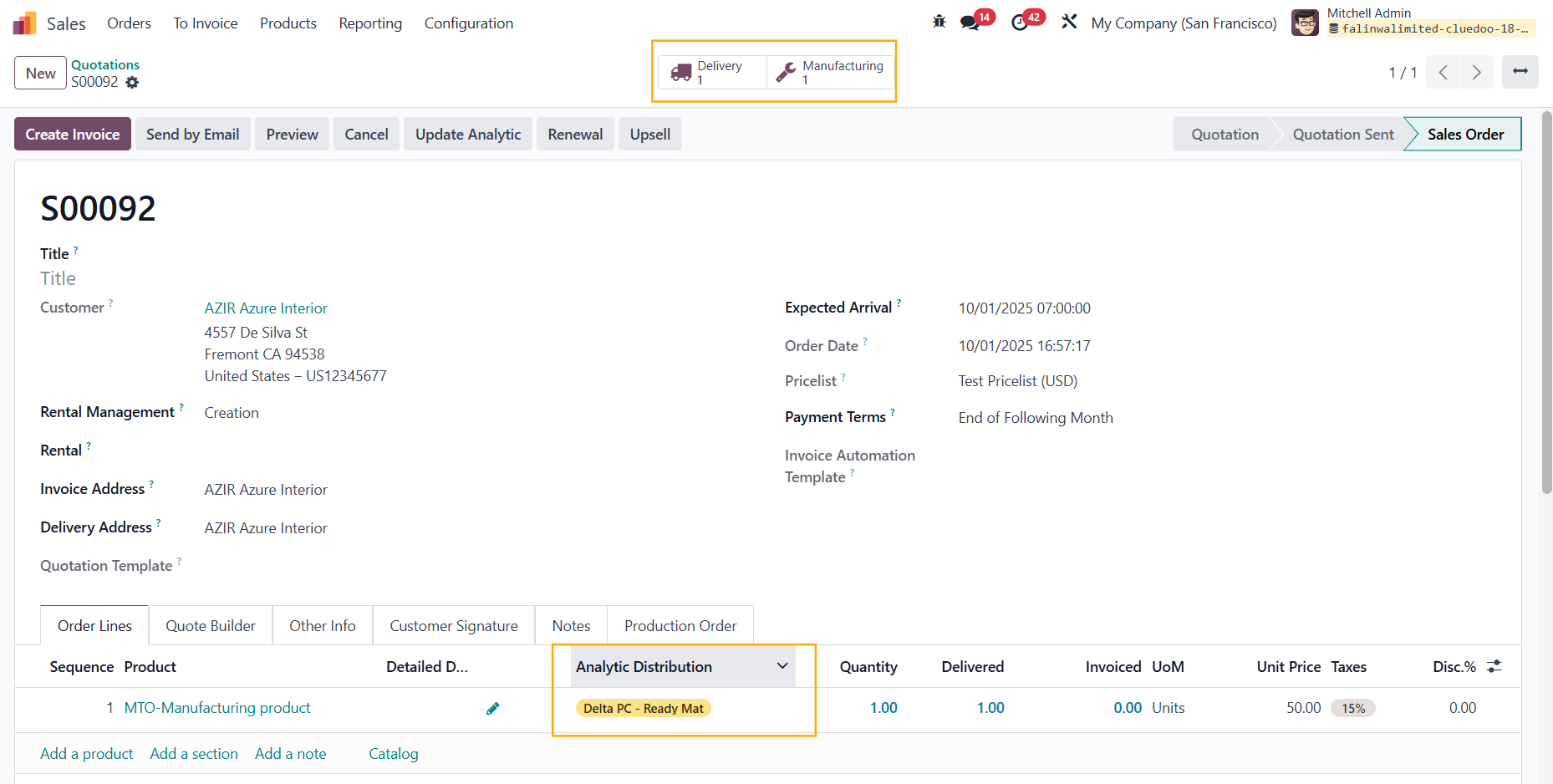 |
2. Click on Delivery > The AD is inherited | 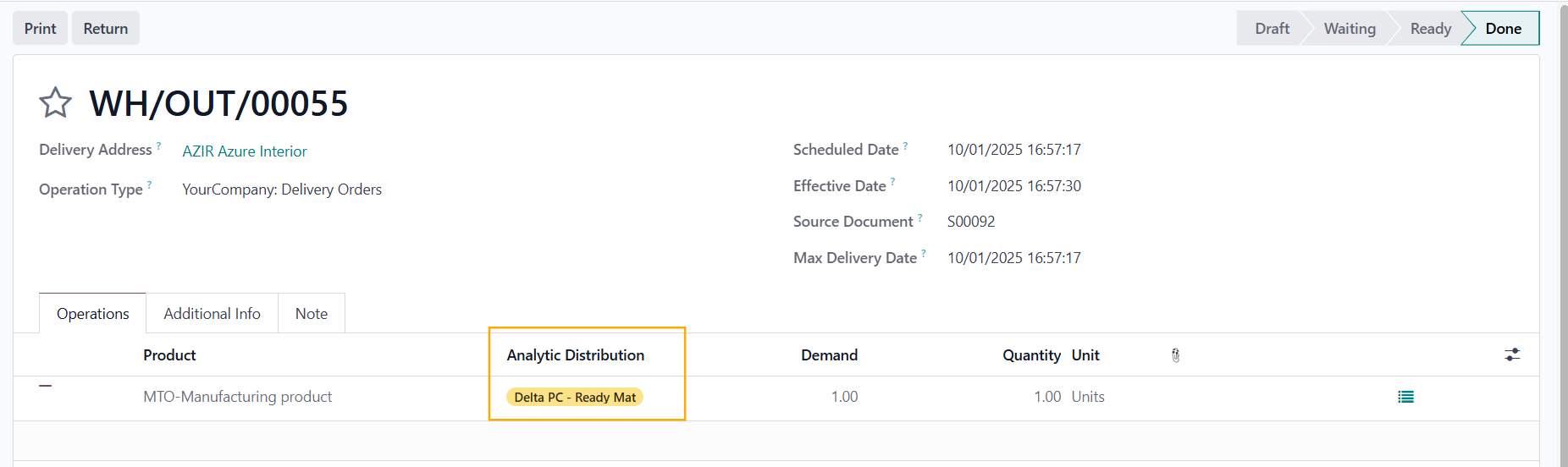 |
Validate > You can see the AD in the Valuation of this product |  |
3. Click on the Manufacturing smart button > The AD is inherited | 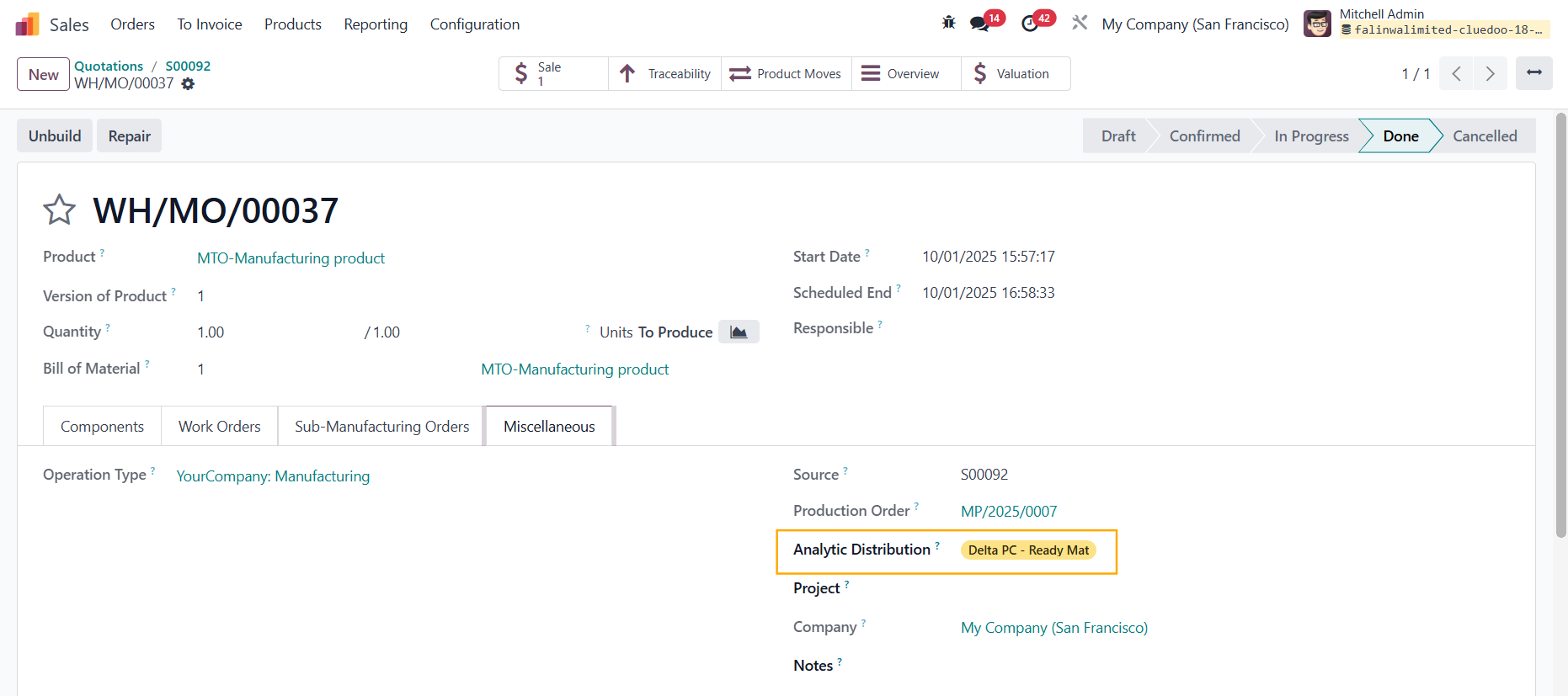 |
Confirm the MO > Produce All > You can see the AD in the Valuation as well |  |