


ODOO'S FUNCTION
Batch picking allows a single picker to handle a batch of orders, reducing the number of times he/she must visit the same location. In Odoo, if you add backorders to batch, it shows information of "Done" products in batch.
CLUEDOO'S FUNCTION
Cluedoo adds additional details when adding backorders to batch. It is used to show information of which batch transfer is creating the backorder.
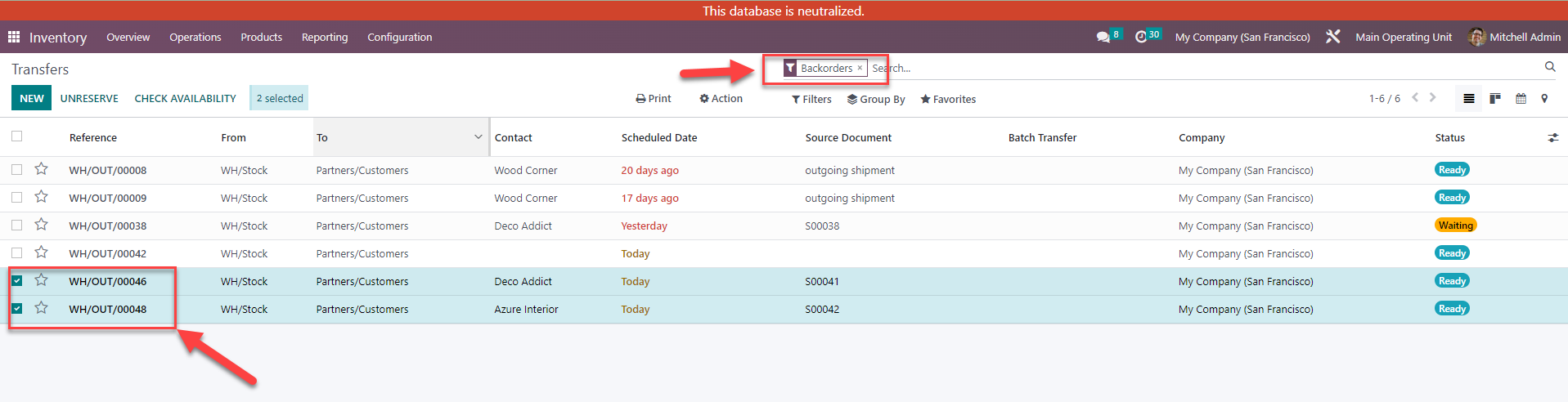
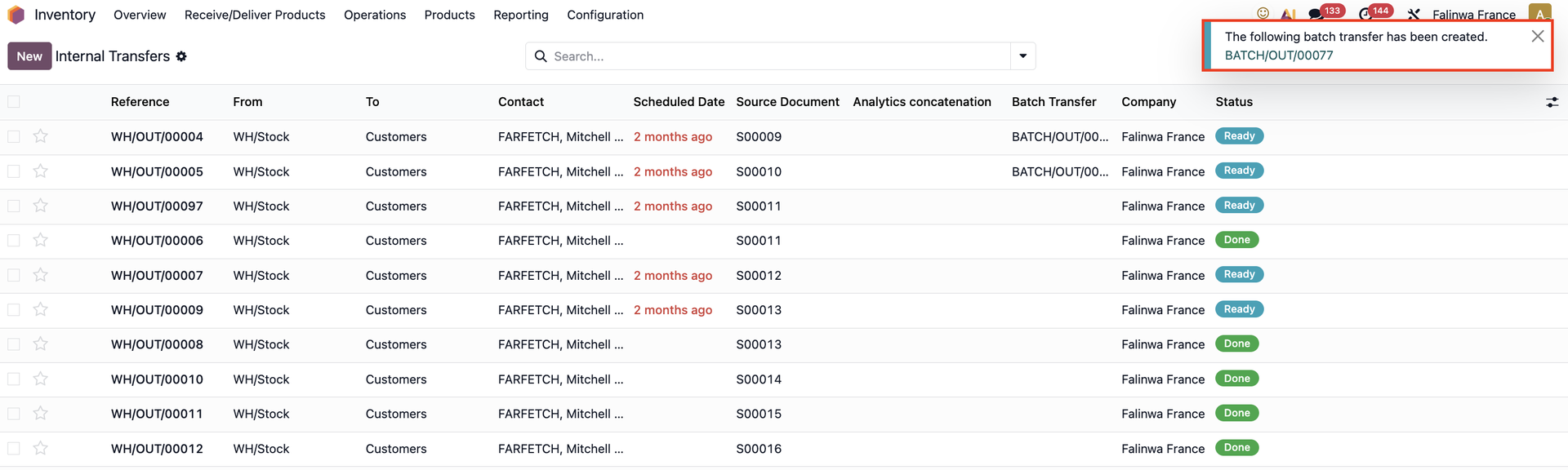
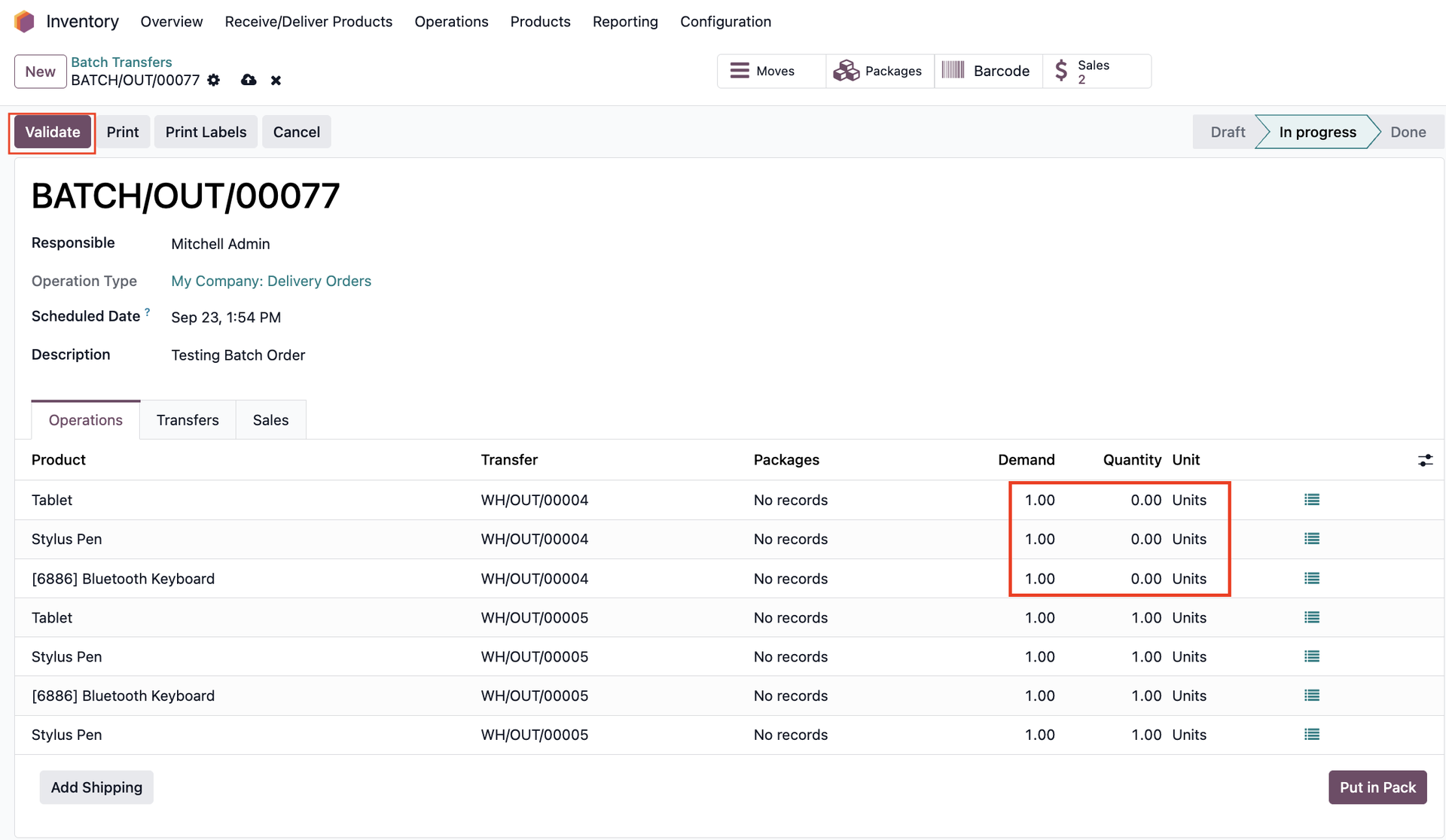
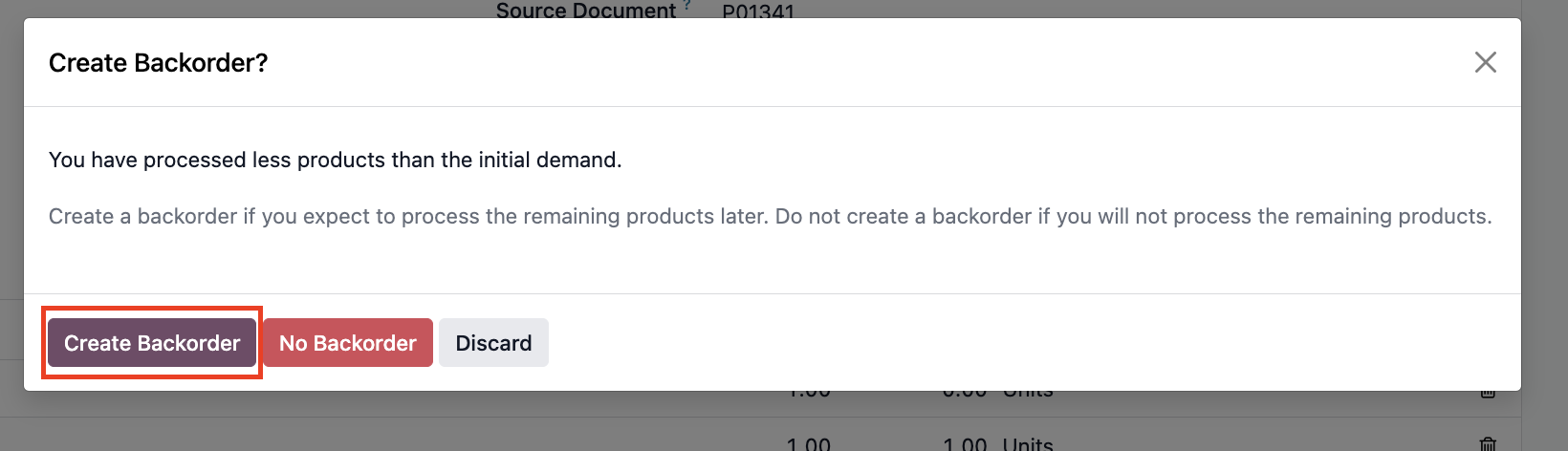
1. User story: As an inventory staff, you need to add two backorder transfers to batch. | 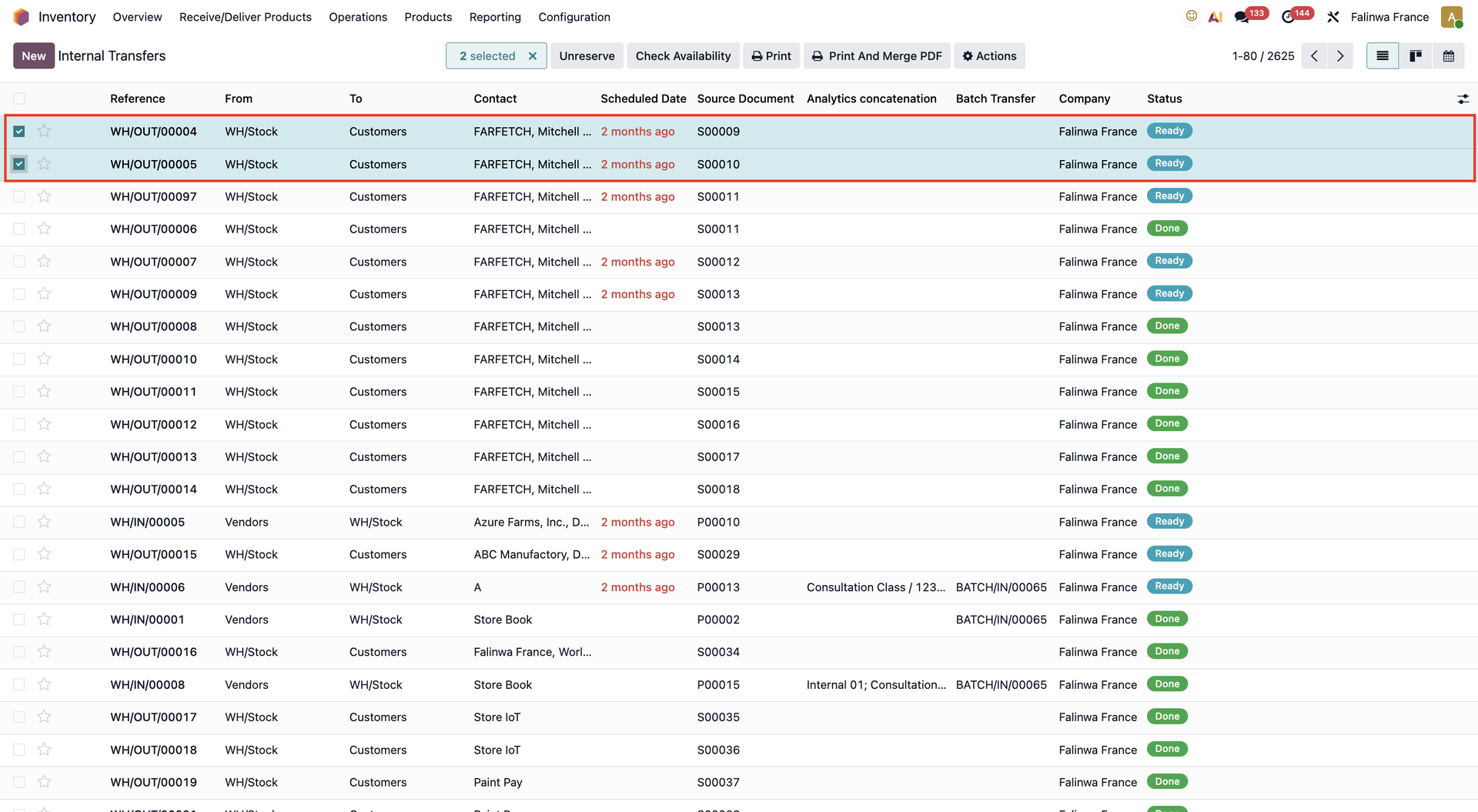 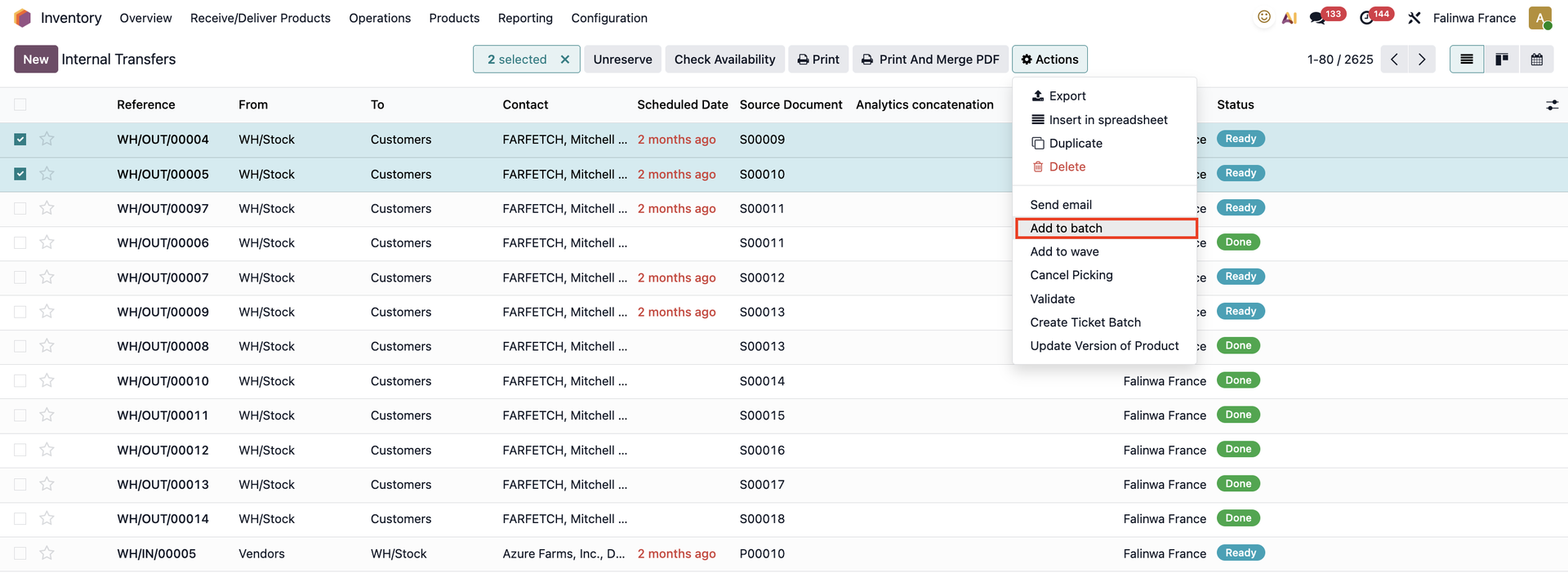 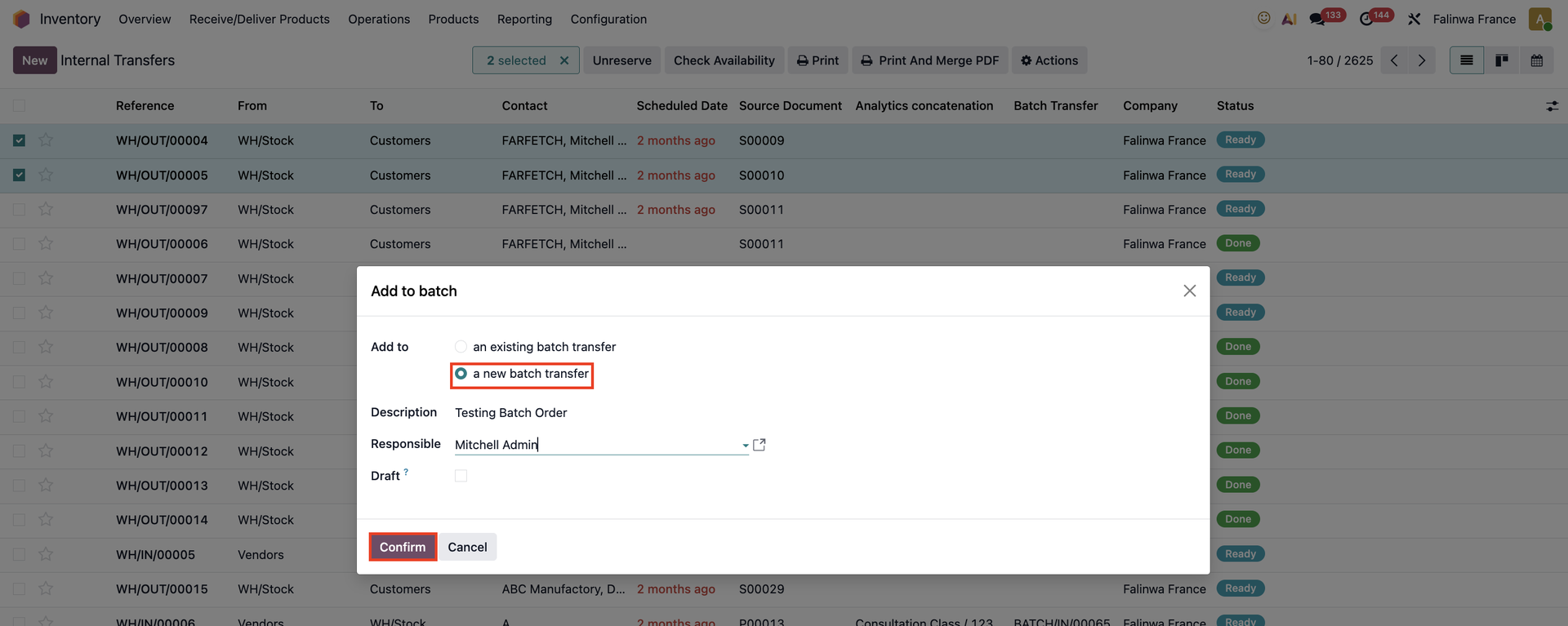 |
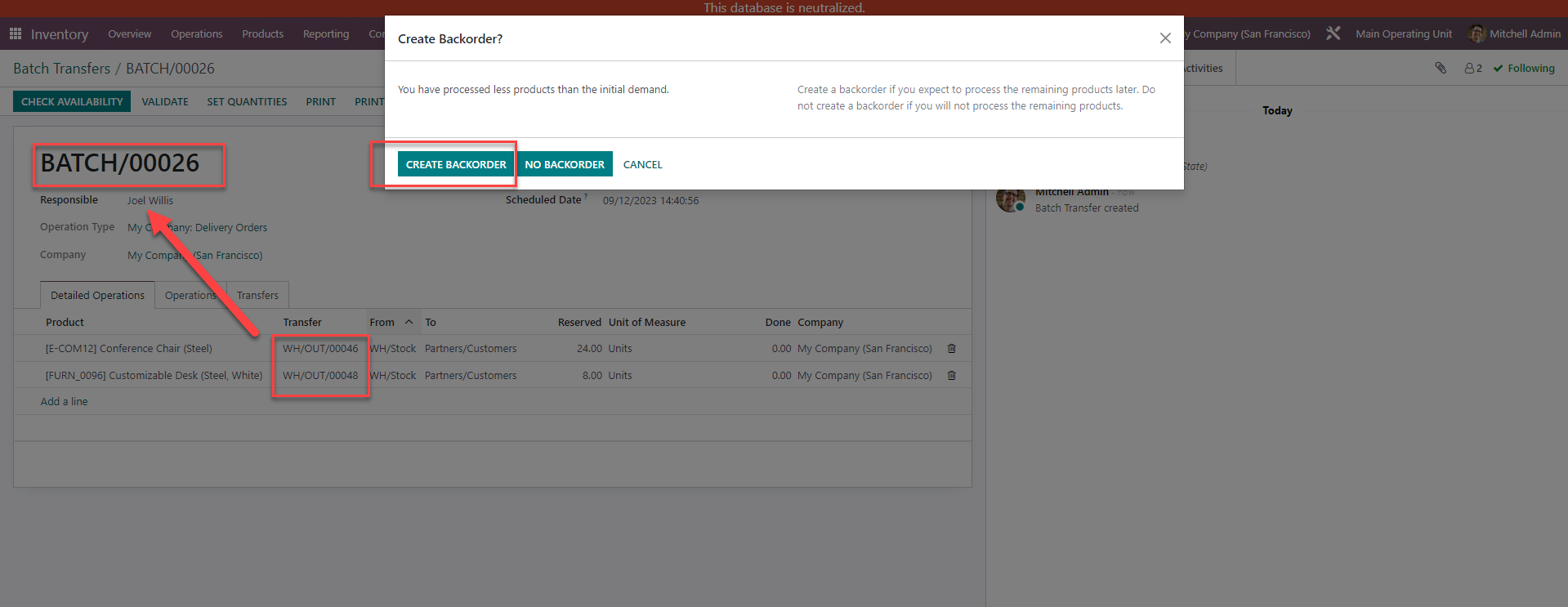
|    /, /, |
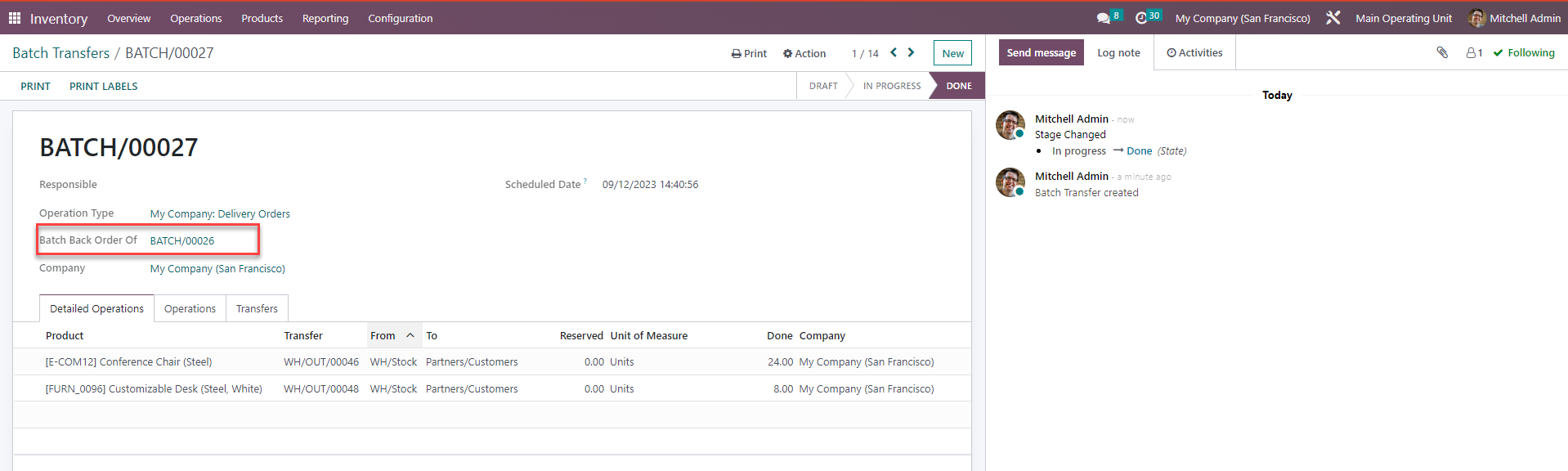
2. A new batch is created (BATCH/OUT/00078) and it showed that this is the batch backorder of BATCH/OUT/00077 | 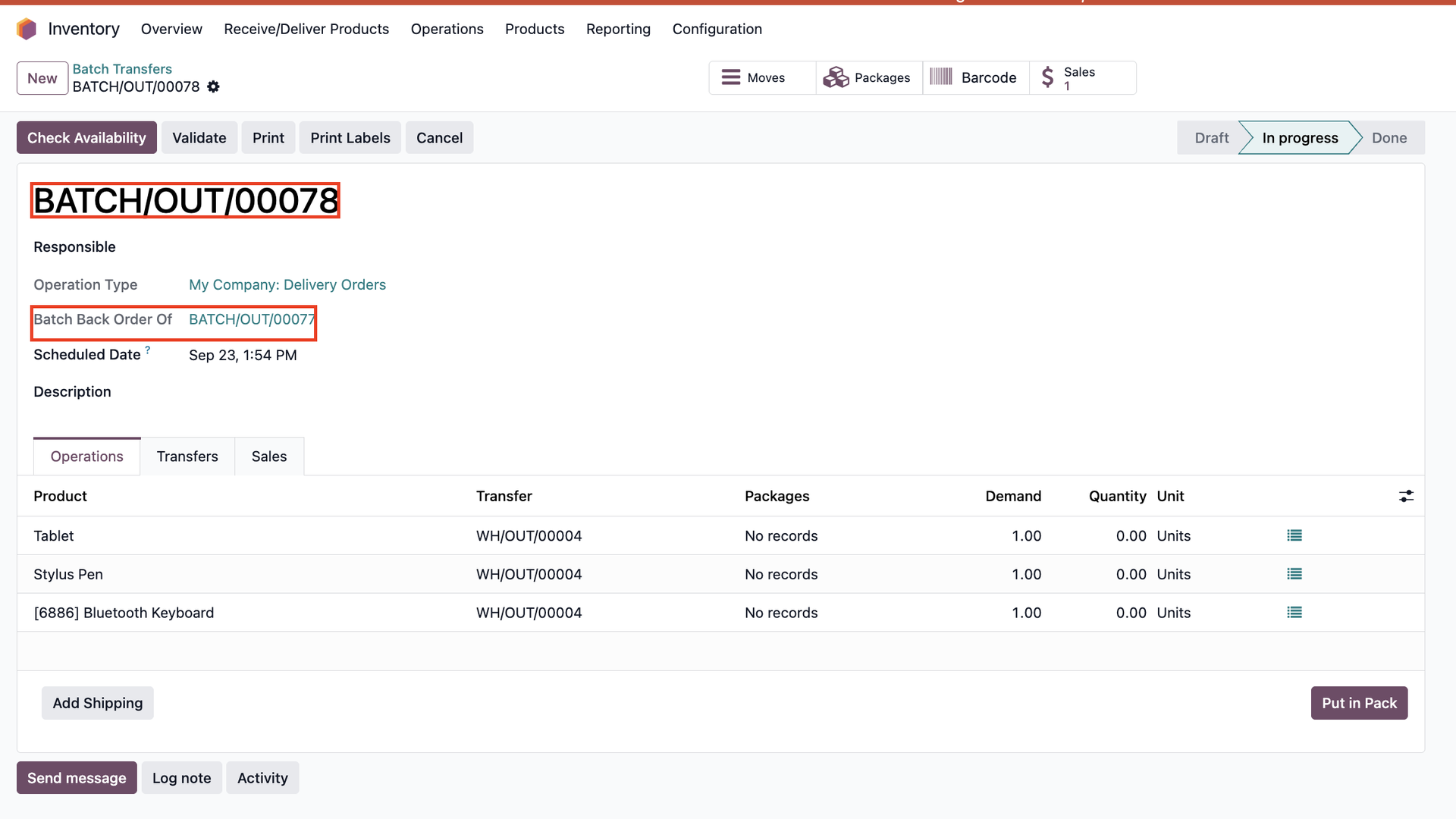 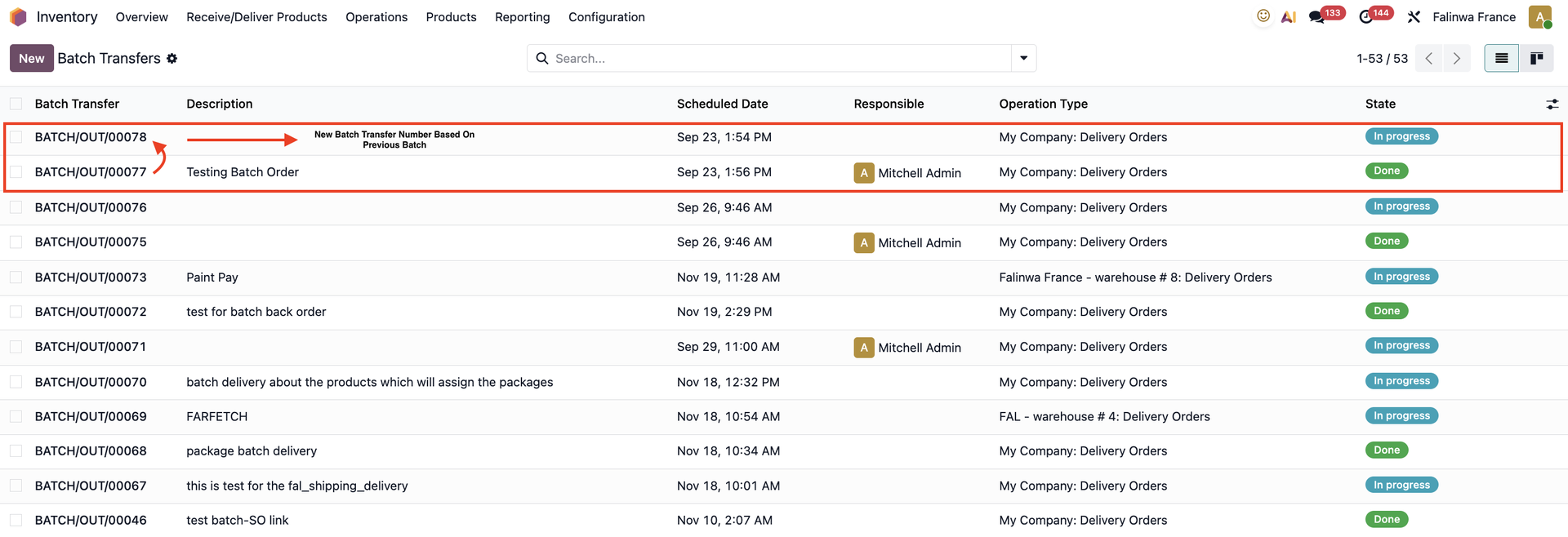 |
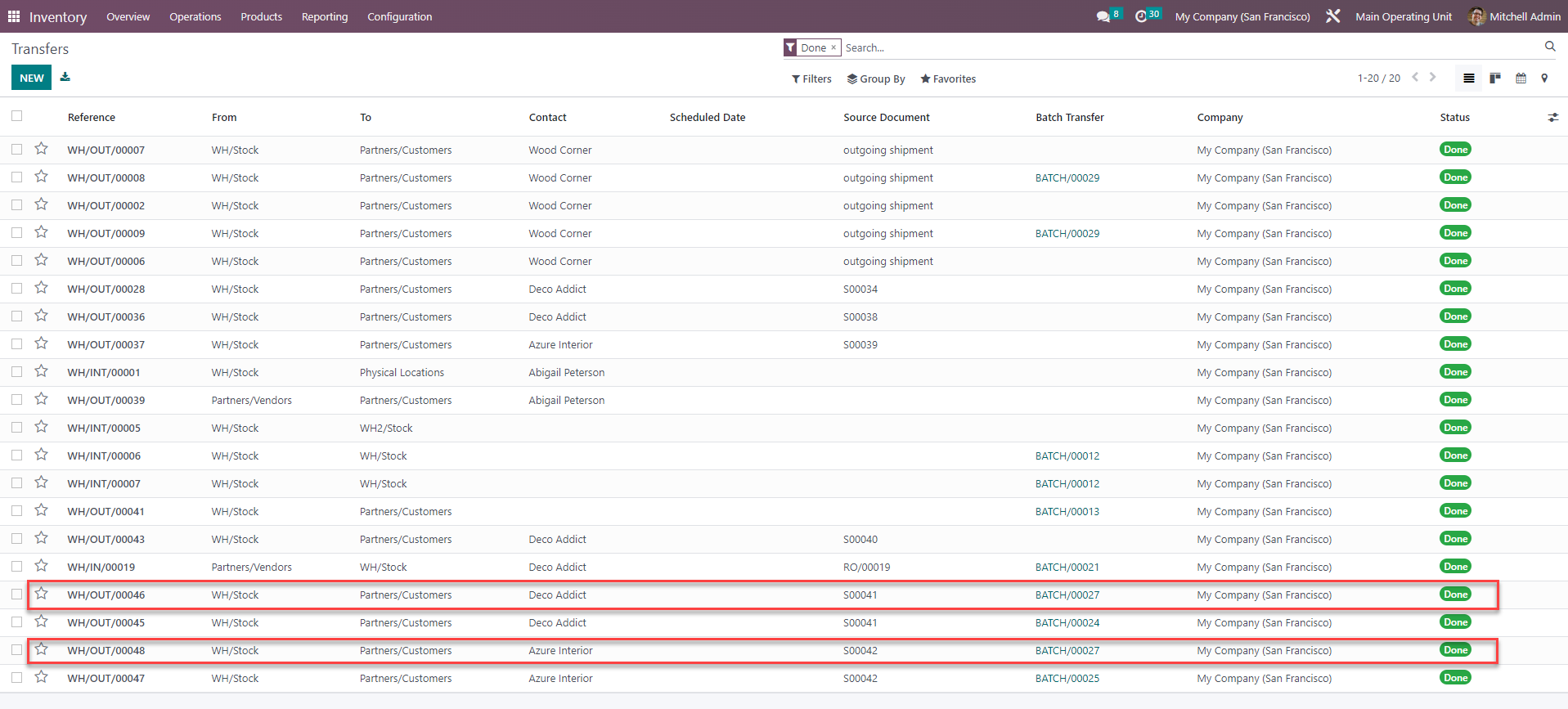
3. On Inventory / Transfers, the finished transfers indicate that they are from the new batch BATCH/OUT/00077 | 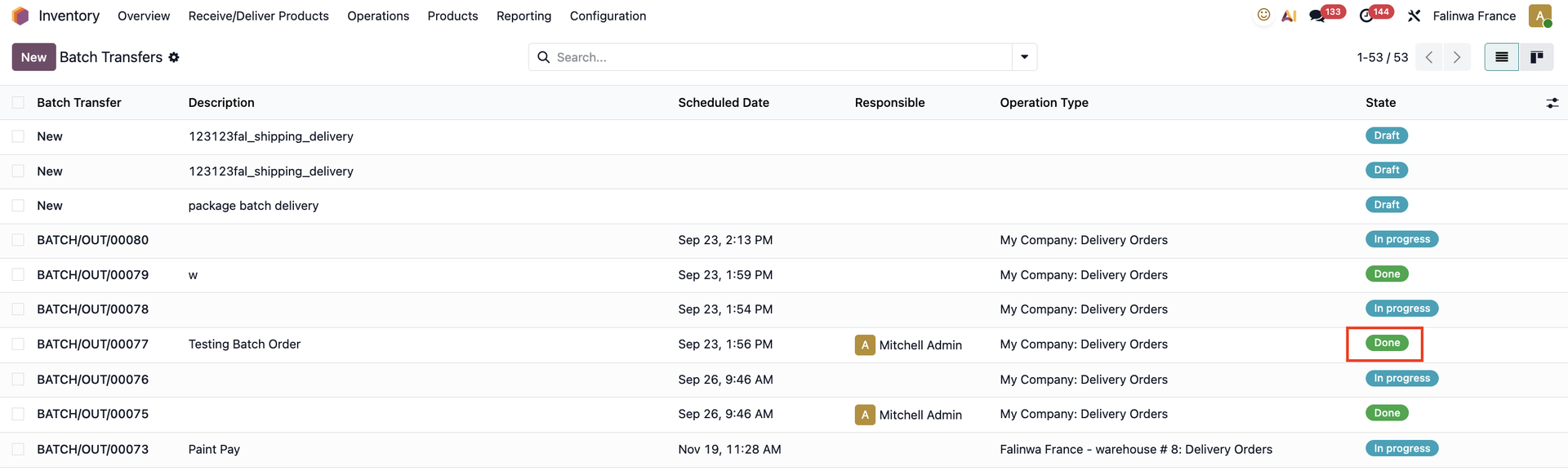 |
STORY BEHIND THE FEATURES
ODOO'S FUNCTIONS
Batch picking allows a single picker to handle a batch of orders, reducing the number of times he/she must visit the same location. In Odoo, if you add backorders to batch, it shows information of "Done" products in batch.
CLUEDOO'S FUNCTIONS
Cluedoo adds additional details when adding backorders to batch. It is used to show information of which batch transfer is creating the backorder.
CLUEDOO RECOMMENDATION
Install on 100% of your database as a useful tool for streamlining the management process.
OUR FEATURES AS SOLUTIONS
Batch backorder
HOW TO USE THIS MODULE
User story: As an inventory staff, you need to add two backorder transfers to batch.
1.
In this case all the products cannot be picked. You can create backorders for both transfers.
2. A new batch is created (Batch/00027) and it showed that this is the batch backorder of Batch00026.
3. On Inventory/ Transfers, the finished transfers indicate that they are from the new batch (Batch/00027)