



ODOO'S FUNCTION
In the Appraisals app, several fields (e.g., Manager and Appraisal Template) have onchange methods that reapply defaults from the selected template and recompute the appraisal Content. By default, Odoo does not provide a mechanism to prevent these onchange refreshes from overwriting user edits once you’ve started customizing an appraisal.
This leads to the following issues:
- Edits to Content are lost after manager change
When a user updates the Content and then assigns/changes the Manager, the onchange on the manager reloads values from the current template and resets the Content back to its original (pre‑edit) state. - Template can revert after later field changes
If a user changes the Appraisal Template, saves, then switches to a different template and later adds/changes the Manager, the onchange chain may reapply the previously cached/defaulted template and revert the appraisal to the previous template configuration.
CLUEDOO'S FUNCTION
CLuedoo introduces Stop Onchange on Appraisals to prevent unwanted overwrites caused by standard onchange logic once users begin editing or once a record is established.
This enhancement provides:
After content has been manually modified (or after the record is saved), manager changes no longer reset the Content. onchange routines are suppressed or made read‑only for fields whose refresh would overwrite user work.
The module prevents reversion to a previous template when the Manager (or other triggering fields) changes. The currently chosen template remains authoritative unless the user explicitly decides to reload from a template.
By providing a robust safeguard against destructive onchanges, Cluedoo ensures data integrity, user trust, and process stability in the Appraisals flow (v18), reducing rework and eliminating accidental content/template reversion.
1. Go to Appraisals > select an existing Appraisal or create a new one | 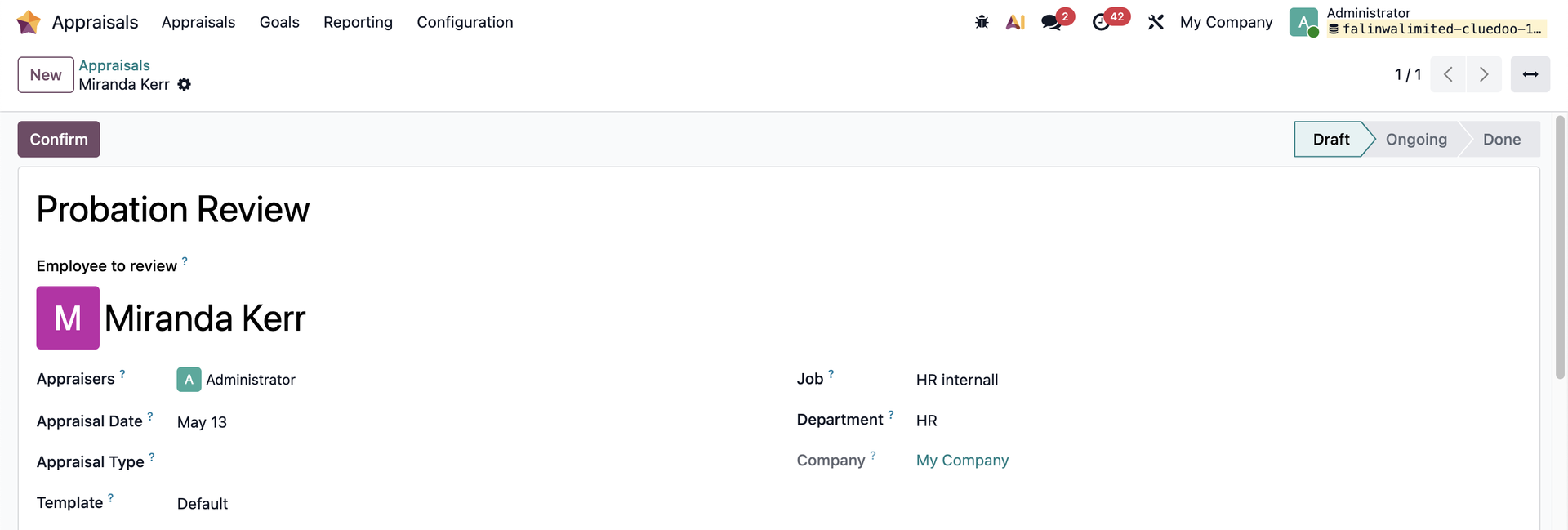 |
2. Update the appraisal content > Add or change the manager > The content no longer resets. | 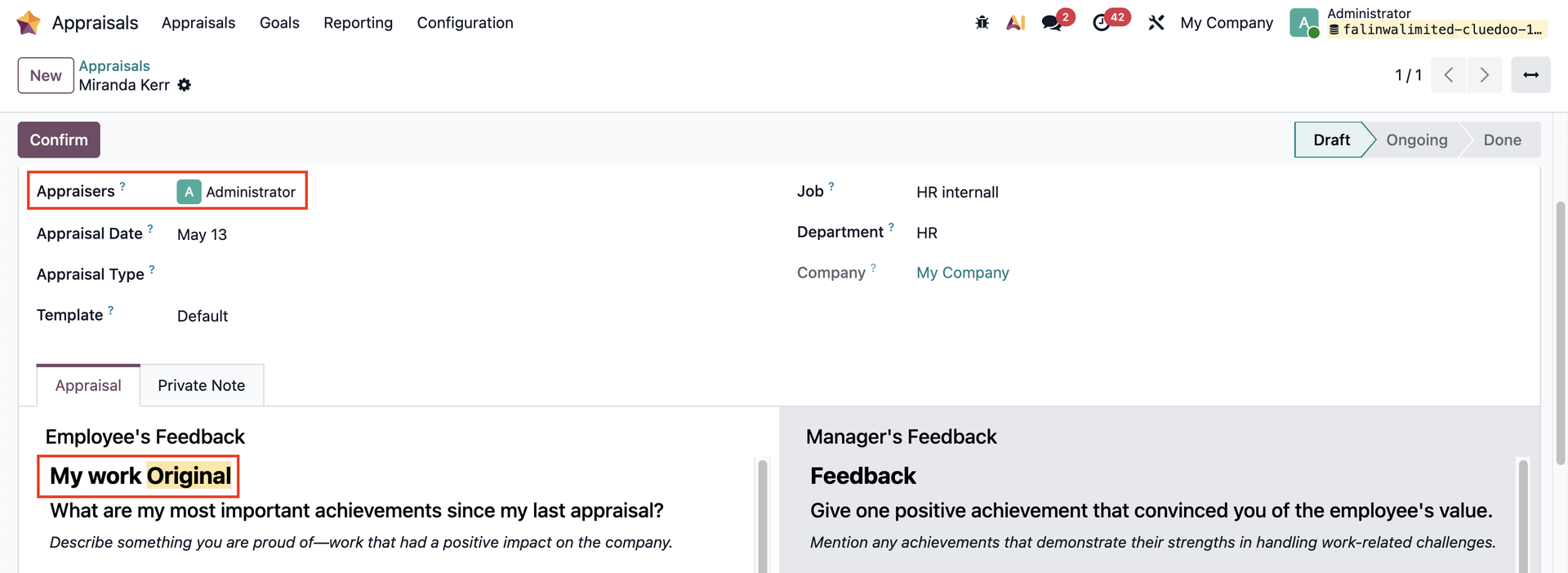 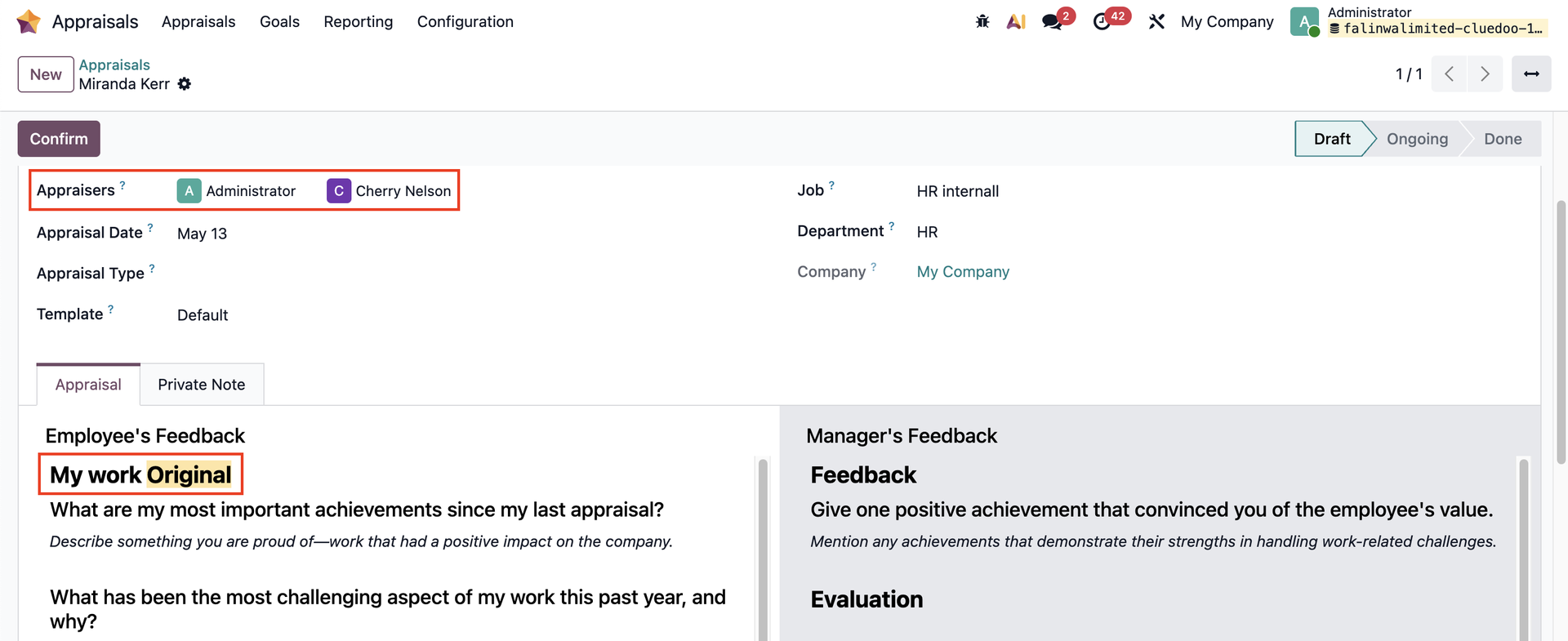 |
3. Change the Appraisal Template > Save it. | 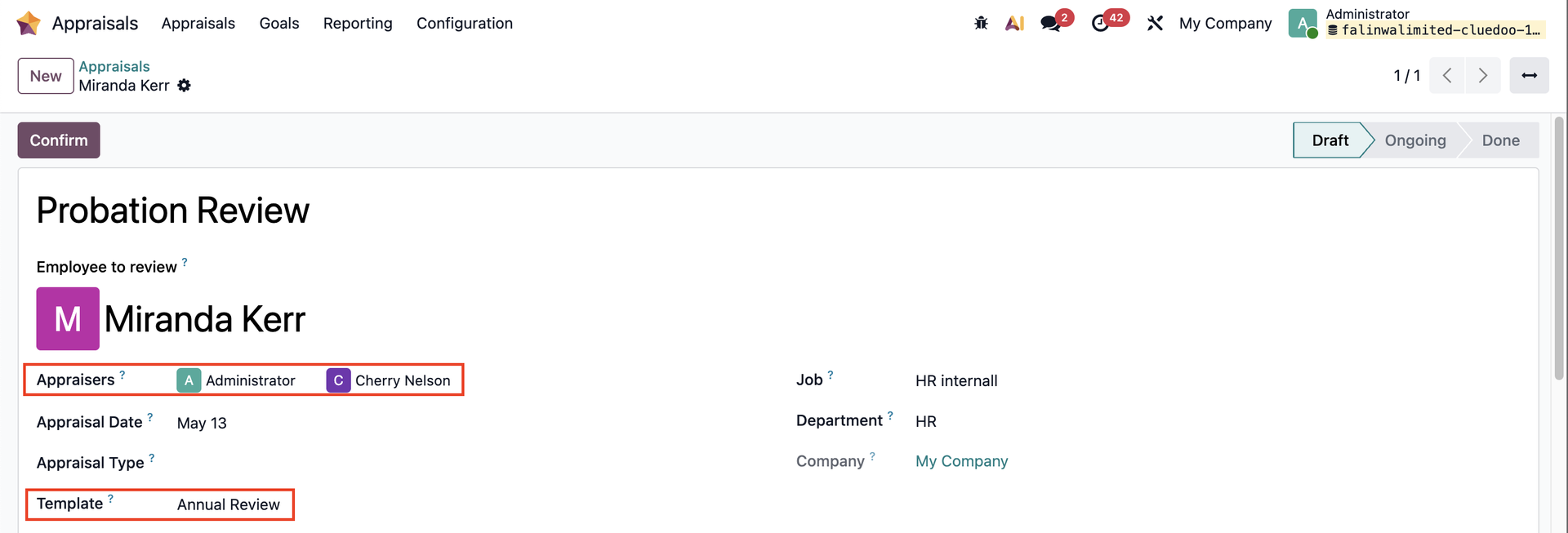 |
Switch to another template > Add or change the managers/appraisers > No reversion to the previous template. | 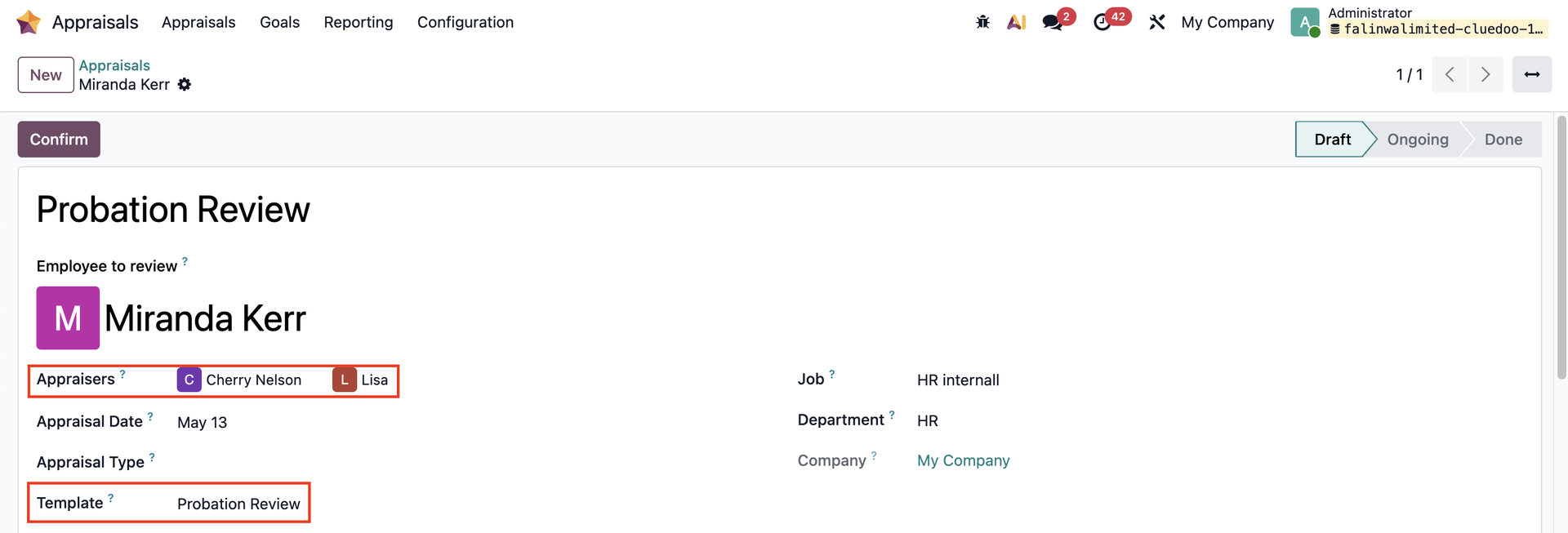 |