


STORY BEHIND THE FEATURES
ODOO BEHAVIOUR
Odoo provides a ticket form in order to help customers send feedback to Odoo Helpdesk
CLUEDOO BEHAVIOUR
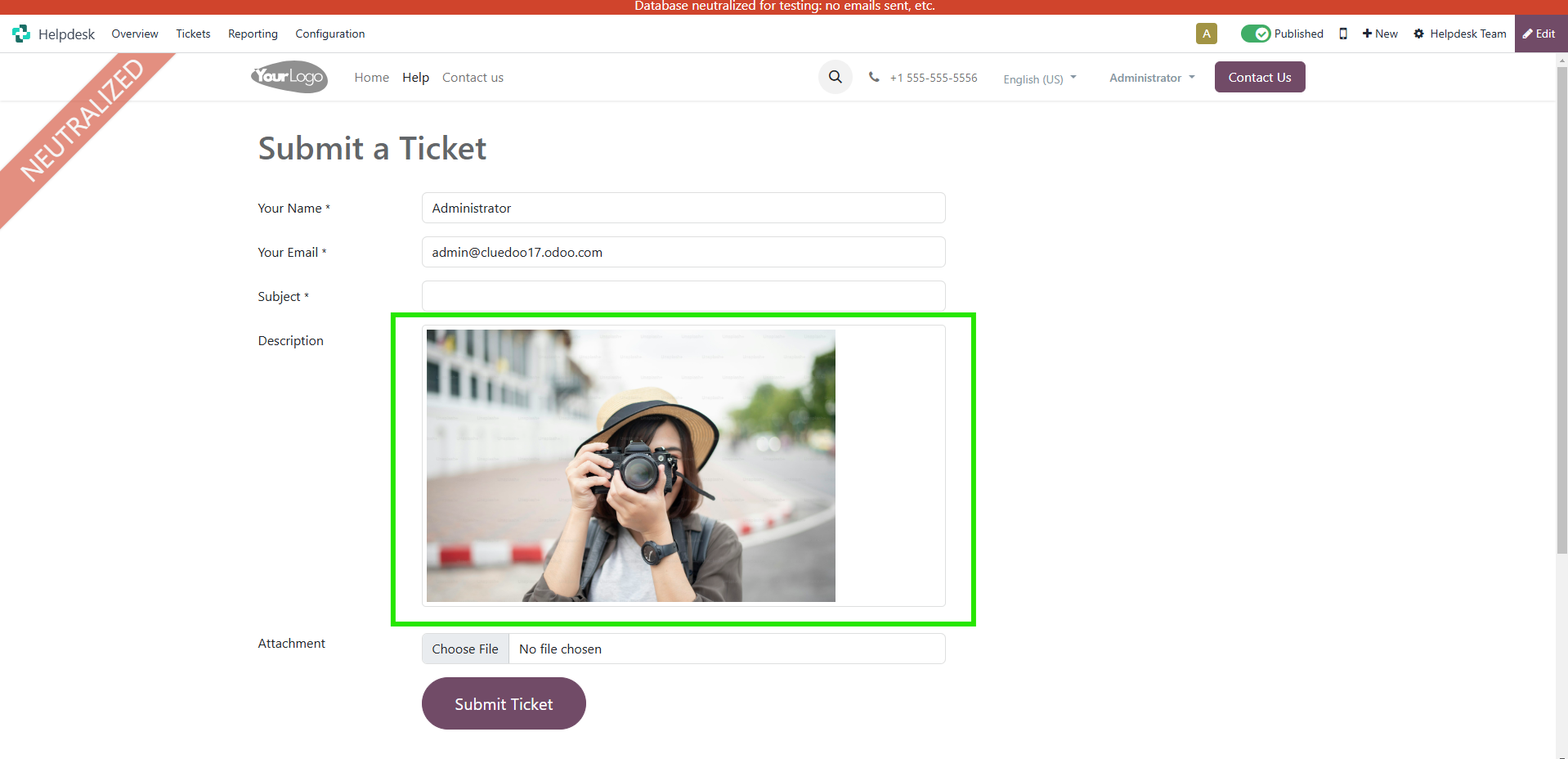
Cluedoo extends this function by allowing cope/paste an image into the ticket form through ticket
MODULE +
This function helps users more convenience in describing their problems
CLUEDOO RECOMMENDATION
Install this template in 100% of your databases as a useful tool for user creation and management.
HOW TO USE MODULE
HOW TO USE MODULE
1.
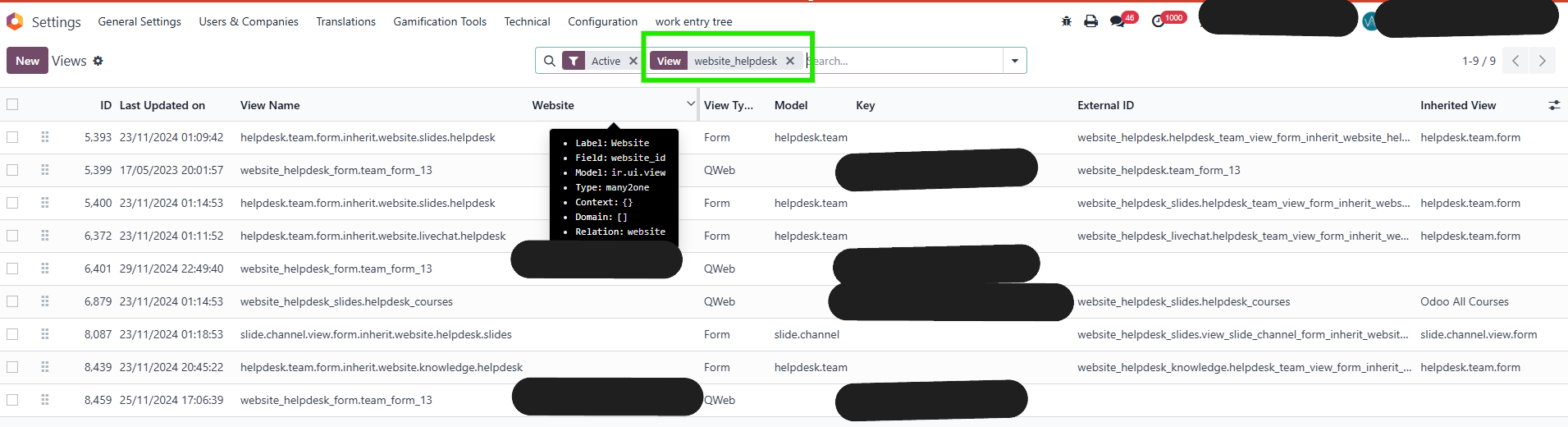
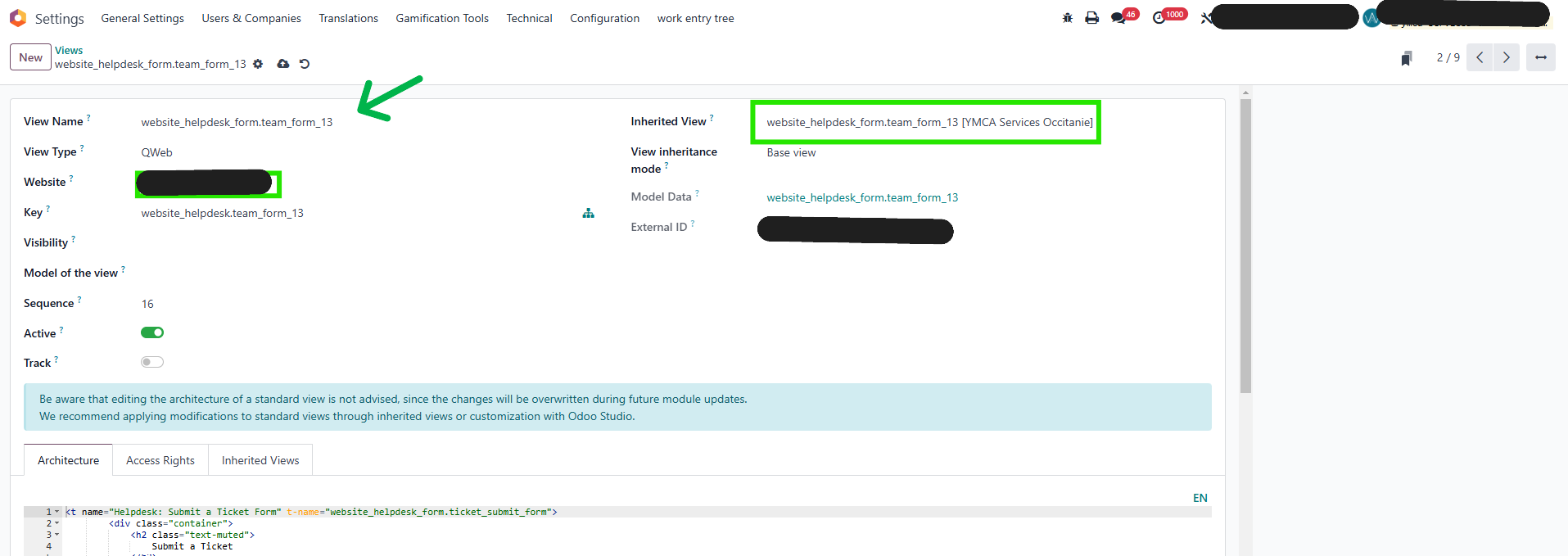
- Open View in Setting > Search website_helpdesk > Search name like view name like image below
- Select field like image and save
2. Access
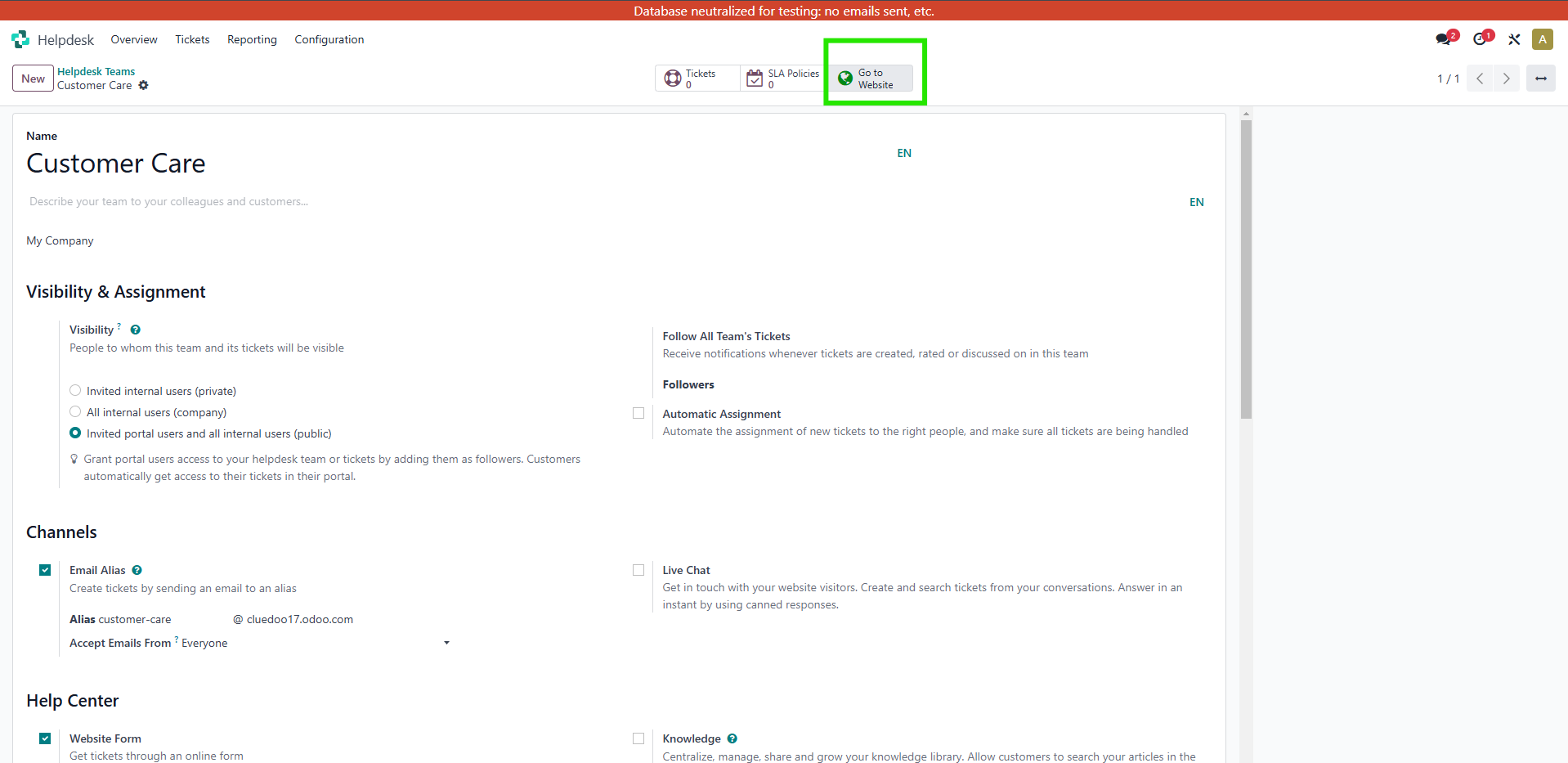
Helpdesk > Configuration > Helpdesk Teams > Create or choose a team > click button Go to Website
3. You will have a ticket form. You can copy/paste an image into the ticket form in field description