



ODOO'S FUNCTION
Odoo standard doesn't support creat event calendar meeting automatically from task
CLUEDOO'S FUNCTION
Add 'Create/ Update Planning' button in project's task to create/ update plan in planning and calendar meeting
Note: Set deadline and start date first. | 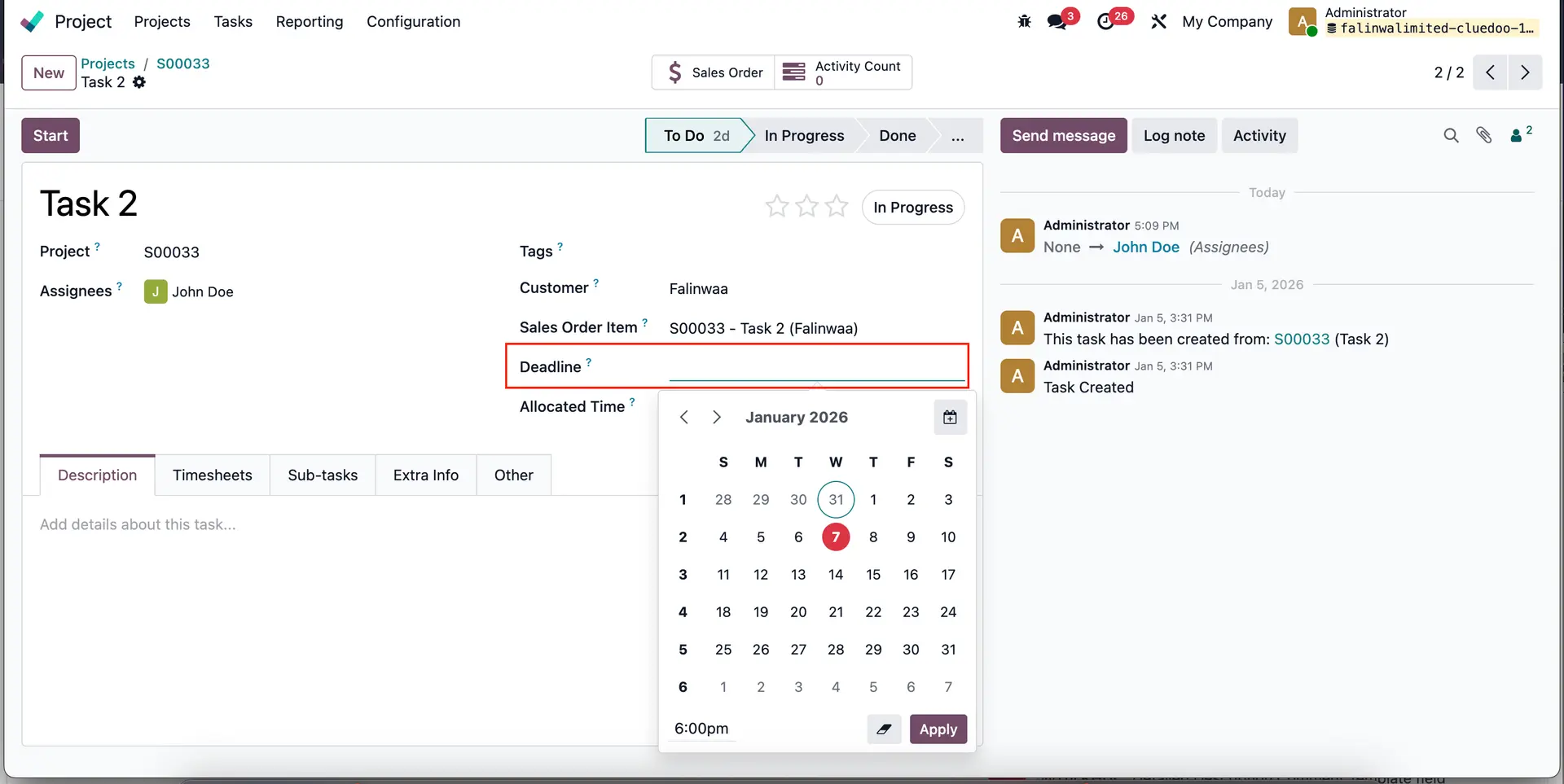 |
| 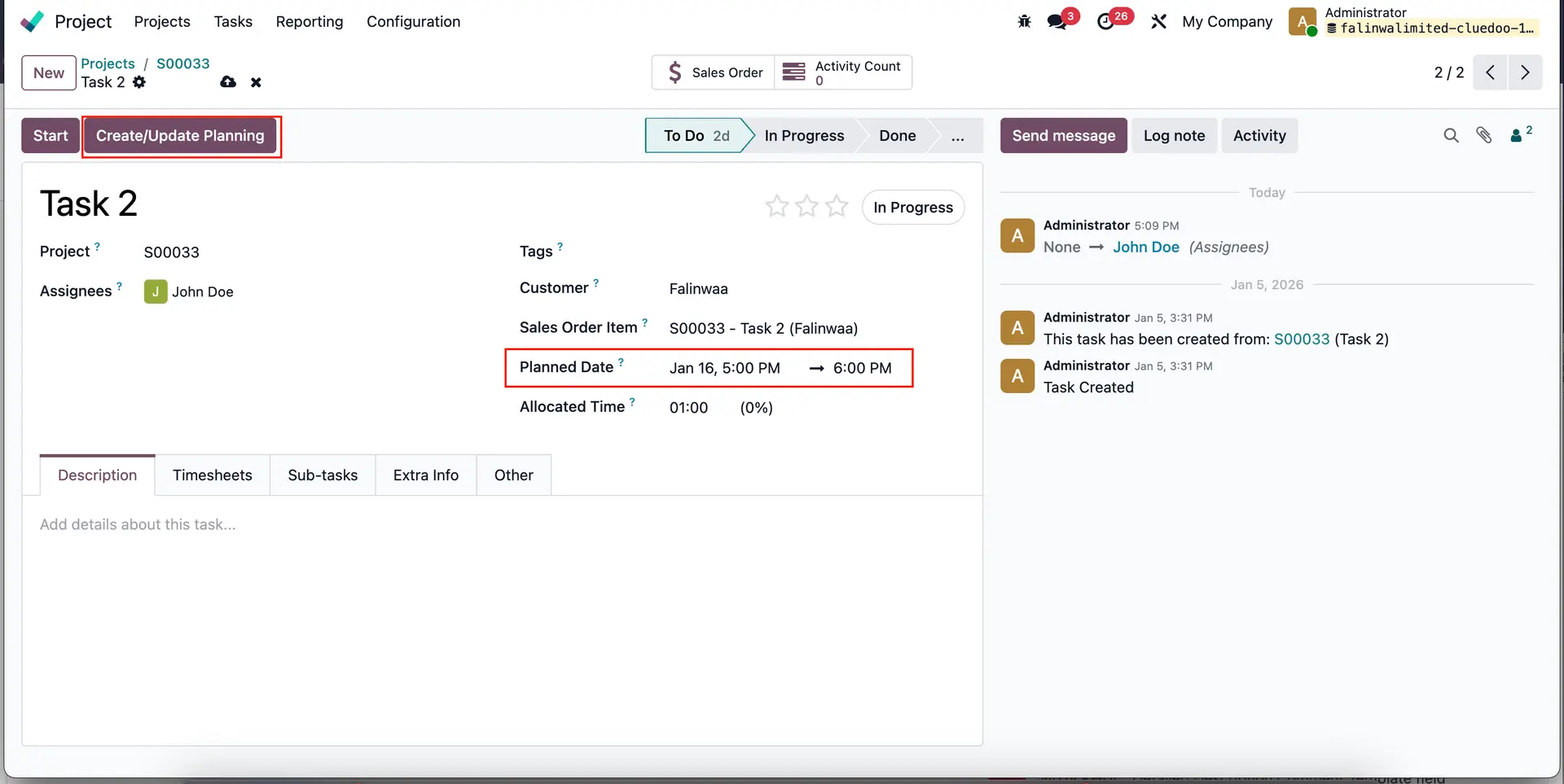 |
2. Go to Planning. The planning for the user is created automatically with the planned date. | 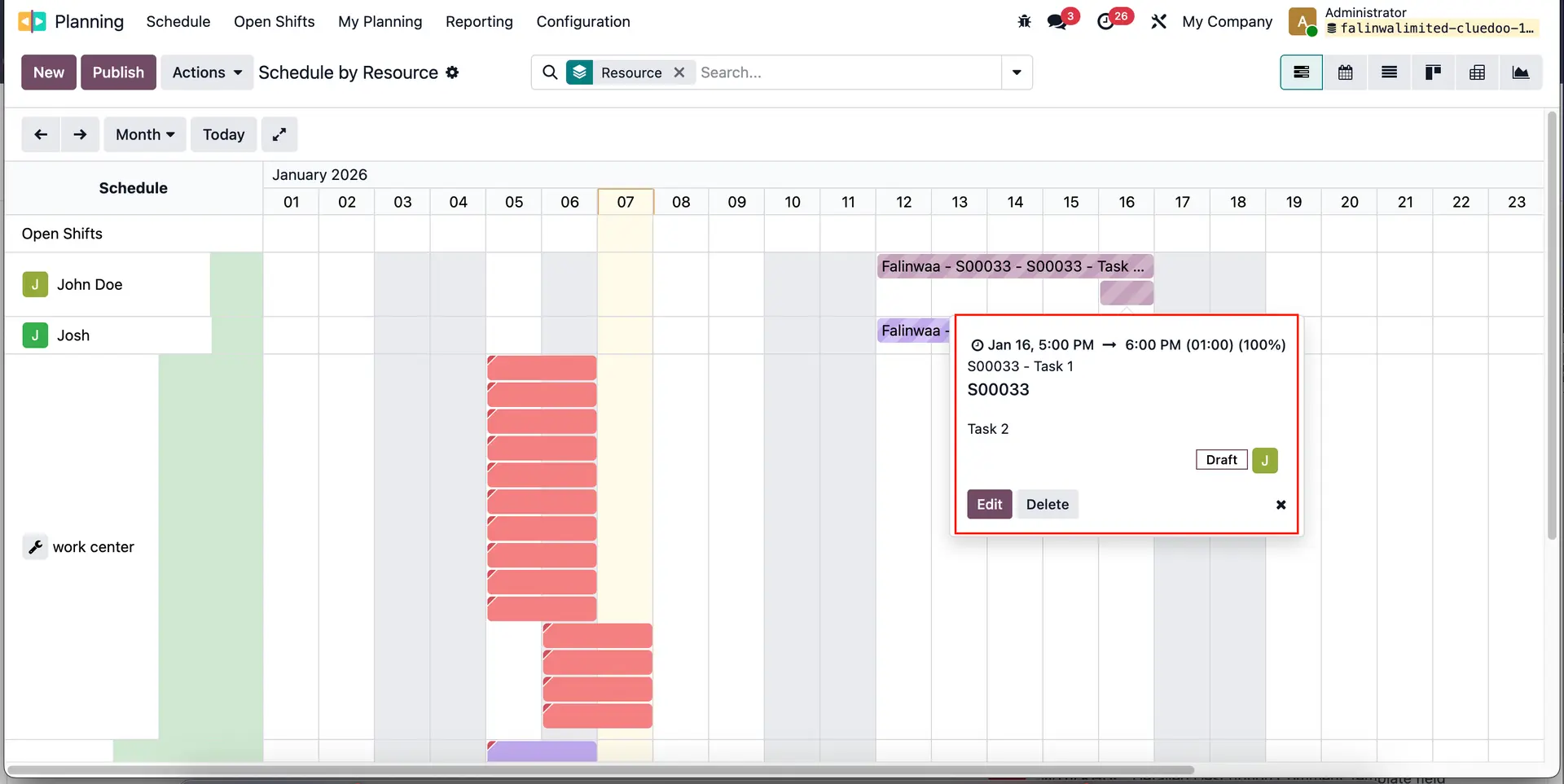 |
3. Go to Calendar > The planning for the user is created automatically with the planned date. Note: if you delete the planning, the meeting calendar will also be deleted | 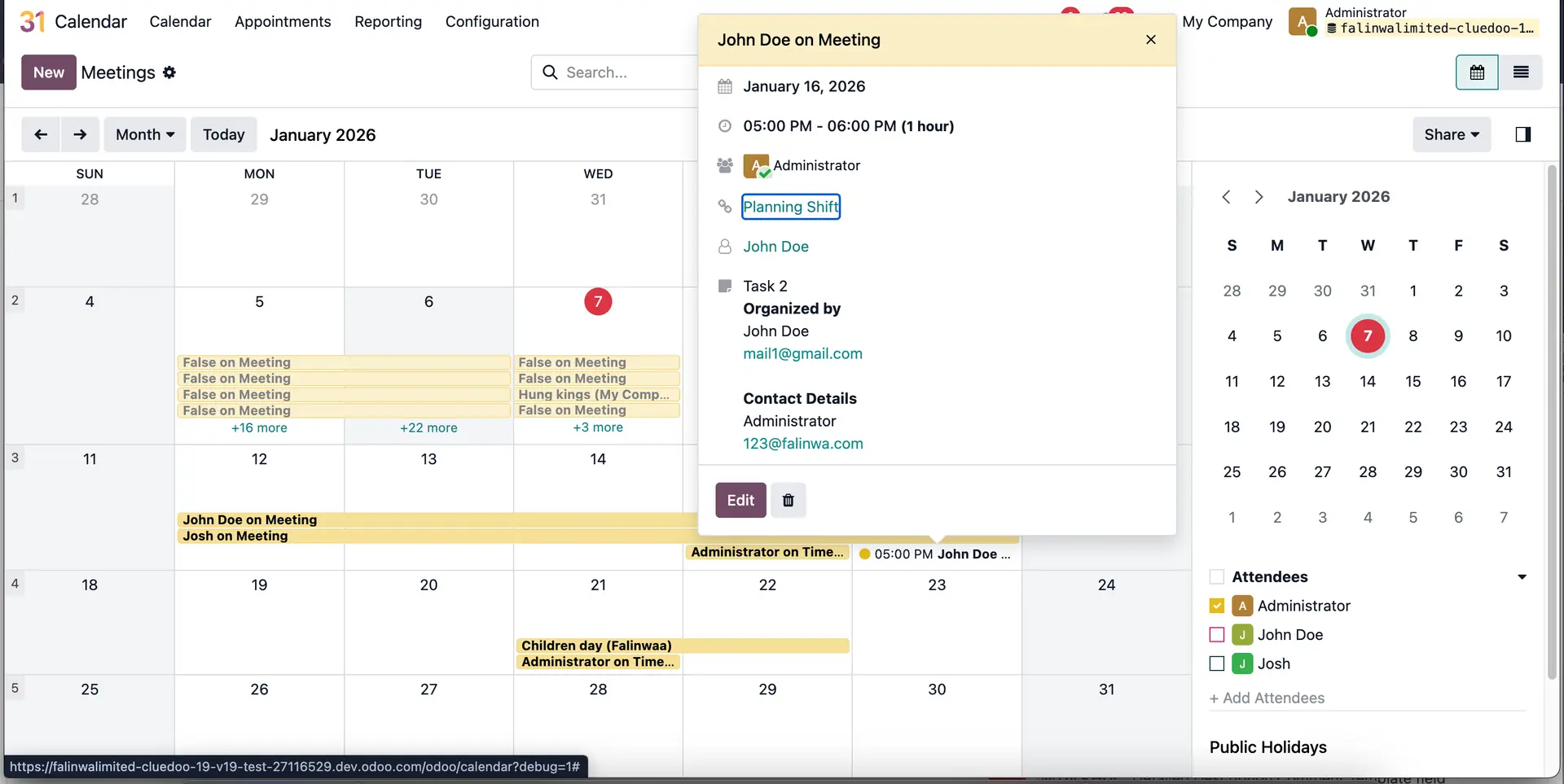 |