


STORY BEHIND THE FEATURE
ODOO BEHAVIOR
In Odoo, the Appraisals module allows companies to manage employee evaluations but lacks Appraisal Templates . Users could create appraisals, but all followed the same format without differentiation based on appraisal type.
CLUEDOO BEHAVIOR
Cluedoo introduces the notion of Appraisal Templates:
- Add the possibility of having different appraisal templates.
- Add Title linked to the appraisal template.
CLUEDOO RECOMMENDATION
Install on 100% of your database.
HOW TO USE THIS MODULE
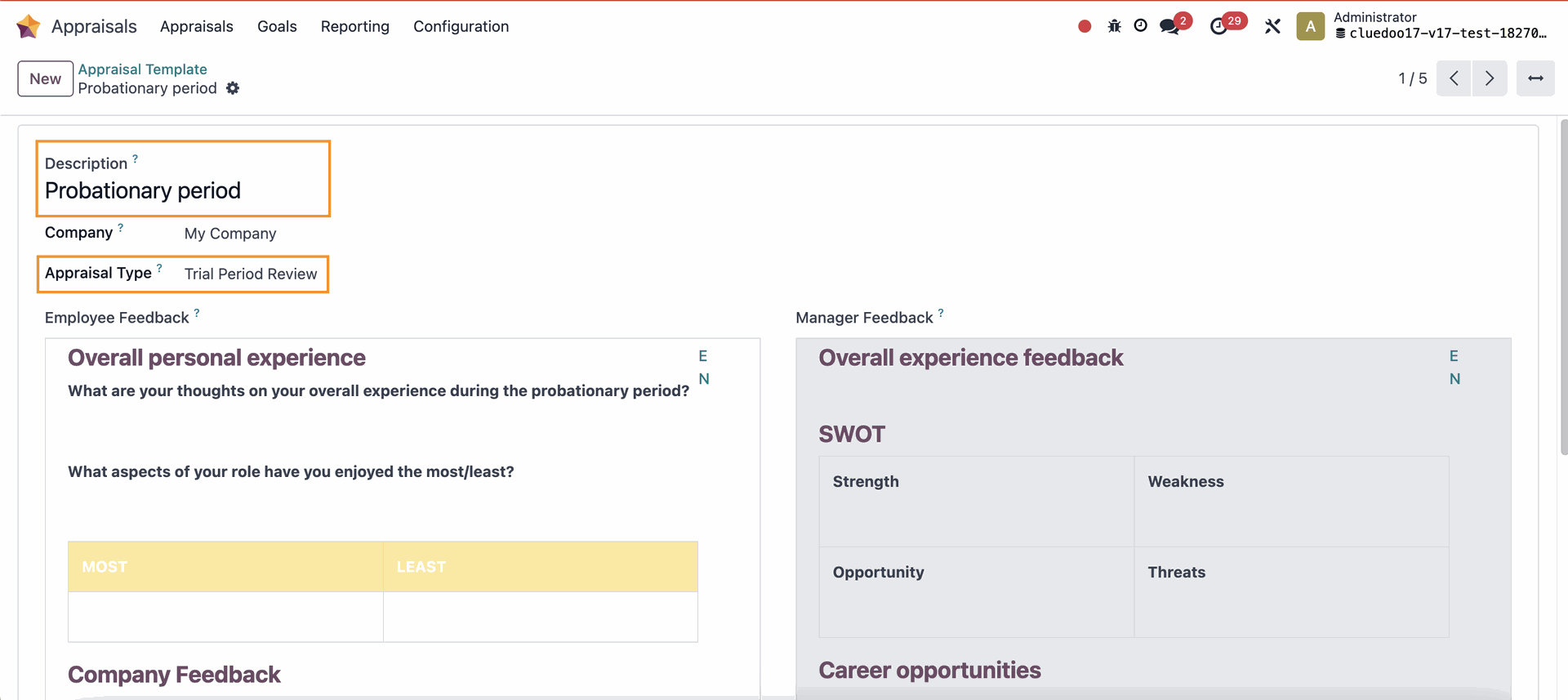
APPRAISAL TEMPLATES1. Go to Appraisals > Configuration > Appraisal Templates > New > Fill in the necessary information and the format of the template > Save |
|
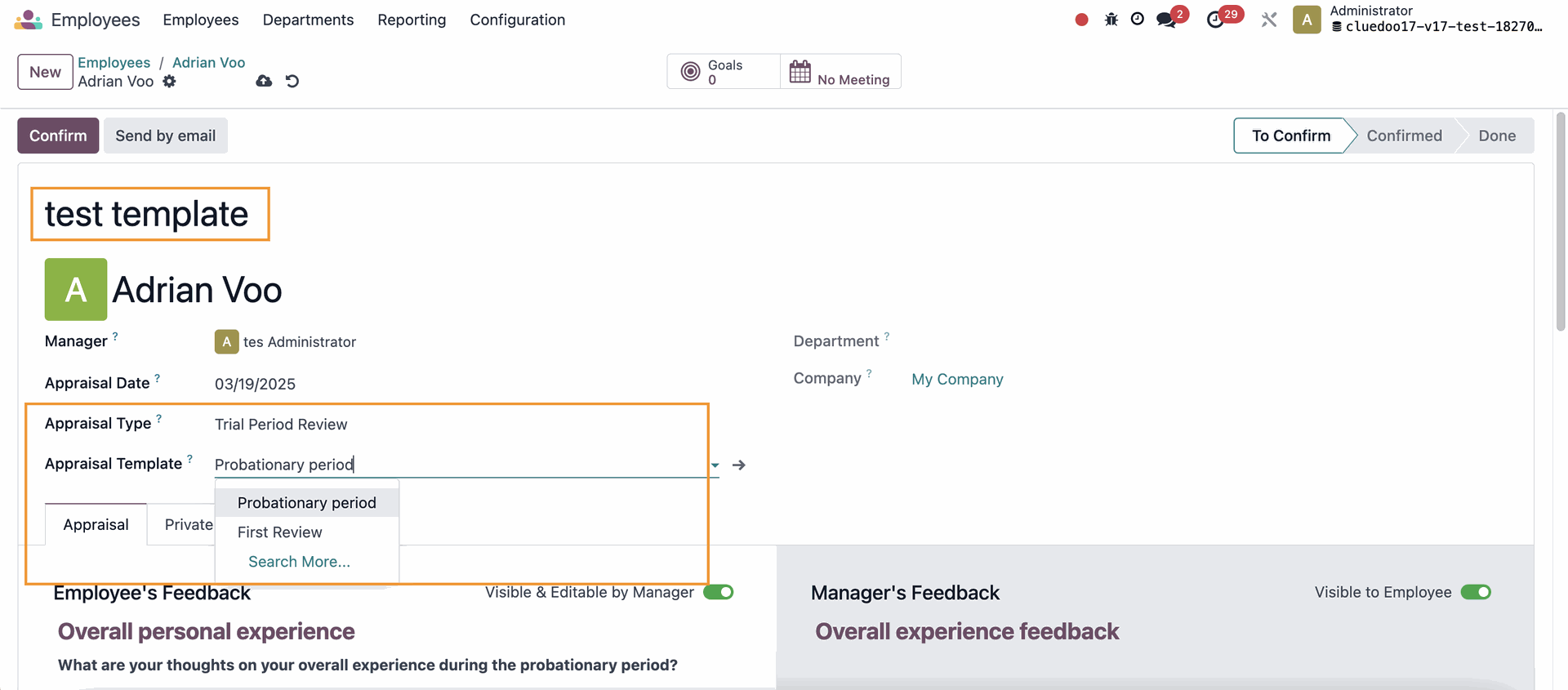
2. Go to Employees > Choose an employee > Request Appraisal > Fill in the Title, choose Appraisal Type, and select the template that belongs to that type in Appraisal Template The template format will change according to what you set in Appraisal Templates. |
|