Odoo(オドゥー)の機能
【翻訳】By default, Odoo’s Purchase module does not provide a dedicated configuration for down payments, requiring users to manually add a product or line item to represent down payments in Purchase Orders (POs) or Vendor Bills. There is no option to define a specific product for down payments or control its visibility in POs under Settings.
Cluedoo(クルードゥー)の機能
【翻訳】CLuedoo improves Odoo’s Purchase module by introducing streamlined down payment management:
【翻訳】1️⃣ Allows defining a specific product for down payments and controlling its visibility in POs
【翻訳】2️⃣ Enables selecting a down payment option and specifying an amount or percentage
【翻訳】3️⃣ Displays down payment records in a dedicated section on the bill and Purchase Order Lines
【翻訳】4️⃣ Ensures down payments are not copied when duplicating a PO, preserving only regular PO items for accuracy.
1【翻訳】Go to Settings > Purchase > Down Payments > Define product for down payments and whether the down payment product is displayed in POs. | 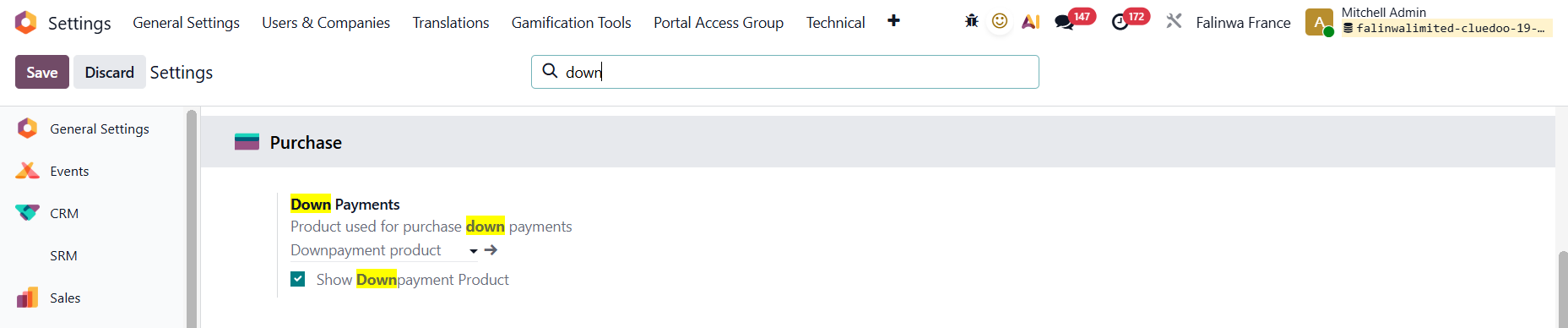 |
2【翻訳】Create a Purchase Order and then create a bill. 【翻訳】When registering the payment, we can select the down payment option as well as add the down payment amount/percentage. 【翻訳】e.g., I create a PO that is worth $200 and choose to invoice a down payment of 50% | 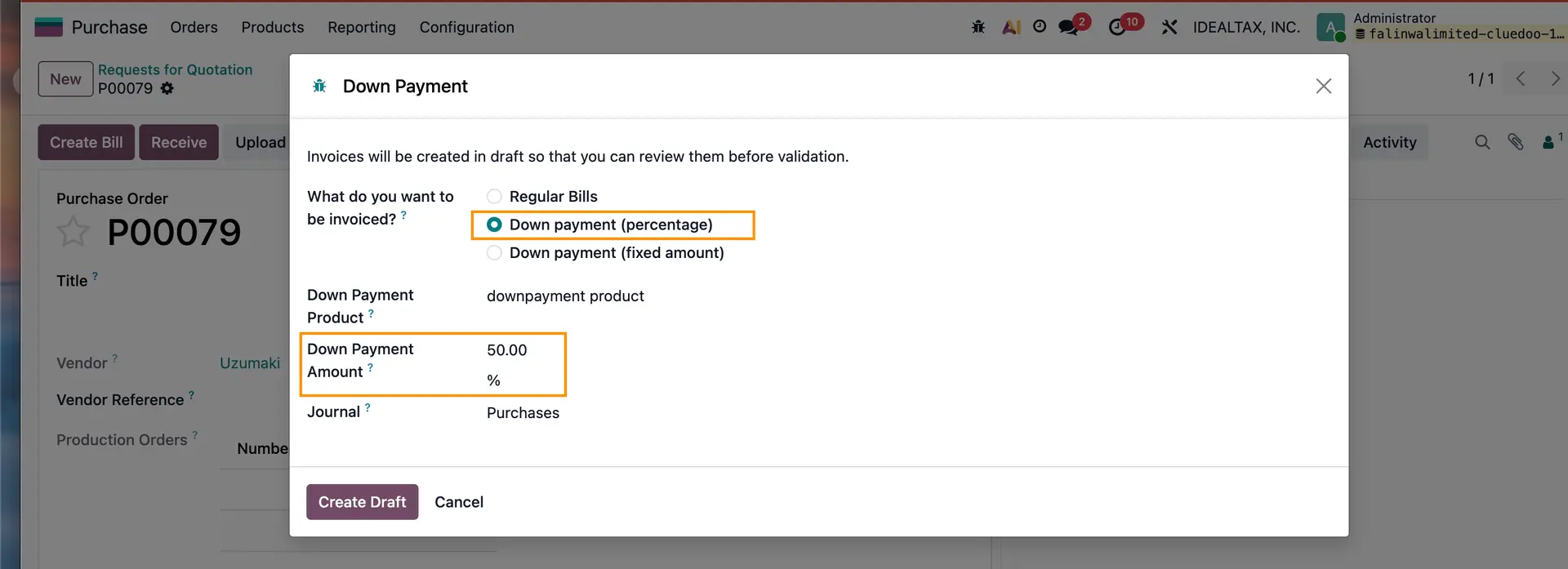 |
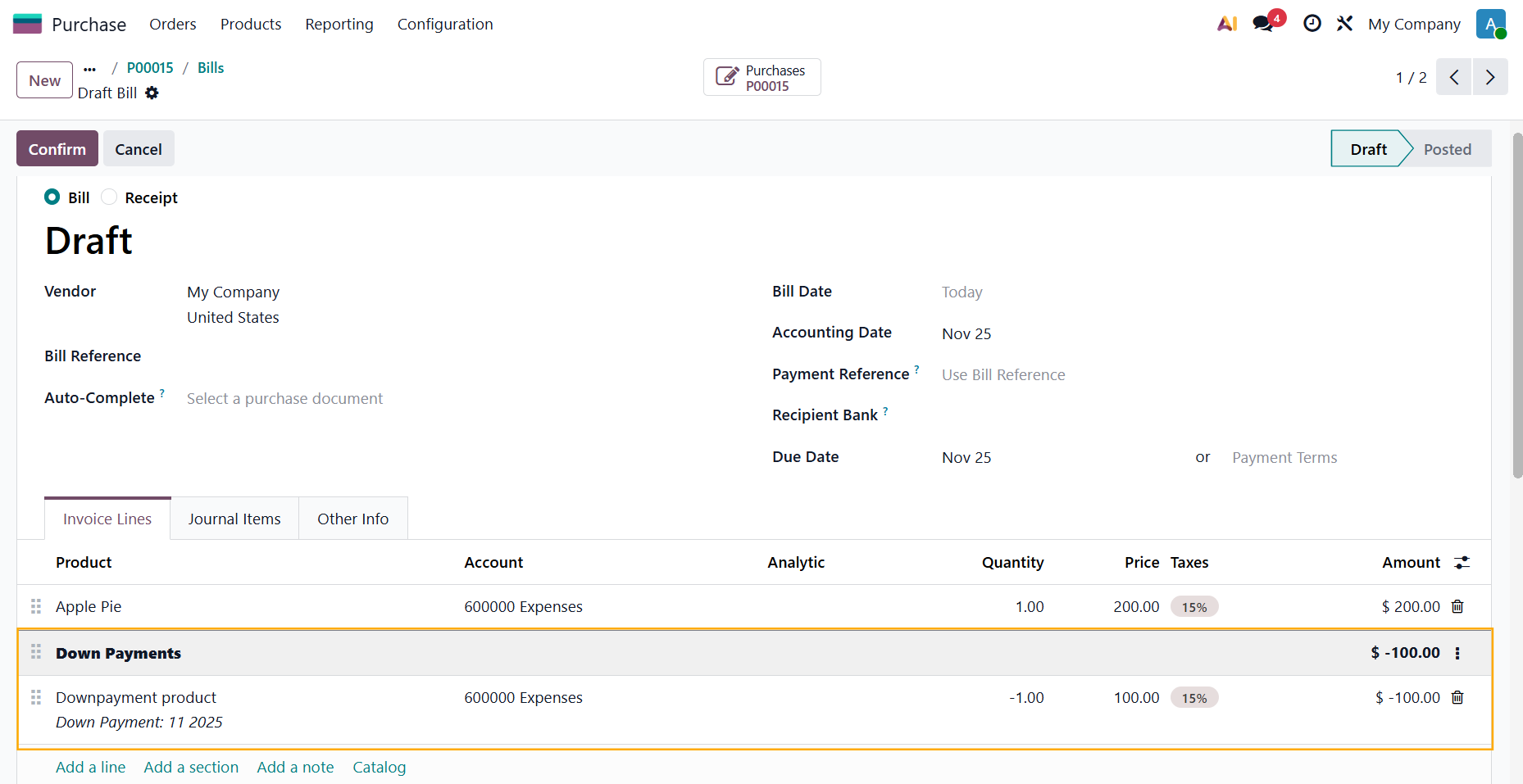
3【翻訳】In the bill lines/POL, it will show the down payment record with the correct amount. |  |
【翻訳】Notes:
|  |