



ODOO'S FUNCTION
Odoo proposed to manage Paid Time-off but does not propose solution for creating provision cost.
CLUEDOO'S FUNCTION
Cluedoo helps to make paid leave provision for all company's employees. This module will be beneficial mostly for accountants. In addition, if any changes are made, it would be easy to reserve and automatically provide new provision entry.
1. Create a product for Time-off Provision Note: The provision will be calculated based on Product Sales Price | 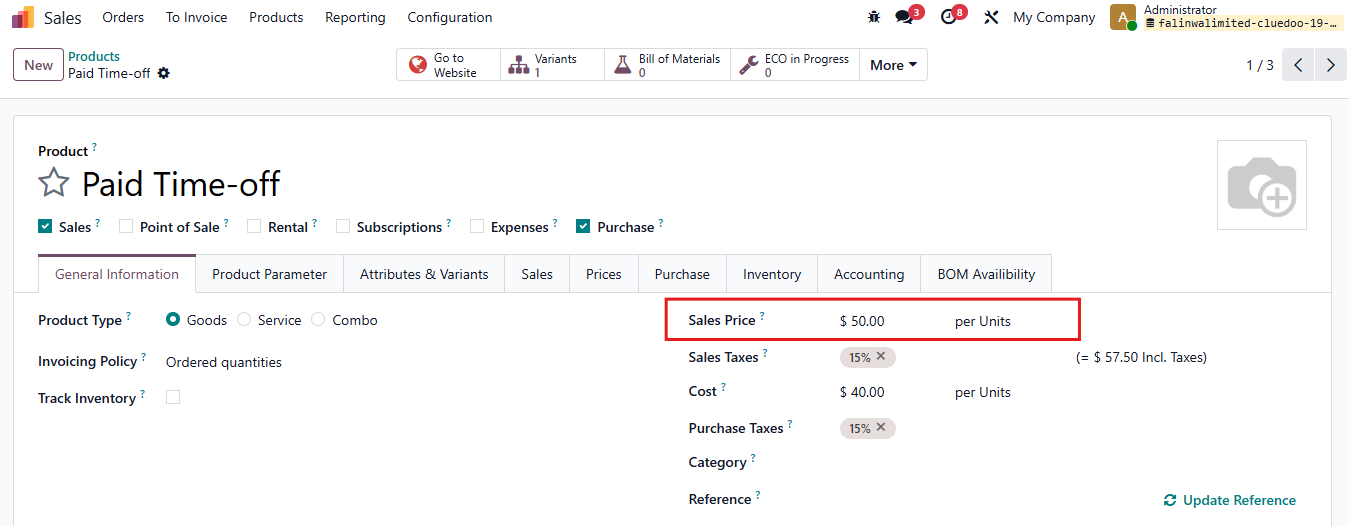 |
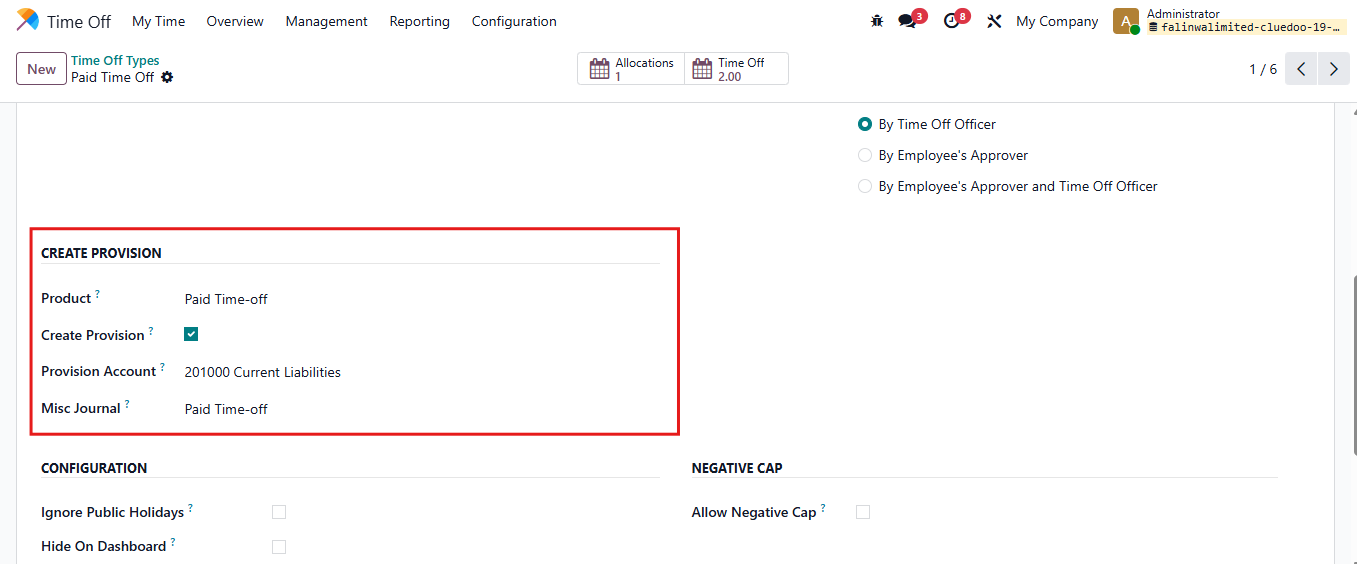
2. Go to Time-off > Configuration > Time-off Type In Create Provision
|  |
3. Turn on Debug Mode Go to Setting > Technical > Scheduled Action Find "Schedule Journal Entries" Actions You can modify the execution schedule here. But you want to make a provision right now > Click button Run Manually | 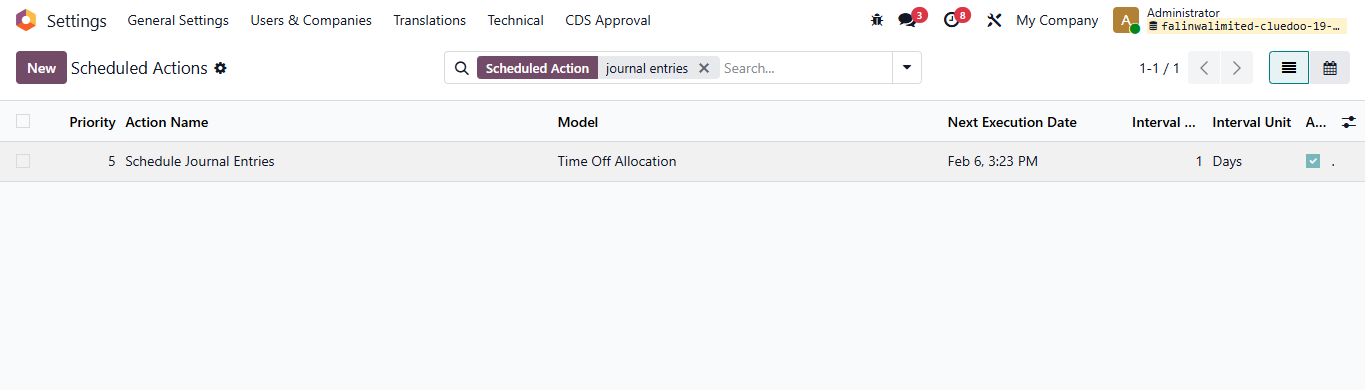 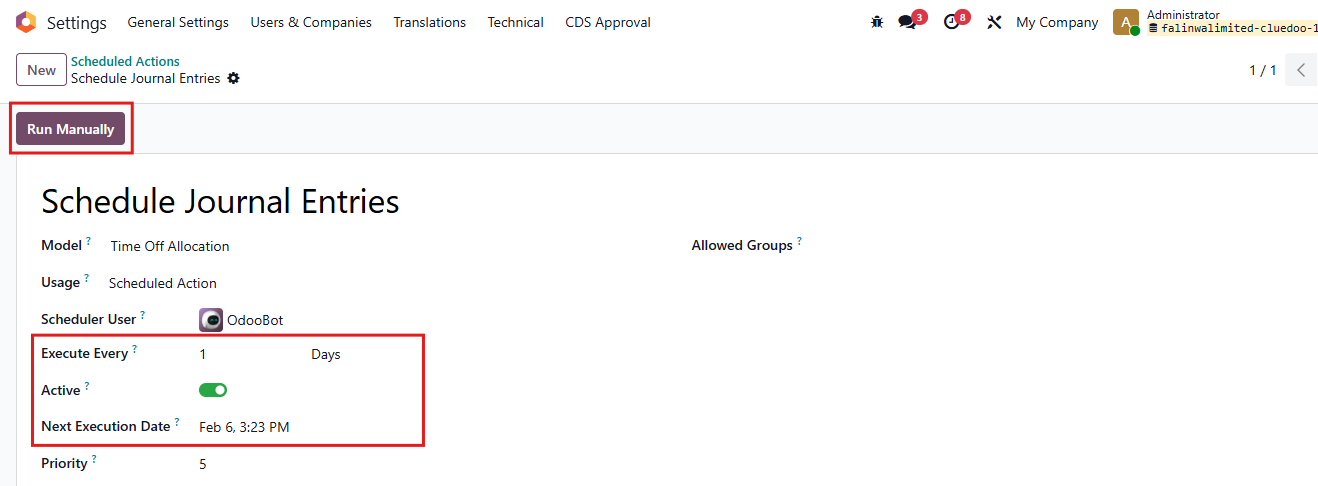 |
4. Go to Accounting > Journal Entries You will find a Journal Entries is automatically post for this Time-off type. It is calculated based on Product's Sales Price and number of remaining Days of Paid Time off. | 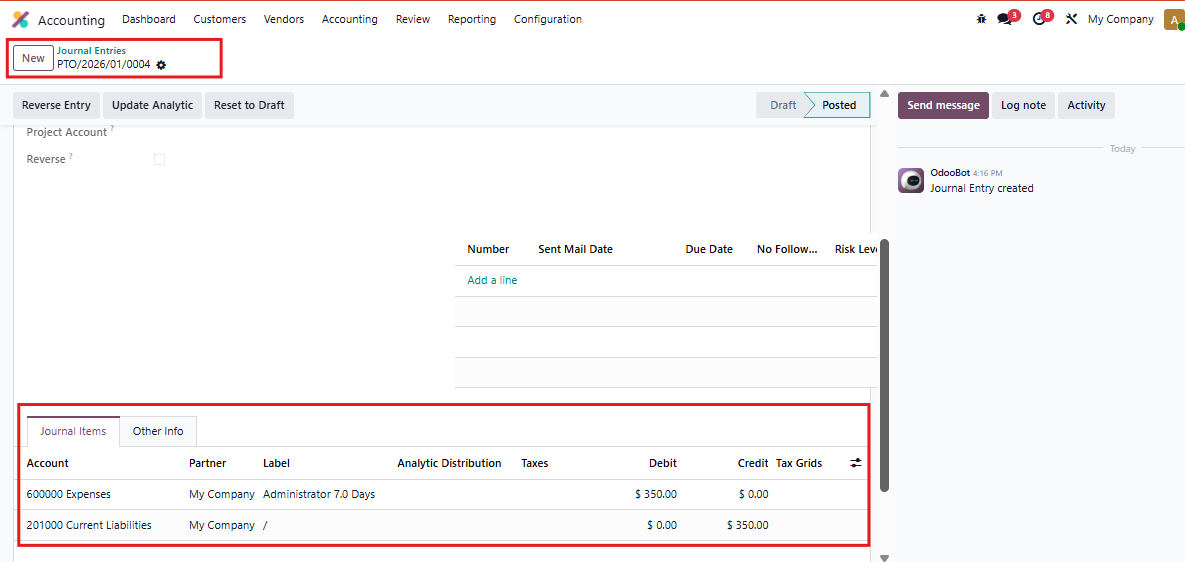 |
5. In case user need to modify on Time-off, this entry will be reversed Click button Reverse Entry | 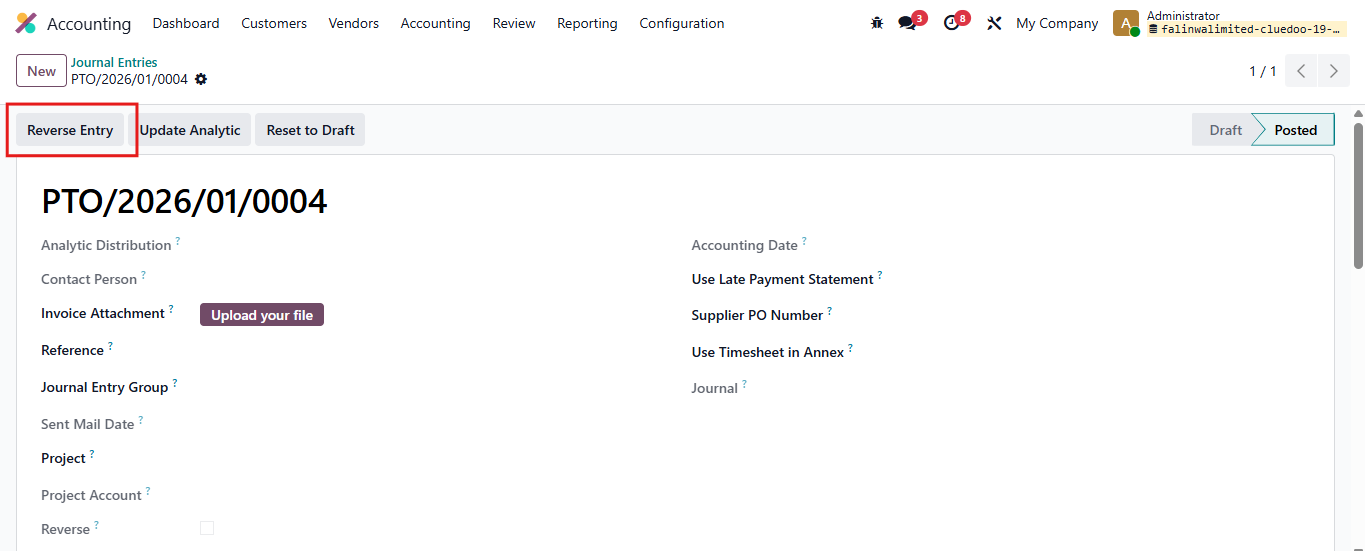 |
6. Reverse Wizard appears Set Journal and Reversal Date > click Reverse A new provision entry will be created. | 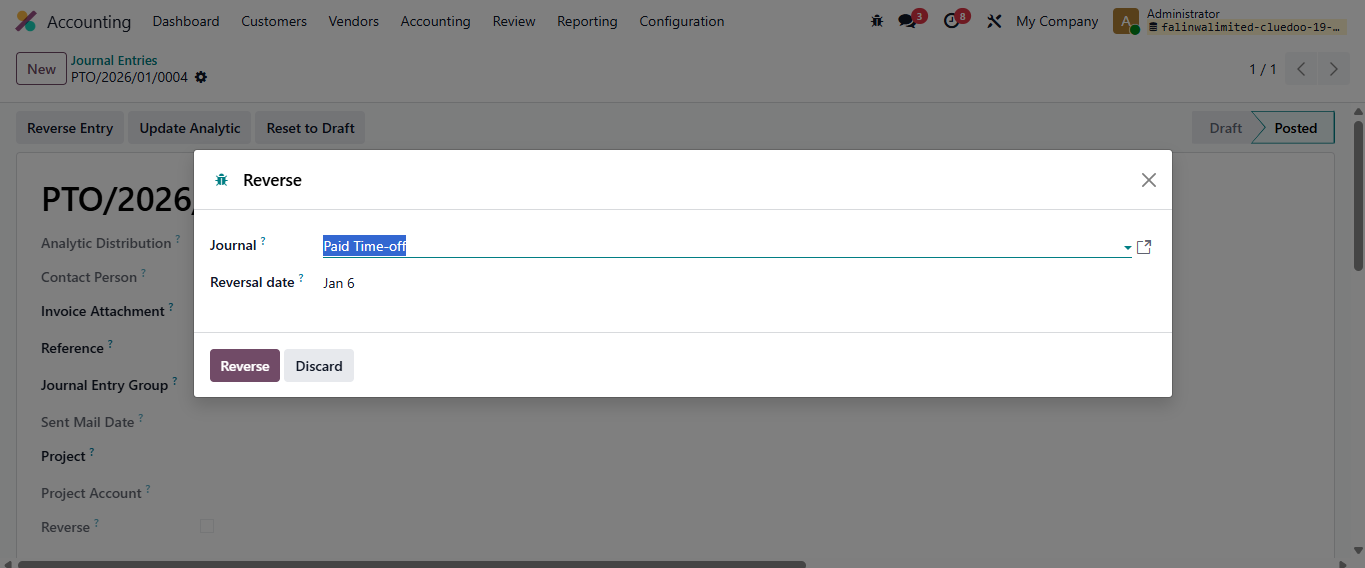 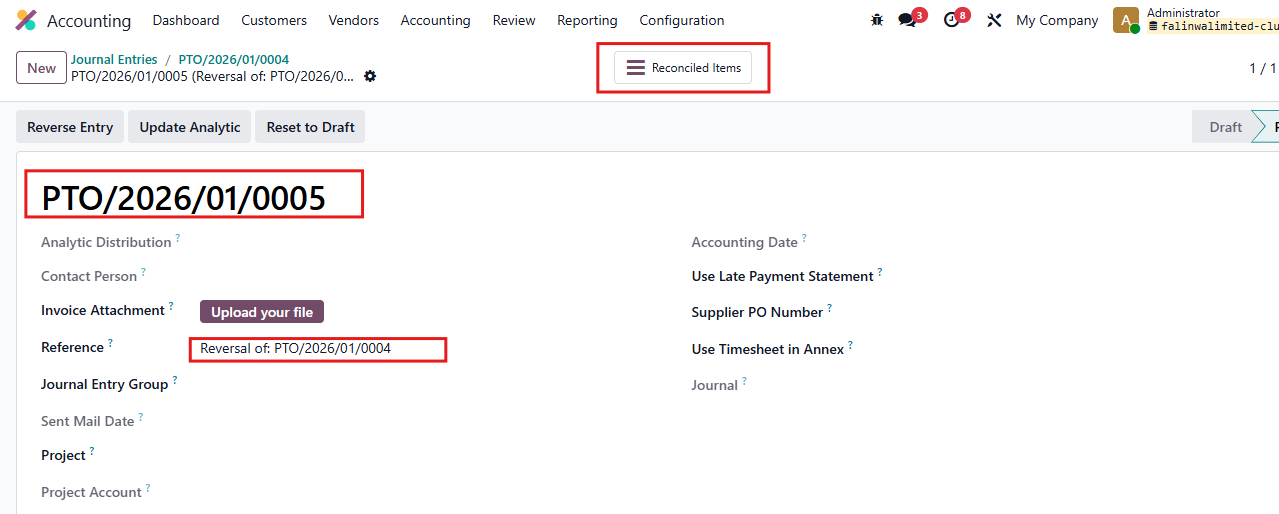 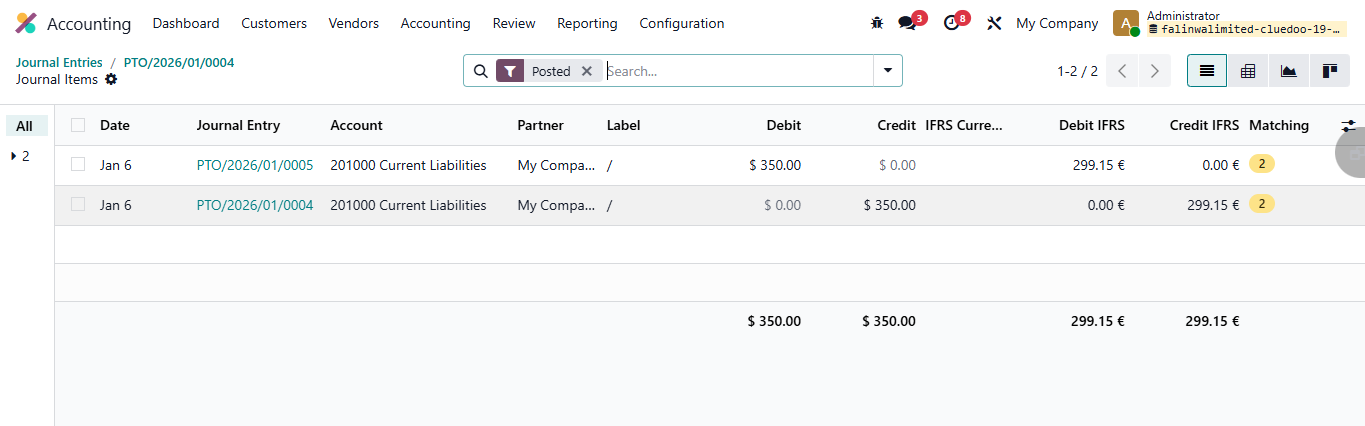 |
7. Reversed entries (manually) will get fal_reverse boolean = true | 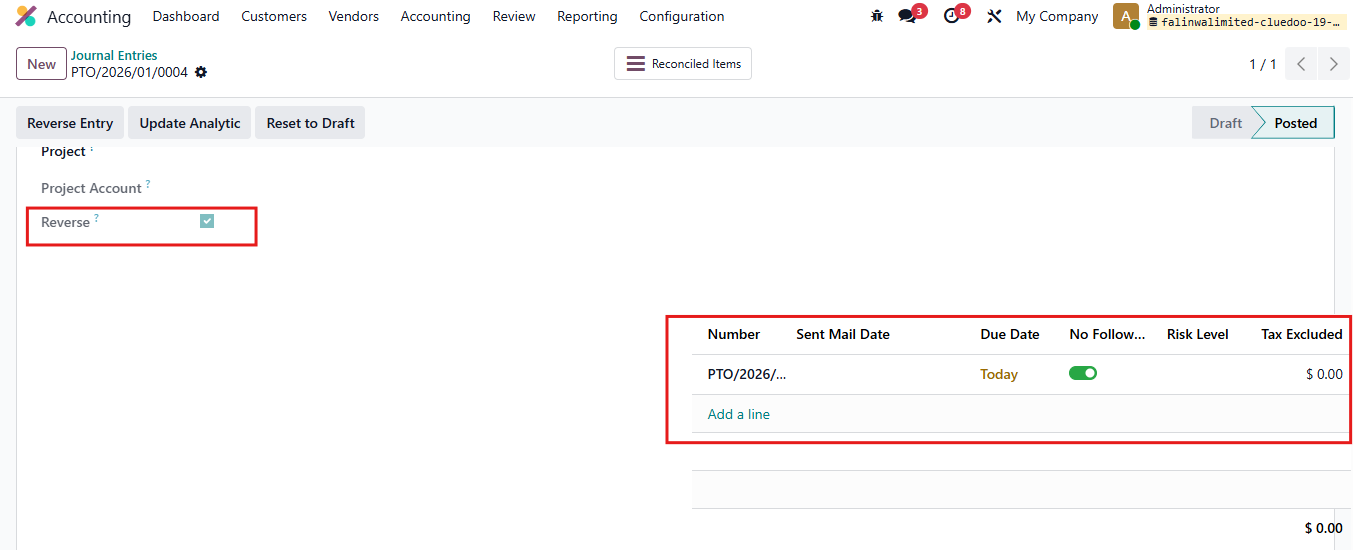 |