


STORY BEHIND THE FEATURE
ODOO BEHAVIOR
In Odoo, the Bank Reconciliation process mixes both bank reconciliation and accounting reconciliation into the same workflow. When reconciling, Odoo suggests all transactions from accounts with Allow Reconciliation enabled, even if they are not directly linked to bank transactions. This means that non-bank accounts, such as Deferred Revenue, Accounts Receivable, or Payables, can appear in the Bank Reconciliation wizard simply because they involve payment-related entries.
CLUEDOO BEHAVIOR
Cluedoo introduces a new Operation Reconciliation Only checkbox in the Chart of Accounts, refining Odoo’s reconciliation workflow. When enabled on an account, this setting allows the account to use Odoo’s reconciliation engine but prevents its transactions from appearing in the Bank Reconciliation wizard. This ensures that only bank-related transactions appear in the Bank Reconciliation process, while accounts like Deferred Revenue, Accounts Receivable, and Payables remain available in Journal Items for manual reconciliation without cluttering bank reconciliation workflows. This feature provides better clarity and efficiency in managing financial records, ensuring that users can reconcile bank transactions separately from accounting operations.
CLUEDOO RECOMMENDATION
Install on 100% of your database.
OUR FEATURES AS SOLUTIONS
Allowing accounts to use Odoo’s reconciliation engine while preventing their transactions from appearing in the Bank Reconciliation wizard
HOW TO USE THIS MODULE
1. Go to Accounting > Configuration > Chart of Accounts > Choose an account (e.g. 201000 Current Liabilities) > Active Allow Reconciliation and tick Operation Reconciliation Only | 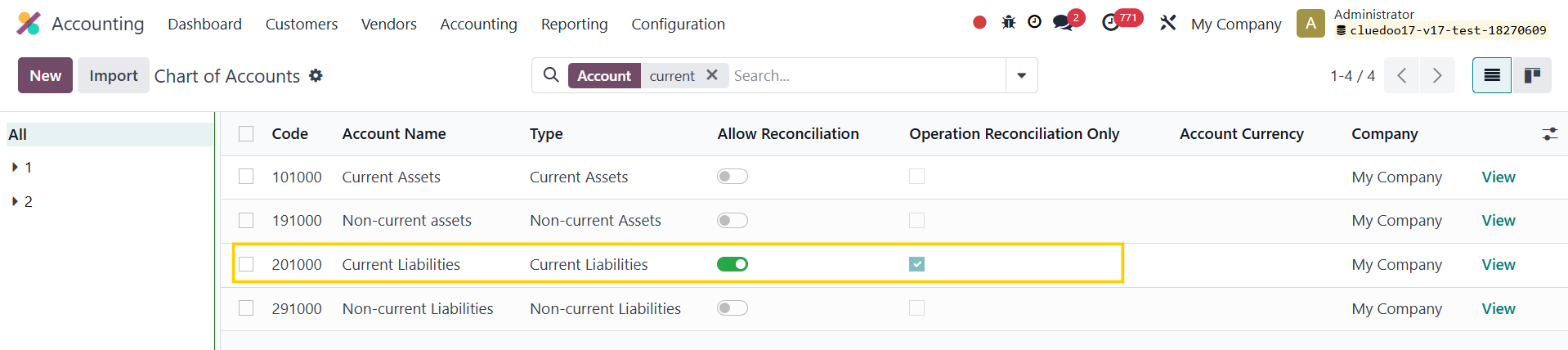 |
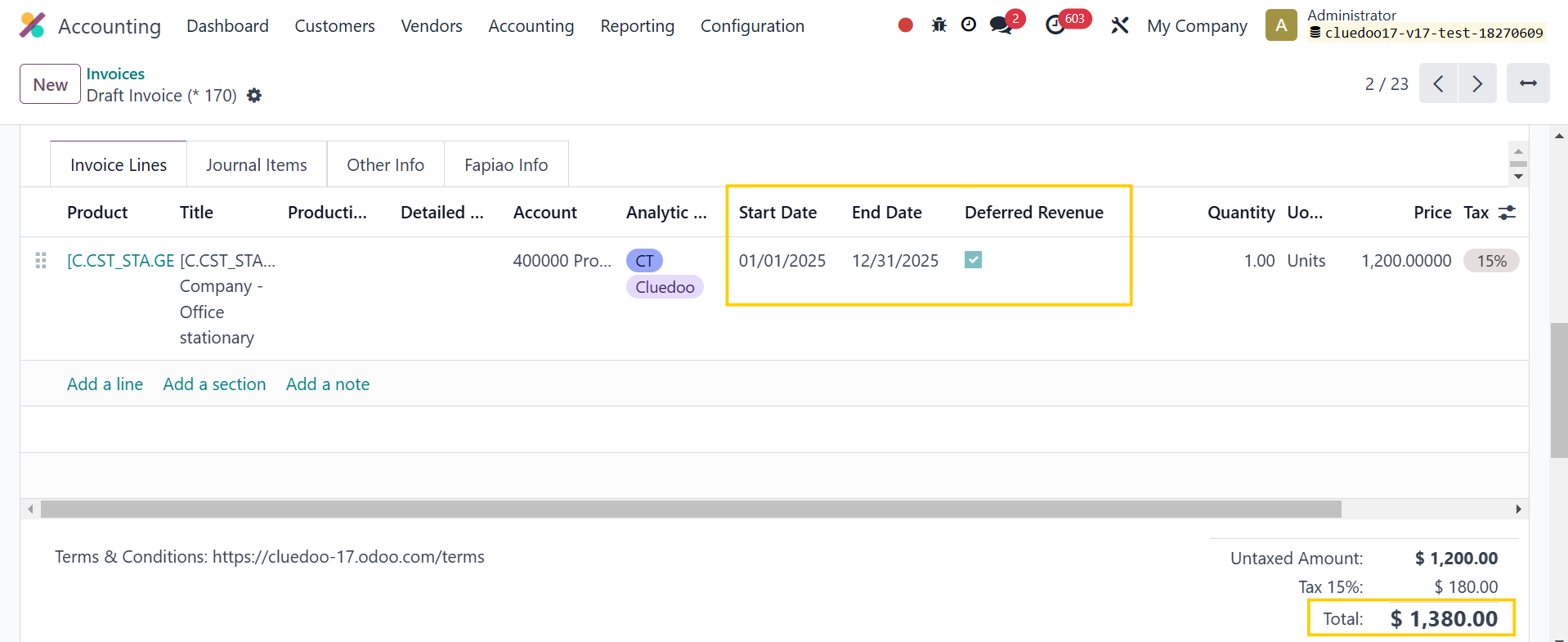
2. Go to Invoices > Create an invoice with deferred entries > Confirm |
|
The deferred entries will be automatically generated |  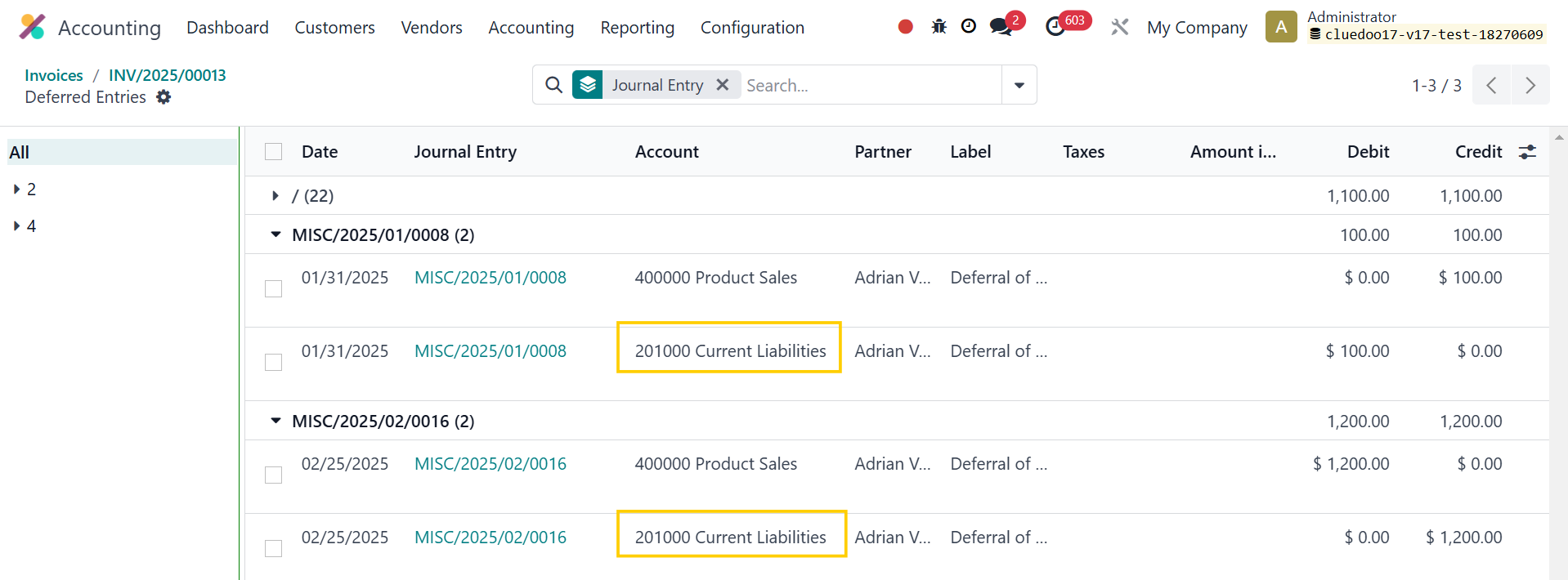 |
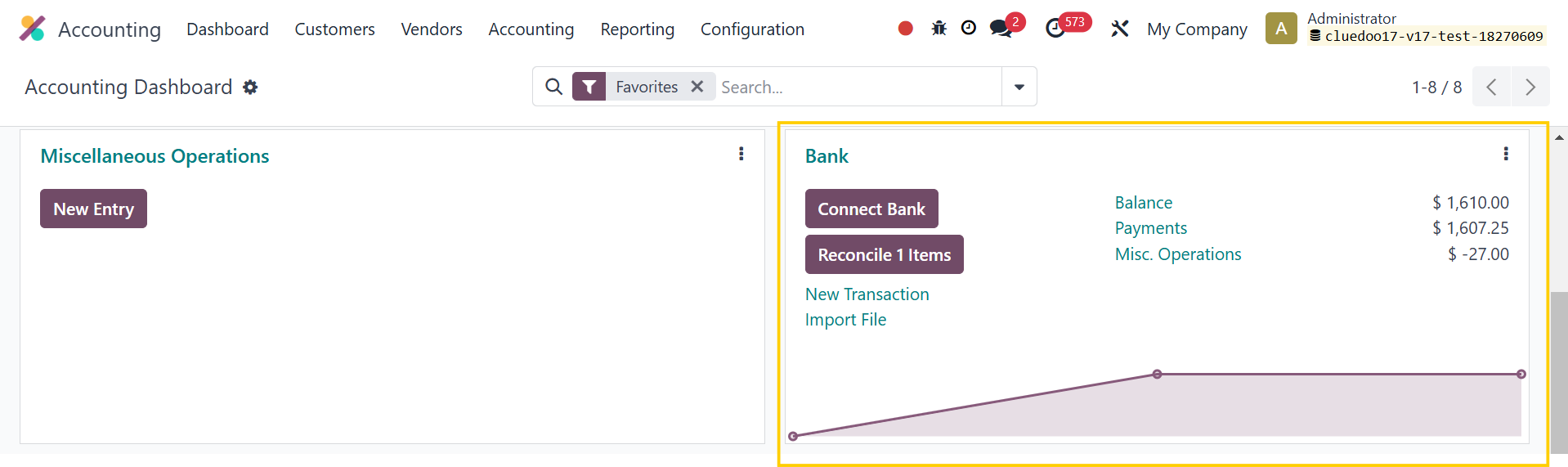
3. Go to Accounting > Dashboard > Bank reconciliation |
|
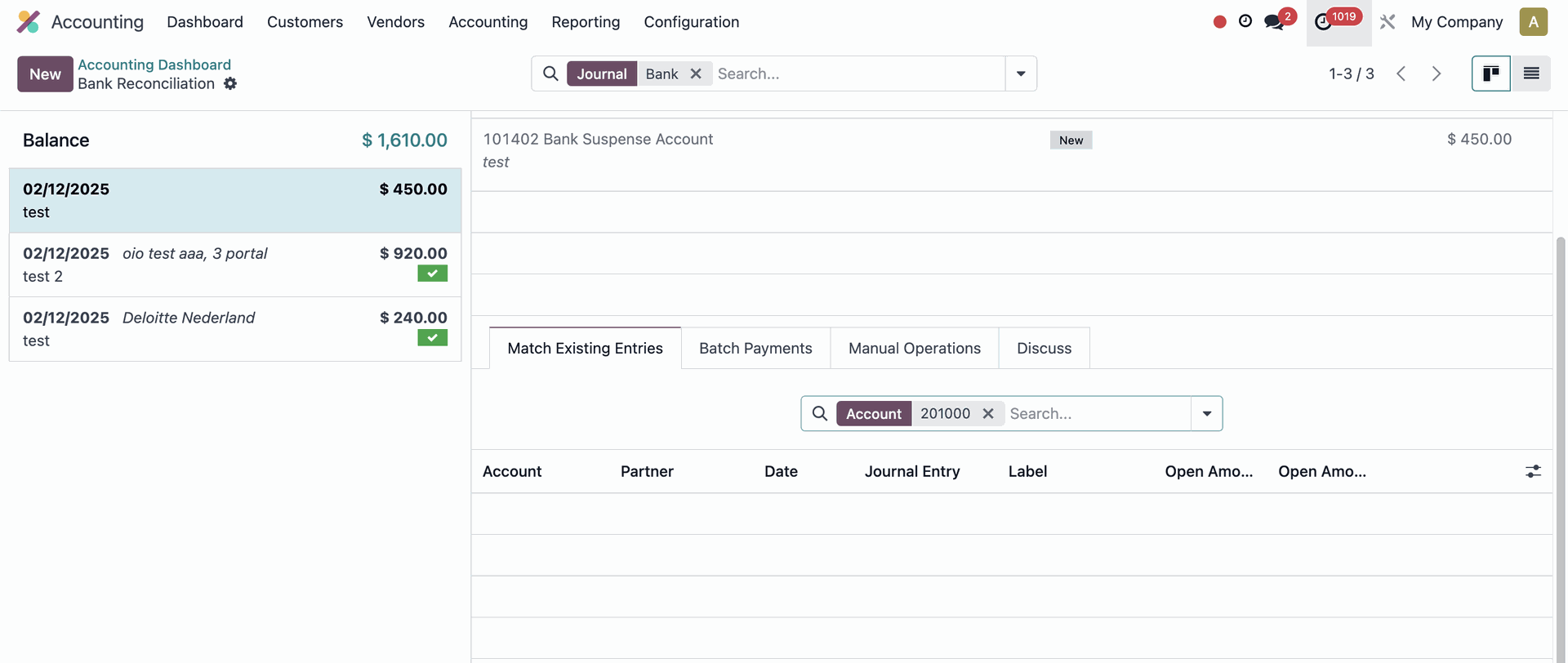
The Journal Items from account 201000 Current Liabilities will not appear in the wizard |
|
4. You can go to Accounting > Journals > Journal Items to reconcile the transactions | 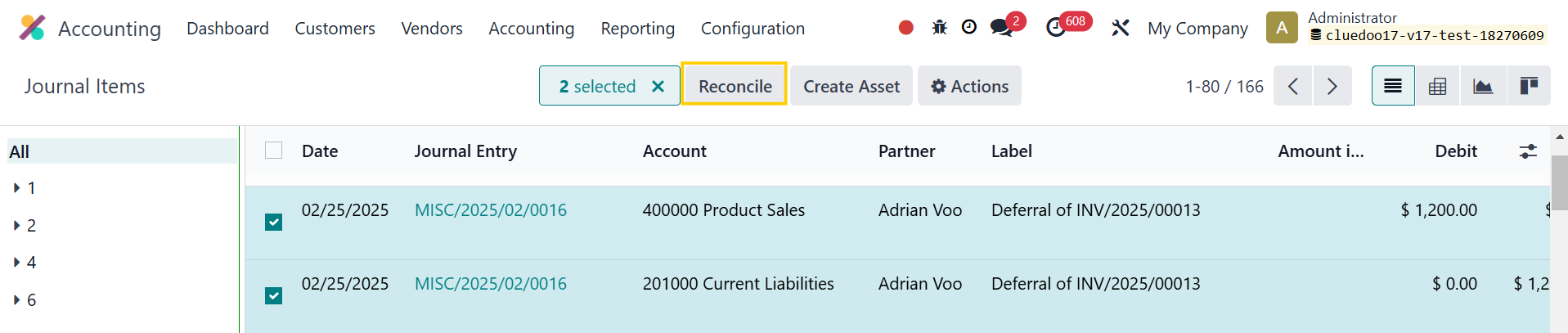 |
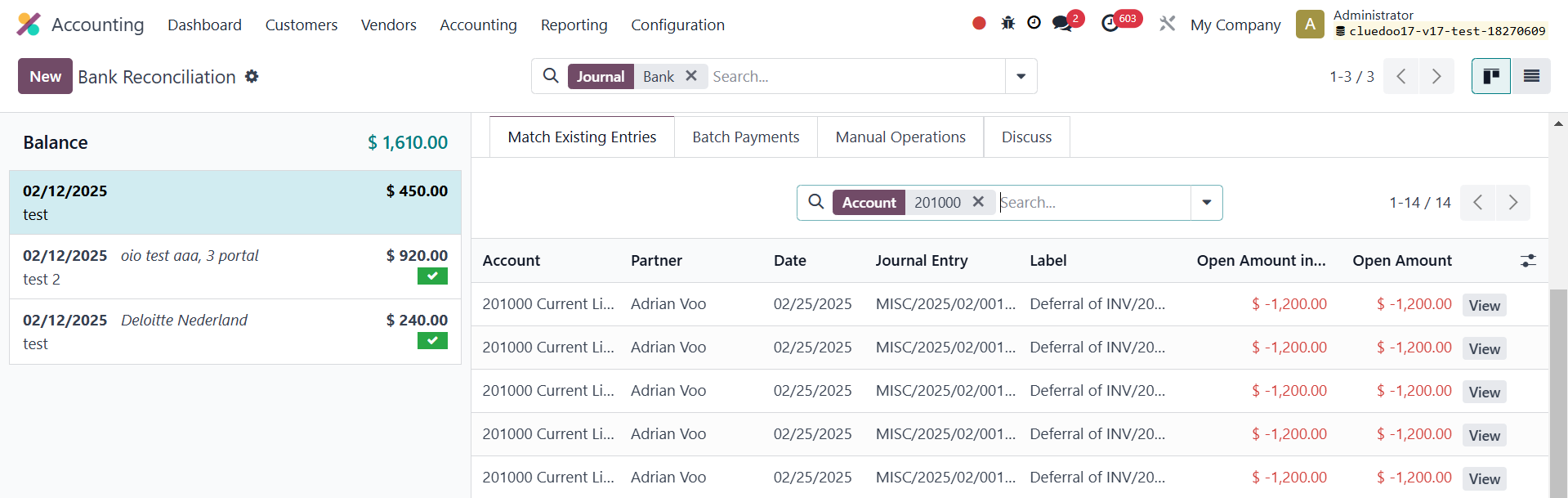
5. If Operation Reconciliation Only is unchecked > It will follow the Odoo standard approach | 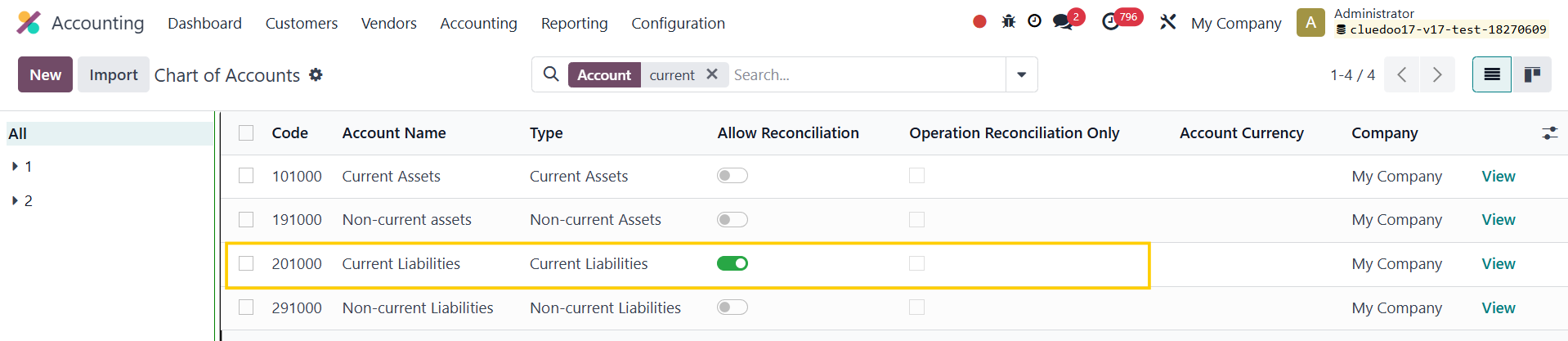 |
The transactions involving account 201000 will appear in the Bank Reconciliation wizard |
|