


STORY BEHIND THE FEATURES
ODOO BEHAVIOR
By default, Odoo’s Sales module allows users to add Sections (e.g., for grouping products) in a Sales Order to organize order lines, and these sections are displayed along with products when printing the SO report. However, there is no option to customize the printed report to show only Sections, only Products, or both, nor can users apply different display settings for individual sections within a single SO.
CLUEDOO BEHAVIOR
This module supports:
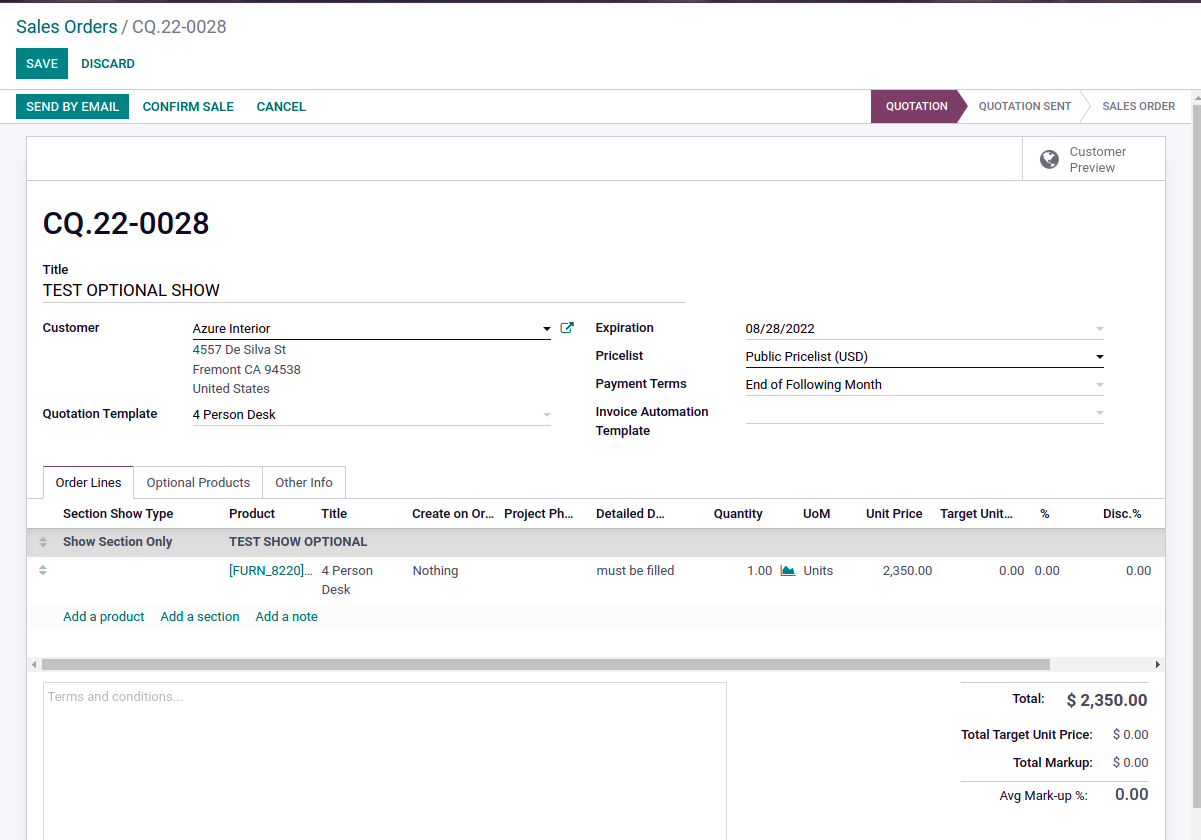
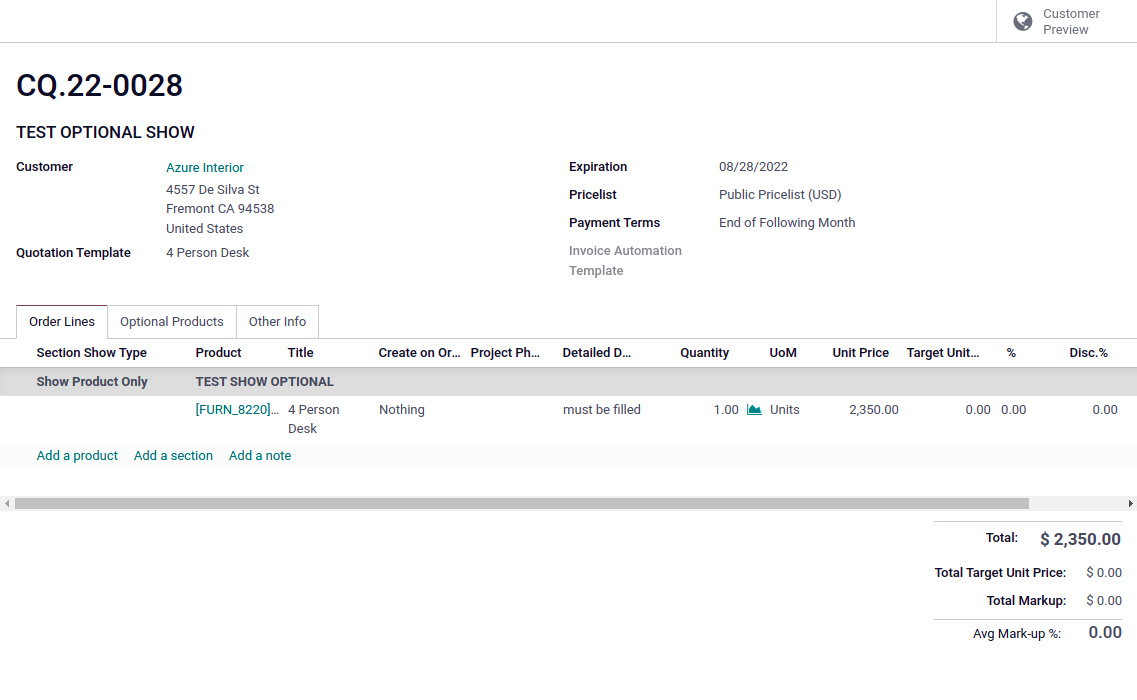
- Adds a Show/Hide Optional field in Sales Order sections, allowing users to choose whether to display Only Section, Only Product, or Both Section and Product when printing the SO report.
- Supports multiple sections in a single Sales Order, with each section independently configurable for its display setting (e.g., one section can show only products, another only sections).
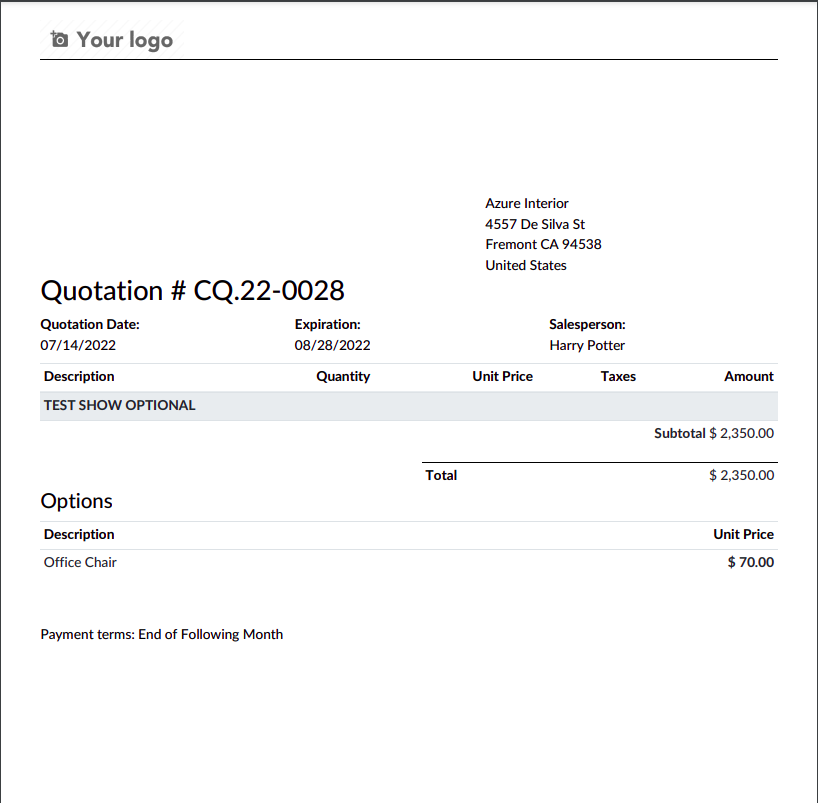
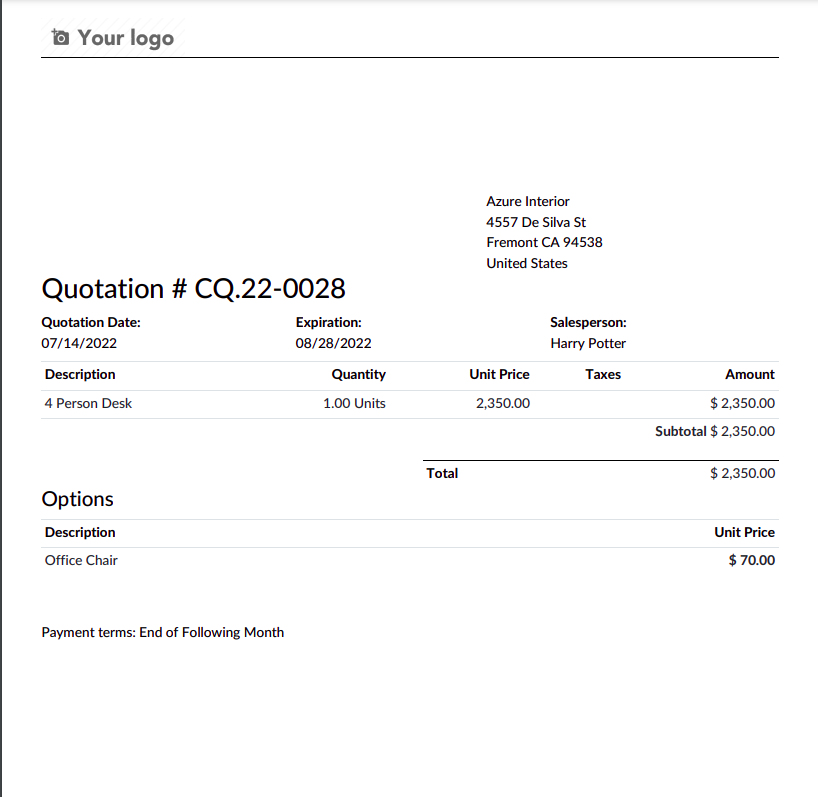
- Generates customized SO reports based on the selected display option, ensuring the printed output reflects the chosen settings (e.g., Show Section Only omits product details, Show Product Only omits section titles).
CLUEDOO RECOMMENDATIONS
Install on 100% of the database.
HOW TO USE THIS MODULE?
1
On sale order, we can select Show/hide optional in section when print sales order
2
Report when select show section only.
3
Select "Show Product Only"
4
Report when select "Show Product Only"