


ODOO'S FUNCTION
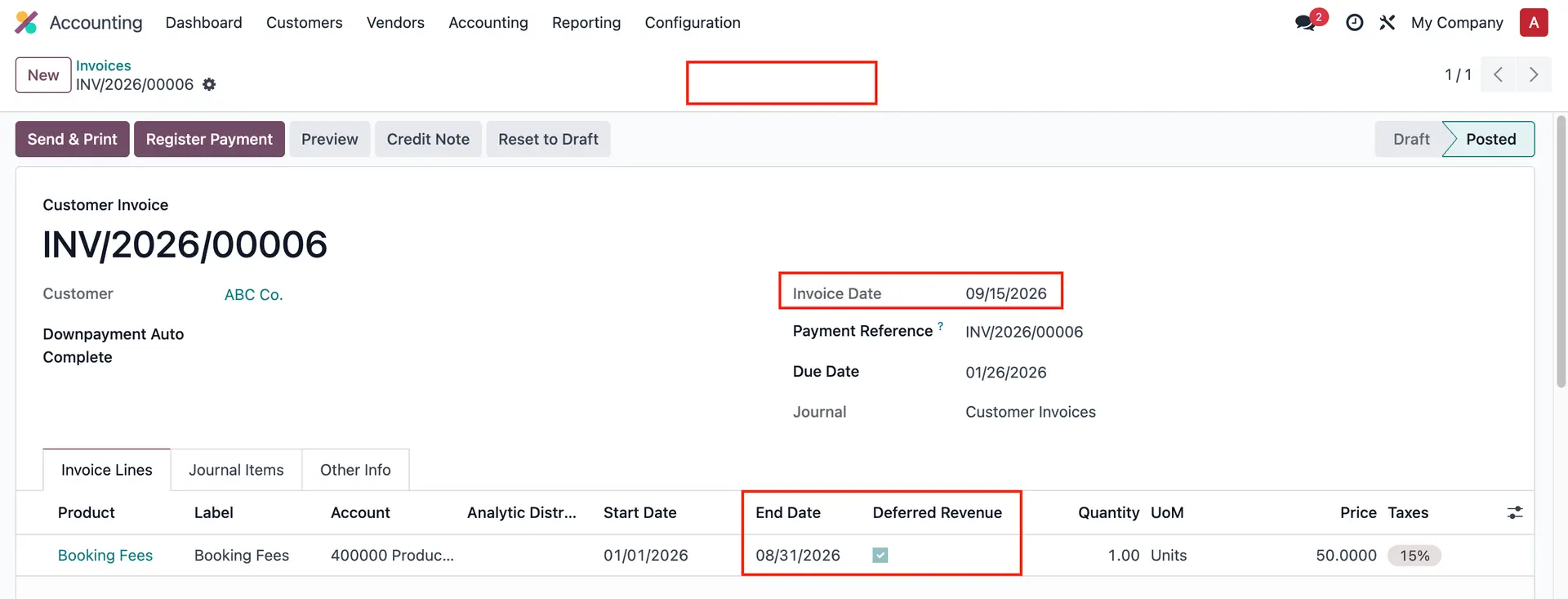
In Odoo, when an invoice or bill has an accounting date in a specific month (e.g., August 2024), the system automatically creates deferred revenue or expense entries starting from the invoice's initial period (e.g., June 2024). However, if previous periods (like June or July 2024) are already closed, Odoo does not have a mechanism to prevent entries from being posted into these locked periods.
Note: Sinve version 18, Odoo has improved this behavior. If a period is locked, the system will not post the entries into this period.
CLUEDOO'S FUNCTION
CLuedoo introduces enhanced functionality to address the limitations of deferred revenue and expense management in Odoo. It provides two key features:
1️⃣ Consolidate deferred entries in Invoice Date/First Open Period
2️⃣ Deferred Original Date column in Deferred Entries
Users can decide how to handle deferred entries for closed periods, either assigning them to the current bill month (based on the invoice date) or pushing them to the first open period. "Deferred Original Date" column was also added to track the theoretical date easier. Additionally, the Group by Product option for deferred entries ensures that journal items are organized by product, offering clearer tracking and better categorization in accounting records.
CONFIGURATIONGo to Settings > Accounting > Deferred Entry Adjustment, there are 3 options: - En dash (Odoo standard): posting past entries monthly - Consolidate in Invoice Date: posting past entries in the current bill month - Consolidate in First Open Period: posting past entries in the first available month of the periods lock Note: Consolidate in First Open Period has been removed since v18 as it's Odoo standard. | 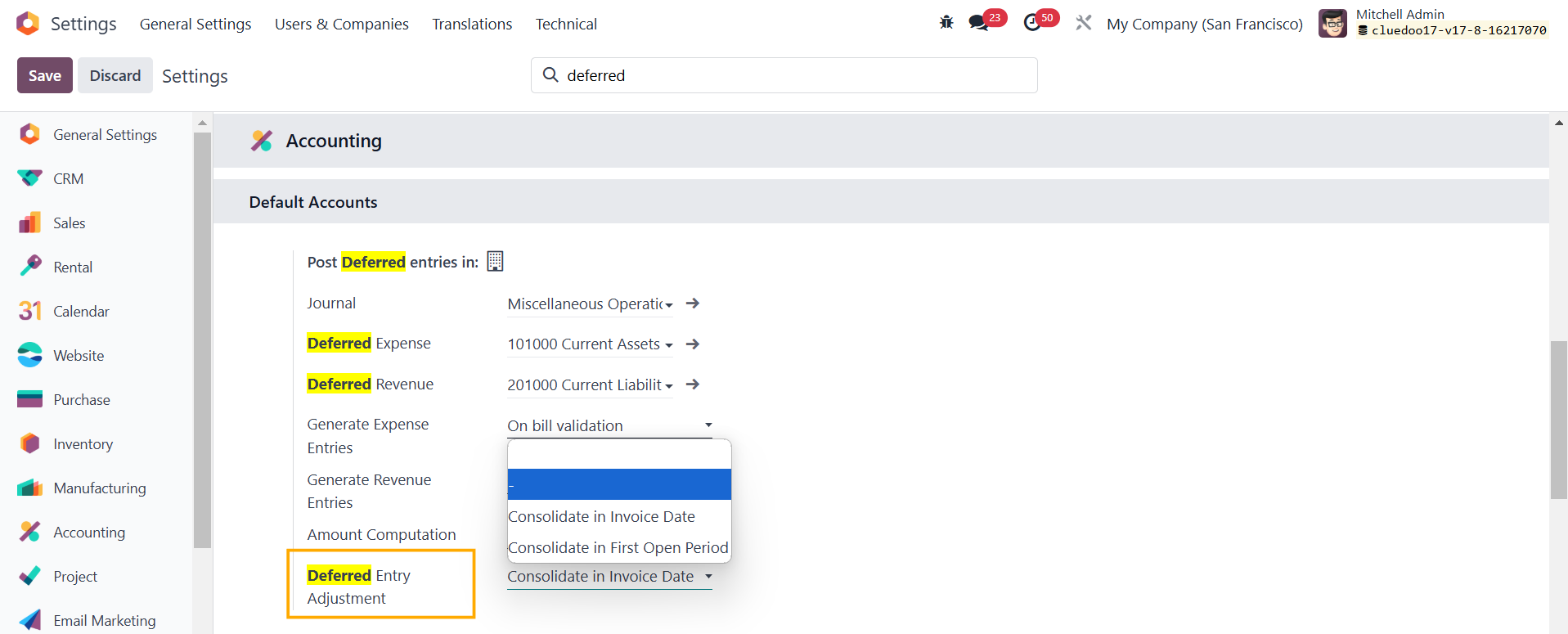 |
USAGEOdoo StandardGo to Accounting > Invoices/Bills/Credit Notes/Refunds > Fill in the necessary information > Checkbox Deferred Revenue/Expense > Confirm > Deferred Entries smart button will appear | 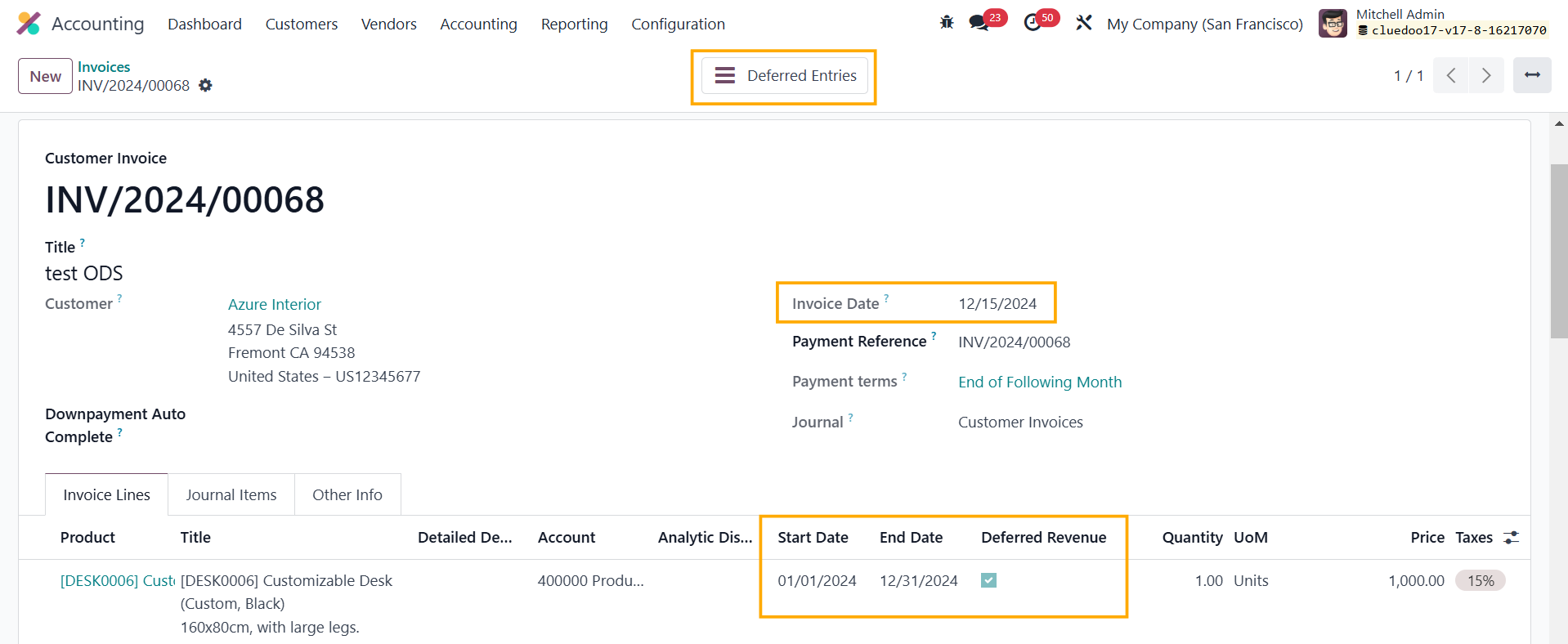 |
Deferred entries are distributed monthly. | 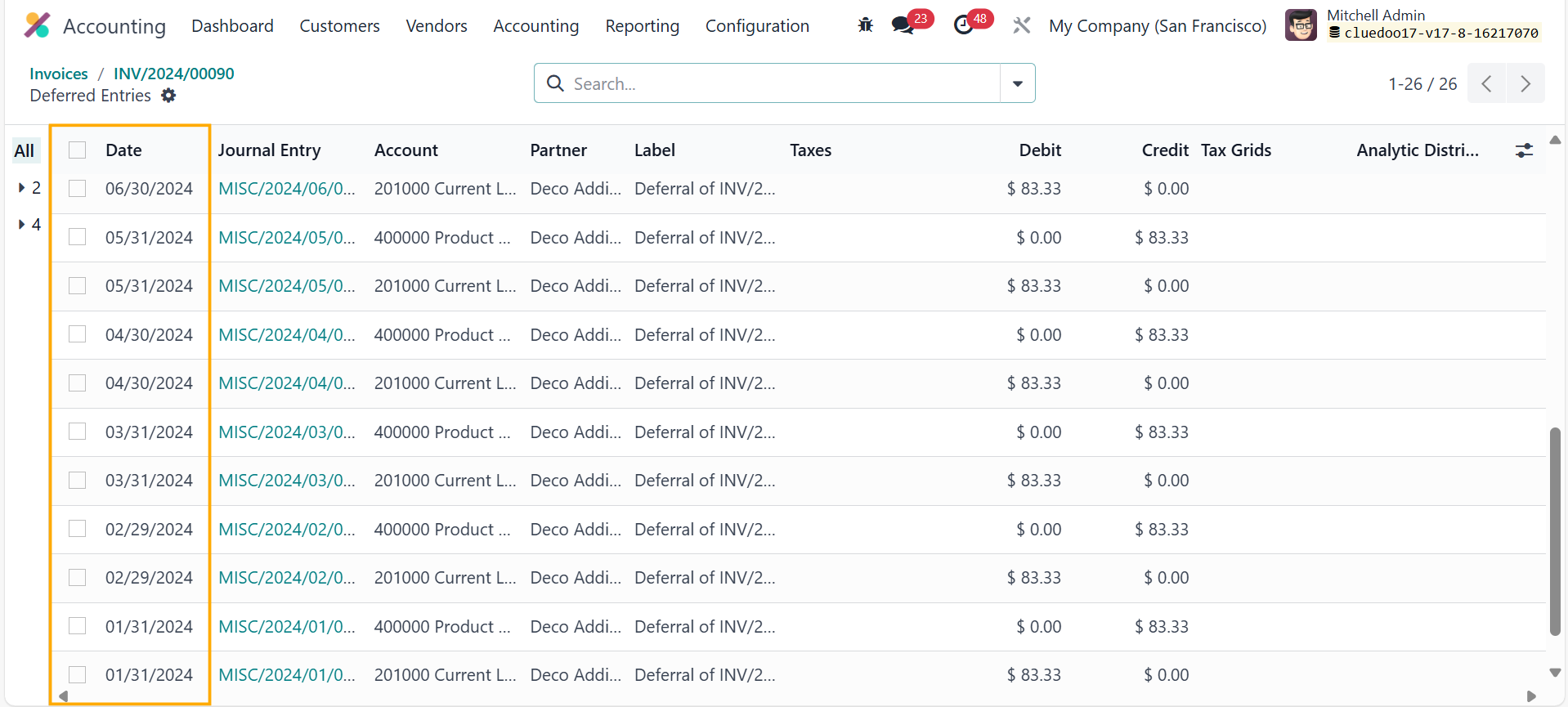 |
Consolidate in Invoice DateGo to Accounting > Invoices/Bills > Fill in the necessary information > Checkbox Deferred Revenue/Expense > Confirm > The Deferred Entries smart button will appear e.g. Start Date = 1 June 2024, End Date = 31 May 2025, Invoice Date = 15 December 2024 | 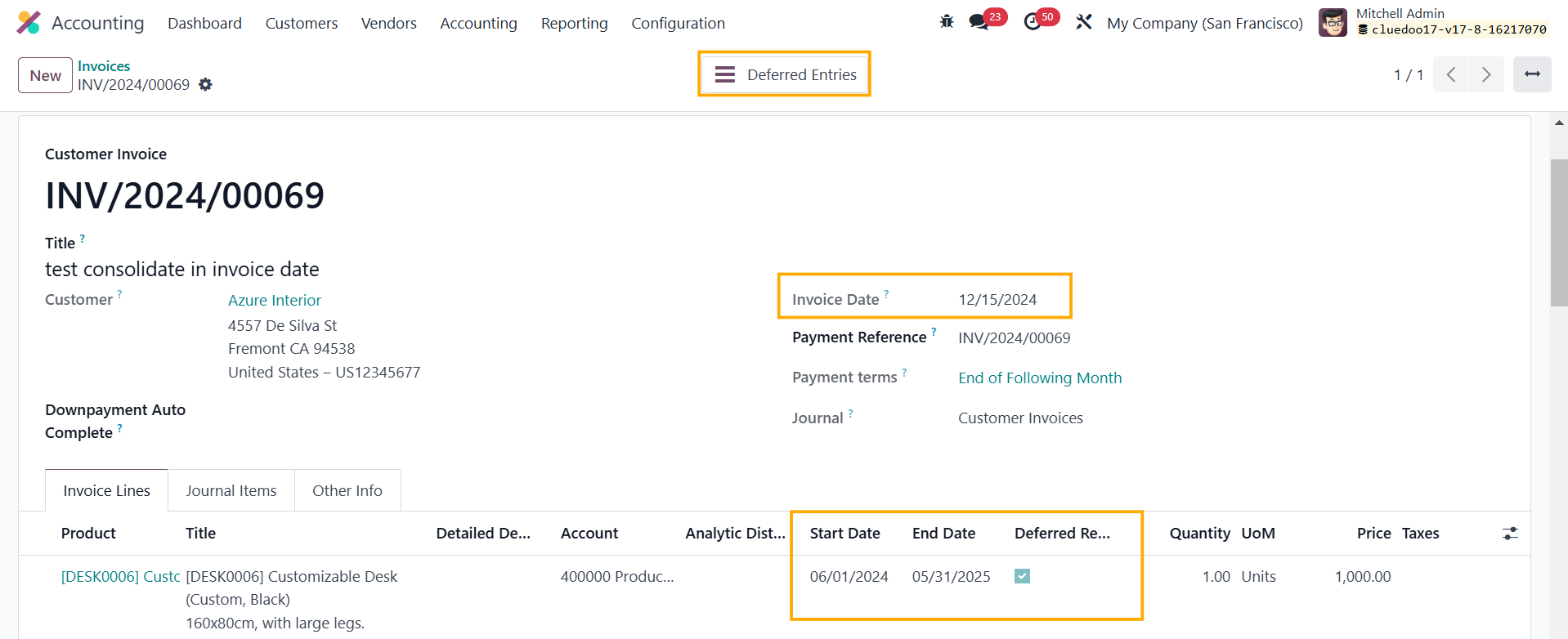 |
All the past entries (June-November 2024) will be shifted to the current bill month (based on Invoice Date), which is December 2024 | 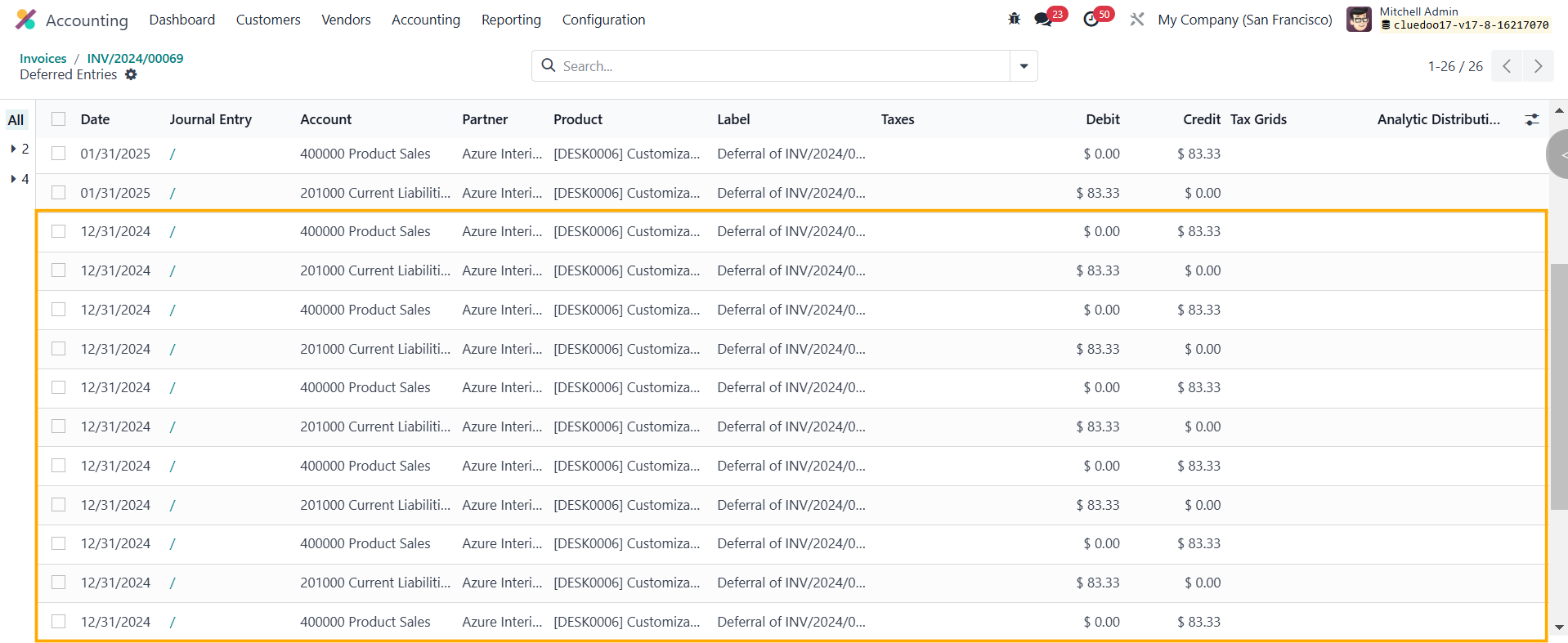 |
You also have the option to Group by Product. |  |
Note: If the Invoice Date is after the End Date, there will be no deferred entries generated. |
|
Consolidate in First Open Period3.1 Go to Accounting > Periods Lock > Click Lock Period to close the months that you want to lock e.g. Periods from Jan to Jun 2024 are CLOSED | 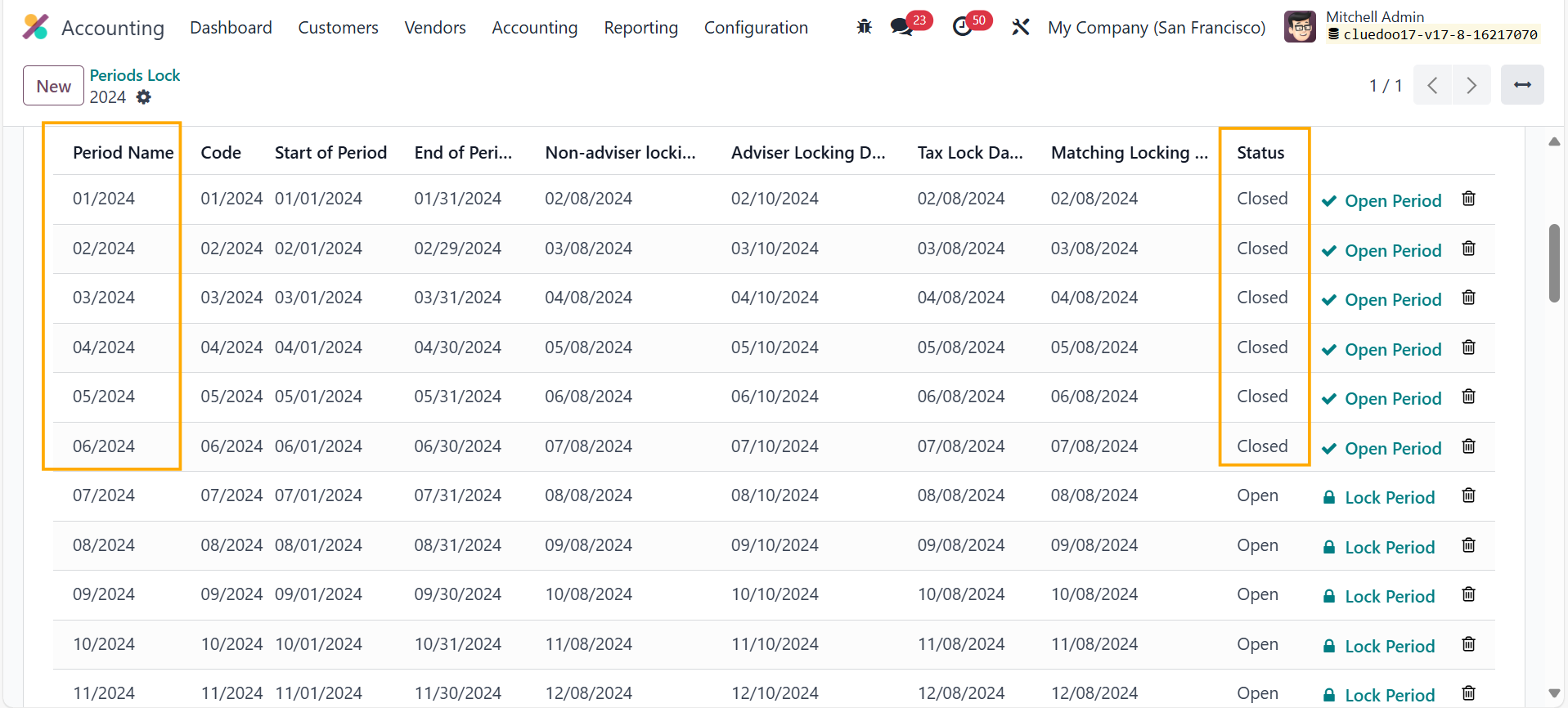 |
3.2 Go to Accounting > Invoices/Bills > Fill in the necessary information > Checkbox Deferred Revenue/Expense > Confirm > Deferred Entries smart button will appear e.g. Start Date = 1 Jan 2024, End Date - 31 Dec 2024 | 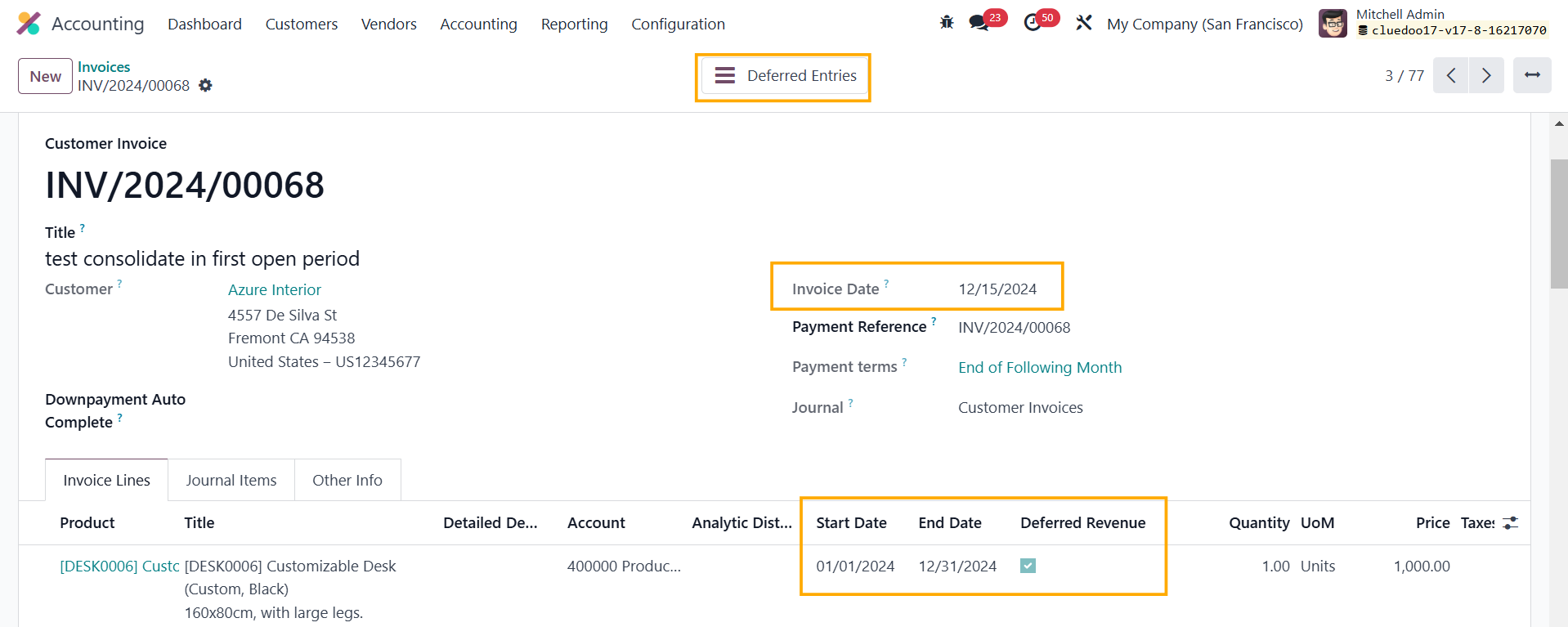 |
All the past entries (Jan-Jun) will be shifted to the first open period (July 2024) You also have the column Product for easier tracking | 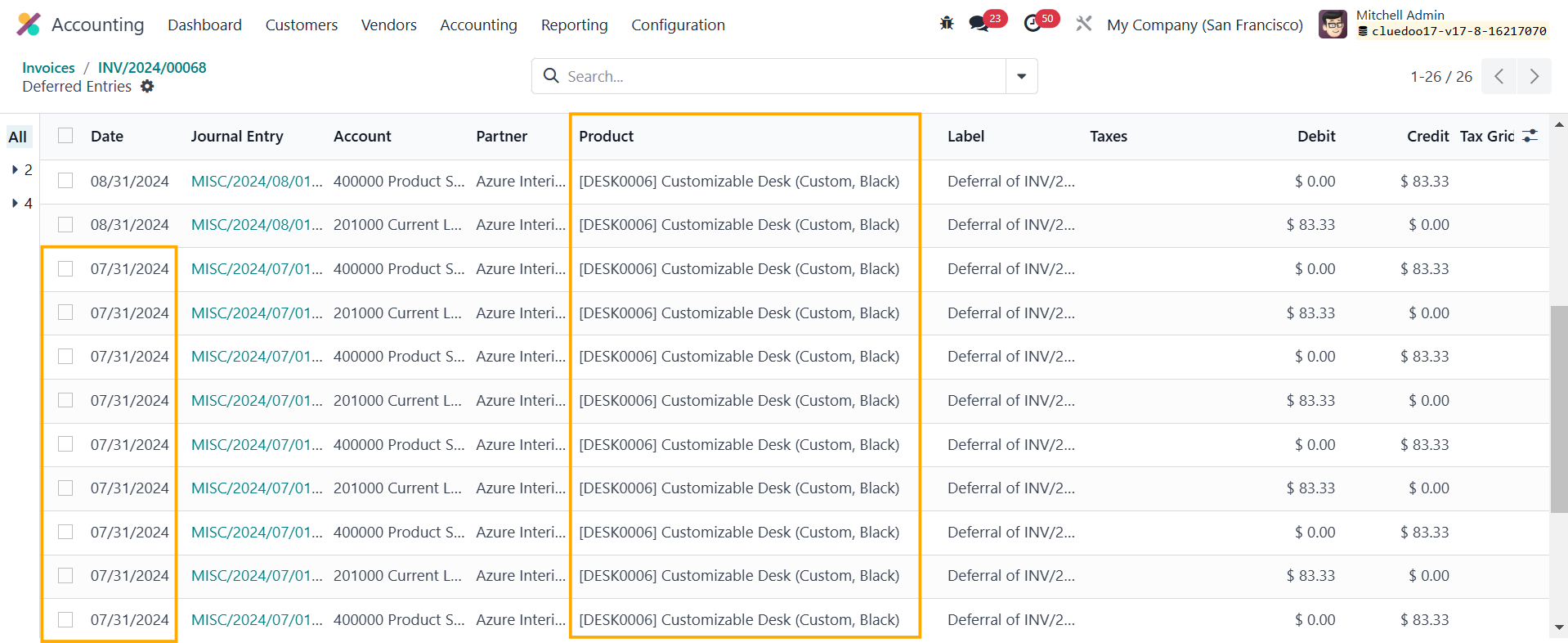 |
Deferred Original DateWe added a Deferred Original Date column to track the theoretical date - the date of the original move for which the deferred entries were created (both past and future dates) | 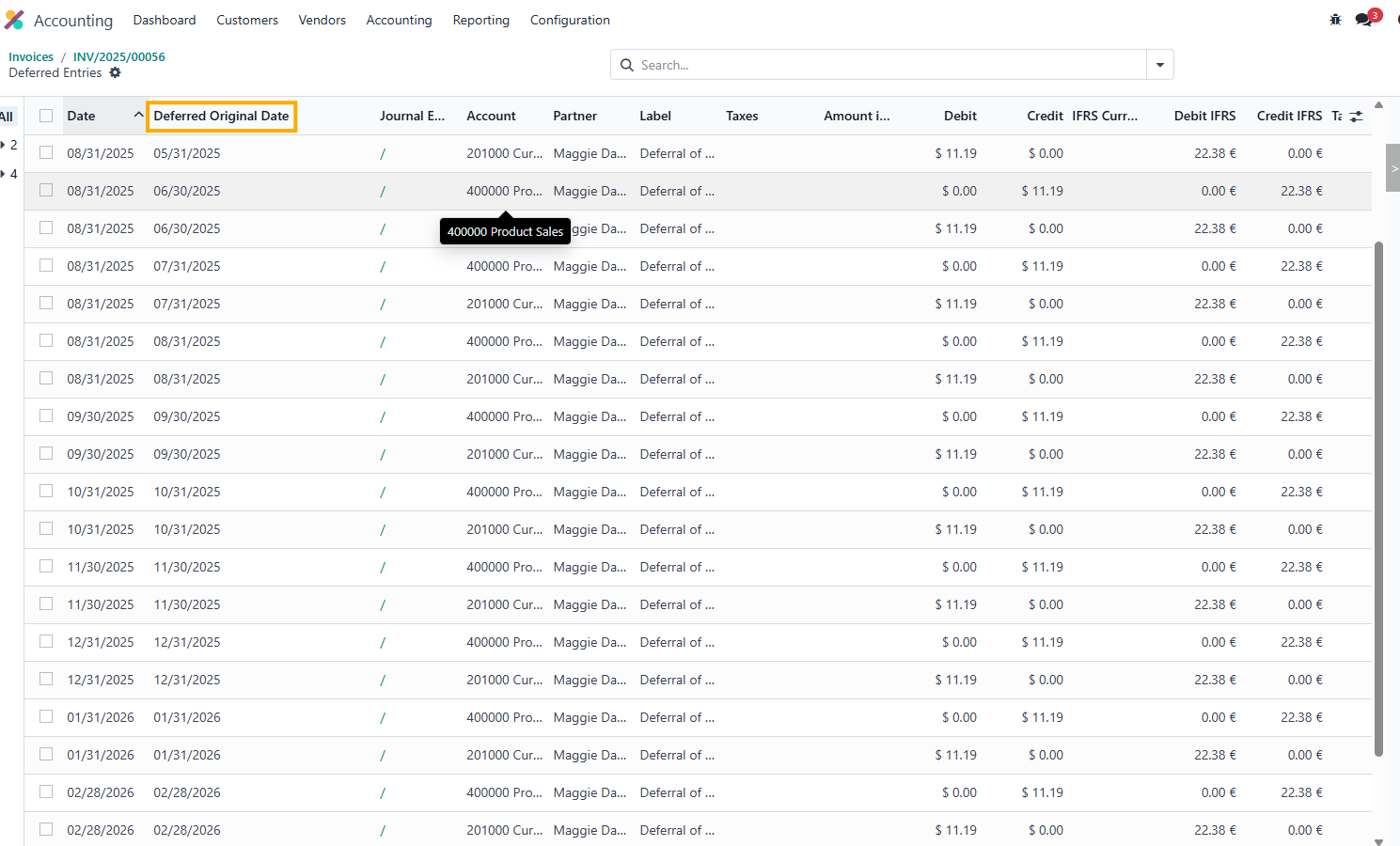 |