



ODOO'S FUNCTION
Odoo's standard bank statement import functionality requires CSV files to be in a specific format. Due to this limitation, users must reformat their original CSV files and manually map the fields during the import process to ensure that the data from their CSV file correctly matches Odoo's fields before they can successfully import bank statements. This creates extra steps and may require manual data transformation.
CLUEDOO'S FUNCTION
CLuedoo offers a powerful enhancement by allowing companies to import bank statements directly from CSV files, even if they have more complex structures. It automatically handles the data conversion and mapping, streamlining the import process and reducing the need for manual adjustments.
1. Go to Accounting > Configuration > Journals to select the relevant bank journal or New to create a new one and fill in the necessary information > Save e.g., I created a new journal named Toulouse Bank. Note: Ensure that the journal is properly configured with the correct bank account details. | 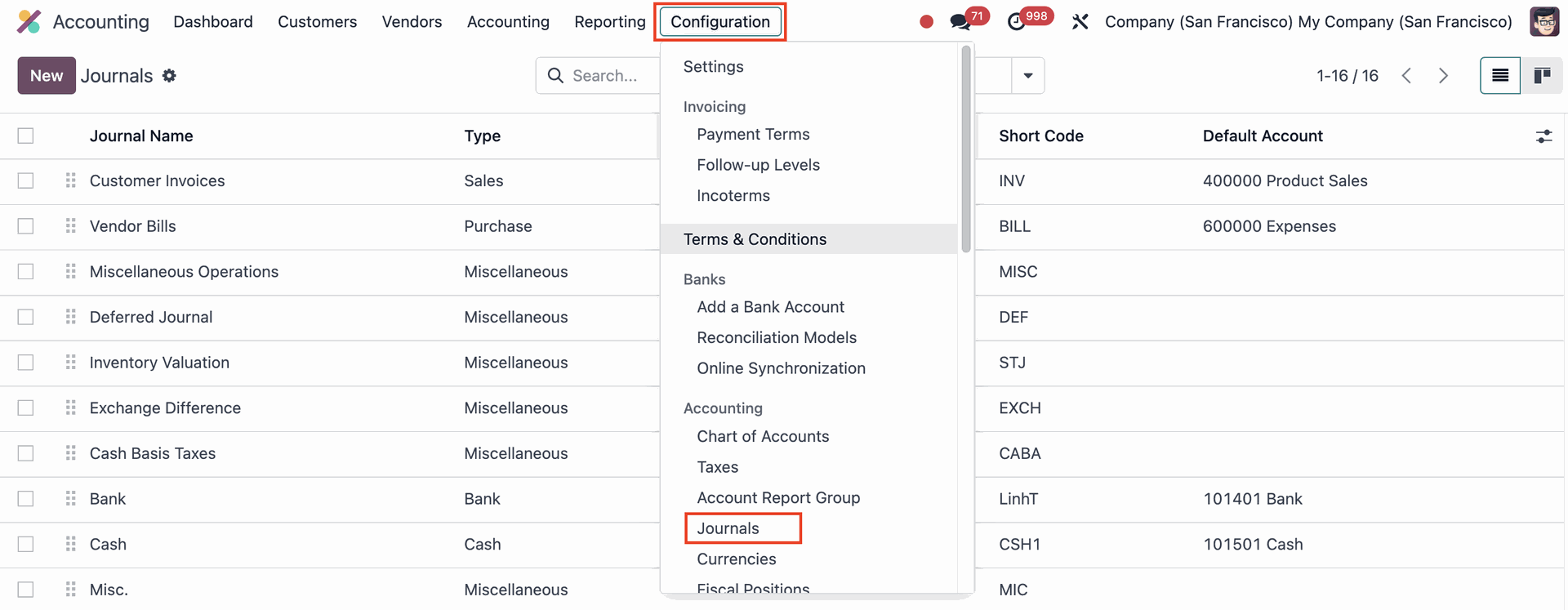 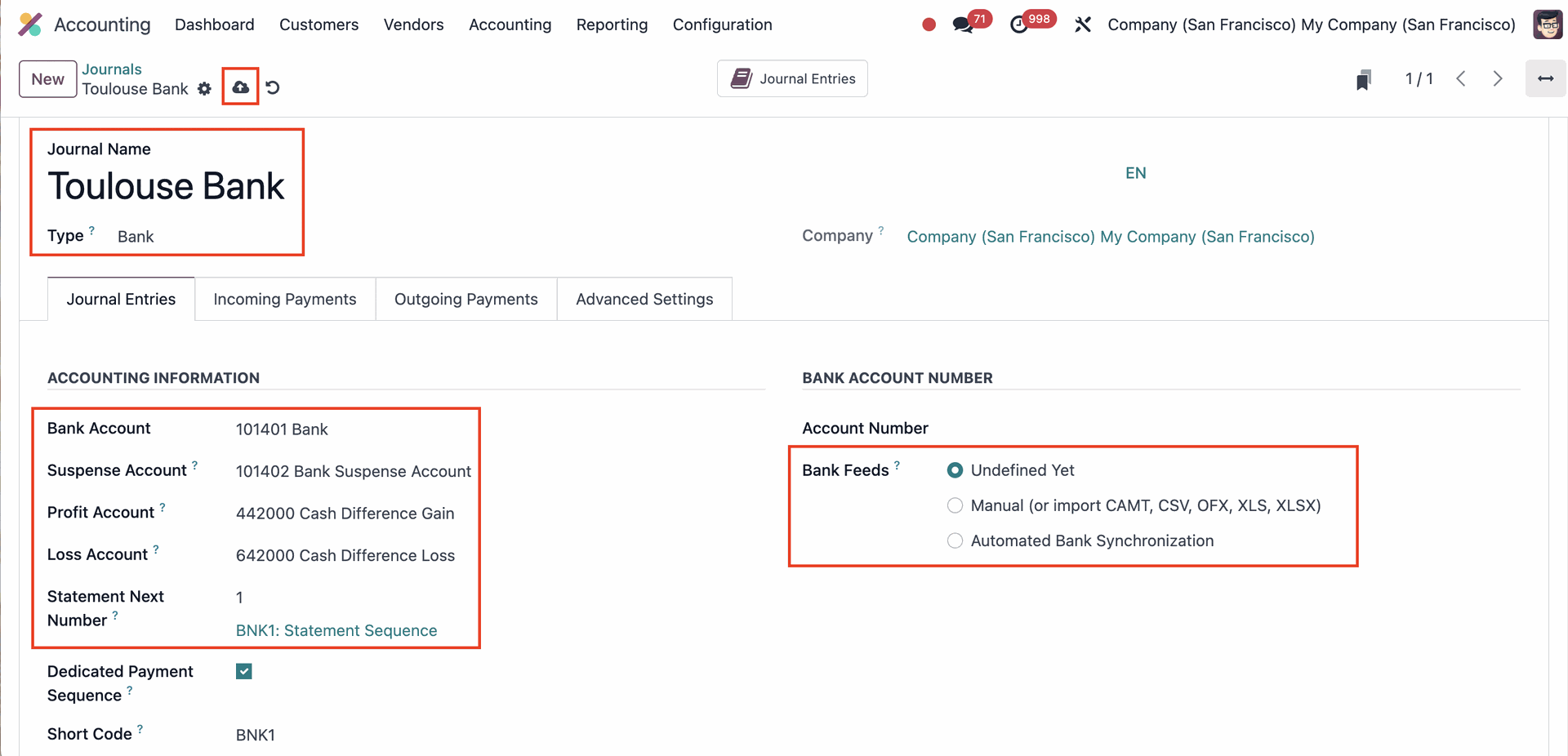 |
2. Head back to Accounting > Dashboard and you will see the bank journal that you just created > Import Societe Generale bank statement > Choose the file you want to upload > Import | 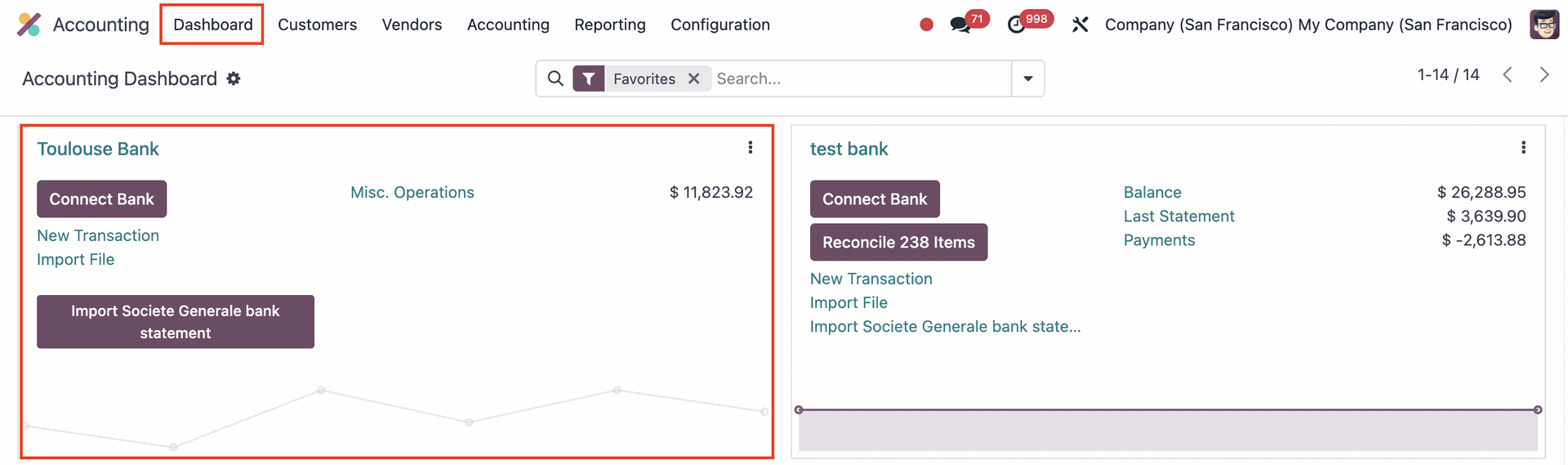 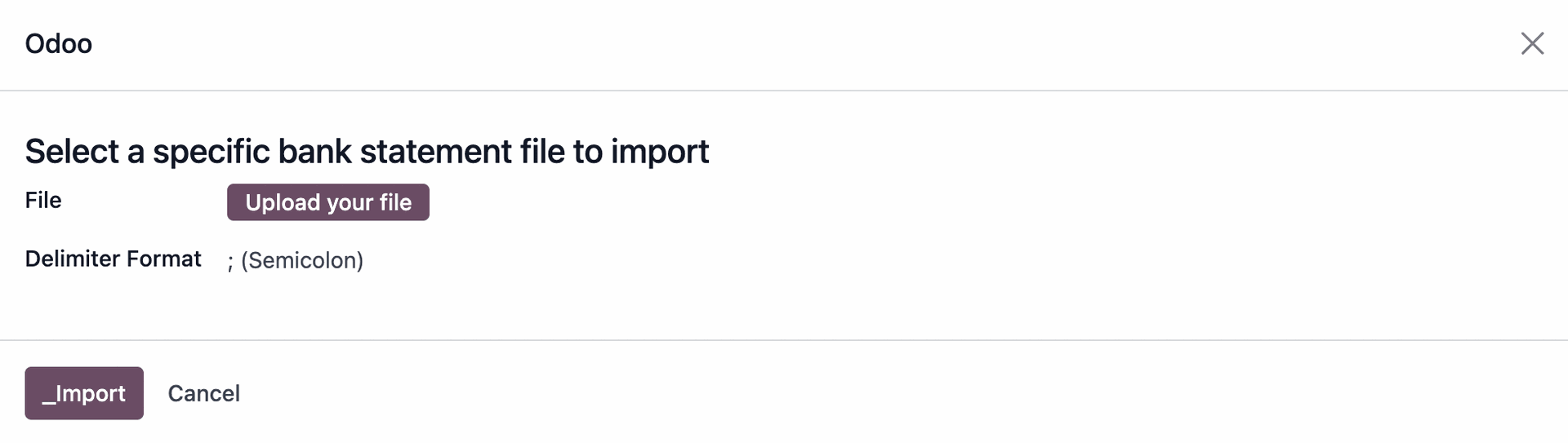 |
3. Click on the bank statement and you will see the details. | 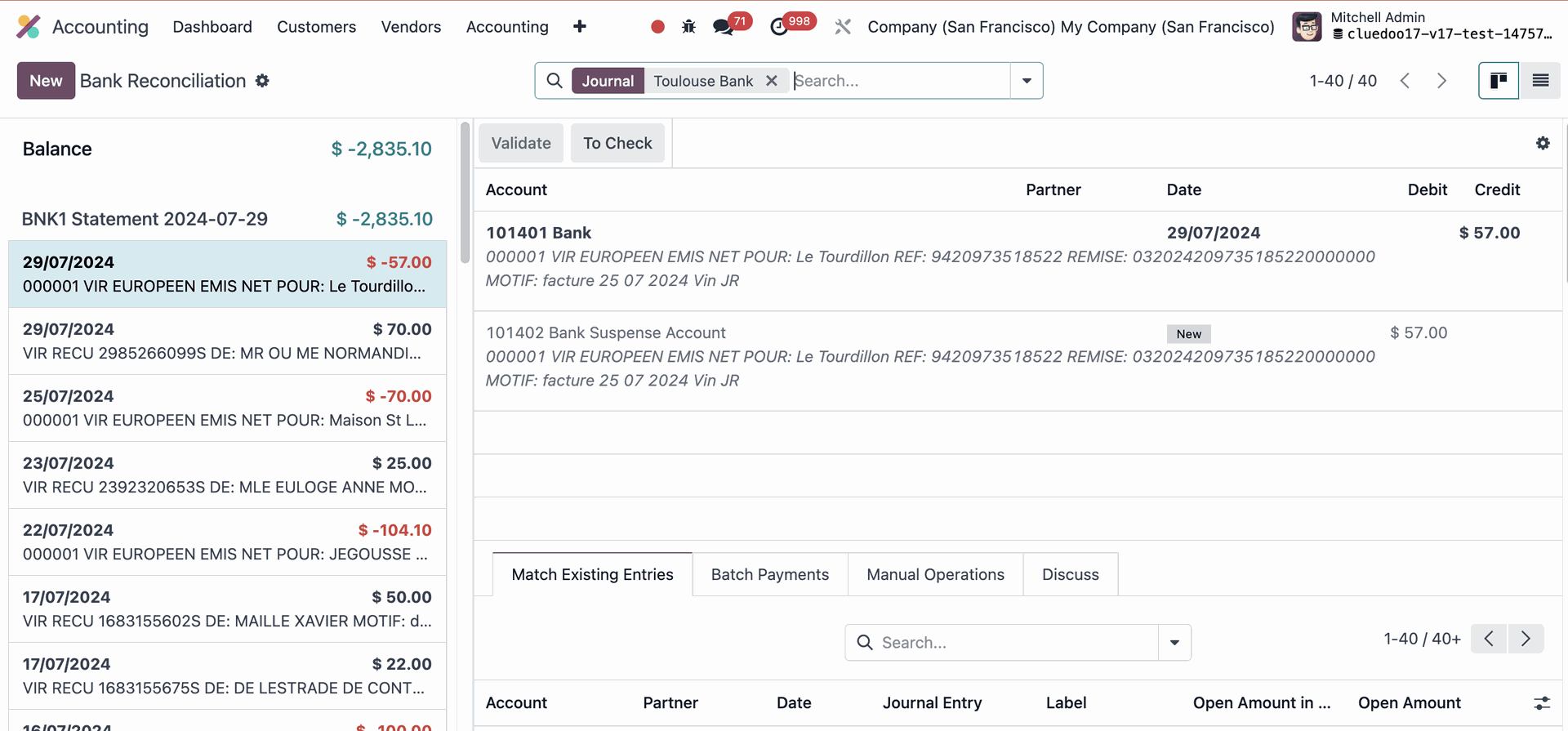 |