

HOW TO USE THIS MODULE
1
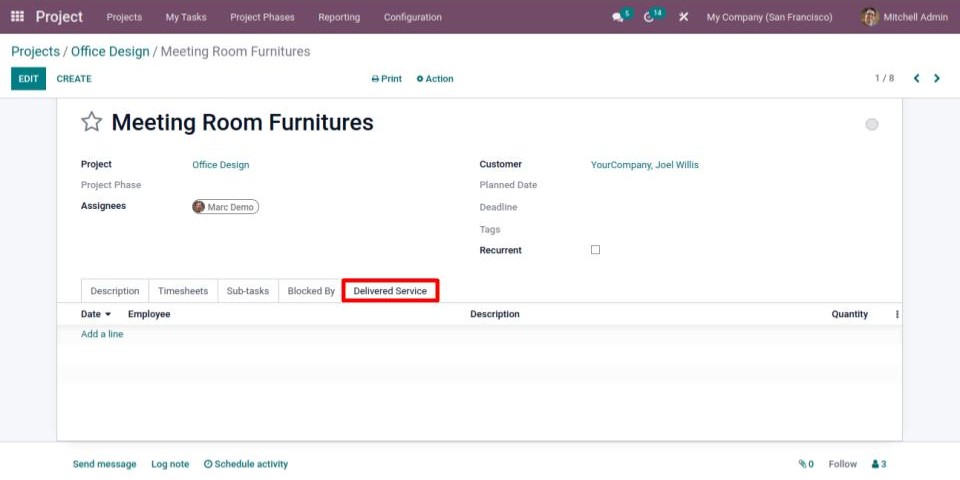
In Projects → Task, you will see an additional tab named "Delivered Service".
2
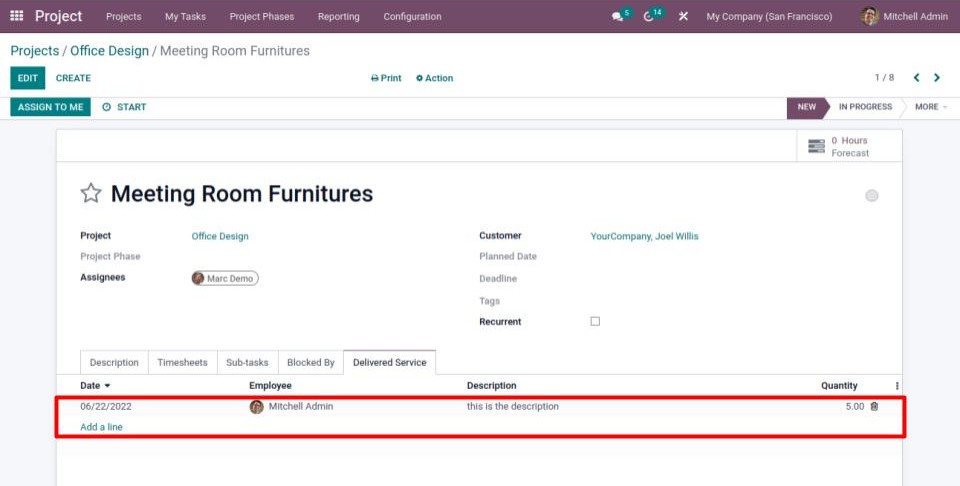
Add a line: fill in the date, the description, and the quantity.
3
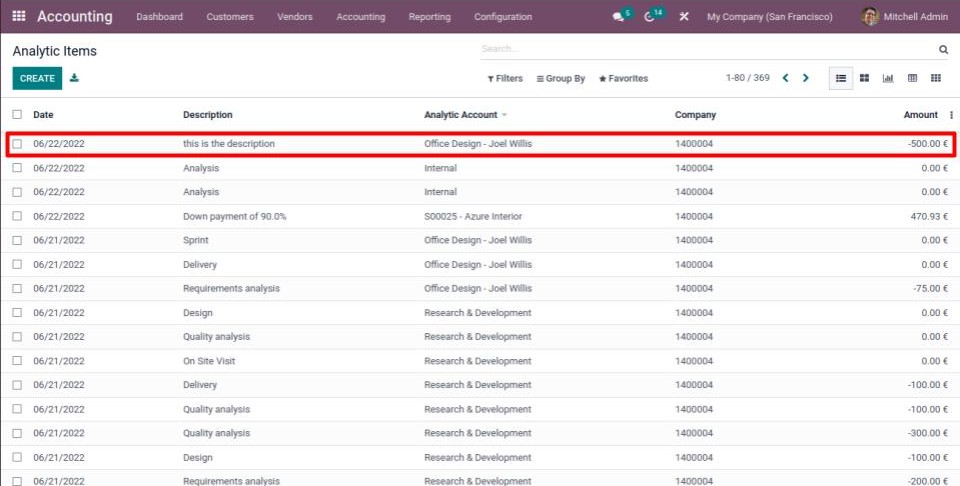
Go to Accounting → Configuration → Analytic Items.
From here, you will see that the task you have chosen has been associated with an Analytic Item.
4
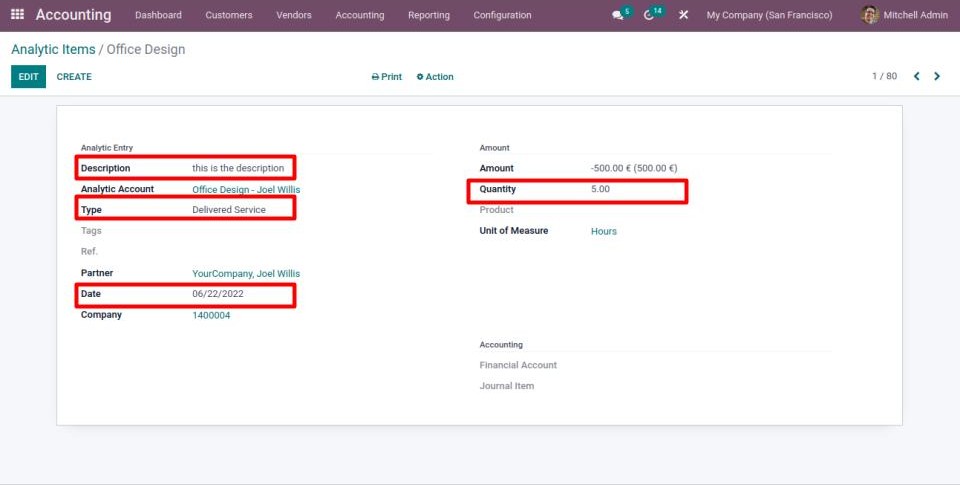
The Analytic Item's type is "Delivered Service".
The information you entered in the line of the "Delivered Service" tab is maintained.