


ODOO'S FUNCTION
Odoo's standard functionality does not support printing China account vouchers in PDF format, requiring manual or alternative solutions for this specific reporting need.
CLUEDOO'S FUNCTION
CLuedoo enhances Odoo’s feature by introducing a new option to print the China account voucher in PDF format.
VOUCHER PRINTING1. Go to Accounting -> Accounting -> Journal Entries. | 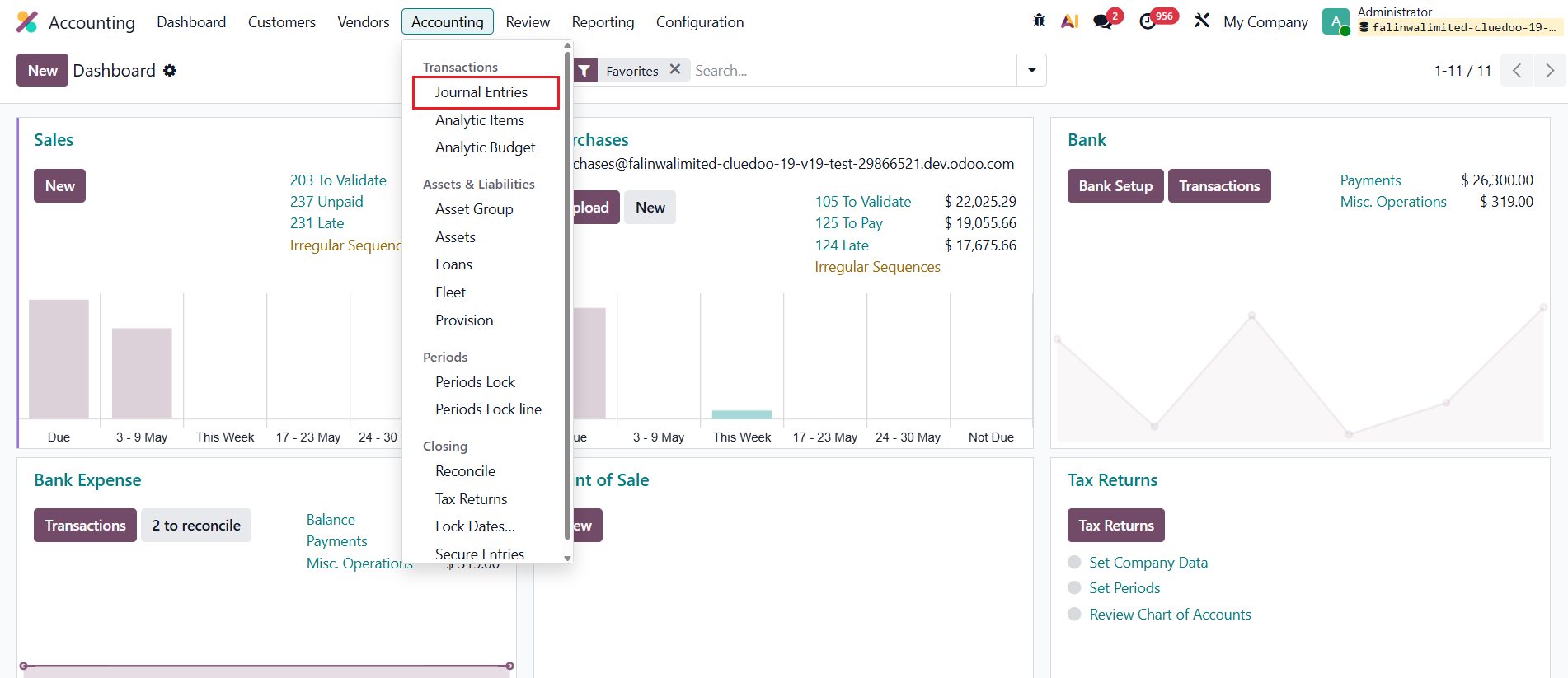 |
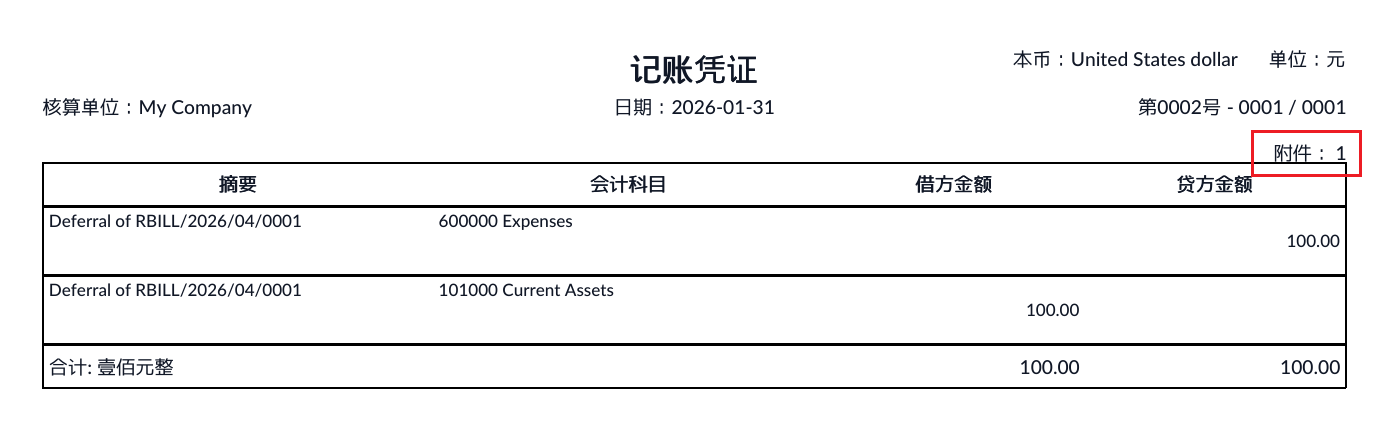
2. In the list view, select all transactions, go to Print and choose Get [China Account Voucher]. Doing so will print China Account Voucher in pdf format. | 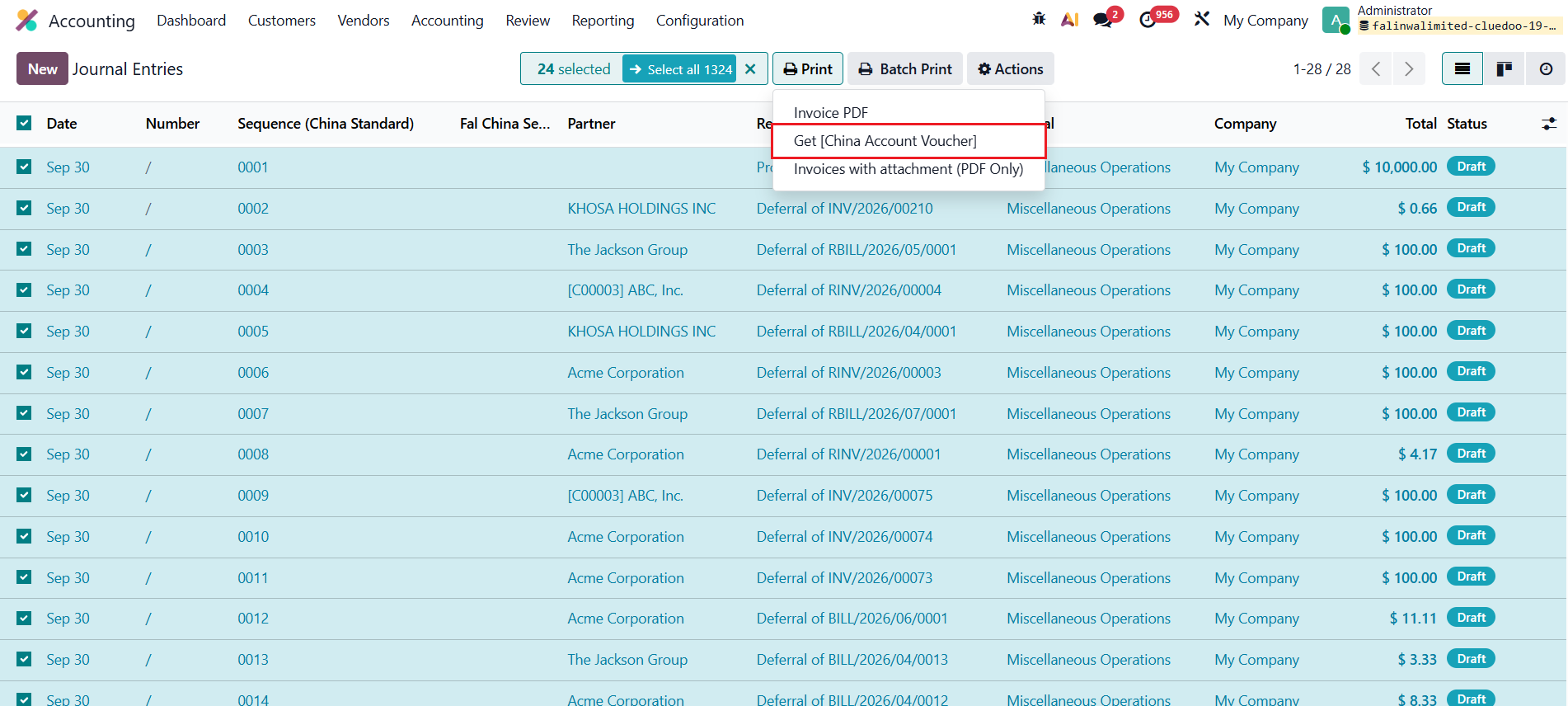 |
Note:
| 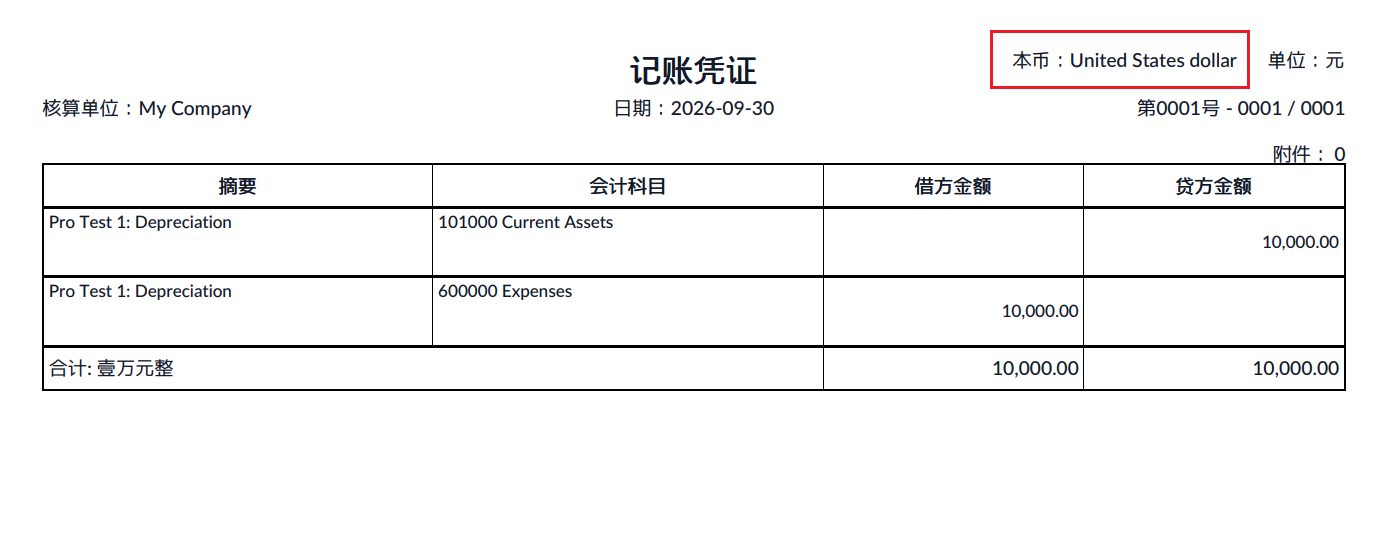 |
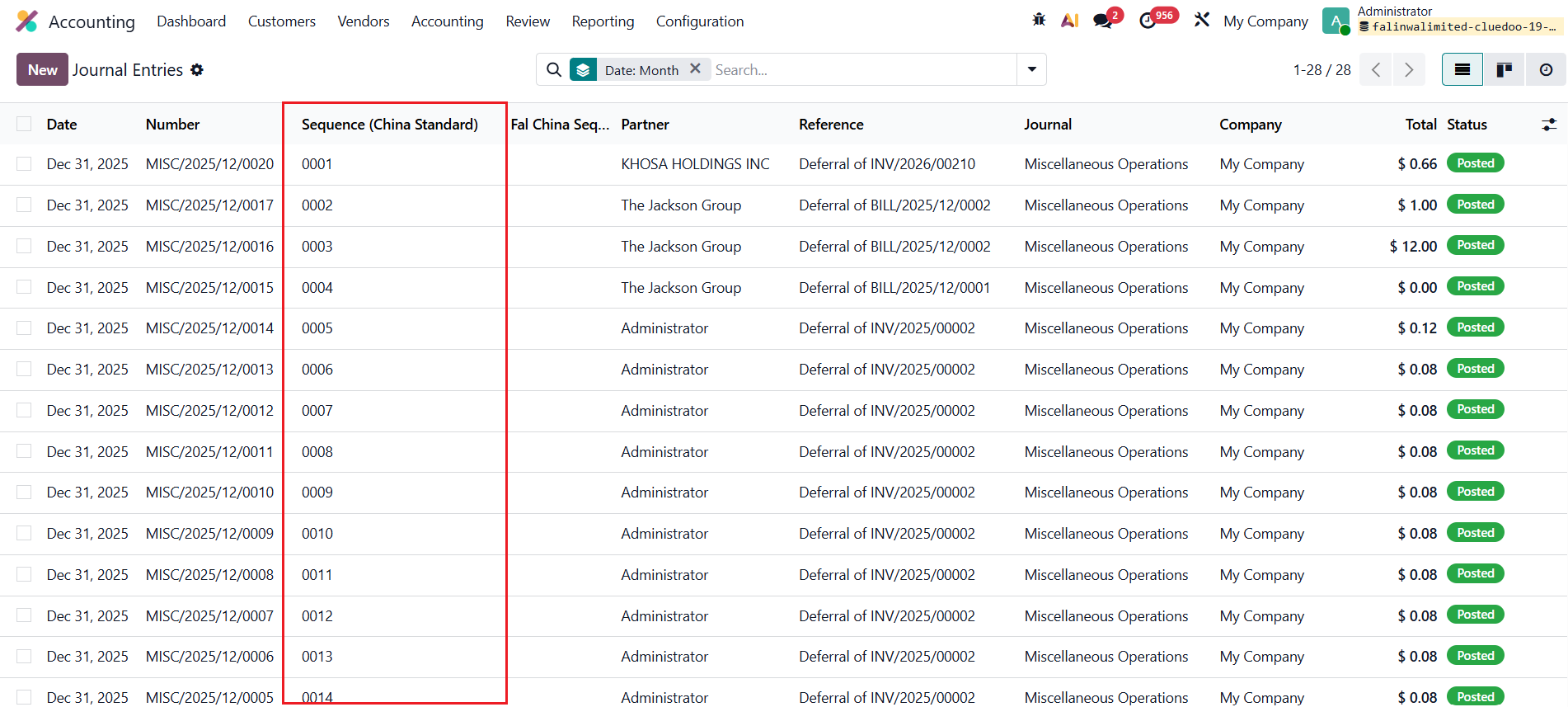
AUTO GENERATE SEQUENCEWhen posting the journal entries, the system auto generates the sequence. The sequence starts from "0001" every month. |
|
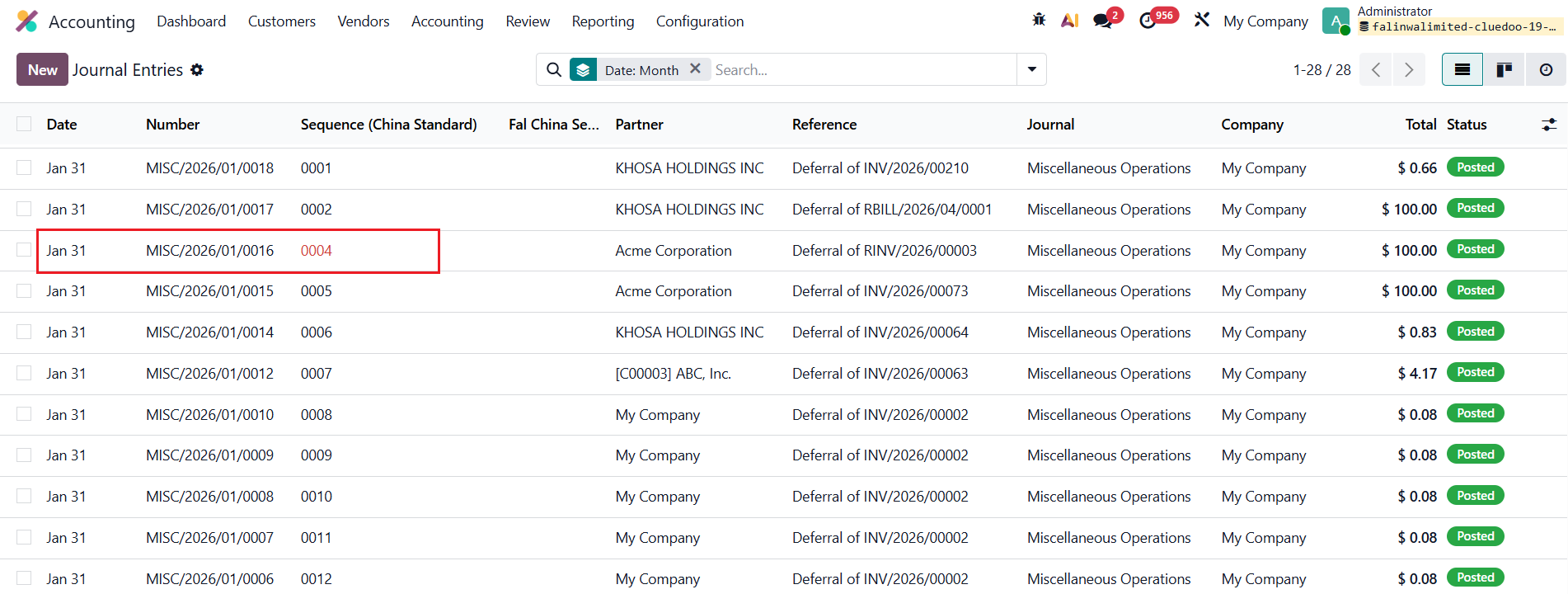
If the sequence becomes discontinuous, it will be displayed in red color. |
|
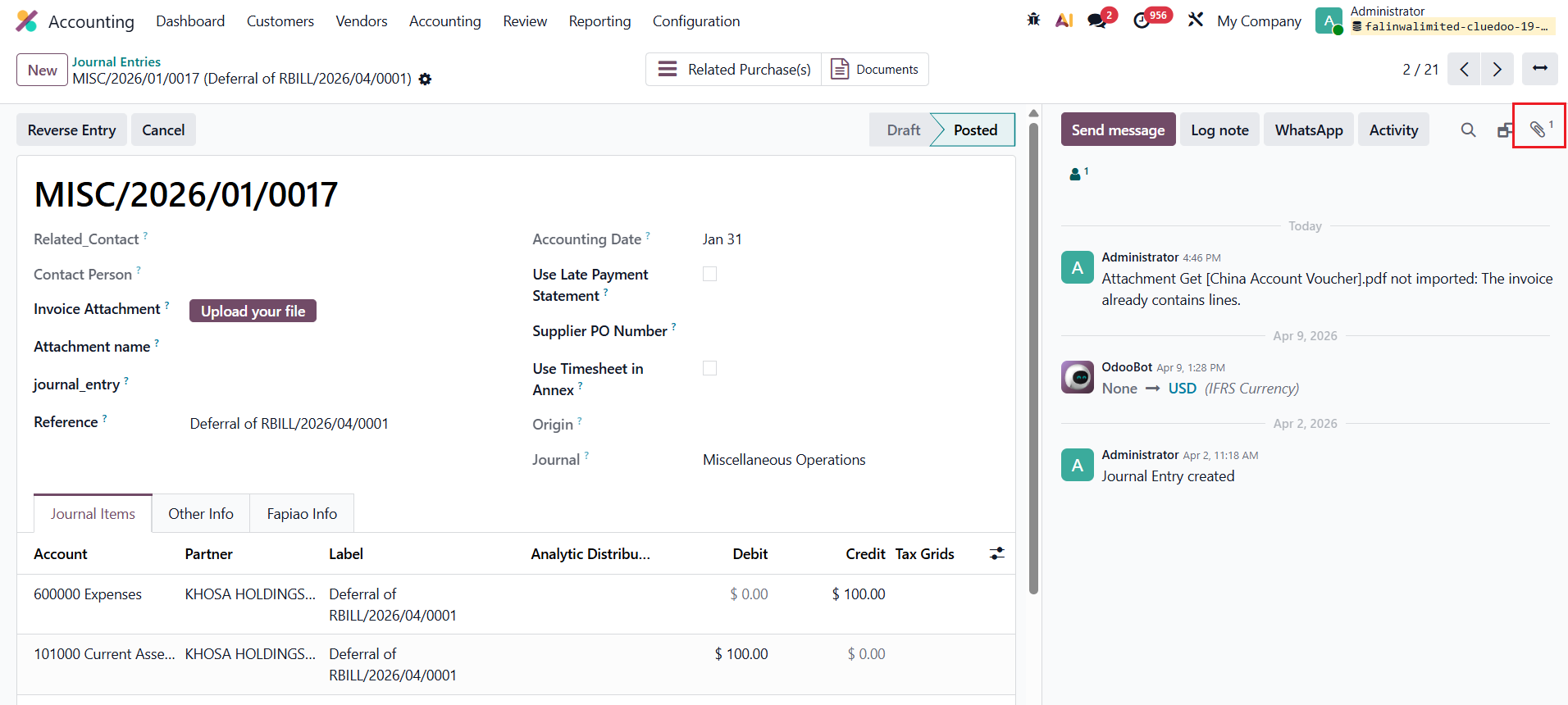
When users upload attachments, the number of attachments is automatically displayed on the printed voucher. |
|