



ODOO'S FUNCTION
In Odoo, drawing items in reports requires users to modify report templates through XML code or use the limited drag-and-drop features in the report designer. This process is rigid, as field placements are static and require technical knowledge to adjust.
CLUEDOO'S FUNCTION
CLuedoo presents the Drawing app as a solution. This module supports the app to import and extract zip files:
1️⃣ Batch Importing: Users can upload ZIP files directly, and the module automatically extracts and organizes the contents within the Drawing app.
2️⃣ Time-Saving Automation: Eliminates the need for external extraction and manual file uploads, streamlining the workflow
3️⃣ Improved File Management: Ensures all drawings are correctly imported in one step, reducing errors and making project handling more efficient.
1. Go to Settings > Users > Choose a user and tick Drawing User access rights |  |
2. Go to Drawing > Import Multiple File > Upload Your File and choose a zip file from your computer | 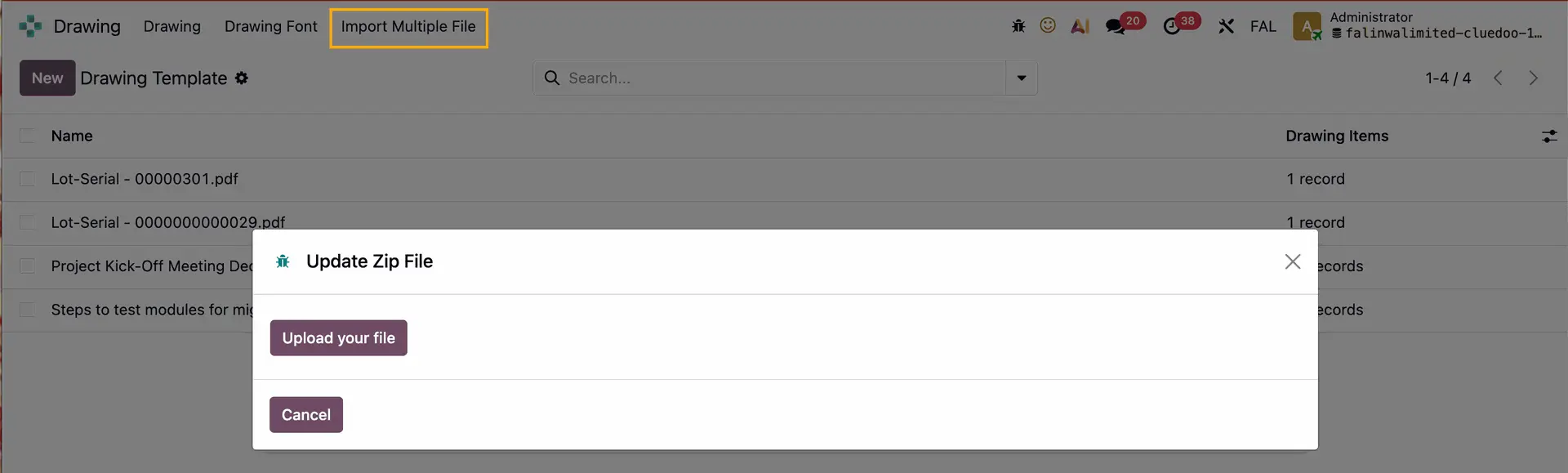 |
Unzip and Create |  |
All the files in the zip file will be automatically extracted in the Drawing Template | 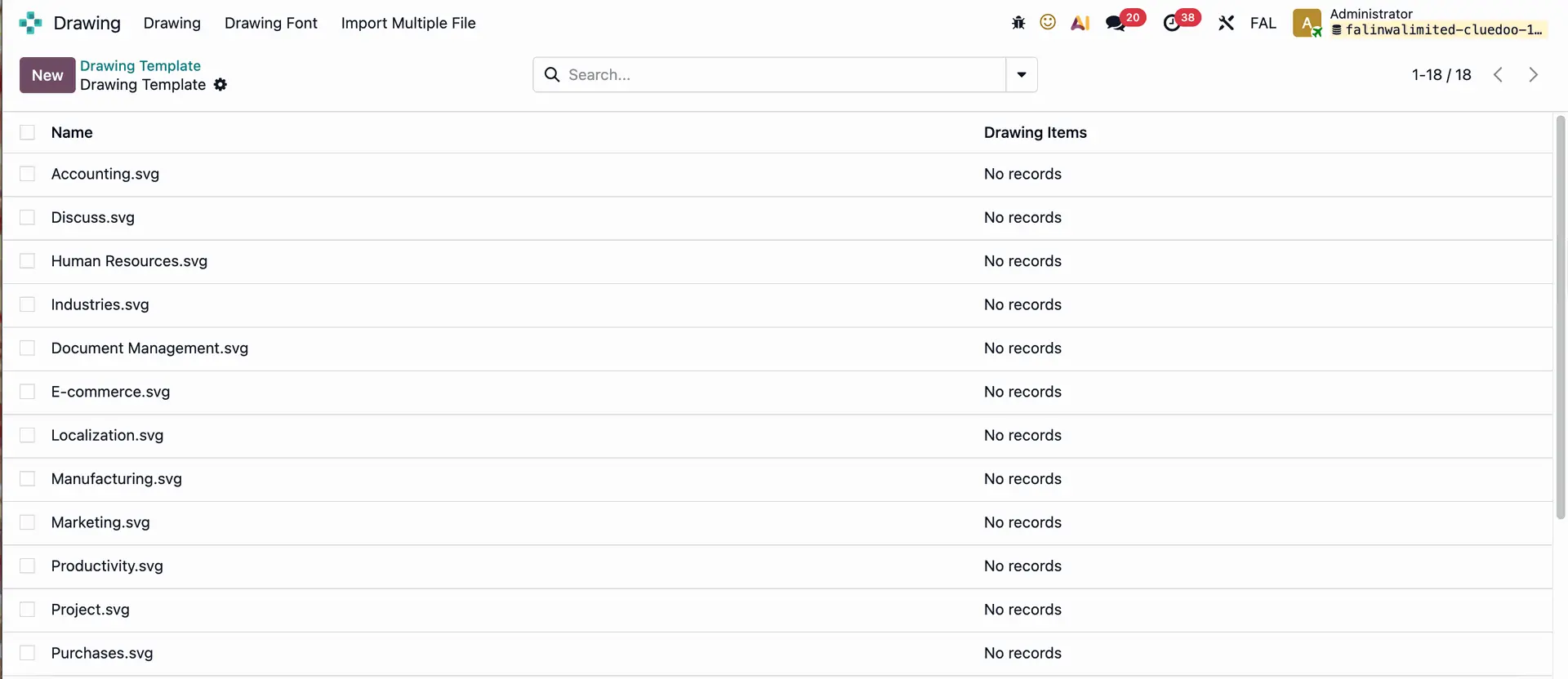 |