



ODOO'S FUNCTION
In Odoo, Automated Actions are applied globally based on model and conditions. They cannot be directly linked to a specific Quotation Template, meaning the same automation runs for all quotations that meet the criteria, regardless of which template is used.
CLUEDOO'S FUNCTION
CLuedoo enables users to select a specific Automated Action for a Quotation Template, allowing predefined automation to be associated with the template and automatically applies the Automated Action defined in the selected Quotation Template to the Sales Order.
1 Under Sales > Quotation Templates, we can create an automation rule that we want to use on the sales orders under the Automated Action tab. | 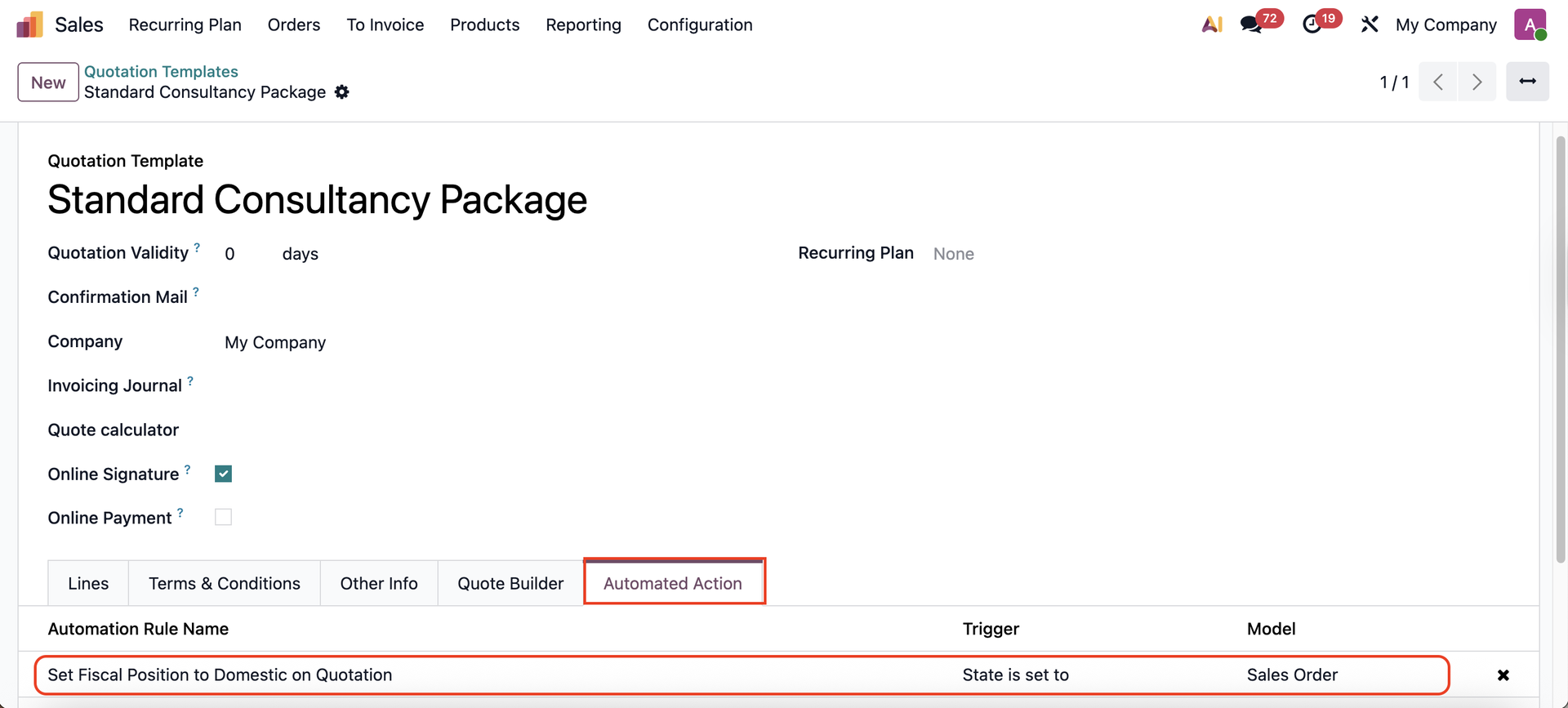 |
Example code to set the Fiscal Position = Domestic when the SO is in Quotation state: # Search for the Domestic fiscal position fiscal_position = env['account.fiscal.position'].search( [('name', '=', 'Domestic')], limit=1 ) if fiscal_position: records.filtered(lambda o: o.state in ('draft', 'sent')).write({ 'fiscal_position_id': fiscal_position.id }) | 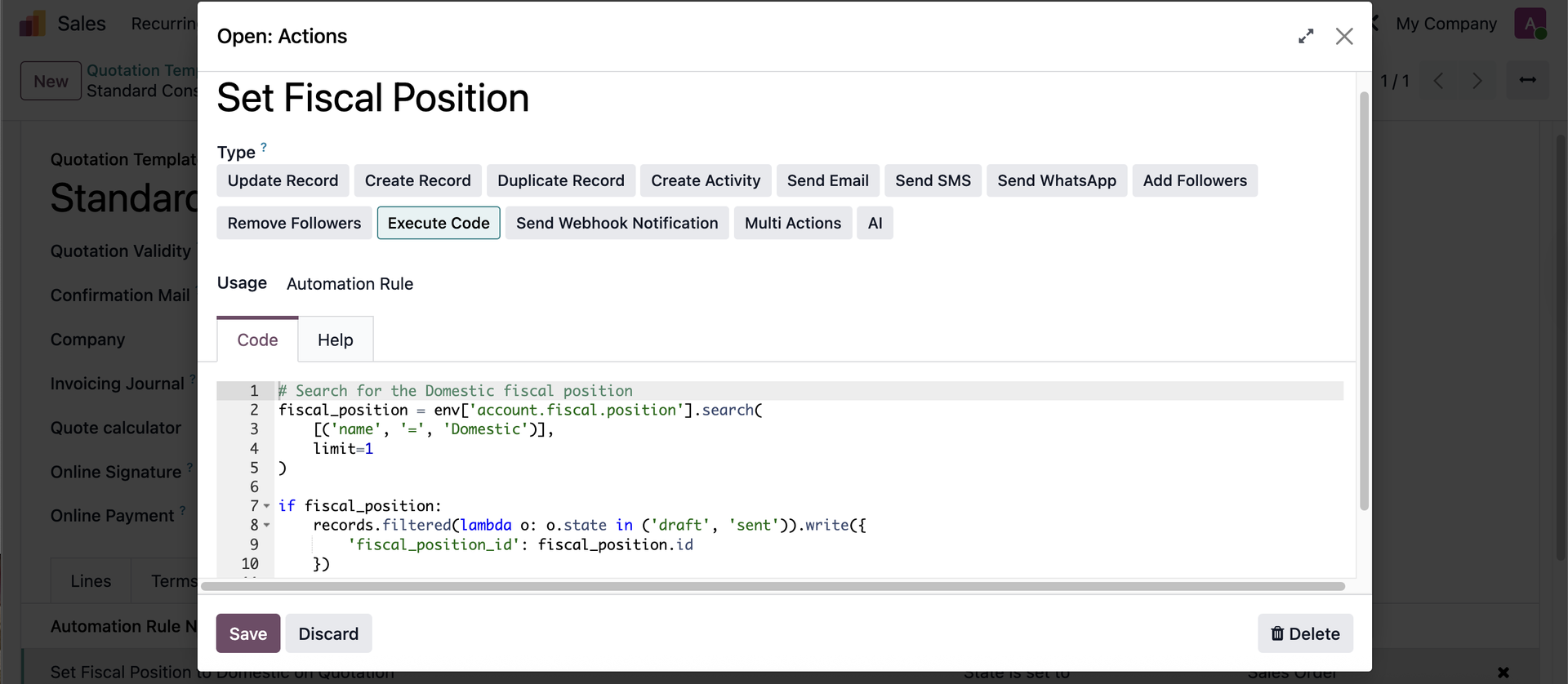 |
2 On the Sales Order, select the Quotation Template Add the field x_fal_automation_relation from module Automated Action Management Per Record to view the list the actions you have for this specifc quotation template. | 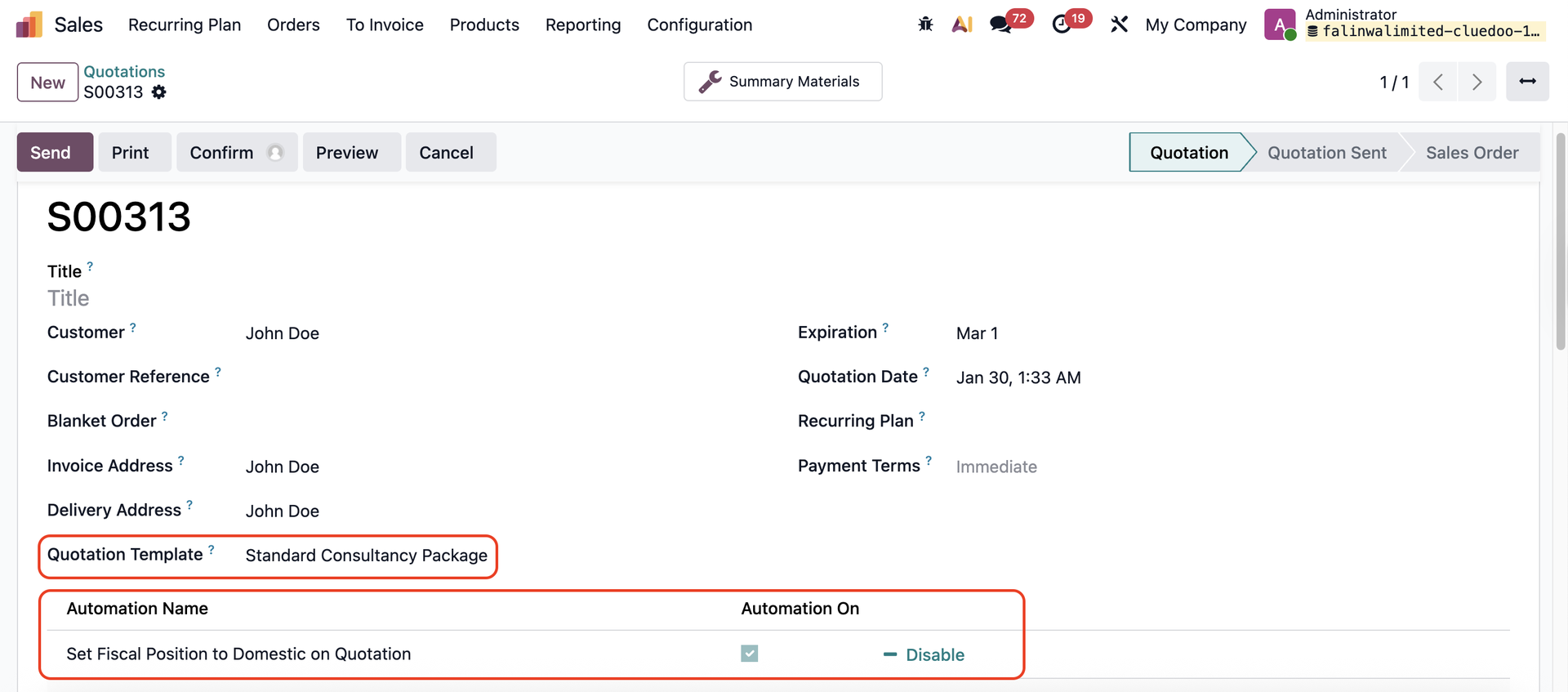 |
3. The automation rule that you set on the Quotation Template will be automatically applies to the SO. | 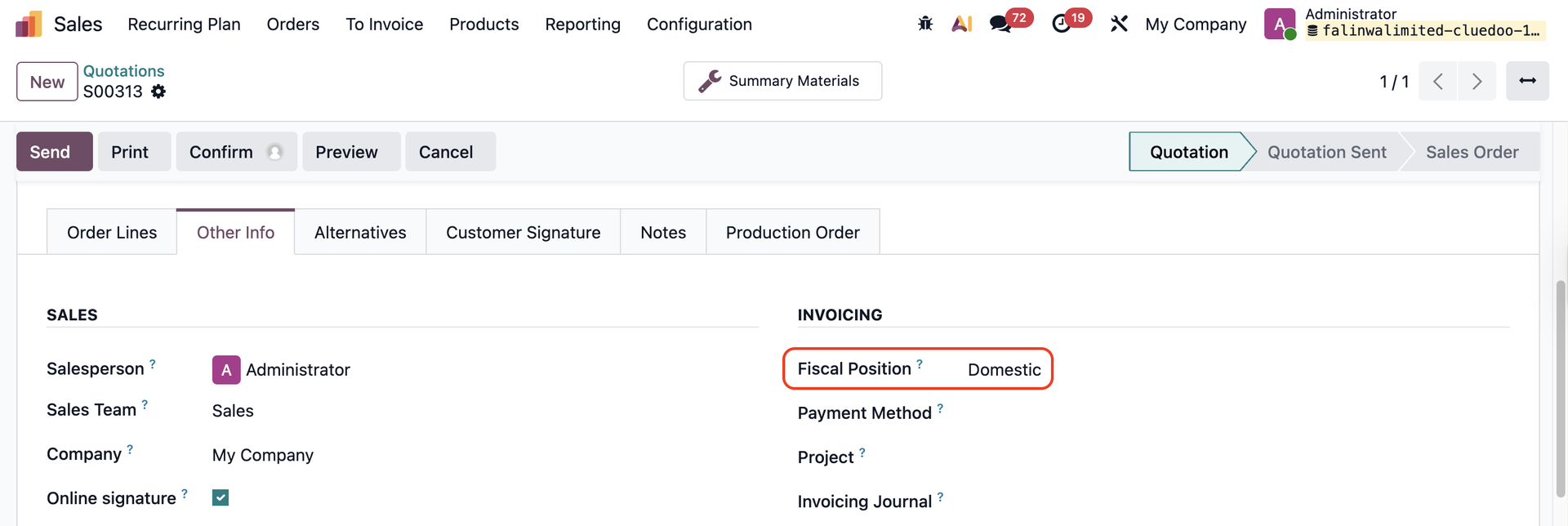 |