



STORY BEHIND THE FEATURE
ODOO BEHAVIOR
Odoo lacks specific fields for Ongoing quantity and Progress, making it challenging for users to track the remaining quantity for delivery and the delivery completion percentage.
CLUEDOO BEHAVIOR
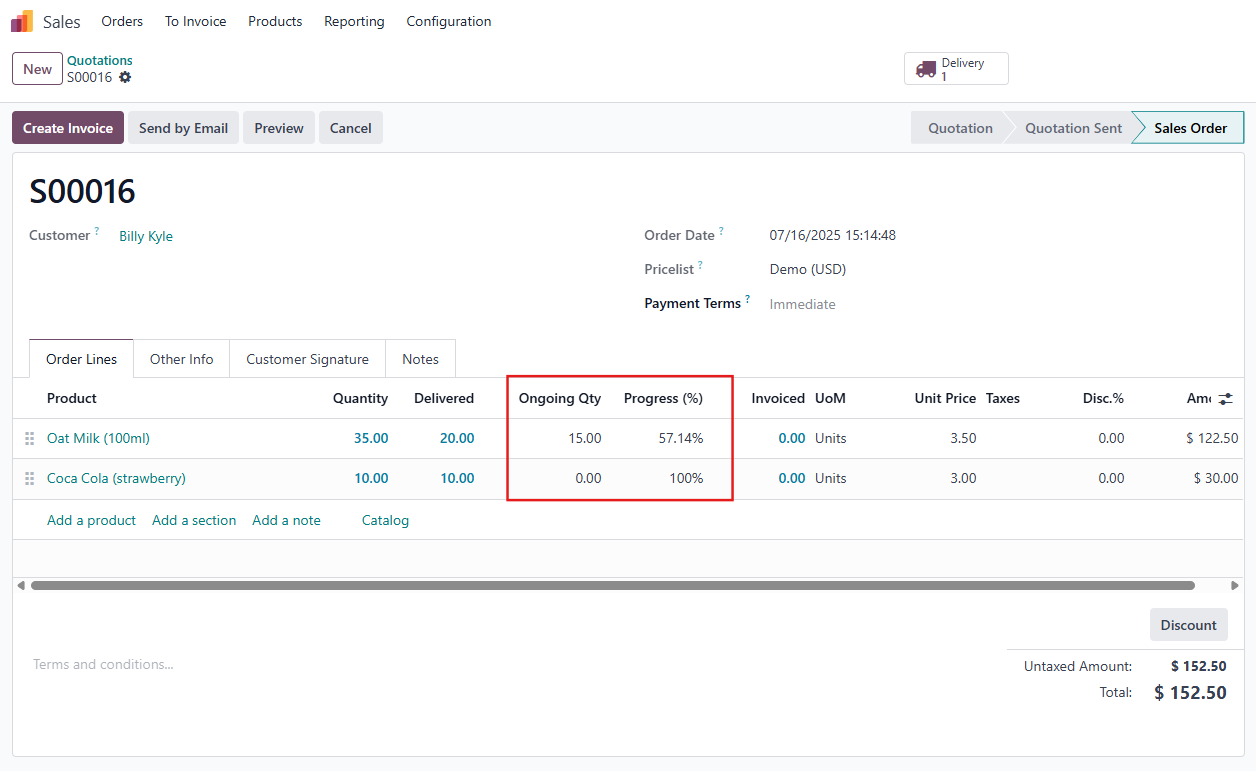
Cluedoo introduces the Ongoing quantity, which represents the remaining quantity to be delivered and the Progress (%) field, which represents the percentage of completion for delivery. As a result, users can instantly view delivery progress without navigating to picking details.
CLUEDOO RECOMMENDATION
Install on 100% of your database.
OUR FEATURES AS SOLUTIONS
Ongoing quantity and Progress (%) column in Sale Order Line
HOW TO USE THIS MODULE
1. Go to Sales > Create a new Sales Order and fill in the necessary information > Confirm | 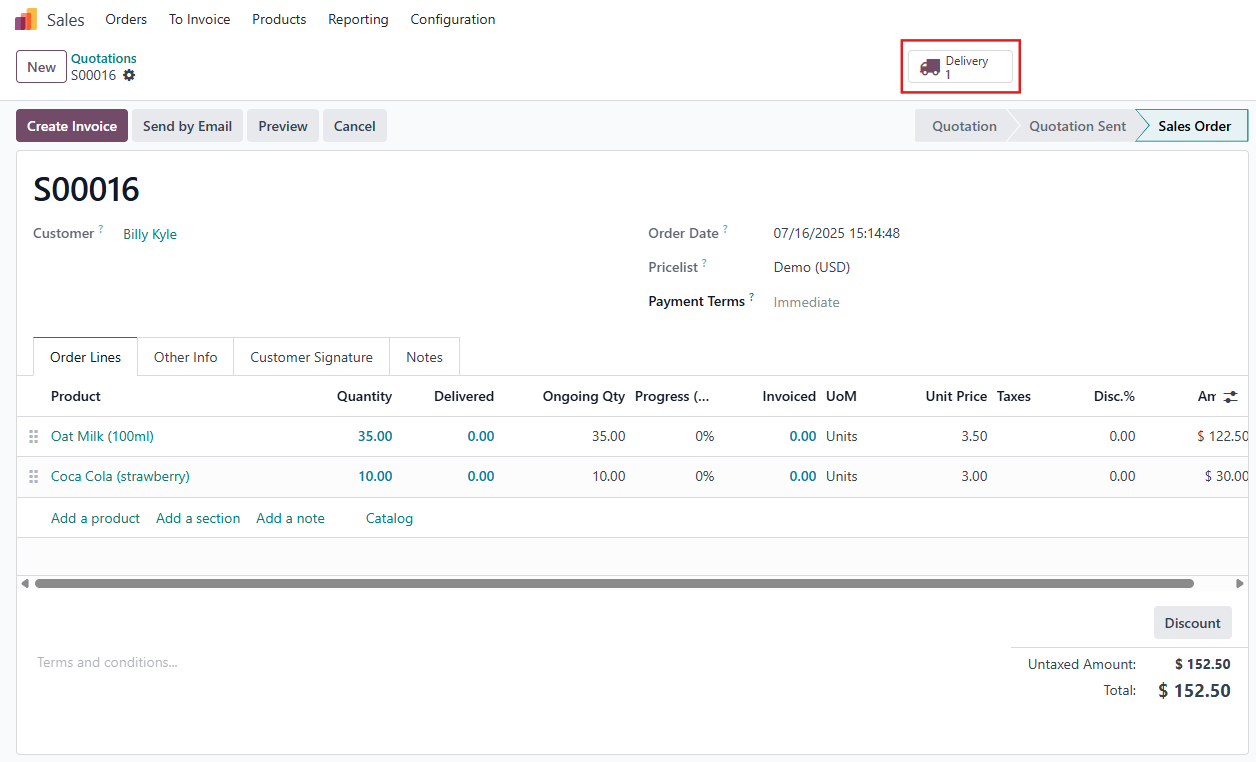 |
2. Go to Delivery > Input the delivery quantity > Validate | 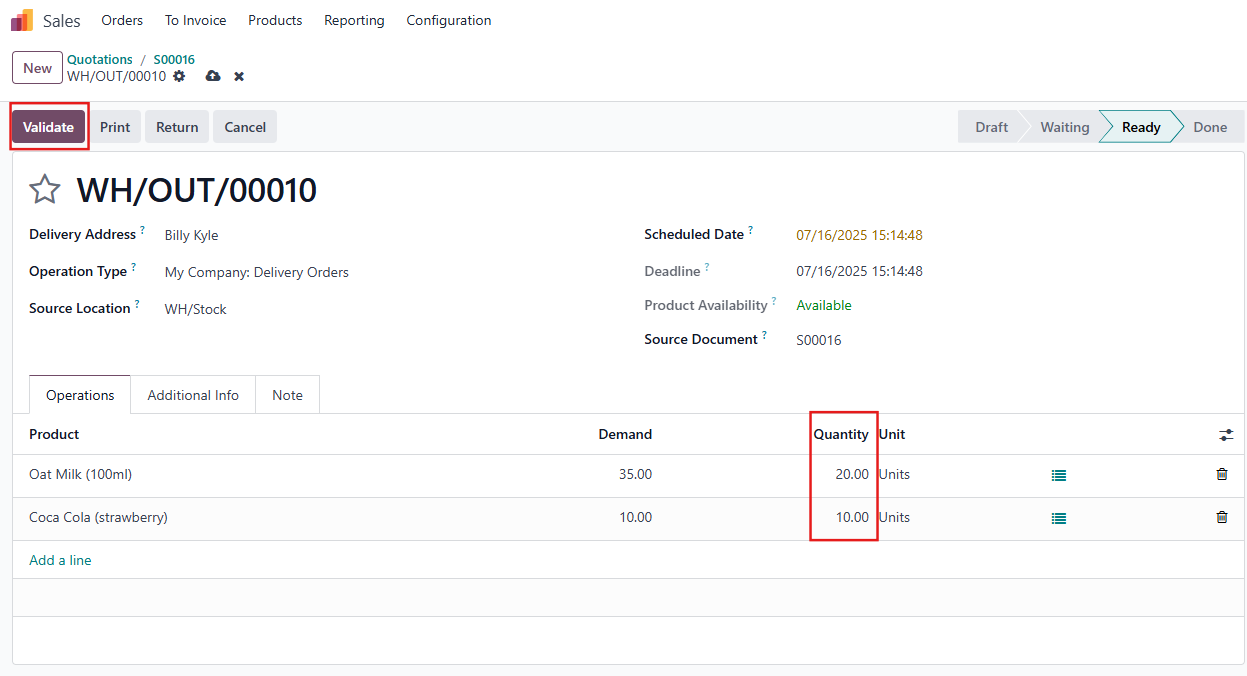 |
3. The Ongoing quantity and Progress (%) columns will be automatically calculated. Note:
|  |