



ODOO'S FUNCTION
In Odoo, Quality Alerts can be linked to Manufacturing Orders, Work Orders, or Lots/Serial Numbers, but there is no stage option to mark an alert as an exception, and no quick overview of alert status counts from these records.
CLUEDOO'S FUNCTION
CLuedoo adds an Alert Exception checkbox to Quality Alert stages, for example, to allow the Quality team to close the related MO instead of the QA when the issue is minor. It also adds a Quality Alerts smart button on Manufacturing Orders, Work Orders, and Lots/Serial Numbers, displaying the ratio <Number of QA Not Solved> / <Total QA>, where “Not Solved” includes all alerts not in the “Alert Processed” or “Alert Exception” stages.
ALERT EXCEPTIONGo to Quality > Configuration > Quality Alert Stages > We have an additional checkbox for Alert Exception |  |
QUALITY ALERT ON MANUFACTURING ORDERSCreate a finished product tracked by Lot/Unique Serial Number > add a BoM with its Operations |  |
Create a Quality Control Point for the product |  |
Create a Manufacturing Order > Confirm > Add the Lot/Serial Number for the finished product > Do the Quality Check > Create an alert and fill in the Lot A Quality Alerts smart button will appear with <Number of QA not solved> / <Total number of QA> Number of QA not solved = Number of QA not in stage Alert Exception/Alert Processed | 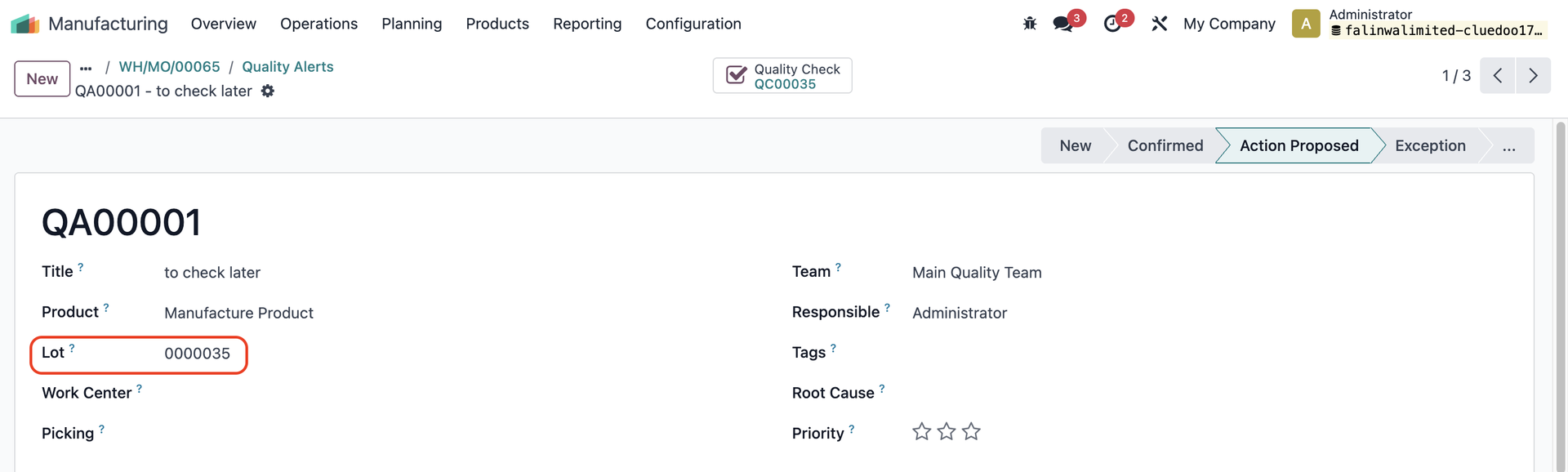 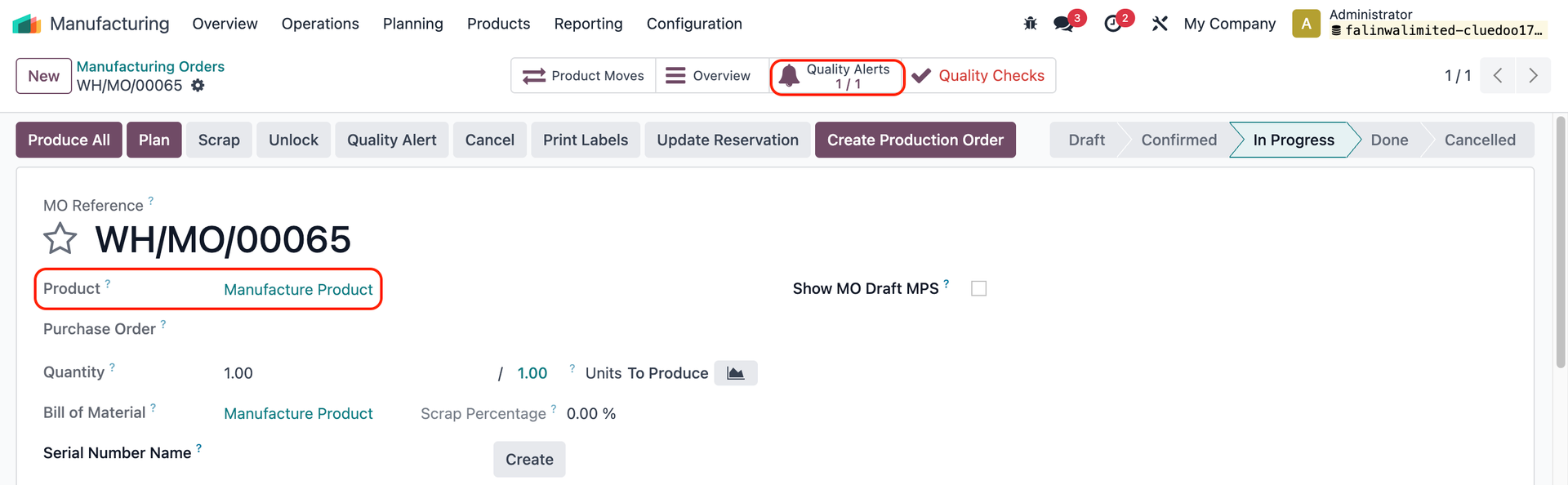 |
QUALITY ALERT ON WORK ORDERSStart the work order(s) > Open Shop Floor > Create a Quality Alert | 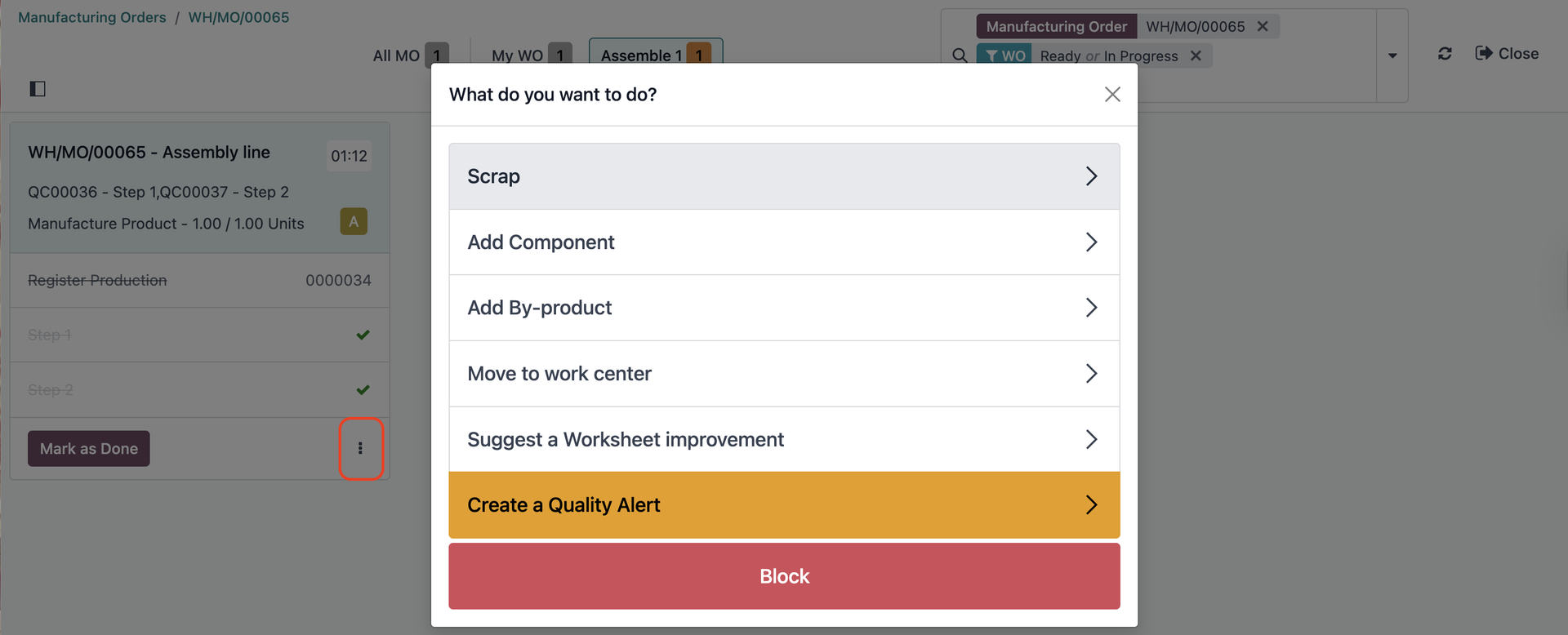 |
Go to Operations > Work Orders > Select the work order(s) of the finished product and you will find a Quality Alerts smart button | 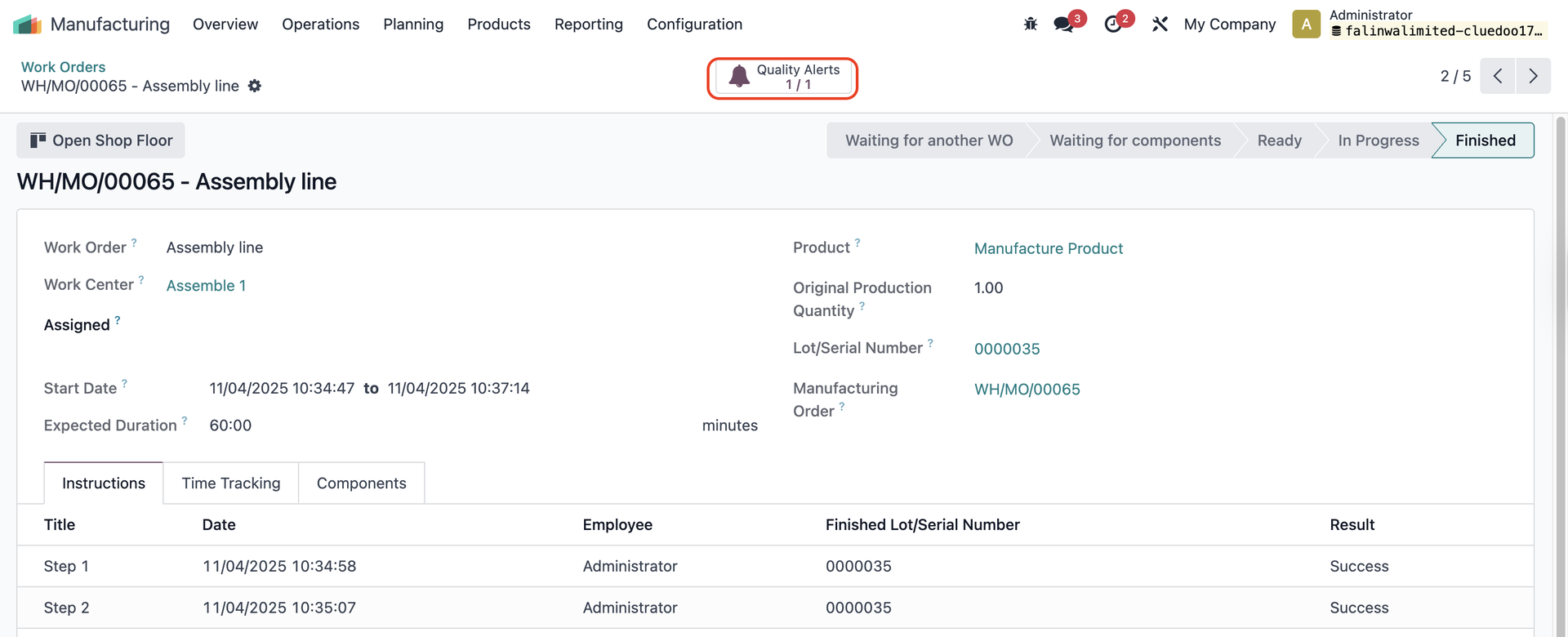 |
QUALITY ALERT ON LOTS/SERIAL NUMBERSGo to Lots/Serial Numbers > select the one(s) that you filled in the QA > you will find a Quality Alerts smart button | 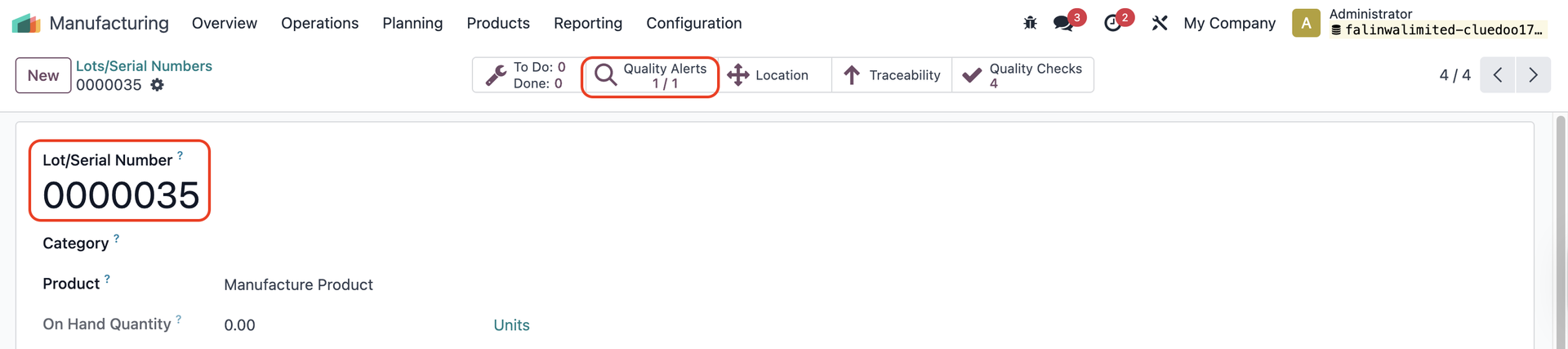 |