



STORY BEHIND THE FEATURE
ODOO BEHAVIOR
In Odoo Shop Floor, when users input a new lot /serial number, they are required to go through a confirmation window to review and validate the related information before the lot/ serial number can be successfully assigned to the product.
While this ensures data accuracy, it may also limit operational efficiency, especially in fast-paced environments where users need to process large volumes of products quickly
CLUEDOO BEHAVIOR
In CLuedoo, users can now input and validate lot/ serial numbers directly, without having to go through an additional confirmation step. This enhancement streamlines the workflow, reduces time spent on data entry, and improves overall efficiency on the shop floor.CLUEDOO RECOMMENDATION
Install on 100% of your database.
OUR FEATURES AS SOLUTIONS
Reduce the Validation step for Lot/ Serial Number in the Shop Floor
HOW TO USE THIS MODULE
1. Go to Manufacturing > Operations > Manufacturing Orders > Create a new Manufacturing Order with product tracked by the Lot/ Unique Serial Number > Confirm | 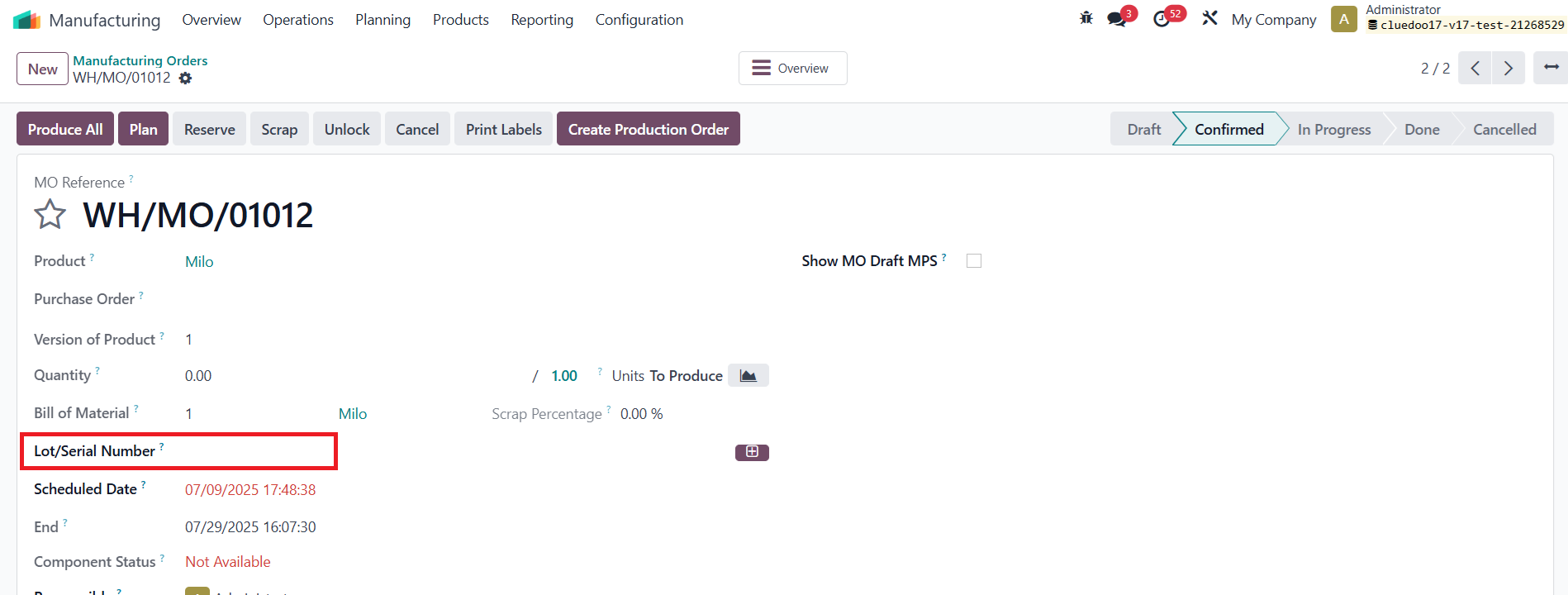 |
2. Go to Shop Floor > locate the MO you just created > Register Production > In the Serial Number input field, type the desired serial number Note:
OR
> Press the Enter key on your keyboard to register it. ⚠️ This step is critical — pressing Enter is what confirms and saves the serial number. Click Validate > You’ll now see the serial number listed in the Register Production section. Go back to the MO > You should see that the serial number has been successfully assigned to the product | 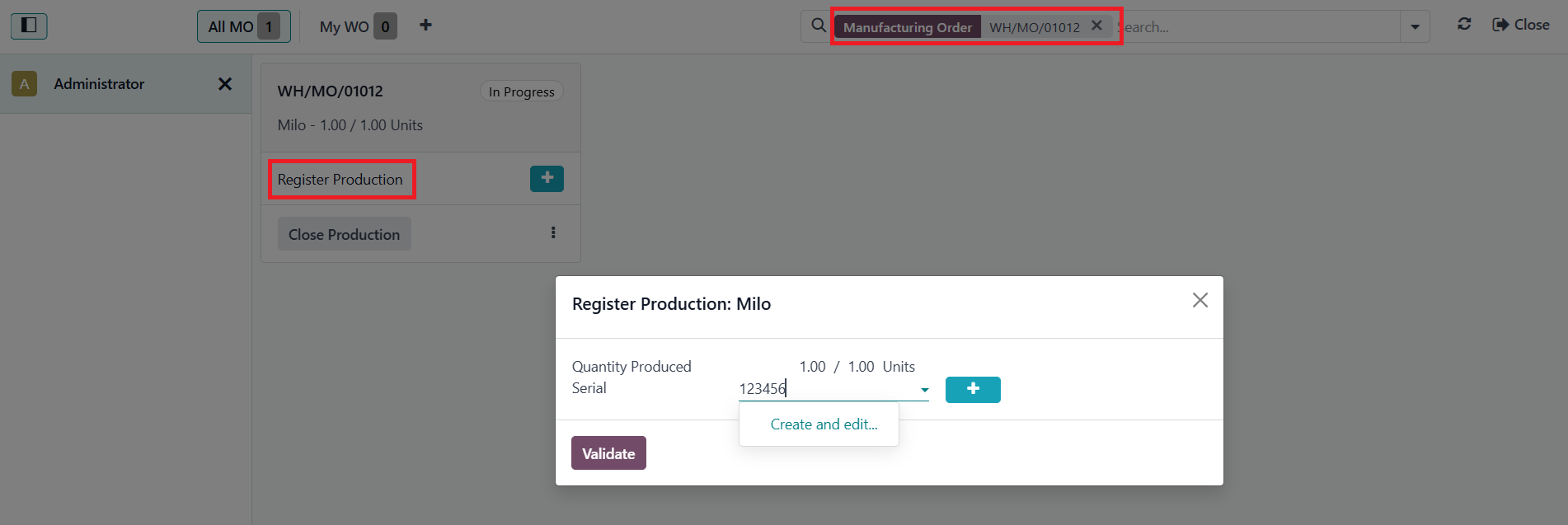 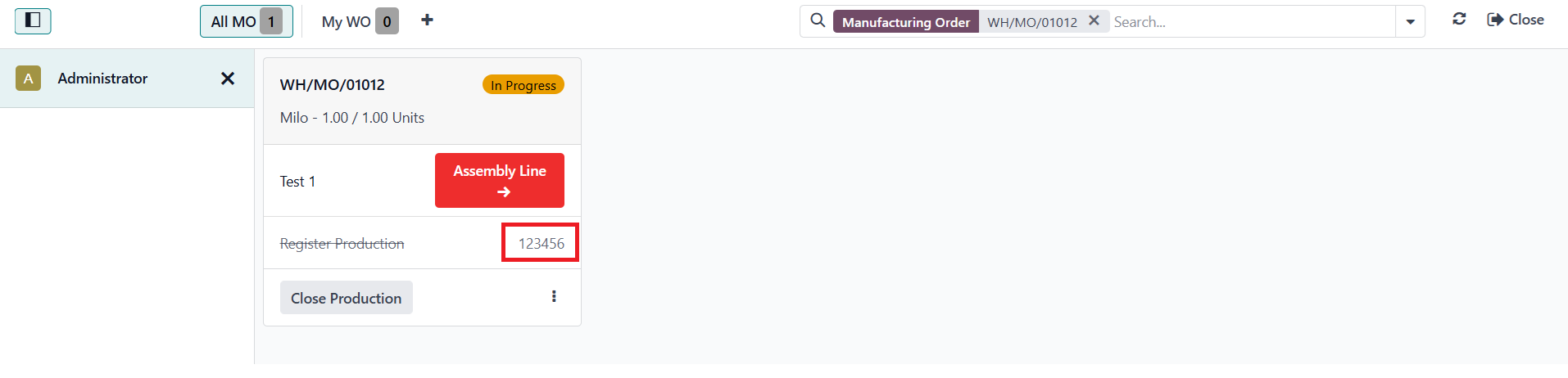 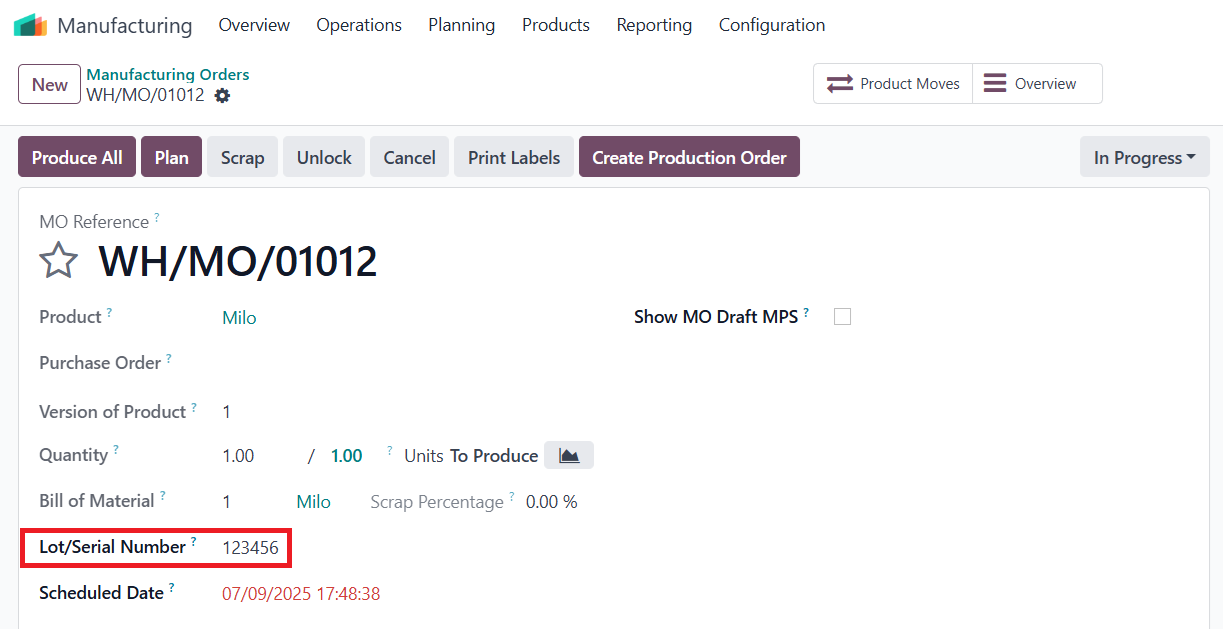 |
If the module is not installed, when you input a new serial number > you will have to go through the "Create and Edit" step so that the newly entered serial number can be successfully assigned to the product | 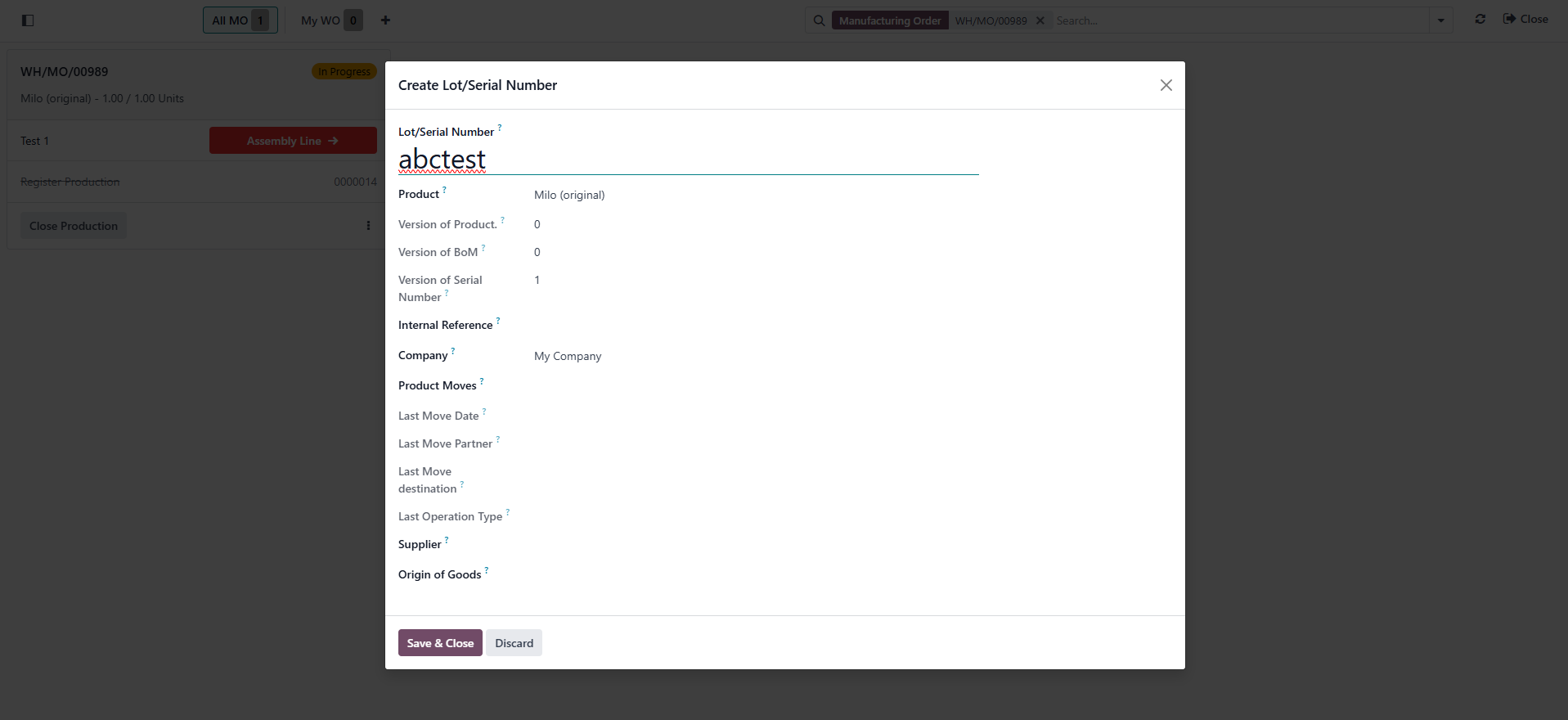 |