



ODOO'S FUNCTION
Odoo proposes a very dynamic and flexible comparison engine but lacks a 'Total' column, which strongly limits the use of the comparison tool. For instance, you can get all of your monthly results from the beginning of the year, but you cannot see the year's total amount on the same report.
CLUEDOO'S FUNCTION
Odoo proposes a very dynamic and flexible comparison engine but lacks a 'Total' column, which strongly limits the use of the comparison tool. For instance, you can get all of your monthly results from the beginning of the year, but you cannot see the year's total amount on the same report.
1. First, we need to create an applicable filter on a financial report. | 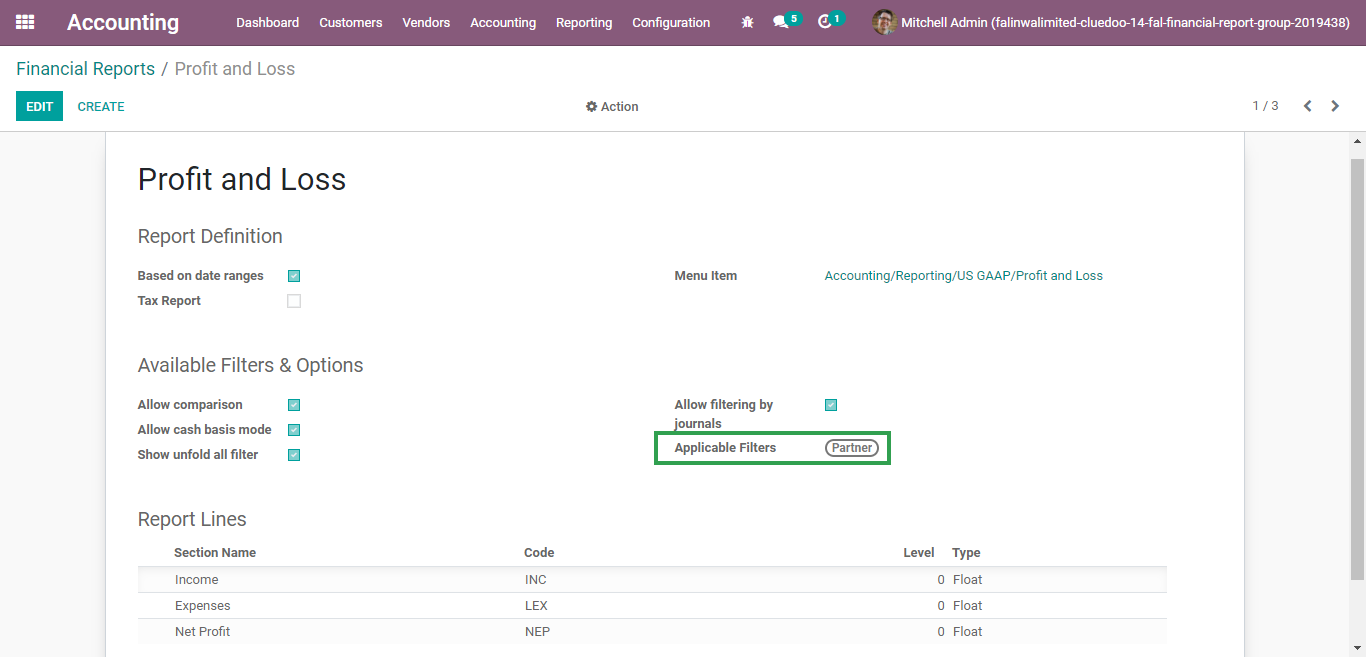 / / |
When we apply a filter on the financial report, it will show the total. NOTE: From v18 up, Odoo already has a total column if we add a filter | 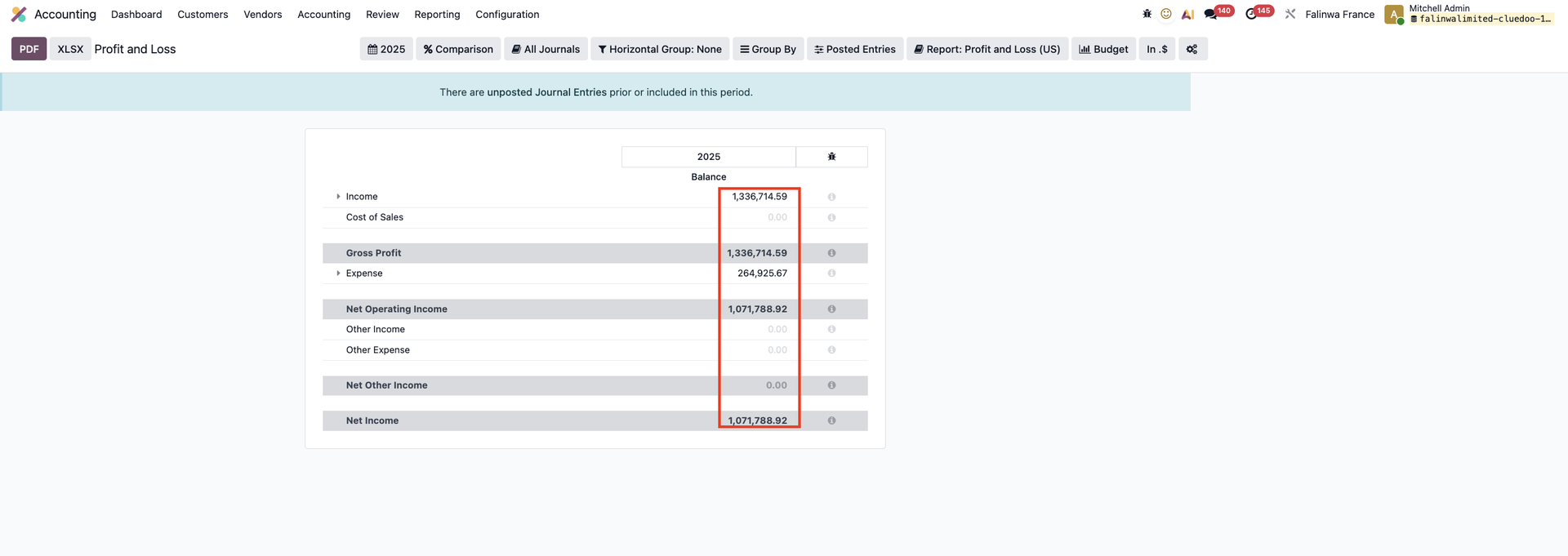 |
Set the applicable filter In v19:1. Go to Accounting > Reporting > Profit and Loss > Settings button > Fill in Horizontal Groups under the Options tab | 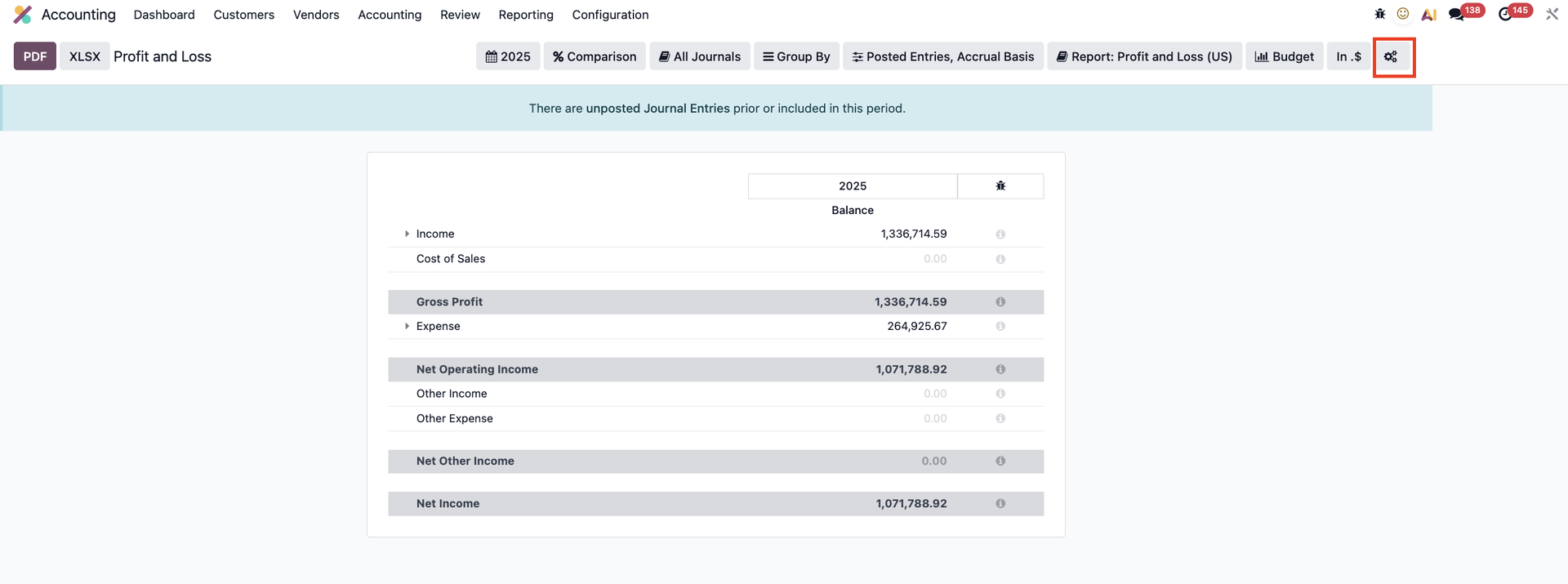 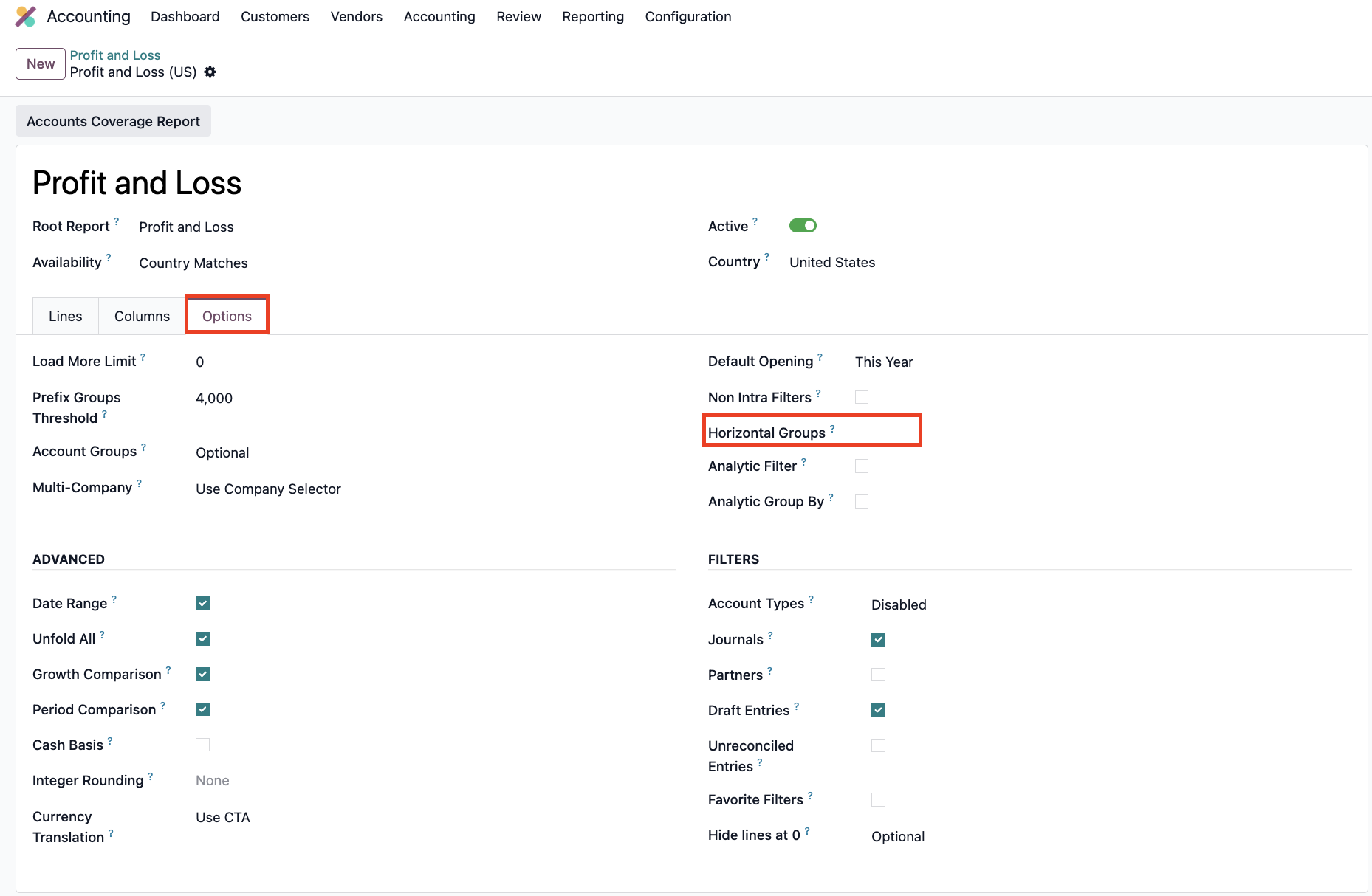 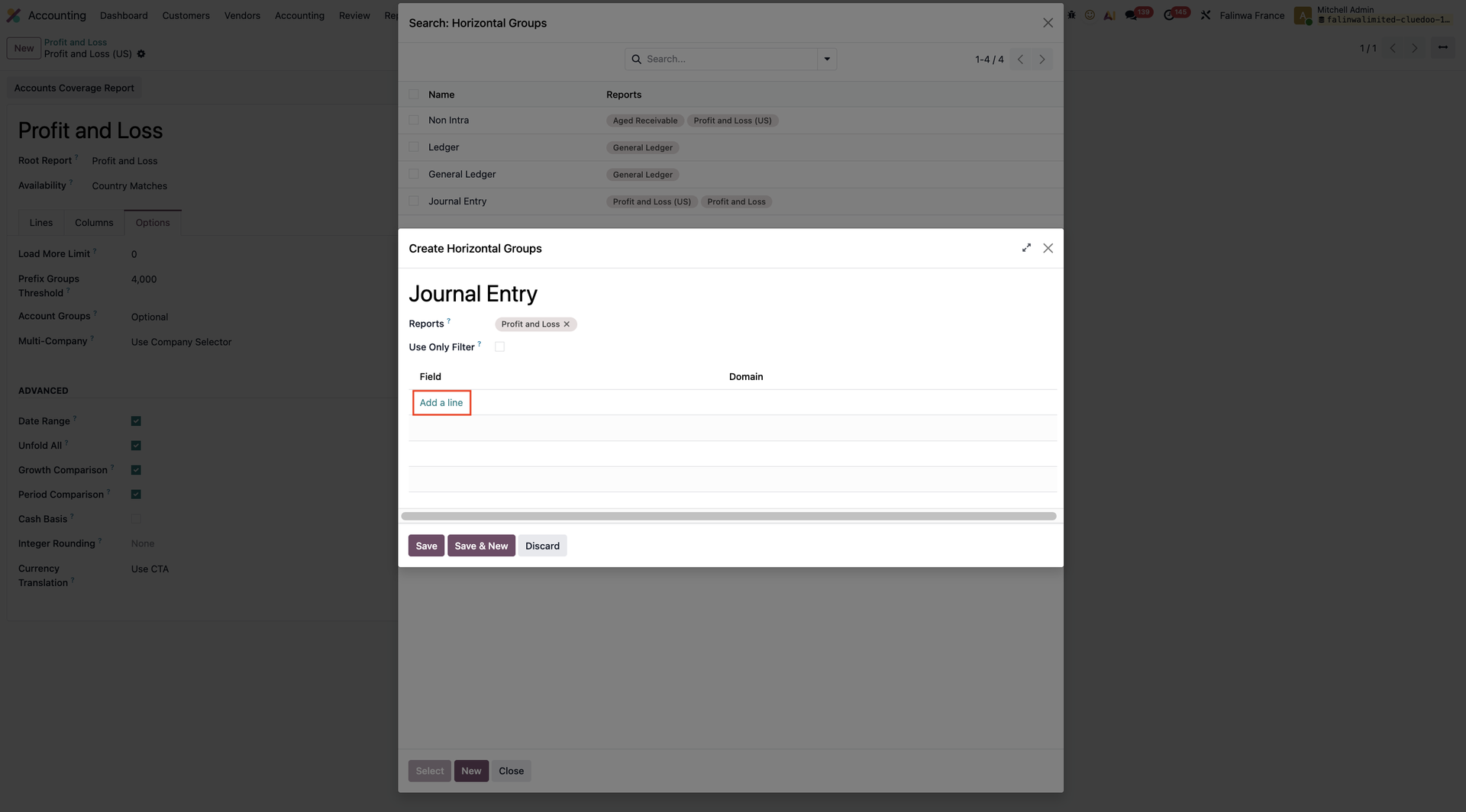 |
Create a new horizontal group or choose an existing one > Save | 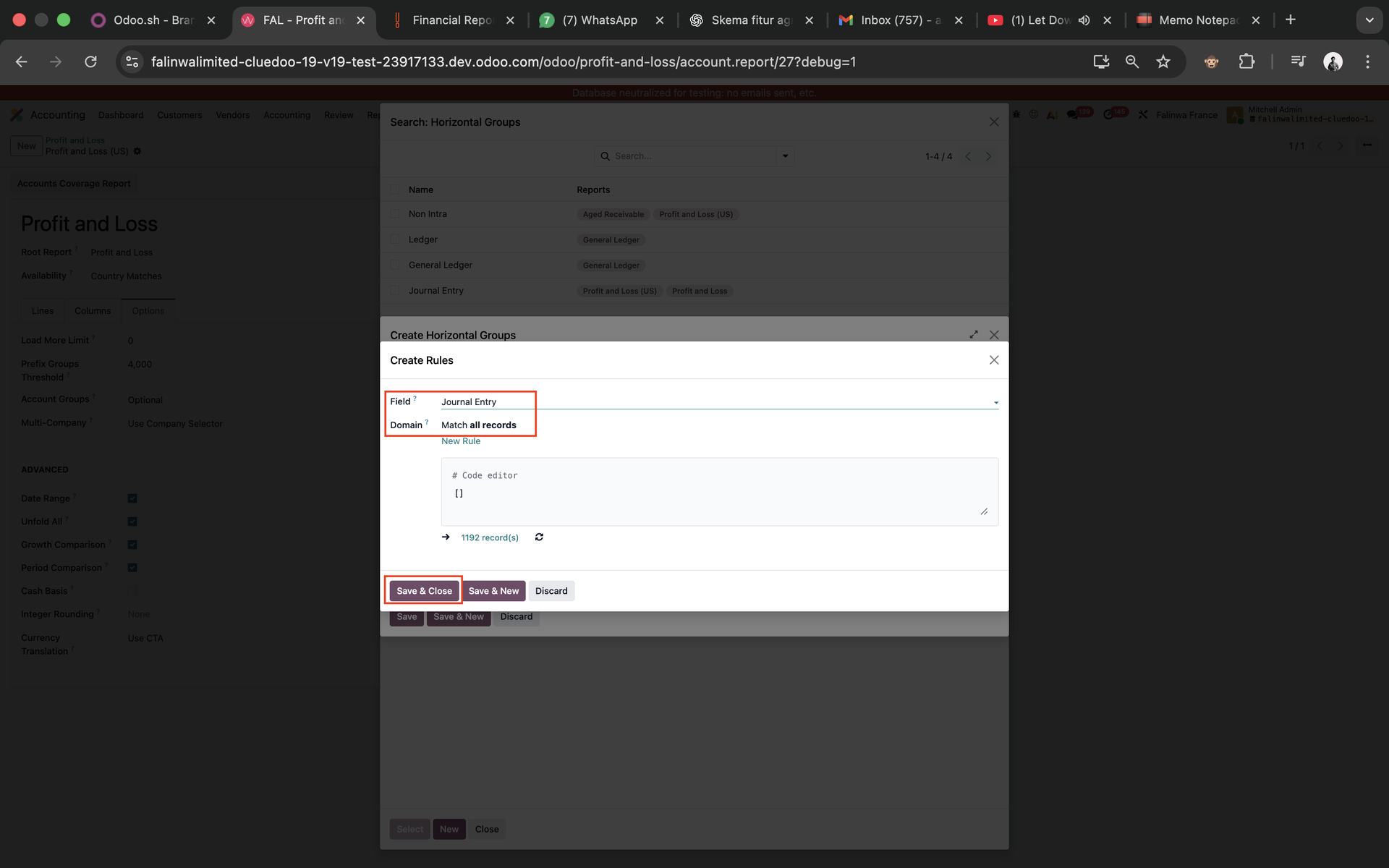 |
2. Go back to the Profit and Loss statement, you will see an option to filter by Horizontal Group: Journal Entry that you just created | 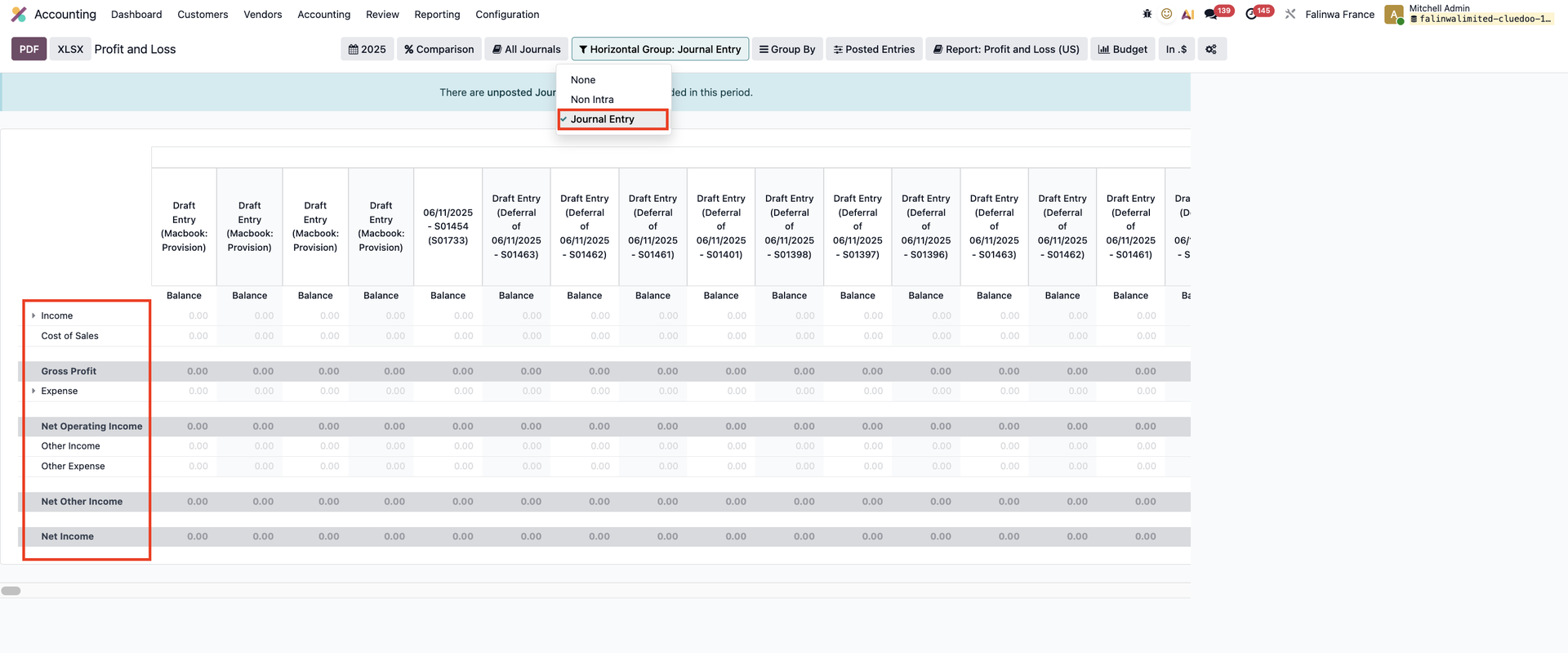 |
3. If you add a comparison, it will show the total for each year | 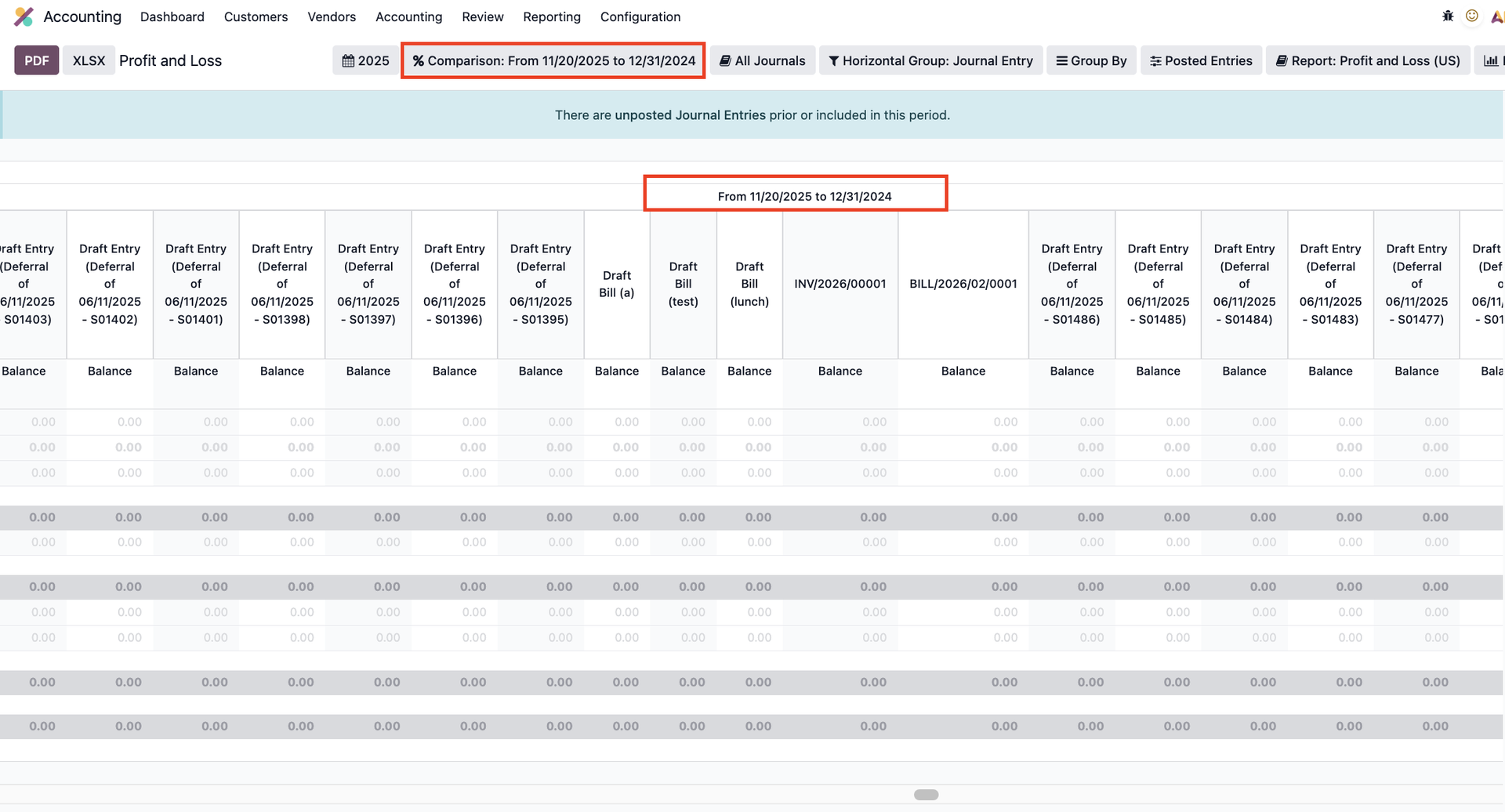 |