



ODOO'S FUNCTION
Odoo supports automatic intercompany sales and purchases, where a sales order in one company can trigger a purchase order in another. However, it does not automatically carry over product configurations (such as variant selections or attributes) from the sales order to the linked purchase order.
CLUEDOO'S FUNCTION
Cluedoo enhances intercompany flows by ensuring that product configurations selected in the sales order (e.g., size, color, custom attributes) are automatically applied to the corresponding purchase order in the other company. This ensures accuracy and reduces manual adjustments across companies.
1. Go to Settings > General Settings > Find Inter-Company Transactions Tick all box as the image to set Inter-Company Transactions rules Note: Remember set this rule for both companies you want to have this kind of transactions For example: I set this rule for My Company (Chicago) and My Company (San Francisco) | 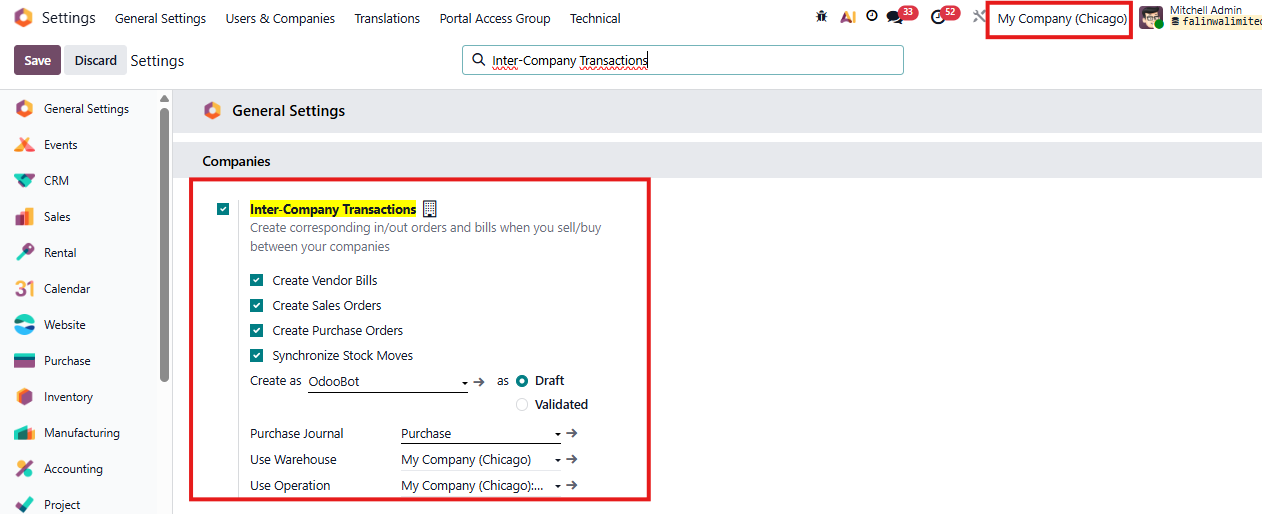 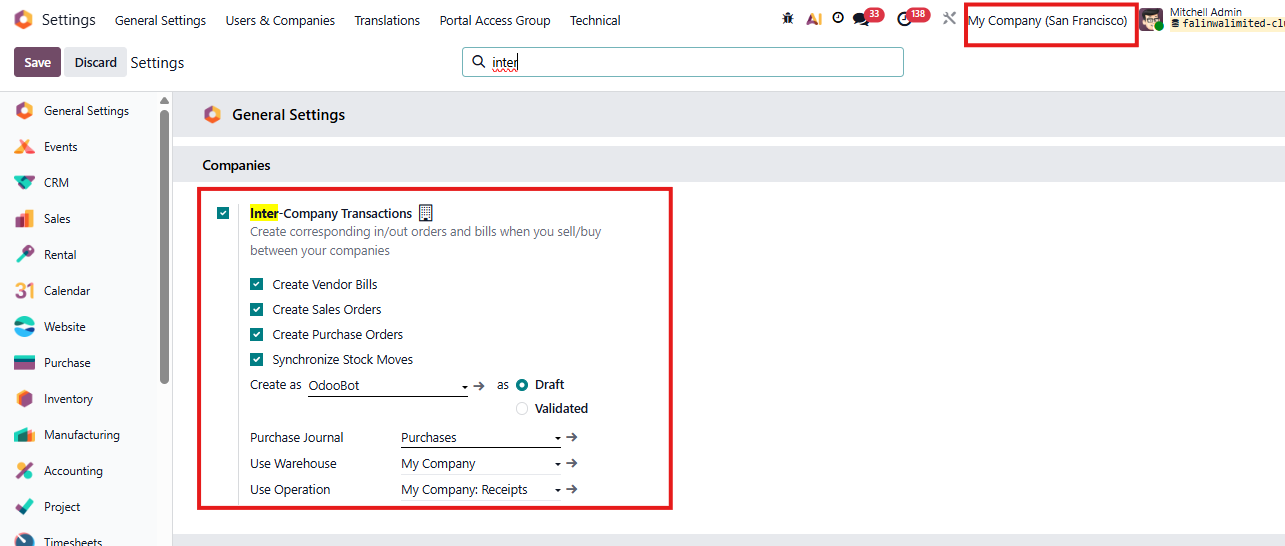 |
2. Go to Sales → Sales Order – Create new Sales order, choose a product and configure the product. | 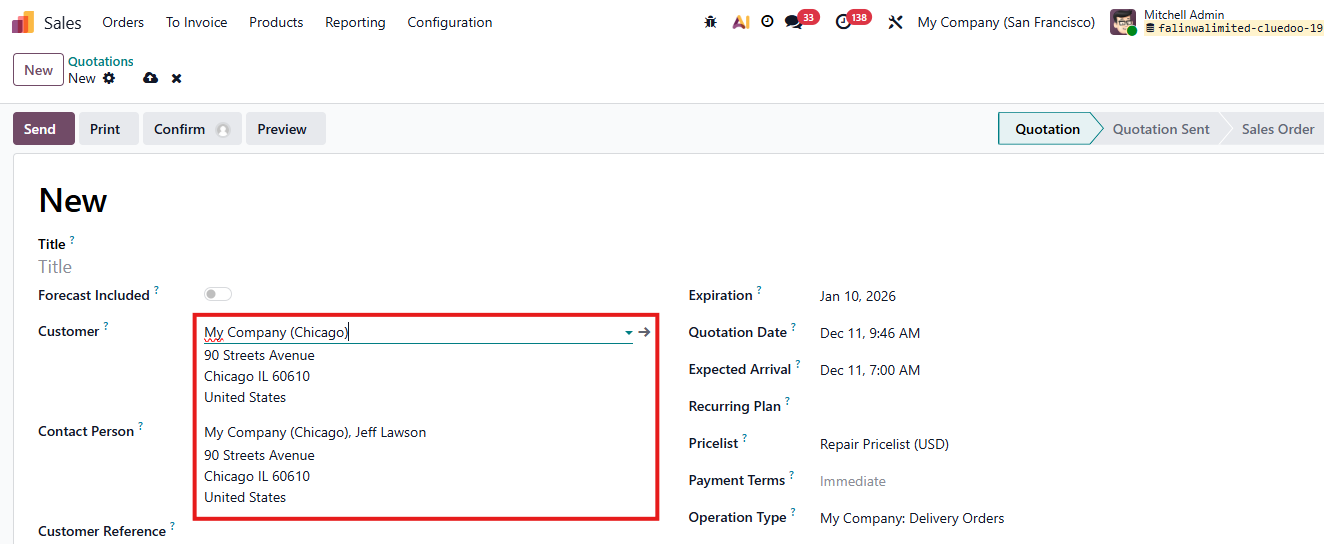 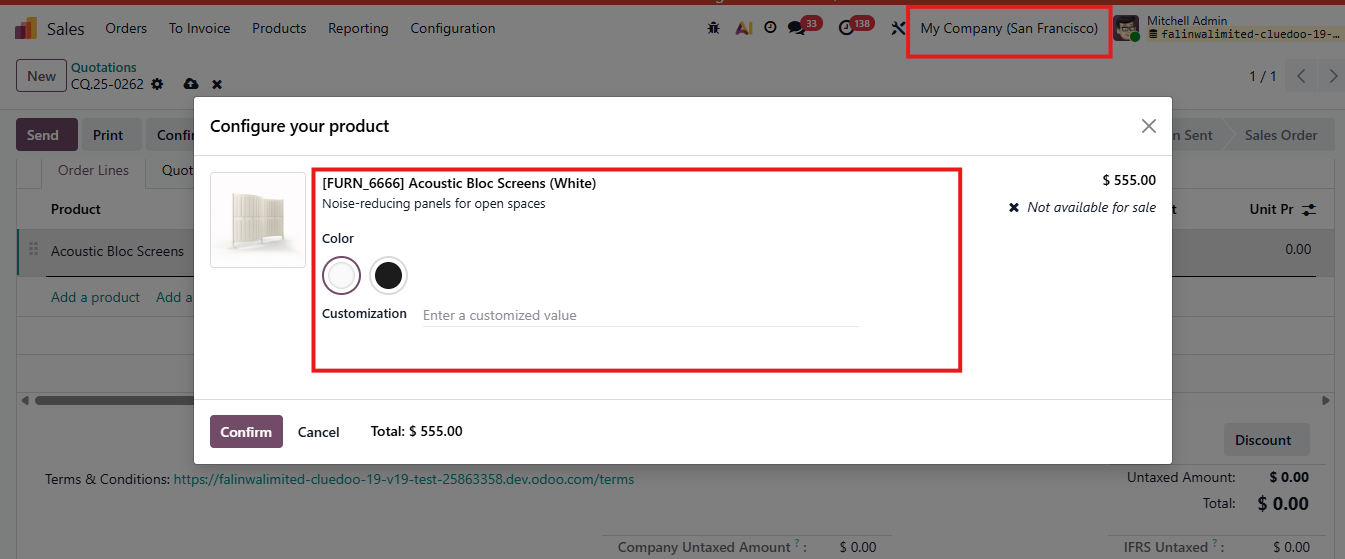 |
In Company B, Purchase order will automatically created and we will still have product configurator | 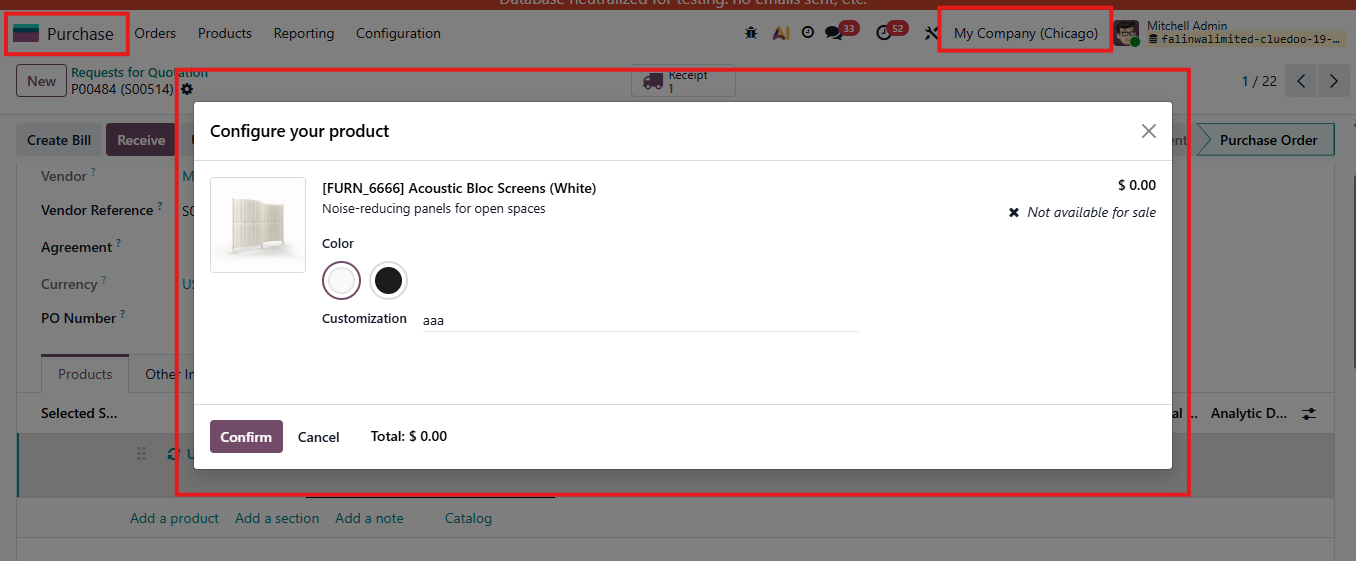 |