



STORY BEHIND THE FEATURE
ODOO'S FUNCTIONS
By default, Odoo proposes a controlling dashboard, which enables users to access a comprehensive overview of the project’s components and related activities: Task, Timesheet, Planned, Documents, Sales Orders, Sales Order Items, Burndown Chart, Milestones, Profitability and Budget.
CLUEDOO'S FUNCTIONS
CLuedoo extends Odoo's dashboard and provides direct links to all objects related to a specific project via the Analytic Account. Moreover, Cluedoo enhances the Profitability section by adding a 'Paid' column, enabling more efficient management and control.
CLUEDOO RECOMMENDATION
Install on 100% of the database.
OUR FEATURE AS SOLUTION
Add more columns in Project Dashboard for better controlling
HOW TO USE MODULE?
Required Module:
Controlling
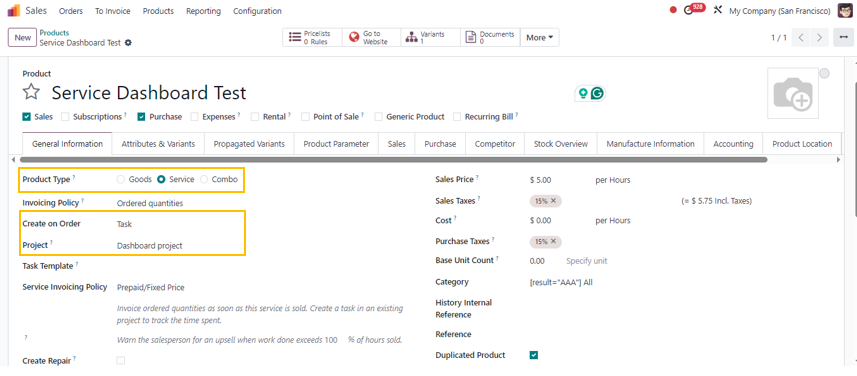
1Go to Sales > Products > Create a new product Note:
|  |
2Go to Sales > Orders > Create a new Sales Order > Fill in details > Assign a project in SO > Confirm Order | 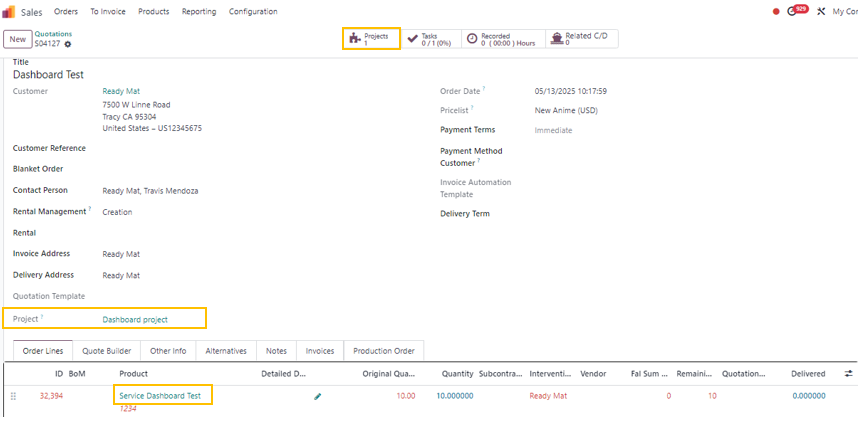 |
After the SO is confirmed, click the "Project" smart button, then select "Dashboard" to view details or Access the Project via the Project App and go to the Dashboard | 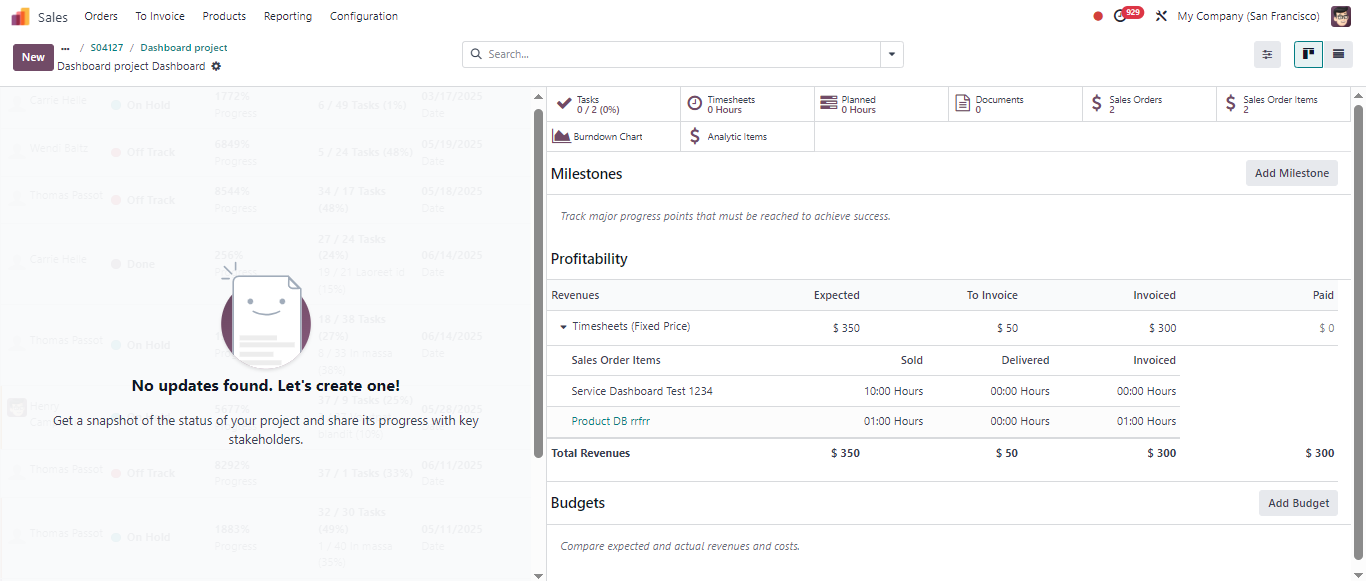 |
From the Dashboard, we can
Note: the Paid field is only updated after the payment status of the invoice is changed to "Paid" | 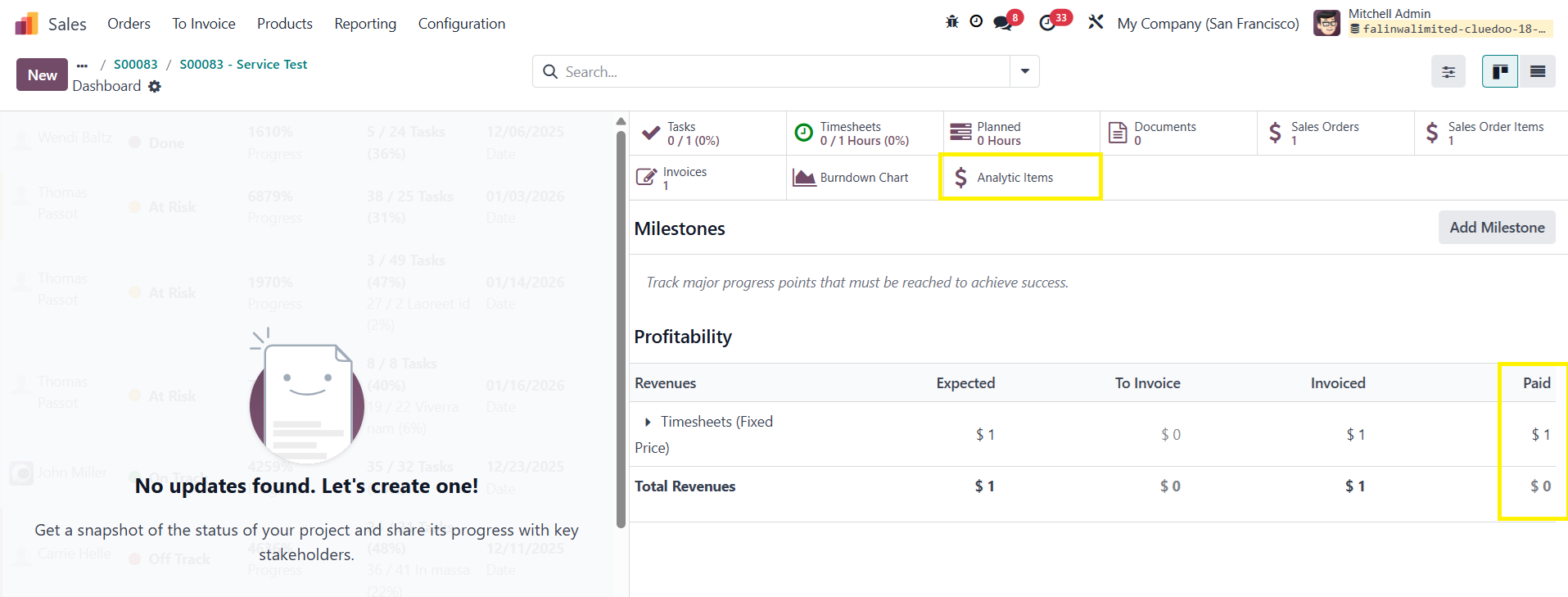 |