


ODOO'S FUNCTION
In standard Odoo, portal users can accept or decline the RFQs but can not add comments or adjust unit price.
CLUEDOO'S FUNCTION
CLuedoo enhances the standard process by allowing vendors to directly review, update, and respond to RFQs through the portal. Vendors can edit prices and add comments, ensuring smoother and more transparent communication in the purchasing process.
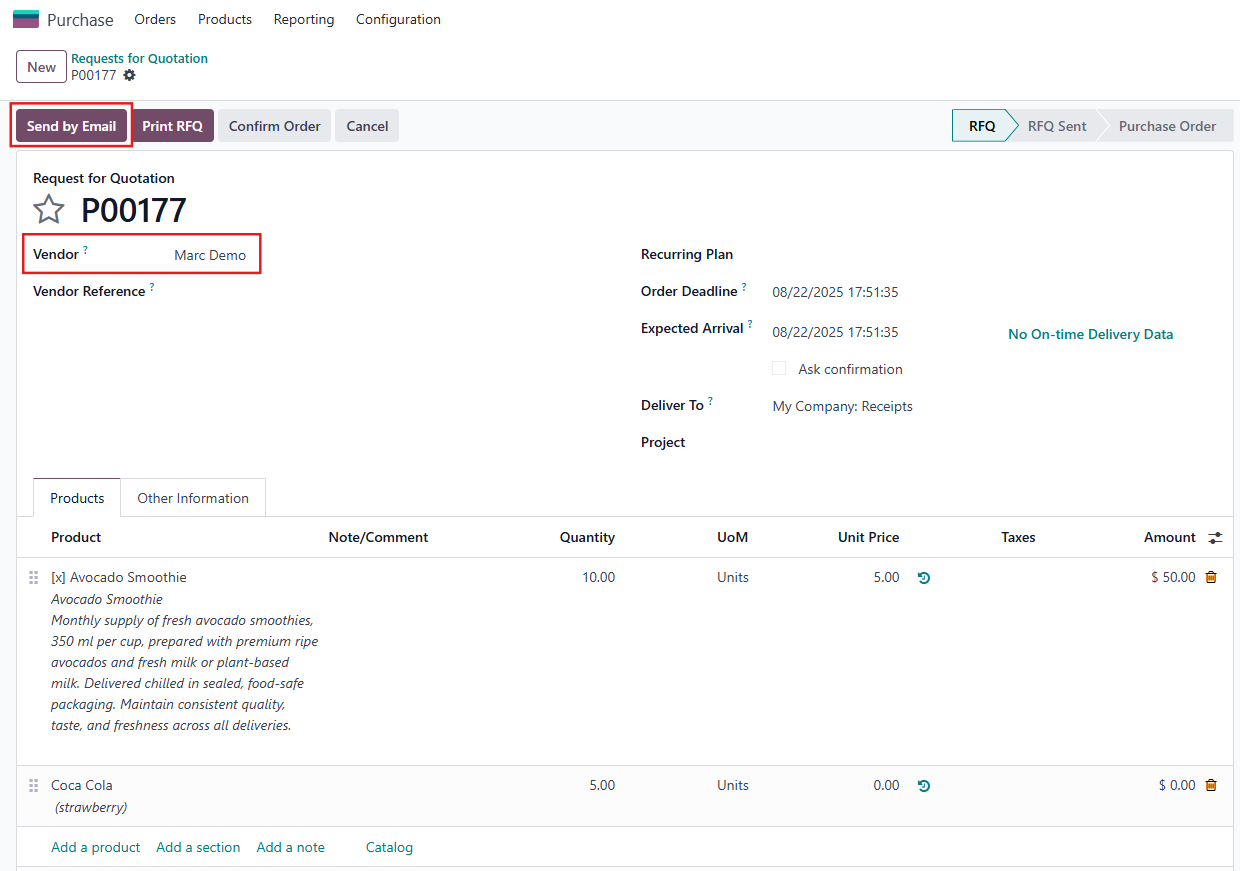
1. Go to Purchase > Orders > Request for Quotation (RFQ) > Click New to create a new RFQ> Send this RFQ by email. |
|
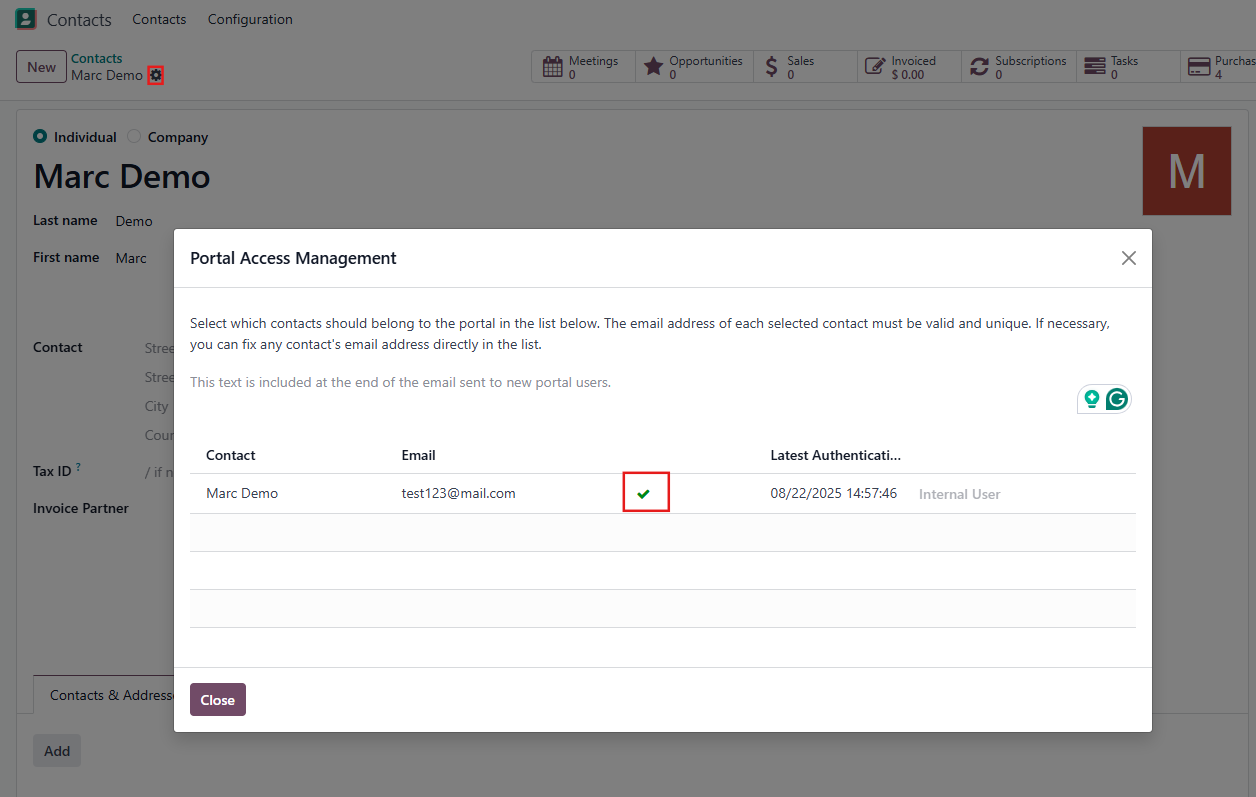
Note: Make sure the vendor in the RFQ has portal access. |
|
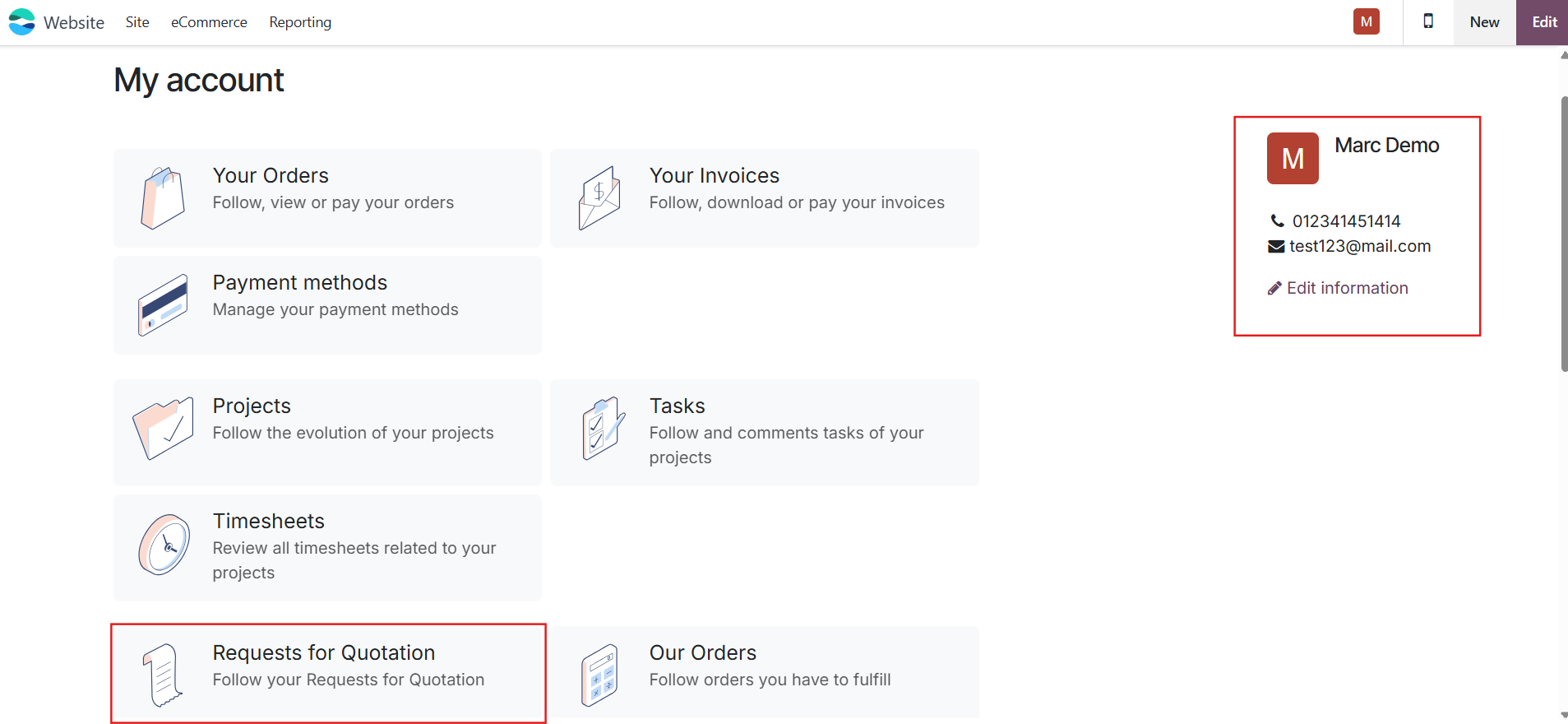
2. Log in as the vendor in the RFQ (porter user) > Choose Requests for Quotation > We can see the RFQ we've created. |
|
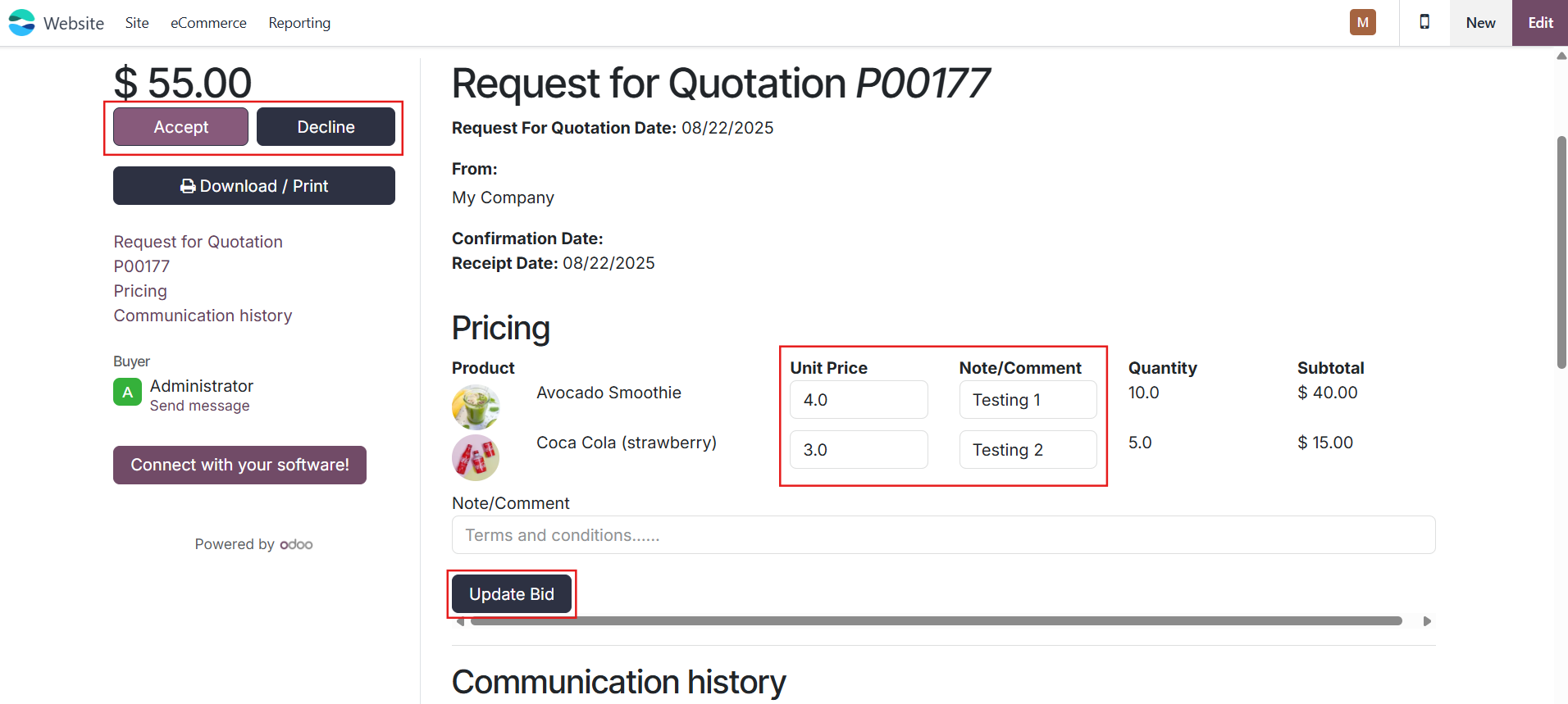
3. The Unit Price can be edited and the Note/Comment can be added > Choose Update Bid to update the information or The porter user can also Accept or Decline the RFQ. |
|
UPDATE V19 From v19, the porter user cannot Accept or Decline the RFQ anymore. | 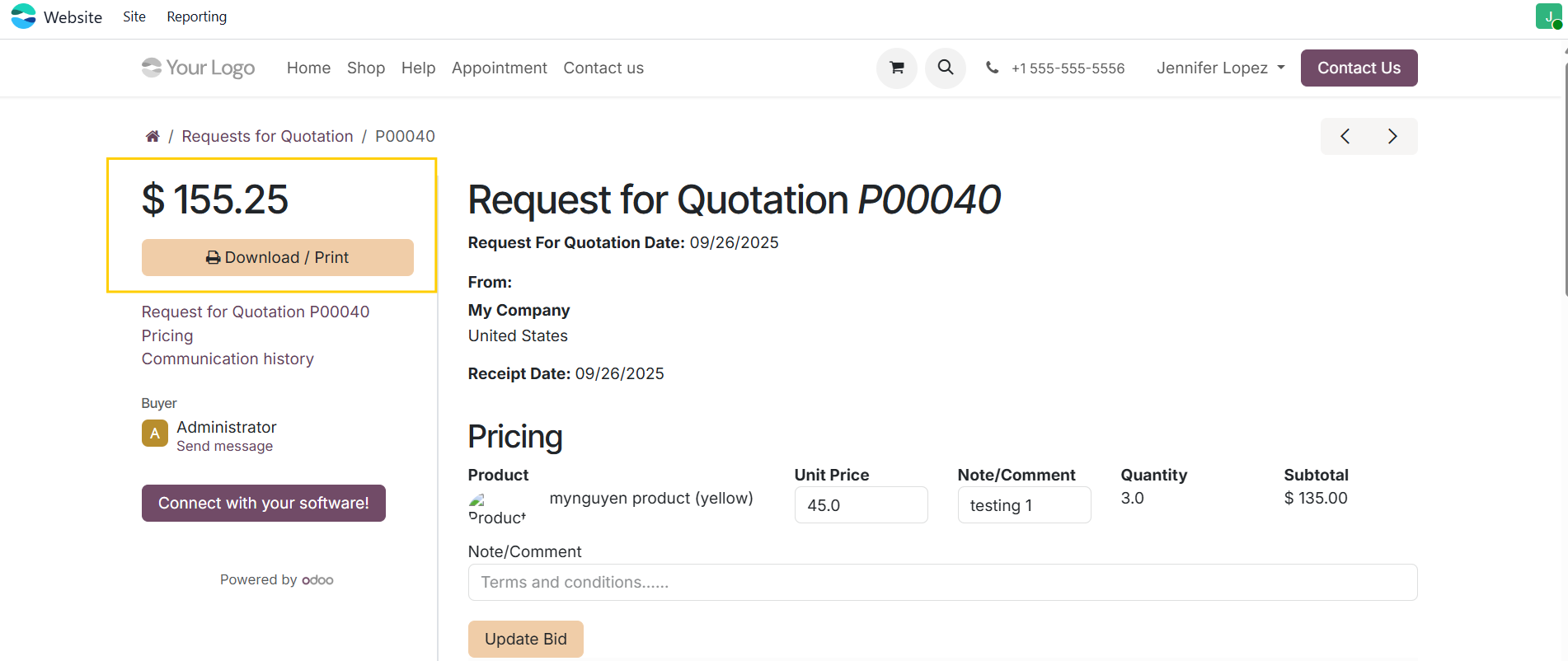 |
4. The Unit Price, Untaxed Amount and Note/Comment are also updated in the RFQ. | 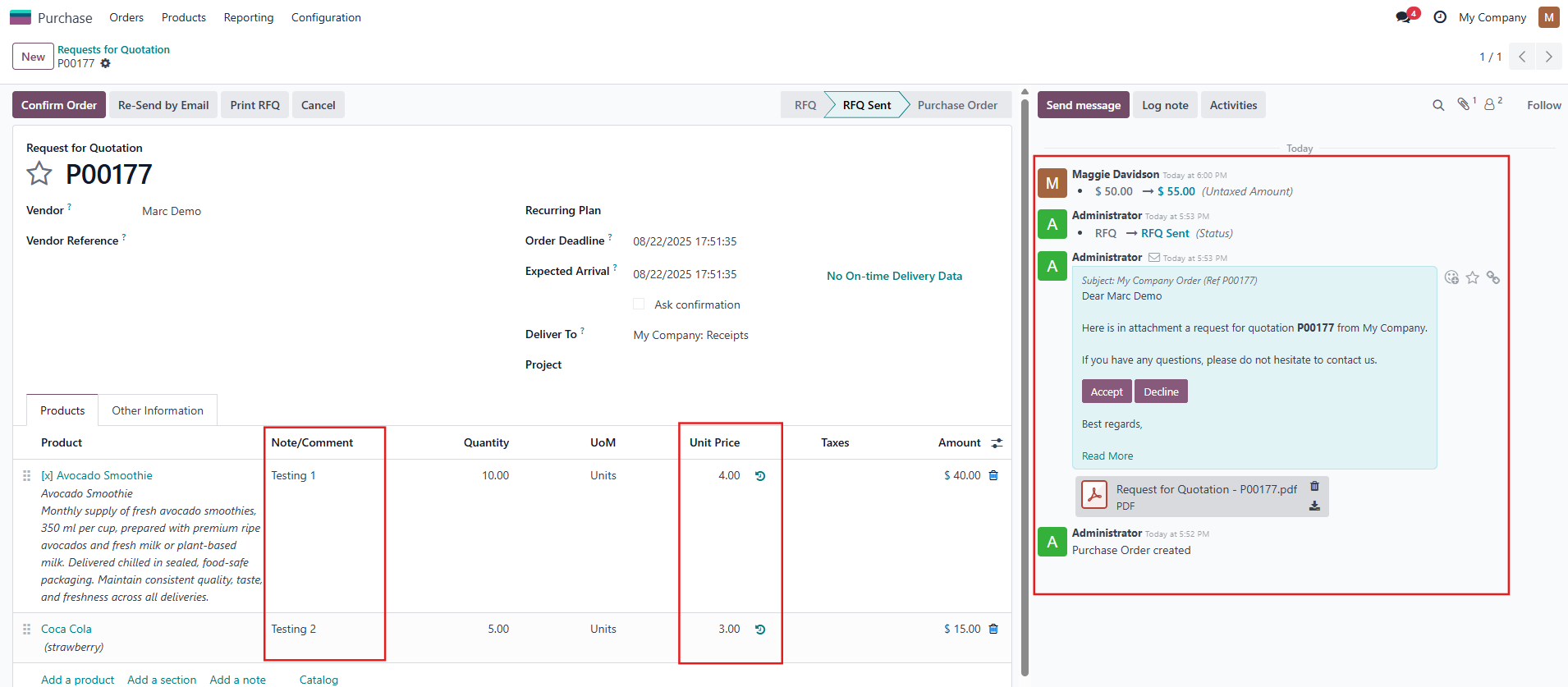 |